38439 comments found.

Hello – I’m looking to get some added help on all the updates with this plugin WPBakery – I had gotten notified through email, been through all the steps a few times and I get Fatal Errors – now i have done the ftp and through plugins – they both fail -
Warning: require_once(/home/lucidind/public_html/kvdzines.co/wp-content/plugins/js_composer/include/helpers/helpers_factory.php): failed to open stream: No such file or directory in /home/lucidind/public_html/kvdzines.co/wp-content/plugins/js_composer/js_composer.php on line 158
Fatal error: require_once(): Failed opening required ’/home/lucidind/public_html/kvdzines.co/wp-content/plugins/js_composer/include/helpers/helpers_factory.php’ (include_path=’.:/usr/lib/php:/usr/local/lib/php’) in /home/lucidind/public_html/kvdzines.co/wp-content/plugins/js_composer/js_composer.php on line 158
Been through these directories and its all there, as well opened js_composer and looked at line 158 as it shows this:
// Load API require_once $this->path( ‘HELPERS_DIR’, ‘helpers_factory.php’ ); require_once $this->path( ‘HELPERS_DIR’, ‘helpers.php’ );
Could you share some input with me on this or do i need to speak with WPBakery? thx you in advance for your time. kyle
Hey,
You need to update to the latest version of Salient (6.1.65), delete your current Salient VC and install the new from the prompt in the Appearance > install plugins section of your admin panel. You can’t use two Visual Composers at the same time, that would prompt an error
Salient 6.1.65 missing Tumblr icon in Salient Visual Composer social media element…?
Hey – make sure you’re using the Salient version of VC instead of the raw one
It is – followed the update instructions and message at the top of admin to update SVC and its titled SVC in plugins when updating to 6.1.65….other SM icons are present/working in the SVC element…just not Tumblr…
Also discovered after this recent update: in a page, must toggle off then on again for ‘Portfolio Display Settings’ to show…save and it disappears from edit page view…go to screen options, toggle PDS and it re-appears.
Hey – could you kindly open a ticket in regards with your admin credentials so I can take a look? themenectar.ticksy.com/
Hi there, can you please let me know how to remove the light grey border around the images when you use a 1 column image gallery like on my page here: http://jimparkerphoto.com/tabea-christian-wedding-photography-zurich-switzerland/
Many thanks Jim
Hey! Add this into the custom css box located in your Salient Options panel:
dl.gallery-item img {
    border: none!important;
}
Hi I’m having a lot of troubles to update security of WPBakary this theme. There are 2 instances of the WPBakery. Which one should I update? One in the plugins an other inside the theme. Tried both and fatal error appear.
General instruction sent not working for this theme. No instructions sent to users. Really thinking of changing to other Theme.
Now the nectar slider has a bug. Images show but no sliding.
Hey,
You need to update to the latest version of Salient (6.1.65), delete your current Salient VC and install the new from the prompt in the Appearance > install plugins section of your admin panel. You can’t use two Visual Composers at the same time, that would prompt an error
How can I in Nectar Slider the (third) button #3 to insert?
Hey,
You’d need to add the button shortcodes into the caption field on your Nectar Slider
Cheers
Hi
There’s space under the Nectar Slider that we’re not able to fix. Here’s website URL www.mysterymonks.com
Can you please suggest?
Hey, on that page I’m only seeing a page header – is there a sub page that shows the Nectar Slider issue?
The latest Salient update doesn’t seem to have the latest update for Visual Composer.
Hey, the latest VC is indeed included in the current release of Salient (6.1.65) If you’re already on that make sure you delete your current version of the Salient VC to install the new in Appearances > Install plugins
Hi, I have recently updated the visual composer after I received an email about security. Everything seems to be installed and updated correctly however when I try to add a new element the page just locks and I can’t now use the visual composer to build any new elements.
Can you please let me know how I can get this sorted out.
Thanks Jim
Hey – instead of using the VC included in the email simply update your version of Salient and you’ll have the latest Salient VC
Hello ThemeNectar!
I wanted to mention a problem I ran into when using the awesome ‘footer reveal’ effect in combination with a full-width portfolio item that has a nectar slider as it’s first element: the footer will be in front of the nectar slider when the page is scrolled all the way up.
I fixed this by adding this:
body[data-footer-reveal="1"] #footer-outer {
    z-index:0;
}
The original z-index: 1; in style.css line 10999 seems to cause this problem.
Greetings  !
!
Hey – thanks for mentioning!
Cheers
For some reason it doesn’t seem to work when I add custom CSS in the salient options to change the mobile menu. I added a few of the codes you posted here, but nothing changes. Do I need to toggle something to get the custom css to work?
Hey, could you share your URL so I can take a look at the css?
Sure, my website is www.imchretien.nl
If you’re trying to change the mobile logo height use this:
@media only screen and (max-width: 1000px) and (min-width: 1px) {
body header#top #logo img, #header-outer[data-permanent-transparent="false"] #logo .dark-version {
    height: 50px!important;
}
header#top, #header-outer:not([data-permanent-transparent="1"]) {
    height: 75px!important;
}
}
#mobile-menu {
    background-color: #FFFFFF!important;
}
#mobile-menu ul li a {
    border-bottom: 1px dotted rgba(0, 0, 0, 0.2)!important;
    color: #000000 !important;
}
Hey again, that’s the wrong selector for the mobile menu you’re using. It’s this:
body #slide-out-widget-area {
  background-color: #FFFFFF!important;
}
body #slide-out-widget-area a {
 border-bottom: 1px dotted rgba(0, 0, 0, 0.2)!important;
    color: #000000 !important;
}
Thanks, it’s working now! (: Just one more thing, how do I change the close button (cross) for the menu?
Hey, add this in as well:
html body #slide-out-widget-area a.slide_out_area_close .icon-default-style[class^="icon-"] {
  color: #000!important;
}
Hi, I am trying to activate the Box Roll effect. I have a Hero image on my nectar slider. Now i want to have roll box effect just like you have guys have on http://themenectar.com/demo/salient-agency/.
I checked the page meta settings page and it shows Box Roll Effect only on HTML5 Canvas Background and not for nectar slider or image background. I also checked your documentation and there is no mention of Box Roll effect.
Please help me out. Thanks!!
Hey,
as of now that effect is only available for the page header and not the Nectar Slider
Cheers
ok. But can you explain how can I do it for the page header?
Sure – it’s available as a checkbox in the page header settings metabox available at the bottom of every edit page screen
Having an issue with responsiveness on the one page design. Its not adjusting to screen size on a galaxy s6 or showing at all on iPhone6. Please help
Disregard
Hey – glad you sorted it
Cheers
Hi I am using the Centered Menu Alt for my logo and menu. When I set the logo height to 200 it also changes the height of my navigation button. How can I override this? I do not want the height of my menu to be affected. Thanks so much.
Hey – please share your URL in regards so I can assist
Hey, really enjoying the slide out mobile menu. Searching through the comments I found out how to modify the font and size. How do I add content to the mobile menu though? Currently it’s just a menu, but I’d like to add an address and other content as well.
Hey – you’d need to use the widget area for this available in your appearance > widgets section of the admin panel. However, you’d also need to be using the off canvas area on desktop as well
off canvas area on desktop … ? what do you mean by this? in the widgets area i don’t see anything for menu, just blog sidebar, page sidebar, woocommerce sidebar, and 4 footer areas.
I mean you’d need to turn on the option in your Salient options panel > header tab for off canvas menu
oh ok, i didnt know what that did before. thanks!
You’re welcome
Hi there,
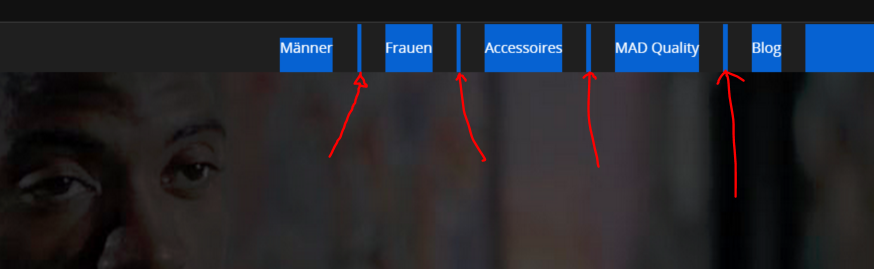
is there a way to change the padding between the top level menu points?
Thanks!
Andi
Hey, add this into the custom css box located in your Salient Options panel:
body header#top nav>ul>li>a {
  padding: 0 20px;
}
Hey, thank you! This helped me out.
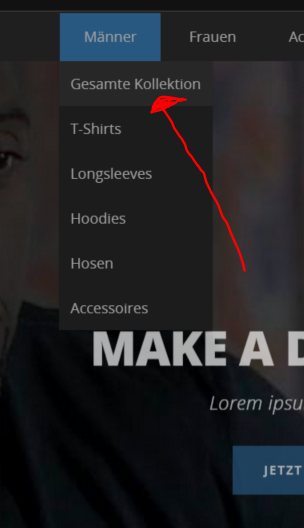
But do you also know how to remove the “small padding” between each item? Have a look on what I mean: http://fs5.directupload.net/images/151014/vrlfv92z.png Also sorry to ask another thing: Can you give me a code so my submenu will have the same hover like my top nav? http://fs5.directupload.net/images/151014/r5nndi3d.pngThank you so much!
Best
Hey – could you share your actual URL so I can take a look at your setup?
I’ve sent you a PM with the Login data! Thanks!
Hey, do you have any update yet? Thanks!
Hey – I added the css needed for removing the margin. As far as changing the submenu coloring you could actually achieve this in your header options tab by selecting “custom” for the color scheme
Hi,
I’ve a problem with the navigation in the portfolio category. I’ve selected the option in SALIENT -> PORTFOLIO -> “Single Project Nav Arrows Limited To Same Category” but it doesn’t work. In fact when I navigate in the same category, items aren’t sorted correctly and the arrows disappear.
example:
item-1 -> item-2 -> item-10 (why doesn’t show item-3, item-4, item-5 etc…?)
and
item-8 -> item-9 (the right arrow disappear but there are other items to show!!! item-10 ->item-11 etc…)
I have just updated all site (wordpress version, theme, plugins) to try to solve the problem but the portfolio doesn’t work correctly yet. Can you fix these bugs, or tell me how to order properly sorting the items in the same portfolio?
Thanks
Hey – please share the URL in regards so I can take a look
Cheers
Hi, this is the portfolio URL: http://tinyurl.com/ox4e3n5
Thanks
Hey – if you’re not using any plugin to manipulate the order of these items in the backend, please open a ticket in regards with your admin credentials so I can take a further look
Hi. I am getting people complaining that they can’t open the website on some devices, mostly older Android and IE: http://bantingprogram.co.za/
Hey – please let me know what versions of IE/Android this problem was reported on
Here are some of the feedback messages that my client is receiving: Can’t open ios9; Android 5.0.2; Android 5.1.1; Can’t open in chrome on my S4; etc.
The client is loosing her customers because of this!!!
I have removed the Nectar Slider as that also seems to have been an issue
Specifically with loading the background.
Hey,
I just tried to load and move around your site on an iPhone 6 running iOS9 and also tried a gs4/5 and haven’t experienced any issues yet, here’s one of the screen grabs http://i.imgur.com/yYih12H.png
1. Is the issue that these users can’t access the site at all or that it crashes after using it for a little?
2. Have you been able to replicate the issue yourself on a device?
3. Have you been able to see this occurring on the demo as well?
Cheers
Hello,
Would you mind to implement this option:
Activation of the “scroll up” button in the mobile view too.
We have asked you about it two months ago and there your reply was: “I’ll make sure to include it in the next small (non bug fix round) update which’ll land in 1-2 weeks”.
Well, we are still missing it and would highly appreciate your action.
Again, this option is extremely useful for any long pages and for one-page sites as well in order to avoid scrolling on mobile devices, of course.
Thank you!
Hey – I’m sorry that didn’t make it into the last update, the fixed mobile header did though and I’ll make sure this one makes it into the next
Yes, we noticed the new option for a “fixed mobile header”, of course
Looking forward to your next update then.
Thanks for your great support and co-operation too.
You’re welcome!
Cheers
Hey there, I need to decrease the left and right margins of the entire site structure (header, content, footer) when viewing on ipad to exploit the whole surface and get bigger images for portfolio and blog.
take a look: http://www.shinypixel.eu/MARGINS.jpgThanks in advance
Hey, add this into the custom css box located in your Salient Options panel:
@media only screen and (min-device-width: 481px) and (max-device-width: 1025px) and (orientation:landscape) {
.container {
    max-width: 950px!important;
}
}
Thanks mate you rock, works great!!
Other quests:
1) There’s a reason why the heart counter doesn’t count anymore? take a look here: http://www.shinypixel.eu/portfolio/macbook-air-psd-mockup-front-view/ Also the other socials doesn’t seem to work. Could depends by something I inadvertently touched..?
2) Is there a way to use the heart clicks to build a most “loved” portfolio category?
Thanks for your amazing work!
Hey,
1. please open a ticket in regards with your admin credentials so I can take a look themenectar.ticksy.com/
2. Unfortunately that would take some custom development as of now
Hello there
I have a strange question. For some odd reason, when I look at the responsive menu, I am seeing the word HELLO at the bottom under all the options but I am not sure where this is coming from? Any ideas? if you need you can look at the site www.get-branded.ca ( I am still working on it but I cant figure out where this is coming from).
Thanks in advance, awesome theme by the way!!!!!!
Hey – I currently can’t see that appearing, could you please open a ticket in regards with your admin credentials so I can take a look at what’s going on themenectar.ticksy.com/