4080 comments found.

Hello, I’ve succeed to to autoplay youtube video in classy slider with embed code ”?rel=0&autoplay=1”. However, when i click to an another video in slider, first video keeps playing in background. Is there any solution to stop it? Here is the demo : http://dogrudansatis.internetbilir.com/
Hi Taitai,
According to our design, you cannot play video on the slider by yourself.
It is because that the shortcode we gave you ”?rel=0&autoplay=1” coming with video iframe only supports the video auto play.
Thanks for your understanding.
Best regards,
CactusThemes
How do I hide the number of Subscribers on the Channel subscribe button?
Hi Bizmaint
Thanks for your comment.
Please try to add this Custom CSS segment in Theme Options > General > Custom CSS:
.subs-button .subs-row .subs-cell > i.fa-users{
display:none;
}
.subs-button .subs-row .subs-cell > span{
display:none;
}
You can check, then feedback for us soon.
Best regards,
CactusThemes
It worked. Thanks for the quick response. Awesome!
Cheers!
I do not have BuddyPress installed!
When I click the author’s name I’m not redirected to your posts! just back home from my site.
I’m forgetting something?
Hi
Do you mean you do not install BuddyPress and the author page does not work?
Do you try saving Settings > Permalinks again?
Please provide site URL + admin account to http://ticket.cactusthemes.com so we can help
Best regards
CactusThemes
That’s it!
check ? http://xboxnation.net/author/rhairison/ ? http://xboxnation.net/author/antipaladino/
Hi
We need to check the admin. Please provide admin account to the ticket system
Thanks and best regards
CactusThemes
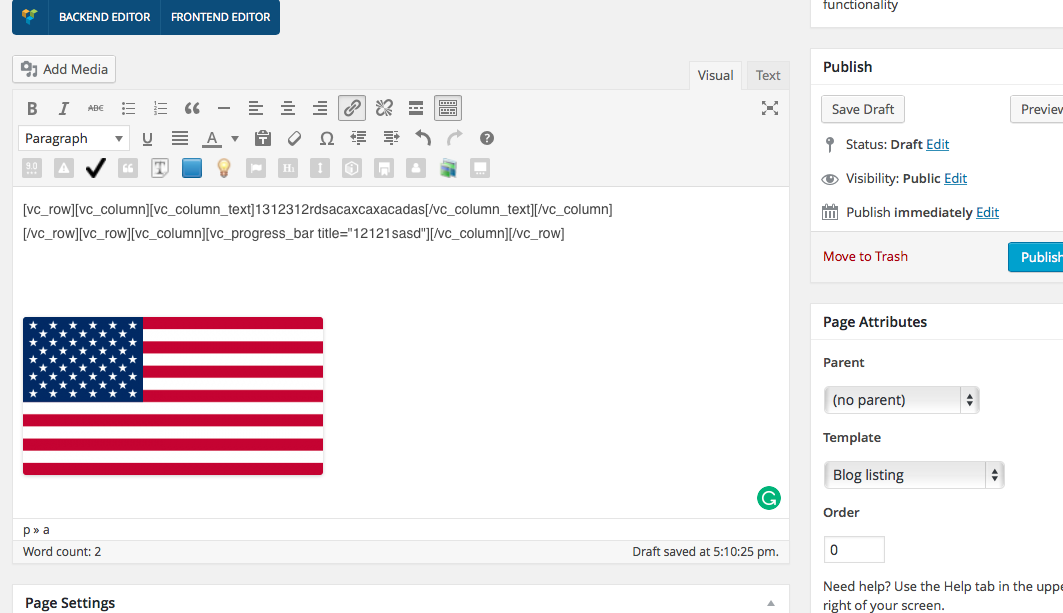
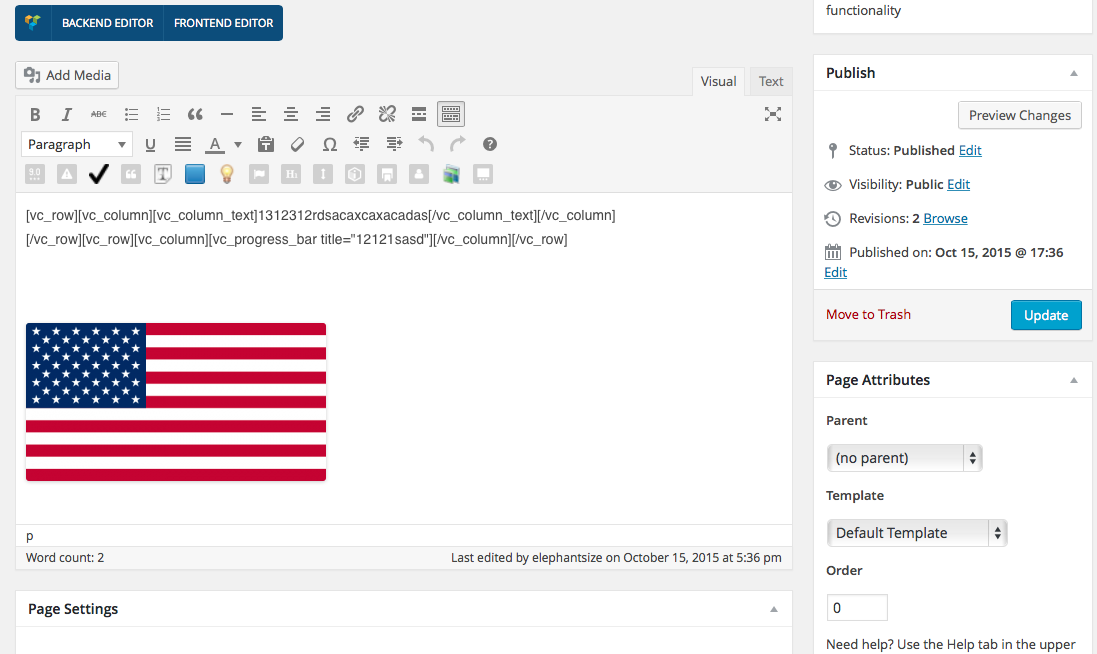
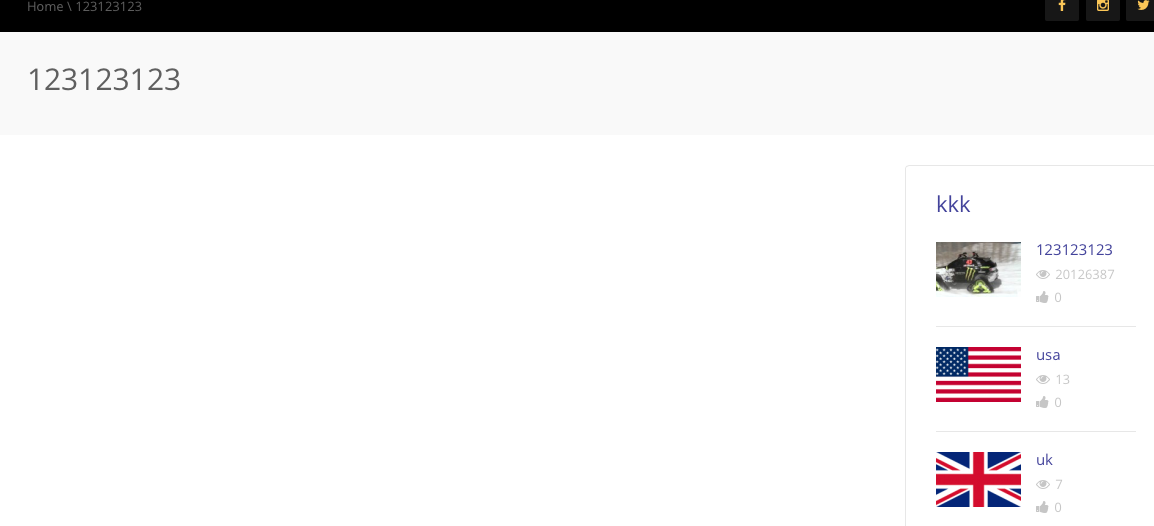
Hi! I would like to report a problem and for help how to fix it… We cant create pages. There is no content in the page which is created. In Page attributes, with default template – the content we enter via classic or visual composer isnt showing up at all. Its just a blank page. But if we change the template to blog listing – content appears…
Here i will add 4 screenshots.
1st – page (blog listing, edit mode) – https://i.gyazo.com/089757a5794e9989508614ba901f9df0.png 2nd – page (blog listing, view mode) – https://i.gyazo.com/089757a5794e9989508614ba901f9df0.png 3rd – page (default template, edit mode) – https://i.gyazo.com/4cc310abceda7881d3d8943c570fce0d.png 4th – page (default template, view mode) – https://i.gyazo.com/f7e39f350db59890c13113a226cd4f4b.png
I hope, now You understand the problem… P.S. in the page attributes, blog listing setting – VC does not work, but i dont know if should it or not.
Our goal is to create few simple pages, please guide us through how to accomplish that and fix the problem. Thank You!
Hi Elephantsize,
Thanks for your comment.
Please check your version of Visual Composer you are using again . Its latest version is 4.7.4
1> If you select Page Template to be Blog Listing, your page will be displayed as blog listing page (all listing posts will be displayed) and a shortcode of Visual Composer cannot be added here.
2> If you want to create your page using Visual Composer, you need to select Page Template to be Default Template or Front Page.
But on your site, it seems that you cannot add the short-codes of Visual composer on all Page Templates. That’s true?
Please check on your site again and the best way you need to do is create a ticket to our support system at http://ticket.cactusthemes.com/ and leave your website so we can help you check
Best regards,
CactusThemes
I can’t create a smart content box with default template on a new page. On my site I have front page where Im using visual composer’s smart content box, and I want to make a new page where i’d use smart content box with default template but it’s not working. How to fix it?
Hi Elephantsize,
We have checked on our demo site. Absolutely, you can add the Smart Content Box on one page (with Page Template: Default Template). Please check again and update your theme & plugins to the latest version
If your issue is still not fixed, you should create a ticket to our support system at http://ticket.cactusthemes.com/ and leave your website so we can help you check.
Best regards,
CactusThemes
Hello
i have some quetion
multi link support embed code ??
because all my video not suport dirent link , i hosted my video to openload
Unfortunately, multilinks do not support Embed Code. Only links from Vimeo, Youtube and other video hostings work there
How can I update to the latest version of truemag? Till now I believe there was a update button on design options, but I can’t that anymore?
Hi
The auto update feature was removed from the theme. If you need Auto Update, please use Envato WordPress Toolkit plugin.
Otherwise, you can download the package again from ThemeForest.
Best regards
CactusThemes
Hi, tried to post this code in “video code” in a post:
<script async defer src=”//content.youplay.se/players/single/581/514/48956.js?yot=0&yod=0&yos=0&ap=true”></script>
But no video is showing up – what could be wrong?
Thanks
Hi Fitpublishing,
Thanks for your interest.
Your link “video code” is quite strange. Please tell us what sources you are using to get this link.
In our True Mag theme, we support YouTube, Video and JW-player video. You should check on your website again, then feedback for us soon.
Best regards,
CactusThemes
That´s the code we get from the platform we use to publish video clip. It works in your other theme, Newstube, but we want to use True Mag.
Thanks
Hi Fitpublishing,
We have received your question in our support system. Please follow your ticket at http://ticket.cactusthemes.com
Best regards,
CactusThemes
Hello, great theme had to get it.
I have Jwplayer 7, but it doesn’t seem to be compatible yet? I have it installed and it seems to work out of the box, but when I change settings in the Jwplayer setting it seems to break up the shortcode for the player and will display the broken short code … in place of the player.
Thank you, great work! 
Hi
JWPlayer 7 for WordPress is not officially supported by its author. Actually the WordPress version of JWPlayer has been removed from WordPress.org, so we only support older versions
Best regards
CactusThemes
Can we disable view counts? I find the view counts are bogging up my database
I would recommend and option for users to choose between BAW, and WP-PostViews and not use trending widgets. I understand BAW gives you more data to work with, but many of your customers including myself are greatly affected by it.
If not the option for wp-postviews, can we have the option to just disable views all together? I can no longer recommend BAW
Yes, if you do not use Trending Video features, then BAW is not needed
hey there, I really liked your theme and I’m gonna buy it. I just want to know that. in the theme there is any register or log in functionality for users who can subscribe to channel and like it.
Hi SagarMo,
Thanks for your interest.
Registration is default feature of WordPress. You can just enable it. You can also use a custom login plugin like Theme My Login (free) to cutomize the login process
Best regards
CactusThemes
Hello. I’ve been trying to update Visual Composer after the security issues but have come up against a problem. I’ve been using TrueMag for years but never installed a plugin for Visual Composer, it’s just there, with options in the ‘Settings’ menu. I downloaded the latest plugin packaged with the latest version of TrueMag, installed it but get a Fatal Error on activation. I tried deleting TrueMag but Visual Composer is still there. I’ve been through the files on my ftp but can’t seem to find it anywhere. Would you have any clue how delete the old Visual Composer so the plugin version works? Thank you.
Hi
You can simple use a file manager application to remove /plugins/js_composer folder.
If you need help, please provide FTP account to http://ticket.cactusthemes.com so we can check
Best regards
CactusThemes
Hello, thanks for your reply. As mentioned, I didn’t have a Visual Composer plugin to deactivate. After turning off all of my plugins I found that Visual Composer was include in the TrueMag Shortcodes plugin. I deleted it and then reinstalled a newer version and the latest Visual Composer plugin. All works fine now. Thanks very much. Love the theme!
Probably you were using a very old version of True Mag shortcodes plugin, which integrates Visual Composer inside.
Yes, update newer version of plugin would does the trick
Best regards
CactusThemes
Hi, I’m trying to work out how to get the video in the classy slider to auto play on the home page. How can I acheive this?.
Hi Robnoon,
Thanks for your comment.
In order to get the video in the classy slider to automatically play on the home page, you only need to open your page ( you make it as homepage), then select Page Template: Front Page & Header Style: Classy Slider.
After that, please go to Theme Options> Front Page > Set Auto Play Slider: Yes to auto play slider on your page.
Best regards,
CactusThemes
Hi, It’s the video I want to auto play not the slider. I only have one video set in the slider so I want that static. I want the video thats there to autoplay on homepage load
Hi Robnoon,
Thanks for your feedback.
For your requirement, please follow these steps below
1> Create a new page, select Page Template: Front page & Header Style: Sidebar.
2> After that, go to Appearance > Widgets > Drag & Drop a Text Block or Visual Editor widget, then add this code structure of your video:<iframe width="560" height="315" src="https://www.youtube.com/embed/H1SyJLBUQnk?rel=0&autoplay=1" frameborder="0" allowfullscreen></iframe>Note: “rel=0&autoplay=1”—> This code segment helps your video automatically play when your page is loaded.
Best regards,
CactusThemes
Hi , thanks but I know this. I want to use the classy slider thats there , is there anywhere within the PHP where I can add the autoplay function?
Hi Robnoon,
We’re really sorry but there are no ways to customize the classy slider having one video and auto play when homepage is loaded.
You should find a freelancer developer to help you with this requirement.
Thanks for your understanding
Best regards,
CactusThemes
Surely this can be adjusted to make it so ….
<?php if(ot_get_option(‘header_home_use_player’) && get_post_format(get_the_ID())==’video’){ $url = (tm_video(get_the_ID(), false));
Thats from the classy-slider-home template
Hi Robnoon,
We’re really sorry that this code segment cannot make video auto play.
If you use this code segment for auto playing, it will makes all videos of Classy automatically play at one time.If you have any further questions, you can create a ticket to our support system at: http://ticket.cactusthemes.com/ so we can help you better
Best regards,
CactusThemes
hello i want to add these 2 codes on my website at the same time but a problem has occured.comment area does not shown.could u check it pls http://www.gozlug.com/
.form-allowed-tags{display:none}
.format-audio .item-thumbnail .link-overlay:before{content: ”\f001”;}
Hi Gozlug,
Thanks for your comment.
We have checked your code on our demo site and found that it works fine. The comment area still appears on the front-end. Please create a ticket to our support system at http://ticket.cactusthemes.com/ and remember to leave your website’s URL and your admin account so we check your Dashboard in your website.
Best regards,
CactusThemes
BAW Post Views Count v3.0.2 seems to have stopped counting views after the update 3 days ago. I’m not the only one to have noticed this. Is there a fix for this issue?
Hi Jewlicious,
Thanks for your comment
Please refer to the FAQ: http://ticket.cactusthemes.com/kb/faq.php?id=73 for more information
Best regards,
CactusThemes
For some reason the site is not fetching content when we post a Youtube or vimeo video. It used to post the title, description, run time, thumbnail, etc. Now it only fetches the thumbnail. Please advise. www.mydubo.com.
Hi
Make sure you have configured YouTube API. Please check: http://doc.cactusthemes.com/truemag/#other_settings_youtube_V3_API
Best regards
CactusThemes
Will I have to re-do all my settings if I manually update the theme using the method mentioned in the documentation? How about the plugins that come with the theme? Can I update them without loosing settings?
Hi
You can update theme without losing data & settings. Just uninstall and re-upload new versions. Or you can just upload and override plugins and theme using FTP
Best regards
CactusThemes
HI,
When an images is set for an video, the theme generates 14 dimensions of it. So perfect when i need them, but do i need them? At this point I have 2000 video’s on my site, but those have al 14 images, zo my diskspace is growing huge! Can you tell me if I really need al those dimensions? When I use regenerate thumbnails plugin, can I then delete all the other images?
Hi
That’s the pay-off when a website supports responsive-ness. You will need multiple image thumbnails to server different screens.
You can remove some of them. Larger images will automatically be used (so on mobile devices, users will have to load large images).
You can contact our technical staff at http://ticket.cactusthemes.com They will guide you how to reduce number of thumbnails
Best regards
CactusThemes
Is there an easy way to make the box go way from content that I add to the sidebar as a widget?
Hi
Could you provide a screen-shot of the problem?
in general I’d rather get rid of these thin boxes around all side bar content.
Hi JDiegoTV,
You can add this CSS Code segment to Theme Options > Custom CSS to get that
.widget-top-rated, .widget-top-viewed, .widget-top-commented, .widget-top-liked, .widget-border{border: none !important;}
Best regards,
CactusThemes
Muchos Gracias!!
What are the main differences between your themes “True Mag” and “NewsTube” ?
Can a video be played in the header on the Homepage?
Hi
True Mag focused on video-listing sites, while NewsTube is more magazine-related
Best regards
CactusThemes
Can a video be viewed/played by visitors in the header of the Homepage of “True Mag”?
Oh sorry for the silly question. After viewing the “Very Big Carousel Video” demo header I can see that videos are watchable from the header on the homepage. Thank you for all of your replys. I think I may purchase your theme
Thanks
Is there a way to completely remove the Menu from the home page? That’d be great!
Is there a way to completely remove the Menu from the home page?
Is there an EASY way to ad Facebook comments to the theme?
Lastly, if I use the Vicomi FeedbackFeelbacks plugin, is there a way to disable it on certain pages?
That’d be great!
Hi JDiegoTV,
1. You can use this custom css
.home #top-nav .container .main-menu {
   display: none !important;
}
2. You can try with these plugins below
https://wordpress.org/plugins/seo-facebook-comments/
https://wordpress.org/plugins/facebook-comments-plugin/
3. Sorry, It’s not supported plugin. So, we have not tested it yet. You can figure out after trying it.
Best regards,
CactusThemes
Thanks
sorry tried to figure out on my own. Where do I access custom css settings.
It’s in Theme Options > General > Custom CSS. You paste the code there
Thanks so much!