4080 comments found.

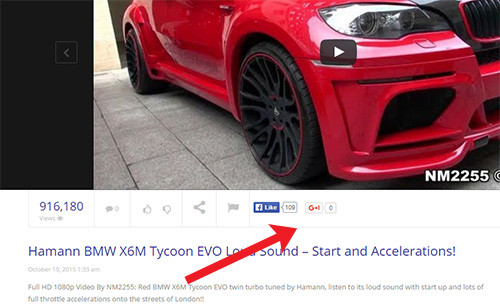
Like to remove the rating, like, and share Box on some of my pages. Like my “About Us” page… i don’t need a rating box on this page.
Hi VEGASBOBBY,
Please kindly create a ticket to our support system at http://ticket.cactusthemes.com and leave your website link, an admin account. In addition, please describe your issue as clearly as possible. We will check and try our best to help you if possible.
Best regards,
CactusThemes.
True Mag doesn’t have a Facebook “share” button next to the like button! A share button should be the simplest most standard button there is. If you provide a Facebook like button, a share button should also be provided! I don’t want my users to have to look for the share button. When I contacted support they said it was not possible. When I said I wanted to do it manually with the Facebook SDK code they said “all the CSS styles we made will be lost.” Now I’m scared of adding my code for fer of ruining my website. How is it that such a simple addition is so hard to integrate into the code? And why does it break the CSS styles? http://i.hizliresim.com/a0ER54.jpg
function gp_social_share($post_ID){
- In that function, replace:
<iframe src="//www.facebook.com/plugins/like.php?href=<?php echo urlencode(get_permalink($post_ID)) ?>&width=450&height=21&colorscheme=light&layout=button_count&action=like&show_faces=false&send=false&appId=498927376861973" scrolling="no" frameborder="0" style="border:none; overflow:hidden; width:85px; height:21px;" allowTransparency="true"></iframe>- with this new code:
<iframe src="//www.facebook.com/plugins/like.php?href=<?php echo urlencode(get_permalink($post_ID)) ?>&width=450&height=21&colorscheme=light&layout=button_count&action=like&share=1&show_faces=false&send=false&appId=498927376861973" scrolling="no" frameborder="0" style="border:none; overflow:hidden; width:145px; height:21px;" allowTransparency="true"></iframe>- Save
Make sure you back up this code when you update new version
Best regards
CactusThemes
I’m excited for the update your released today but the changelog was not updated so i don’t know what was updated or where to look? This happens every time you guys post a update, maybe it is caching? Maybe in the future in the download you can include the changelog? I just need to know what is new so i can plan to update…
Can you please update the changelog?
Sorry for that, the full release logs is updated here first: http://demo.cactusthemes.com/truemag/release_log.html
We have also updated the logs on ThemeForest.
Thanks and best regads
CactusThemes
i have a big problem with the loading time of my site.
it take ages to load my site, i have tried on fast internets and good machines but steal the same can you please help me with it. and the second question my site contents doesn’t appear on mobile devices it only show me master slider. is it responsive theme or not? 
Hi
Please check this FAQ: http://ticket.cactusthemes.com/kb/faq.php?id=72
True Mag is fully responsive. Please provide your site URL to http://ticket.cactusthemes.com so we can check
Best regards
CactusThemes
Hello. I have a sign up form on my website and when you type text into the boxes it’s a very light grey. Is there any custom CSS to change the text color to black? Thanks very much.
Hi Mrjontaylor,
Thanks for your comment.
Please tell us what plugins you are using to build Sign up form (Register). If you use Buddy Press plugin, you can add this Custom CSS segment in Theme Options > General > Custom CSS:
#buddypress .standard-form textarea, #buddypress .standard-form input[type=text], #buddypress .standard-form input[type=text], #buddypress .standard-form input[type=color], #buddypress .standard-form input[type=date], #buddypress .standard-form input[type=datetime], #buddypress .standard-form input[type=datetime-local], #buddypress .standard-form input[type=email], #buddypress .standard-form input[type=month], #buddypress .standard-form input[type=number], #buddypress .standard-form input[type=range], #buddypress .standard-form input[type=search], #buddypress .standard-form input[type=tel], #buddypress .standard-form input[type=time], #buddypress .standard-form input[type=url], #buddypress .standard-form input[type=week], #buddypress .standard-form select, #buddypress .standard-form input[type=password], #buddypress .dir-search input[type=search], #buddypress .dir-search input[type=text]{
color:#312C2C;
}
Please check, then feedback to us soon.
Best regards,
CactusThemes
Thanks for your reply. I’m using MemberPress which automatically generates a register form.
Please provide URL of the issue to http://ticket.cactusthemes.com so we can help with custom CSS
Best regards
CactusThemes
How can I get models for the Revolution Slider? we do not have licenses
Hi
What do you mean by “models”?
The documentation on how to set up the sliders is incredibly poor! ive managed to fumble my way through to get the metro slider working, but it took me quite some time to figure out i needed to set up posts, to get any content in the slider, even after doing that tho, when i click on a video it just redirects to a page not found 404…. please oh please show me some documentation on how to fix this and get even one video working…. i’m pretty angry right now, i bought this theme 5 hours ago with the intention of having it up and running so i could show case my work to a client in the morning and so far i haven’t made any head way.
ive also submitted 2 tickets that haven’t gone through to support as that option doesnt seem to really work,
if you have some documents that will show me exactly how to set up a page like the metro slider demo page and place my own videos then please show me, if i have missed the documentation then i apologise, but from what i’ve seen even at the end of your tutorial video the video doesn’t work.
im extremely disapointed
Hi 01kingj,
Thanks for your comment.
First of all, we are sorry that we works at the time zone of GMT+7. so there are some differences between your working time zone and ours, making your ticket processed untimely
1> To set up Metro Slider on your page, you only need to go to Pages > Open your page > Scroll down the mouse, you will see Front Page Settings > Open it > Set Header Style to be Metro Carousel ( Remember to select Page Template to be Front Page).
2> For your point “when i click on a video it just redirects to a page not found 404”—> Please try to go to Settings > Permalinks > Click Save to re-save permalink.
Best regards,
CactusThemes
hi thank you for your reply, could you advise me what the permalink setup should be? currently i have it set to default but i have numerous options, and yet its still not working, still goes to 404 error.
Default    http://www.bravepixel.net/?p=123
Day and name    http://www.bravepixel.net/2015/10/21/sample-post/
Month and name    http://www.bravepixel.net/2015/10/sample-post/
Numeric    http://www.bravepixel.net/archives/123
Post name    http://www.bravepixel.net/sample-post/
Custom Structure    http://www.bravepixel.net
my site is as you can see bravepixel.net,
so far i simply uploaded your sample data, but that doesn’t look like it works anyway.
okay i figured it out, the permalink should be like this… http://www.bravepixel.net/2015/10/21/sample-post/
or at least it seems to work, but again there’s no documents that state this.
jk
Hi
The permalinks is default feature of WordPress. Sample data does not affect your permalink structure. Probably you have just installed WordPress so the permalinks is not setup yet
Best regards
CactusThemes
i want to change baw post views count counter period as once in a day for per ip how to do that
Hi Gozlug,
Unfortunately, on this theme, we do not support changing BAW Post Views to count the number of visits per day per IP.
You should contact BAW Post Views plugin’s author for more details about your requirement
Sorry for this inconvenience
Thanks for your understanding
Best regards,
CactusThemes
Hi the video view count is no longer updating on my website. I suspected caching but Not sure how that is possible considering views have not updated in weeks now. Clearing cache also does not cause the views to update either.
This is an issue. I have a very popular website with user submitted content and this not functioning properly is very annoying.
Please tell me how to fix this right away and also May I please request in a future update an option to load the view counts using AJAX?
nevermind I saw the comment above for quick fix.
Do not hesitate to contact us if you have any further questions
Best regards
CactusThemes
Hello,
i have a big problem with the loading time of my site.
Especially the Java Script and the Admin-Ajax.php are loading really slow.
What can i do to increase loading speed?
THANKS!
Hi
Please provide site url to http://ticket.cactusthemes.com so we can check
Best regards
CactusThemes
Hi
I got the following error
Fatal error: Call to undefined function ctype_space() in
/wp-content/themes/wp/functions.php on line 350
line 350 reads
if(ctype_space($rm_sp)==false){
Hi
Which version of PHP are you using? ctype_space is default functinon of PHP 4.0.4+, 5, & 7. Does your server just update? Please contact your hosting provider for more information
Best regards
CactusThemes
The header of my theme and page is messed up when looking at via Google Chrome. In fact, the following message is shown in the header. See below. Also, is there a way to make the site more secure. There’s another message that says the connection is not secure because there are some unencrypted elements. Please advise.
Error message: arning: session_start(): The session id is too long or contains illegal characters, valid characters are a-z, A-Z, 0-9 and ’-,’ in /home/content/p3pnexwpnas05_data03/17/2280117/html/wp-content/plugins/custom-sidebars/inc/external/wpmu-lib/functions-wpmulib.php on line 69
Warning: session_start(): Cannot send session cookie – headers already sent by (output started at /home/content/p3pnexwpnas05_data03/17/2280117/html/wp-content/plugins/custom-sidebars/inc/external/wpmu-lib/functions-wpmulib.php:69) in /home/content/p3pnexwpnas05_data03/17/2280117/html/wp-content/plugins/custom-sidebars/inc/external/wpmu-lib/functions-wpmulib.php on line 69
Warning: session_start(): Cannot send session cache limiter – headers already sent (output started at /home/content/p3pnexwpnas05_data03/17/2280117/html/wp-content/plugins/custom-sidebars/inc/external/wpmu-lib/functions-wpmulib.php:69) in /home/content/p3pnexwpnas05_data03/17/2280117/html/wp-content/plugins/custom-sidebars/inc/external/wpmu-lib/functions-wpmulib.php on line 69
Hi
Please provide site URL + admin account to http://ticket.cactusthemes.com so we can check
Best regards
CactusThemes
Favor please….
For the next release can you PLEASE compress the images? The no-background image is REALLY big and it is just black. It looks to me all the images in the theme need to be lossy compressed or lossless… Would be nice for the theme files to come pre-compressed as otherwise it is a manual tasks and gets lost with every update…
Thanks!!!
Hi
The no-background image is used for demo purpose only. You should upload your own image to replace it.
Best regards
CactusThemes
Hi , this theme is great, but I have some questions:
1- as I can add tabs to different video options. ex : youtube, vimeo , hosted , etc. 2. How can I change the order of the tabs on the channel page . ex : I want first of all this the “About” tab , not “videos” 3- as I can add more tabs on the channel page , which files need to be modified? 4- I have several series of different channels, and when someone is watching an episode , it is difficult for the user to go to the channel of the series, and there is no method “button” to take you to the channel , so I wanted to know how I can add a button next to the player who makes this action , this is more a request , not only mine, but several of my web users .
best regards
Hi Yahiko,
1. TrueMag theme does not support for tab.
However, you could try with a feature of Visual Composer plugin ( in theme package) named Post Grid. This feature only supports for Post, please kindly contact Visual Composer’s author for more details.
2 + 3 + 4: We are sorry that they are customization works, these are out of support services and theme’s design.
You should find a freelancer to help you with wp-content/themes/truemag/cactus-channel folder.
Thanks for your understanding
Best regards,
CactusThemes
Hi,
I purchased truemag and after updating it my views counting stopped suddenly, Please make sure you look into this case asap because I am getting nice views every day and I don’t want to miss the counting. When I saw the plugin page and I found that all are suffering the same issue a lot of new negative reviews about not getting the views count and author bad behavior.
Cheers to the best team out there, Yogie
Hi
Thanks for contacting us. For a quick fix, please check http://ticket.cactusthemes.com/kb/faq.php?id=73
We will look into this issue carefully
Best regards
CactusThemes
Hi Gozlug,
Thanks for your comment.
1> This is default mode of YouTube, Vimeo and JWplayer video. They cannot be automatically played on mobile devices. You can refer to this blog for more details http://stackoverflow.com/questions/15090782/youtube-autoplay-not-working-on-mobile-devices-with-embedded-html5-player
2> BAW stops couting: This is the issue of this plugin, you can refer to this FAQ to know how to fix this issue: http://ticket.cactusthemes.com/kb/faq.php?id=73
Best regards,
CactusThemes
How do you make a video thumbnail for self-hosted videos? My site will be pure self-hosted videos, and as I am able to set the post featured image with a thumbnail that shows in the widgets for the video posts, there is no over-laying image for the video player.
I am unable to find any setting that will let me set the thumbnail for the video for self -hosted videos, where cn I find it?
Thanks
OK, I am seeing now that it is not possible at all. I had made this pre-sales question earlier, I made the mistake of assuming that what you meant about this was that with a video editor an image could be extracted to add as the thumbnail.
The need to use a video editor to have to re-encode everything just to write the thumbnail metadata to the mp4 file is absurd and an incredible waste of time.
Why can’t we upload or choose a file path to an image to add to the video player thumb? Having self-hosted videos with no video thumbs is a big problem for me and I’m sure would be a problem for anyone with self-hosted videos. To me it just seems like common sense for this to be available.
Please advise on any hacks I can do to get this connected to at the post’s featured image.
Hi
You got it right. Yes, there is a hack: you can use JWPlayer plugin. It will display Feature Image of the post to the player.
Currently JWPlayer WordPress version is not supported anymore. You can contact our technical staff to get the latest version available.
Best regards
CactusThemes
I have the latest version of JWPlayer 7, but it’s really not supported, it breaks up the shortcode. I have the older versions of JWPlayer already so I’ll see what’s up.
Curious why the theme won’t support JWPlayer anymore? It’s so feature rich ,,,
Hi
It’s JWPlayer’s author who does not support WordPress anymore The plugin has been removed from WordPress.org…
I’m not sure if it is official plugin from the author https://www.jwplayer.com/products/jwplayer/
We will see if this plugin works
Best regards
CactusThemes
it doesn’t, it breaks up the shortcode for the player. I’ve been desperately trying to find solutions for a lot of problems I’m having with the theme as a self-hosted site …
Not making any progress and it’s frustrating.
So please use the most stable one (JWPlayer 6) which can be get from our technical support http://ticket.cactusthemes.com
Best regards
CactusThemes
OK, check it out I wasn’t thinking correctly. The whole time I’ve been trying to hack the JWPlayer 7 into the theme … but the True Mag theme by itself is absolutely wonderful and I’ve figured out how to do it. In fact this can be done with the short code of ANY player that one might choose to use for the theme.
Simply place all the shortcode for whatever player (JWPlayer, MaximaPlayer etc) into the VIDEO CODE EMBED field of the post and waa-laa, done.
Thanks for the great and theme and here is your “hack” the next time someone asks 
Cheers!
I saw that you guys tested BOW View Counts 3.0.2 and it worked find but that is NOT the case for me and for many others. Please view the comments on https://wordpress.org/support/view/plugin-reviews/baw-post-views-count?filter=1 You will see others using TrueMag, me including that it stopped working. The developer is just rude, to say the least… I think you guys should rethink using his plugin as his attitude is ‘this is free so suck it up”... Well, I’m sort of forced to use it but if you guys supported something where the developer was not an A$$ then it would be must better for all of us. Right now I have problems and can’t fix them…  So do many others …. and no word from the developer of that plugin
PLEASE think about a different view count plugin or doing it yourself. Partnering with the BOW guys is a bad idea, sadly..
Hi
Thanks for contacting us. For a quick fix, please check http://ticket.cactusthemes.com/kb/faq.php?id=73
We will study this issue seriously
Best regards
CactusThemes
Intersting… So I need to enable showing the view count on the bottom of the post to make it work? This seems a bit ‘ugly’.... Can I hide that text? I mean, it seems to work but then i have a (x) text (x = number of views) below the text and it looks weird and out of place and ugly. Is this something you guys can fix? This is not as designed..
It looks like with the updated BOW plugin it does work with caching but TrueMag does NOT. I can see the bottom of page view update but the view that is listed in the video bar does not changed until I clear my cache. Basically, I need to disable TrueMag from showing the view count… Which sucks as I liked that, it looks good. It’s part of your stellar design. I truly hope you guys fix this… I also recommend supporting the other view counting plugin mentioned in these threads… It is lighter weight and the developer is not a prick
Basically, since the update to the new BOW version TrueMag view counts are broken as designed.
Please guys. Don’t let a plugin destroy your beautiful design!!!
Hi ,
Thanks for your comment.
In order to hide the view count on the bottom of the post, please add this Custom CSS segment in Theme Options> General> Custom CSS
p.bawpvc-ajax-counter {
 display: none;
}
Please check, then feedback for us soon.
Well yes, we will find a better solution soon
Best regards,
CactusThemes
Thanks… Problem is the theme is not keeping up with the view count. The plugins count on the bottom of the page is accurate and increases but the view in the video bar does not unless i refresh my cache. This was NOT the way it worked prior to the update of the plugin. The plugin broke how you guys display the count in the video bar and also if you are using caching it requires a refresh. So hiding the text does not help me. I actually had to hide the count in the video bar. Which is sad as I really like that. Add class to the page… This is what I need fixed. The count to be the same as displayed on the bottom of the post and for that to refresh with caching on. Everyone uses caching!
Thanks so much! I look forward to this update. I understand the problem was not created by you guys but I think the fix is on your side. I know there are a lot of us running in to this issue
and please correct me if I’m wrong..
Thank you
Hi
If it is because of caching, there is no difference between current and previous version of view count. It depends on how you set up caching that the view count will be refreshed after a perios of time. Please check your caching plugin.
Best regards
CactusThemes
Yes, but I have not changed anything. Only caching I have enabled it page caching and to get it to work i have to completely turn off page caching and hence turn off caching. Again, it worked fine before the update with the caching settings I have configured now. Nothing different. The BOW plugin does refresh the count with the cache settings i have. Again, the only thing that does not is the count in the theme itself. Make sense?
Hi,
Video’s view count on player toolbar still loads from post meta, and will be refreshed when cache is updated. You could set your cache timeout smaller to make view count update faster. Even Youtube, Vimeo caches their count too.
Thanks for understanding
CactusThemes
Hi i wanna buy this theme, but i wanna know if there is a way that visitors can embed the videos to there own website
Hi
Thanks for your interest.
Currently True Mag does not have such feature
Best regards
CactusThemes
Hi, Is there a way to add non video posts to a channel? And maybe a way to ad woocommerce products to a channel?
Hi
Unfortunately, it’s not possible
Best regards
CactusThemes