1278 comments found.
Hi QuanticaLabs!
when my client updated WP Bakery Visual Composer (he didn’t know that it was pre packed, so he bought it separately), columns stopped working correctly. So I updated theme and WP, but still it seems like content doesn’t fit into body. Could You pls help me?
Heres the site
And there are some screens to compare front and back
Thank you!
Hi,
Please remove Visual Composer and theme will ask to install it, follow the screen instructions then. If you will need more help about that, please create new topic on our Support Forum and our support team will help you. Thank you!
Thank You, I already did. So I’ll start the ticket.
Ok, thank you!
I am getting the error “Error during import: [object Object] error Internal Server Error” when importing dummy content through the theme options section. Any ideas why? Thank you.
Support for all our items is conducted through our Support Forum. Please register an account and search the forum or create a new topic, we’ll answer as soon as possible. Thank you!

Do you support German ? Is the Theme translated?
German language files isn’t included but theme can be translated. The po/mo language files (english) are included, so you can prepare your german translation.
Hi.
I have a problem and I need a solution now.
I have updated the theme and Visual Composer plugin and it doesn ´t work. My web is unfixed, I can´t see published sections.
I have disabled all plugins with the exception of visual Composer and problem is still the same.
I think it´s a problem with your theme update. Please, fix this as soon as possible.
Thanks.
Hi,
The newest update works fine and we don’t have any error reports from other users. So it’s probably some issue on your end. Please send me your WP admin area login details via contact form and I’ll check what’s wrong.
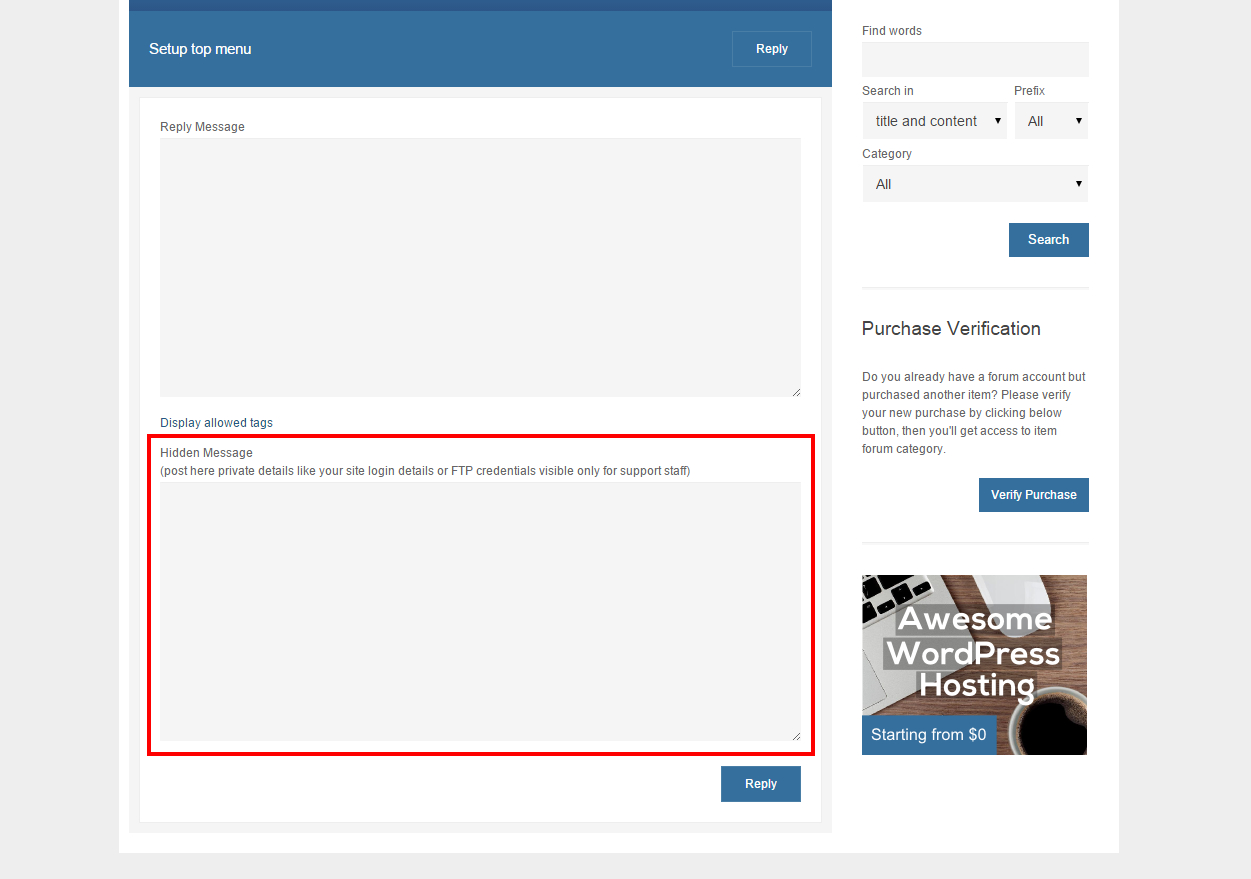
Please also feel free to create new topic about your issues on our Support Forum, you can post your login details under Hidden Message area there and our support team will help you.
Hi,
When adding a doctors list, it displays all articles of the blog screwing up the whole page. In the page builder I get this warning:
Warning: htmlspecialchars_decode() expects parameter 1 to be string, array given in /home/boticazorg/public_html/wp-content/plugins/js_composer/include/classes/editors/popups/class-vc-shortcode-edit-form.php on line 50
Warning: htmlspecialchars_decode() expects parameter 1 to be string, array given in /home/boticazorg/public_html/wp-content/plugins/js_composer/include/classes/editors/popups/class-vc-shortcode-edit-form.php on line 50
Help in solving this issue please.
Regards
Hi,
Support for all our items is conducted through our Support Forum.
Please register an account and search the forum or create a new topic, we’ll answer as soon as possible. Thank you!
Hi, i have an other bug. When i open some post (http://new.clinic.bg/people/ for example) i see the post twice, why?
Hi,
Please create new topic on the forum: http://support.quanticalabs.com Our support team will help you and answer all your questions. Thank you!
Hi, i installed the theme, but visual composer don’t work. See here: http://imgur.com/0Jc0Ypr , is bugged.
Hi,
Support for all our items is conducted through our Support Forum.
Please register an account and search the forum or create a new topic, we’ll answer as soon as possible. Thank you!
I can see that you’re using Yoast SEO plugin. There is a conflict between Visual Composer and Yoast SEO plugin. It should be solved in few days. Information from Visual Composer plugin author here: http://codecanyon.net/item/visual-composer-page-builder-for-wordpress/242431/comments?page=522#comment_11637645
Hi, I bought the MediCenter Theme yesterday, and I found the problem to setup in my hosting. My hosting could not activate the WPBakery Visual Composer plug-in as well. It will be let my site down when I activated it. And my site will be recovered after deactivated it.
So, Could you please help me to set it up or suggest the new one instead of?
Thank you so much.
Hi,
Support for all our items is conducted through our Support Forum.
Please register an account and search the forum or create a new topic, we’ll answer as soon as possible. Thank you!
hello and congrats for your work!
i am planning to build a site for massage treatments with multiple therapists using your theme and bookly plugin for therapists schedules, appointments & payments
so, can u plz advice if bookly plugin – http://codecanyon.net/item/bookly-book-appointments-book-services-book-anything-easy-and-fast-booking-for-your-clients/7226091 is compatible with your theme?
(i ve asked plugin developer same question and waiting)
thx!
Hello,
Thank you!
I haven’t tested this plugin with my theme, so I’m exactly not able to answer this question. Anyway any well coded WordPress plugin should works fine with theme.
Hi I contact you through your Support Forum Please Answer my Messages I am About changing your Theme from my website
Hi,
Could you send me url to your forum topic as I’m not able to find it?
Dear Sir I change from your theme to another theme, am so confused you can see that I start from zero to rebulid my website http://mtagrand.com/ Please call me on 0038970567948 or email me on yessersd@yahoo.com I would like to solve the problem and the web site should be ready before 1 week.
Fatal error: Call to undefined function wpb_js_remove_wpautop() in /home3/yessersd/public_html/wp-content/themes/medicenter/single.php on line 59 . .
Please create new topic on our forum: http://support.quanticalabs.com and post your admin area credentials in hidden message field. Our support team will check this for you. Thank you!
Sir Why You don’t have any number to call you directly I change my website theme because I have no time enough for your Support team to check I suppose to finish my website before 2 weeks from now
Please check our support policy (at the bottom) – we’re providing support only via our support forum, so it’s the only way to get help. We’re not providing phone support.
hi! i have a problem. in my website http://clinicadentalmedina.es the post from the blog don’t follow the date order. how can i change this? the options seems to be OK. thanks!
Hi,
Support for all our items is conducted through our Support Forum.
Please register an account and search the forum or create a new topic, we’ll answer as soon as possible. Thank you!
hi , i get message “You don’t have permission to view this category” in forum.
Hi,
I can see that you’ve already created a topic. Let me know if you’ll have any other issues.
yes, but before it can’t and show message “You don’t have permission to view this category”
Probably you haven’t been logged in or you’ve chosen wrong category (there is also MediCenter HTML category on the forum).
i’m login and show in “Your Purchases” category “MediCenter – WordPress Theme” (i have one) then click and show message “You don’t have permission to view this category”
Ok, I understand. What did you do then to solve this? Did you refresh the page or login again?
both, but show message “You don’t have permission to view this category” agian then i wait 2 hour then can use.
Ok, thank you! Please let me know if you’ll have this issue in the future once again. It’s the first such case and unfortunately I’m not able to give you any explanation right now.
Hi, I already activate this theme but theme option is not working only show blank page. please help. thanks
Hi,
Support for all our items is conducted through our Support Forum.
Please register an account and search the forum or create a new topic, we’ll answer as soon as possible. Thank you!
I have a question regarding WPML and widgets translations: is it possible to translate the “Home Box” widget using the WPML plugin..? Same question goes to other widgets like those placed in the footer? Thank you
Yes, you can translate widgets with WPML.
Love the theme, GREAT JOB!! I need a regular footer menu horizontal on the bottom, how I can do that?
Thank you! Support for all our items is conducted through our Support Forum. Please register an account and search the forum or create a new topic, we’ll answer as soon as possible.
is it possible to easily change the colour scheme of the template i.e. borders, banners, buttons etc. ?
There are 6 predefined colors skins, you can also modify the different colors using included colorpicker tool in theme options. Some icons like feature icons are graphics but they’re available in 24 color versions.
Hi there, I’m having problems with my blog pagination(next page).. When I try to see older posts, the site brings me a 404 error page(for some categories).. Can you help me please?? I have set ‘Blog pages show at most’ to “4” but it stil gives the error… Thanks website: www.caribhealthng.com/new Also, i just updated to version 7.7 and now my sidebars display below as against on the right that its meant to be…help
Hi,
Support for all our items is conducted through our Support Forum.
Please register an account and search the forum or create a new topic, we’ll answer as soon as possible. Thank you!
I have done so already, even before I came here…but no response from you guys even though I tagged it as urgent, still no reply
Ok, I can see your topic. Please don’t create new posts in the topic as when new reply is added it goes down then in the queue. I’ll add some priority on your topic and you should receive a reply soon.
Hi,
Support for all our items is conducted through our Support Forum.
Please register an account and search the forum or create a new topic, we’ll answer as soon as possible. Thank you!
Hi there, where can I find the .psd files and are the icons included as well? We want a custom color for them instead of the presets. Is this possible? Thanks.
Hi,
Please contact me via contact form and I’ll send you the PSD files in response. Yes – the icons are included.
Hi, How to set blank in page attribute for Sidebar header, Sidebar footer top and Sidebar footer bottom when use page ?
Hi,
Support for all our items is conducted through our Support Forum.
Please register an account and search the forum or create a new topic, we’ll answer as soon as possible. Thank you!