6351 comments found.
Hi,
A few weeks ago i checked your demo and the Smooth Scroll script was very nice and smooth. Although in my site it is a little strange, like instead of smoothing scrolling it scrolls at a single speed and then stops sundely… Maybe you update some of your scripts wrong?
Hello,
Please navigate to Ultimate > Modules > Advanced Settings and turn off ‘Smooth Scroll’ option.
Let us know if it helped or if you need further assistance!
Well then i won’t have the Smooth Scroll… Your Demo’s smooth scroll is perfect although mine is terrible… Any idea?
Sorry your demo hasn’t smooth scroll… but there was and it was nice… now this one is not good…
Hello,
This question will require additional information from you, some of which may be private. For your convenience, we moved your question to support forum.Please subscribe to its notifications, and provide credentials via private reply (URL, admin username and password)

Hi there I would like to centre my 1 sub footer widget. So it is in the centre of the whole sub footer area. Is this possible?
Hello,
You can select 3 columns layout for the footer area at Theme Options > Footer Options, then add empty Text widgets to first and third widget areas, and add your content to second footer widget.
Let us know if you have further questions!
How do I increase header/logo area so that I can display my logo @ 270px high and 220px wide? Thanks so much.
Hello,
Please navigate to Theme Options > Header Options, and increase header height, then navigate to Theme Options > General Settings and increase logo height.
Let us know if you have further questions!
Thanks for the reply. The Theme options only allow you to go to 200px high at the most. Is there a quick css fix for this?
Hello,
Try to add values manually into input via keyboard, it should help.
Let us know if you have further questions!
Excellent, thank you!
At a product site, there doesn’t appear any sidebar, as you see: http://goo.gl/lIMKkR. It’s not the latest version, but I can’t / won’t upgrade it, because of changes I made in the original template files already (can’t remember exactly where anymore, so it would destroy the page). What’s the reason? I activated the sidebar for the shop products already. Also I wish to have the green banner below the menu (as seen on this page: http://goo.gl/n9XSUC ) also on the product page. What code do I have to integrate to get this banner also on the product page, or even other pages like the blog page ( http://goo.gl/rTh3v6 )? Thank you for your help in advance!
Hello,
This question will require additional information from you, some of which may be private. For your convenience, we moved your question to support forum. Please subscribe to its notifications, and provide credentials via private reply (URL, admin username and password)
Presales questions – In my current theme, I had bought the ultimate addons plugin and I am using it with my theme. If i change it your theme will there be any issue ?. Have you added all the addons that comes with ultimate addons ?. Will the exisiting addons work without any issues ?.
I also see some basic short codes missing such as Modal, Tables, pop up, gap, divider etc. Are you planning / will you add these in the coming updates in future ?.
Hello,
You can use your standalone Ultimate Addons plugin with the Impreza theme, some of elements were disabled, but we add our own elements instead, you can also enable disabled elements at Theme Options > General Settings. You can testdrive Impreza and all available features.
Let us know if you have further questions!
Hi, How can we change the word “sale” on the products? best
Hello, I have a problem with ActionBox in Visual Composer. Default in the written text is h2. How can I change h3 eg Same with IconBox Thanks
Hello,
This is a complicated question, good one for our smart guys from our forum support team. To reduce your waiting time I created special ticket there. Please feel free to create a forum account to sign up for notifications about your issue and continue the discussion there if needed. By the way, for the best support experience in future, it is better to create tickets there instead of the comments here. If you need my further assistance, please let me know!
I just installed latest WP version and just downloaded and installer impreza. When I want to add a hotspot item on a hotspot image (duh) I get this error in console, resulting in the image not showing up in the hotspot item popup-interface, resulting in me not being able to place a hotspot on the image (this is a dealbreaker for me I’m afraid) :
Uncaught ReferenceError: ULT_H_img_link is not defined
Yes, apologies for putting my issue here as well as on the official support portal. Shouldn’t have done that 
The response on the Support Portal issue was more than quick enough. Hope this issue gets resolved.
Hi, when I viewed the preview for the theme in Firefox the header spacing appears incorrectly and does not match Chrome or Safari. Is this a problem you are seeing as well? I want to make sure that there aren’t compatibility issues before purchasing. Thanks!
Hello,
Thanks for the feedback! Unfortunately, we can’t reproduce the issue, can you please share a screenshot (you can upload one to dropbox and share a link here), and your device version so we could replicate it.
Thanks in advance, waiting to hear from you soon!
Firefox version 42 and 41.0.2
Please also provide your device and iOS versions, if possible try another machine to make sure that the problem is related to our theme directly, because i’ve just checked on Mac and PC and couldn’t replicate the issue.
Thanks in advance!
Hi, I’m on a Mac with OS 10.11.1. I just copied http://impreza.us-themes.com/ from Safari and pasted it into my other browsers to get the issue to display. Here’s another screenshot – https://www.dropbox.com/s/x5p7ce77qx6s4hv/Screen%20Shot%202015-11-05%20at%201.36.27%20AM.png?dl=0
We just checked from different machines (2 Mac Books and PC), and couldn’t reproduce the bug. Please try clearing browser cache, if it won’t help, try to disable all FireFox addons, also try to disable antivirus software.
Let us know if it helped!
Hi, thanks for following up. Same thing with cache cleared and all Firefox add ons disabled. Tested in a different user on my Mac and it works. Something wrong with prefs in my user. Thanks for your help. Now that I know it’s on my computer I’ll figure it out from here.
We’d appreciate if you will share a solution, please let us know if you need our assistance or if you have further questions!
Thanks in advance!
Looks like deleting ~/Library/Applications Support/Firefox resolves the issue for me. That does remove all extensions and bookmarks so I don’t recommend it for people that aren’t backed up.
Thanks for sharing!
Hi, theme does everything I need except for one sticking point. Client would like to include commonly used menu items in place of the social icons in the header. Is it possible to add another menu area here? Thanks
Hello,
At the moment the Impreza theme doesn’t provide such ability out of the box, but you accomplish this using custom code within the child theme, after purchasing you can create a Ticket on our Support Forum so we could assist you.
Let us know if you have further questions!
Hey there, wonderful theme!
Is it possible to use the creative demo together with the woocommerce shop?
If so, can i load just the shop demo together with the creative demo?
Hello,
Thanks for the feedback! Yes it’s possible to use all our demos with the WooCommerce plugin, just import demo data for Creative Demo, then import WooCommerce data.
Let us know if you have further questions!
Hi,
I have a problem with the reviews(reviews users Woocommerce) field stars with Edge and Microsoft Internet Explorer browsers. The stars go out of their default location.
Thank you,
Pedro.
Hello Pedro,
Please provide the relevant URL so we could have a look.
Thanks in advance!
Pedro,
This question will require additional information from you, some of which may be private. For your convenience, we moved your question to support forum.Please subscribe to its notifications, and provide credentials via private reply (URL, admin username and password)
Hi folks. Installed your theme and changed the theme name, as I always do for my clients. After activating your theme, I get a huge red box in the back end with the message “Your website data needs to be migrated to be compatible with [theme name].” I click the Start Migration button and the box turns green and it says the site has been successfully migrated. But as soon as I navigate to another page in the back end, I get the same red box.
I’ve worked with a lot themes and I’m really confused. 1) What data is it supposed to be migrating??. 2) How can I stop this from happening.
Thanks in advance.
Hello,
This question will require additional information from you, some of which may be private. For your convenience, we moved your question to support forum.Please subscribe to its notifications, and provide credentials via private reply (URL, admin username and password)
Hi there, how can I remove “price range” of a product?
Hello,
Have a look at this article, if it won’t help please contact authors of WooCommerce plugin regarding your question, they know better their product and should provide you a faster solution.
Let us know if you have further questions!
in this template login / registration is working or not ??
Hello,
There is an regular WordPress functionality to login/register. Please provide more detailed description, so i could better understand your question.
Thanks in advance!
Hello, Great update and many useful features, appreciated.
thank you.
Thanks for the feedback! We will continue moving in the same direction.
I just wanted to say after using the theme for some time now I’m incredibly happy with the possibilities of the theme, as well as the continous and quick support that it receives no matter what problem/issue occurs. I will use this theme for a long time to come.
Hello,
We appreciate your feedback, thanks!
Let us know if you have any questions.
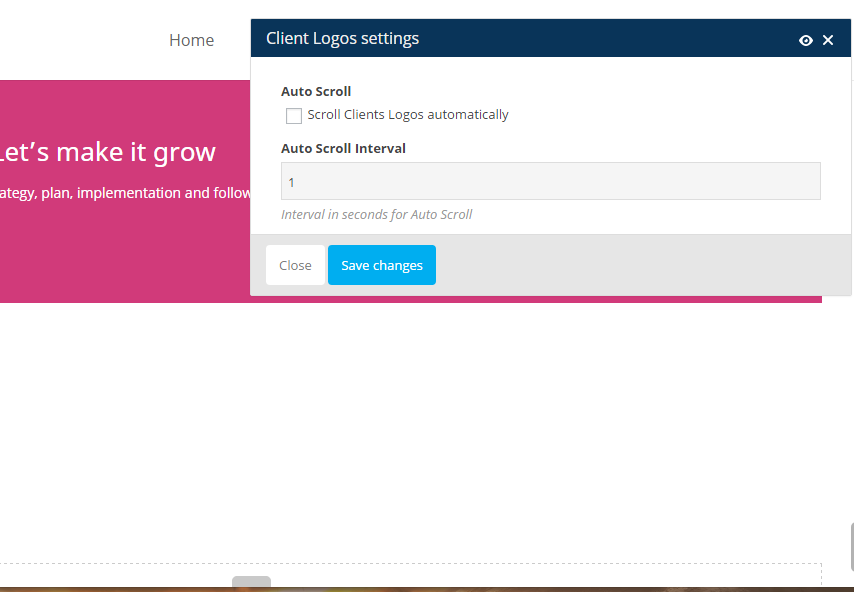
Ever since the update of the theme the Client logo Setting is not working? When I try to edit the settings I only see this http://www.adwisemarketing.ca/wp-content/uploads/2015/11/logosettings.png Auto Scroll??
Shouldn’t I be seeing this seetings instead http://www.adwisemarketing.ca/wp-content/uploads/2015/11/logosettings.png
Hello,
This question will require additional information from you, some of which may be private. For your convenience, we moved your question to support forum.Please subscribe to its notifications, and provide credentials via private reply (URL, admin username and password)
How can I do the “Call Now” phone number like the one here www.bluewell.com.au. I want it right justified, with similar spacing above and below the number.
and removal of phone icon next to it… thanks
And sorry last one, I have the boxed layout but would like a full width color on the footer, possible?
Hello, This is a complicated question, good one for our smart guys from our forum support team. To reduce your waiting time I created special ticket there. Please feel free to create a forum account to sign up for notifications about your issue and continue the discussion there if needed. By the way, for the best support experience in future, it is better to create tickets there instead of the comments here. If you need my further assistance, please let me know!
Hello,
There seems to be an issue with Awesome Fonts displaying as boxes on Chrome. They seem to work well on all other browsers except that one.
Are you aware of this and is there a solution?
Thanks,
Allan
Hello Allan,
Can you please provide the relevant URL so we could investigate.
Thanks in advance, waiting to hear from you soon!
Thank you for getting back to me, the url is below.
http://saloniris.co.uk/Hello,
Unfortunately, i can’t reproduce the issue on my side, all icons appeared as expected, also there no errors on your site. Please clear browser cache, also disable browser extra addons, if it won’t help please try another machine.
Let us know if it helped or if you need further assistance!
Thank you for that, I have passed on your comment to my client, hopefully that will resolve the issue.
Allan
Allan, let us know if you need further help!