328 comments found.

I am trying to duplicate the News Demo. I have duplicated everything except two things.
1. I am unable to find the setting to make the Most Viewed show up at the bottom of the pages right above the footer.
2. I am unable to get the sidebar to the right on the Frontpage.
Thanks for the awesome theme! Any help would be very appreciated.
Hi,
Thank you for your feedback.
1 – You need to enable it from within Theme Panel > Blogroll > Most Viewed Posts – http://dl3.joxi.net/drive/0012/0377/807289/160104/caff3e5641.jpg – and enable post views – http://c2n.me/3sxfGIb.jpg
2 – This is default sidebar at Appearance > Widget Page – http://dl1.joxi.net/drive/0012/0377/807289/160104/0c1e96c116.jpg
Make sure it hasn’t been disabled from within Sidebar metabox – http://c2n.me/3sxg3Zo.png
Make it sticky from within Theme Panel > Sidebar > Options – http://dl3.joxi.net/drive/0012/0377/807289/160104/4a36c21bee.jpg
Regards, Nat
That worked! Thank you very much!
Great. You are welcome. 
pre sale: I am interesting to buy this beautiful theme and I tried to change some css via chrome “Inspect” and I find that I can make it RTL easily, but I have one question…
how can I change the direction of slider to RTL on frnt page “news” http://strictthemes.com/shockmag-3/wp-content/plugins/stkit/assets/plugins/owl/js/owl.carousel.min.jshow can make the touch screen option work from right to left on this .js file?
Hi,
The theme has been created for LTR-languages. RTL-languages aren’t supported right now. We have plans to make it RTL but I can’t provide the date. There is list of tasks for Shockmag theme – http://strictthemes.com/to-do-list/
Regards, Nat
Hi, I love the theme and brought it for my site. How do I change the opacity for blog posts as well as header for single posts?
Hi,
Which blogroll template are you using? Or let me know URL of your website, I’ll take a look.
Regards, Nat
Thanks for the response but I figured it out. Curious to know if I can use PHP code in the below title space instead of a shortcode.
Hi,
Originally PHP-code cannot be inserted directly through HTML-form due security and many other reasons. Also WordPress does not allow that. But I guess there are plugins which can do that via a shortcode.
Regards, Nat
how can I get the header background image to be 100% of the width of the screen?
http://toucansam.info/Hi,
I’ve checked your website and found 100% of the width background images on the featured post slider – http://dl3.joxi.net/drive/0012/0377/807289/151229/49db6d22c4.jpg
These images can be added for each category from within Posts > Categories page – http://dl3.joxi.net/drive/0012/0377/807289/151229/270bb62b27.jpg
Regards, Nat
This does not answer my question… I know how to get the image uploaded, however I need for the image to span across the entire width of the screen.
Hi,
The concept of the theme layout assumes full width images for category page and width limited images by the width layouts for single post page. We plan to add options for such things into future updates .
Regards, Nat
Pre-sale question regarding RTL in this theme and will I be able to translate it via WP Customize?
Thank You Basit Ijaz
Hi,
Originally the theme supports LTR-languages only. RTL-languages aren’t supported.
Regards, Nat
Hello,
I have purchased and downloaded the theme file. However, I cannot find any installation instructions in the documentation folder. Where are the installations instructions?
Hello,
Thank you for purchasing.
You need to open index.html file in the documentation folder – http://dl3.joxi.net/drive/0012/0377/807289/151228/ed7fd5b278.jpg
Thera are 6 first steps – http://dl1.joxi.net/drive/0012/0377/807289/151228/b266013f7c.jpg
Regards, Nat
I’m sure this is misunderstanding. I apologize that my answer was not complete.
The documentation has two parts (offline – comes with the theme package) and online documentation – http://strictthemes.com/shockmag/category/documentation/
There are step-to-step instructions how to re-producing the demo sites:
- Men’s – http://strictthemes.com/shockmag/how-to-build-a-site-from-scratch-like-on-live-preview-4/
- News – http://strictthemes.com/shockmag/how-to-build-a-site-from-scratch-like-on-live-preview-3/
- Sport – http://strictthemes.com/shockmag/how-to-build-a-site-from-scratch-like-on-live-preview-2/
- Shockmag – http://strictthemes.com/shockmag/how-to-build-a-site-from-scratch-like-on-live-preview-1/
- Blog – http://strictthemes.com/shockmag/how-to-build-a-site-from-scratch-like-on-live-preview-5/
You can use search bar and tags to find a needed topics.
Regards, Nat
Pre sale: how your theme perform in RTL websites and RTL language itself?
Hi,
Thank you for your interest.
By default the theme has been created for LTR-languages. RTL-languages aren’t supported.
Regards, Nat
Different sidebar for different category.
In our current theme (multi news), we have option to add different sidebars for different categories. Each category can have a unique sidebar. This is a great option.
This is also very good feature that you may consider in your future work or new theme. I love your theme’s design, so suggested.
Hi,
This option comes with the theme by default. You can set an unique sidebar for each category – http://dl3.joxi.net/drive/0012/0377/807289/151228/8fe49ae8f9.jpg
You can add additional sidebar from within Theme Panel > Sidebar tab – http://dl1.joxi.net/drive/0012/0377/807289/151228/fc56ba7d62.jpg
Regards, Nat
Thanks, great to know this. Amazing.. Can you please tell me when do you release update? when header and post templates will be ready?
It’ll be soon the update with header templates. You’ll receive an email notification.
Regards, Nat
Great theme! Just having some issues with the menu. For some reason, the CSS Classes field and Screen Options panel are missing. I’m trying to follow your guide of turning the dropdown menu into a mega menu, but these options aren’t showing up.
Hi,
Let me know an access details (to your WP admin) through the contact form – http://themeforest.net/user/strictthemes I will take a look.
Please send a support request from your buyer’s account.
Regards, Nat
Okay, sent it. Thanks!
Hi,
I’ve got access details. Please post a comment from your buyer’s account.
Regards, Nat
Thanks!
Any updates please? Or instructions on how to fix the menu at least.
Hi,
We provide support for customers only.
Regards, Nat
Hi, I have a problem to generate the sitemap and with the feed. With both the Google XML Sitemaps plugin that with one of the following error by Yoast
http://www.blagora.it/sitemap_index.xml http://i67.tinypic.com/2d7iy6r.png Have been turned off before all the plugins and the error persists, then it was replaced with a theme the default for wordpress and the sitemap has begun to function properlyAlso RSS feeds do not work
http://www.blagora.it/feed/ I hope for a quick solution,Thanks
Hi,
I’ve checked the URL http://www.blagora.it/feed/ it’s available for me. It contains XML data. Maybe that’s about permalink settings or another reason.
On Live Preview that works fine:I’ve flagged your message because of shared purchase code. It’s private information. Please don’t share it.
Regards, Nat
Thanks for the quick response. I checked everything, even the permalink, but seems to be no problem and I can not solve. You can control you? If you let me give you an email address to enter the codes in wordpress.
Thanks so much
Giuseppe
Hi Giuseppe,
It’s about the third-party plugin and you should ask a developer of the plugin to resolve the problem.
Regards, Nat
Hi, even without the plugin does not generate the sitemap. I tried to disable all plugins, but I do not generate the sitemap. There is help on the template? The developer told me that it is a mistake of the template.
I used Yoast and Google XML Sitemaps income on 1 million sites. Not only work on this template? You can identify the problem? I can give credentials wordpress? Thanks
Let me know an access details (to your WP admin) through the contact form – http://themeforest.net/user/strictthemes I will take a look.
Regards, Nat
Thank you Sent. I await a reply.
The explanation of reason of such issue is here – https://wordpress.org/support/topic/sitemap-error-xml-declaration-allowed-only-at-the-start-of-the-document – It’s about a unexpected whitespace which comes from some of plugins or modified files.
I found the original theme files have beed modified, so I’ve re-installed the theme. Also I’ve disabled most of thisrd-party plugins. Sitemap is available – http://www.blagora.it/sitemap_index.xml
Regards, Nat
Thanks, but now all changes made previously have been lost?
I paid for the changes … could not have identified the problem?
You shouldn’t change the original files.
There are WordPress official recommendation about customizations – it’s about child theme. So all custom tweaks should be done through the child theme or via Theme Panel > Styles > Custom CSS tab.
It’s also about the future theme updates, it’ll affect customization if you made changes in the original files.
Regards, Nat
Hi, I have a problem to generate the sitemap and with the feed. With both the Google XML Sitemaps plugin that with one of the following error by Yoast
http://www.blagora.it/sitemap_index.xml http://i67.tinypic.com/2d7iy6r.pngHave been turned off before all the plugins and the error persists, then it was replaced with a theme the default for wordpress and the sitemap has begun to function properly
Also RSS feeds do not work
http://www.blagora.it/feed/I hope for a quick solution,
Thanks
When Header and Post Templates will be available? I am eagerly waiting for purchasing the theme, but I want simple post template (Title above, then feature image and then post content) like other themes and simple header style (Top menu, then Logo + Header Ad Space, then Main Menu, Breadcrumbs, Post Title, Then Post feature image, then Post content.).
When will this style be available? Can you provide soon in mid January, we want to launch website in Mid January?
Hi,
Thank you for your interest.
The theme will be updated with new header templates quite soon. We will try our very best to update with post templates in nearest future. I’ll let you know.
Regards, Nat
Is theme compatible with latest wordpress version. Should we update wordpress or wait for your update?
Hi,
Yes. The theme is compatible with WordPress 4.4.
Regards, Nat
today sent you a question by email, answer it please.
Hi,
Answered by email.
Regards, Nat
How can I change the News format, with Blogroll #6 layout to have all the post content squares be of even size? Currently the first post block on the left is smaller the right down the page. Once again, very very good theme!
Hi,
Thank you for your feedback.
You can drop these lines on Theme Panel > Style > Custom CSS:
@media only screen and ( min-width: 1320px ) {

.post-t6,
.v1 .post-t6.even {
width: calc(50% - 25px);
}

.post-t6-details h3,
.v1 .post-t6.even h3,
.v2 .post-t6.featured h3 {
font-size: 1.5em;
line-height: 1.333em;
margin-top: -0.13em;
padding-right: 20%;
}

}
Regards, Nat
How can I get the background image of the featured post slider to stretch the full width of the page?
http://toucansam.info/Hi,
I’ve checked your website and found images on the featured post slider. These images can be added for each category from within Posts > Categories page.
Regards, Nat
Hi, I have the following issue: I need to include an Adsense unit in the middle of the home page, preferably between the first 5 posts shown on the home and the last ones. I have tried to use Ad Sidebar 2, but it places the ad unit on top of the posts, just below the header, although is says that the ad unit is placed “in the middle of the homepage”.
I also tried to use the Google Adsense plugin, but it doesn’t give me the option to place an ad unit there. I can create an ad area manually including the code they give in their help section, but I don’t know where to paste it.
So my question is where should I paste the code to be able to create an ad area after the first 5 posts shown on my homepage.
In case you need to have a look at the site to better understand my question, it is perfumehombre.es
Hi,
You used the correct sidebar – Ad Sidebar 2. But you should enable slider with sticky posts to display Ad Sidebar 2 at the middle of the page – http://dl1.joxi.net/drive/0012/0377/807289/151208/1fe66b43ca.jpg
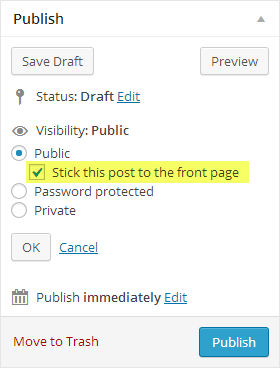
Enable Sticky posts from within Theme Panel > Blogroll tab- http://dl1.joxi.net/drive/0012/0377/807289/151208/7822f0cdd0.jpg And then mark some posts as Sticky – http://strictthemes.com/wp-content/uploads/2013/12/doc_featured_posts.png
Regards, Nat
Thank you Nat. I’ll try that. What about the second option, including the code manually?...
It’s about customization. I can create a child theme in accordance with your needs for a some extra. For example It can be additional Ad sidebar to display advertisement (or another content) after each fifth post on blogroll.
Regards, Nat
Hello, We have a problem instaling the frontpage’s slider. I can’t see the categories and i only see one category ( we have more than 3). What can we do? Thank you for the attention, Best
Hello,
Make sure you’ve entered slugs correctly, separated by comma – http://dl3.joxi.net/drive/0012/0377/807289/151207/4f5056255f.jpg
If you need more assistance let me know an access details (to your WP admin) through the contact form – http://themeforest.net/user/strictthemes I will take a look.
Regards, Nat
i ll send it
Done. I’ve created Frontpage in right way and entered slugs of categories (not titles) – http://dl3.joxi.net/drive/0012/0377/807289/151207/28ddf46bcd.jpg
Regards, Nat
thanksss a lot
Hello. First and foremost, great theme! Secondly, WP Pagenavi isn’t working off the main static page using the News design. When I click one of the page numbers, it just stays on the home page. Any assistance would be great.
Hello,
Thank you for your feedback.
Most likely you need to update permalinks structure from Settings > Permalinks page
And probably you should disable third-party script makes a changes within loop which breaks pagination functionality.
Regards, Nat
Found the issue. Buried in some minor plugin. Thanks!
Hello!
I got a problem when use shortcode button. I try [button url=http://google.com icon=upload]Button[/button] but i just get a hyperlink is “button”. Other shortcode it’s ok.
Thanks
Hello,
I’ve checked it works fine – http://dl3.joxi.net/drive/0012/0377/807289/151204/4d3a37d264.jpg
Try to insert the shortcode on html mode.
If you need more assistance let me url.
Regards, Nat
ok i send u late, but got a other problem, i can’t find widget “ST Get In Touch” like in http://strictthemes.com/documentation/widgets/st-get-in-touch/.
Thanks for help me!
Hi,
By default it’s out of list widgets which come with Shockmag theme. But it can be included in the future update.
Regards, Nat