6351 comments found.

I upgraded to WP 4.5.2 and Visual Composer stopped working. I have multiple installations of Impreza, how do I fix this?
Hello,
Most probably you should update Visual Composer to the latest version, to accomplish that you should update Impreza to the latest version 3.0.1, then activate it, and update all plugins to their latest versions also.
Let us know if it helped or if you need our further assistance!
WPML fully compatibile..? WPML comes with your theme ?
Hello,
Yes, Impreza theme is fully compatible with WPML plugin, at the moment there is no WPML plugin in theme archive, it’s a standalone plugin, you can purchase it here.
Let us know if you have further questions!
Hi,
I have used your theme a few times (different accounts) and I am wondering if it automatically updates now that we have the serial numbers registered or do we still need to manually do the updates?
I have also made a fair few custom code changes to the header in my child theme, will the new update affect those changes?
Thanks for your time!
Hello,
All licenses are per domain so if you want to enable auto updates on all domains you should activate a license on each domain, otherwise you should update themes, and plugins manualy, please read this article. Most probably latest update will affect your customization, but we released the Header Builder so you can build header layout using convenient visual editor, anyway we recommend to make a backup before updating to be in safe.
Let us know if you have further questions!
So I have registered my purchases but they arent auto updating…
Even though I am using a child theme you are saying that when I update my custom work is going to break?
Hello,
Actually it’s not the auto update, I’d call it update in a click, so you should confirm the update. If you applied customizations via Child Theme, they won’t be removed, but most probably you should ajust some CSS classes in order to make them work with latest Imrpeza.
Let me know if you have further questions!
Cool, where do I click to update the theme, im obviously missing something simple?
Click on Dashboard > Updates, and you should see a notification there, if it doesn’t appear please create a ticket on our forum so we could investigate deeper.
Thanks!
Hello, does Impreza have pie charts and progress charts?
Hello,
Yes, it does. We recommend to check all Impreza features on this test drive server.
Let us know if you have further questions!
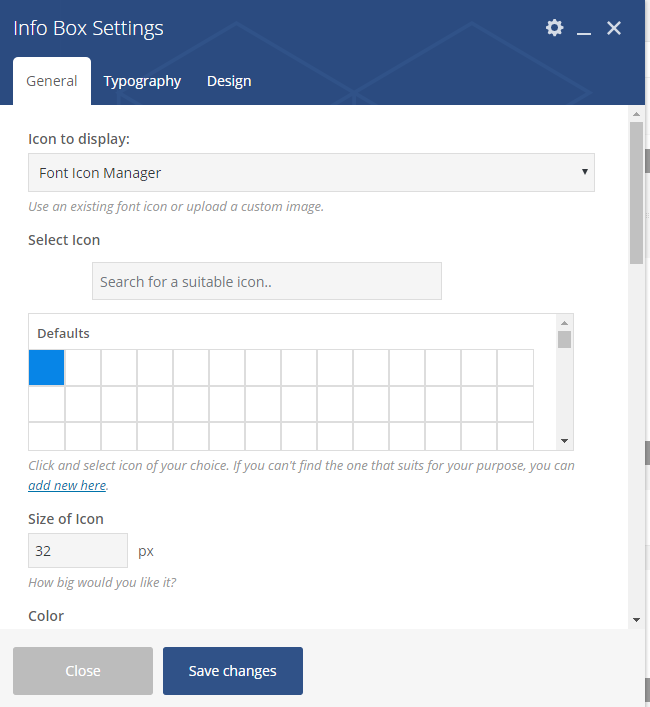
Hello, I have bought your theme. Buy for some reasons the icons are not working
https://i.gyazo.com/084932a0b169c85ee1ce1a321e6e0017.pngPlease advise?
Hello,
This question will require additional information from you, some of which may be private. For your convenience, we moved your question to support forum. Please subscribe to its notifications, and provide credentials via private reply (URL, admin username and password)
Thanks I have sent the information on your ticket site.
We already answered there, please check our forum.
Thanks!
Thanks, issue is now resolved. Please close that ticket.
Hi there,
just wanted to check if AMP is supported with this theme?
Thanks Dean
Hello Dean,
Unfortunately, we didn’t perform compatibility tests yet, you can check it yourself on our test drive server.
Let us know if you have further questions!
Love the new header builder. One problem I noticed is the menu is no longer showing in the bottom footer area and it is set the same as it was prior to the update.
Hello,
Thanks for the feedback!
Go to Appearance > Menus, and rename ‘Impreza Footer Menu’ to ‘us_footer_menu’, have a look at this screenshot, we will fix this issue in the next update, sorry for temporary inconvenience.
Let us know if you have any further questions!
Thanks! Worked perfectly.
Compliments for version 3.0! Very nice work! Impreza, the best theme of all…  Question: if I show blog posts list in full width and cards layout. How can I config the same layout (and full width) for category blog list and tag blog list?
Hello,
This question requires special knowledge possessed by our support team. For your convenience, I created special ticket at our support forum. Please sign up at our forum to:- follow the ticket to receive notifications about the answers;
- to provide additional information, if it will be requested there;
- continue discussion, if you have additional questions related to the ticket
Thank you, we look forward to serving you!
Hello Where is the footer menu in Impreza 3???
Hello,
Go to Appearance > Menus, and rename ‘Impreza Footer Menu’ to ‘us_footer_menu’, have a look at this screenshot, we will fix this issue in the next update, sorry for temporary inconvenience.
Thanks!
When can we expect an update to fix the visual editor problem? Visual editor is not working at all, even using the most recent version of the theme, all plugins are fully up to date etc.
Hello,
This question will require additional information from you, some of which may be private. For your convenience, we moved your question to support forum. Please subscribe to its notifications, and provide credentials via private reply (URL, admin username and password)
OMG IMPREZA V3
Hi guys – great theme. I was wondering if this theme supports being able to use shortcodes so that I can change the color of all icons (or that of the background circle behind them) at the same time. I guess this would apply generally to any element of the site where one can enter in a color code. Anyone knows a way to do this through the Impreza theme or a plugin?
Hello,
Element colors depends on theme color settings, go to Theme Options > Styling, and change color values there, please read this article. You can also apply some personal styling with custom CSS code, have a look at this tutorial.
Let us know if you have further questions!
Thank you for responding. So does this mean it is not possible to use shortcodes where one enters in hex color codes anywhere?
Please specify, which exactly element you’re referring to? What exactly do you want to achieve? Some of them provide ability to add hex values some not.
Thanks in advance!
The icons for the iconbox element. I would like to be able to set a custom color for the icon (foreground) and circle (background) – which the theme allows me to do via hex value. I may have several dozen iconboxes I have to use throughout the site. I anticipate having to change the custom color in the future. So was hoping I could put in a shortcode for the hex value instead of having to change all 30-40 iconboxes whenever I need to make a color change.
[us_iconbox color="custom" icon_color="#a0a0a0" bg_color="#686868"][/us_iconbox]You can make this feature more flexible, but you should add some extra CSS class to your iconboxes, then override color with CSS code, for example assign my-icon-box-color to Icon Box, then append next code to Theme Options > Styling > Quick CSS:
.my-icon-box-color i {
    color: red;
}
.my-icon-box-color .w-iconbox-icon {
    box-shadow: 0 0 0 2px green!important;
}
Let us know if you have further questions!
Thank you for the prompt advice! Will try them out.
HI, my wordpress was updated and the visual composer doesn´t work, are you going to fix this issue? Best regards!
Hello,
This issue was fixed in latest Impreza version, go to Impreza > Theme Options > Theme Update, fill up corresponding fields with your credentials, update theme, then activate it, and update Visual Composer to its latest version. Don’t forget to make a backup before updating.
Let us know if you have further questions!
Hello! I want to add a grey or black line between the menu and the contact information on the left side. I installed the “Modular Custom CSS?” plugin. Can you please provide a CCS code for the line with adjustable margins on the left and right side and a size regulation? Thank you so much! URL: www.hauss-bau-gmbh.de
Hi – is there any reason why visual composer would not be working with your theme? I had used it to create my site – I have went into make changes and it has stopped working – not bringing up layout??
Hello,
Please make sure you have latest version installed, have a look this manual in order to update theme. Having done updating, update Visual Composer to its latest version also. Don’t forget to make a backup before updating to be in safe.
Let us know if it helped or if you need our further assistance!
Hi, I heard you guys are coming up with header builder concept. May I know what is that and how it looks ?. Any screenshots available ?.
Hello,
At the moment I have no such information to share, we plan to release it within a week. Please stay tuned!
Is it possible to use “Google Tag Manager” for Event Tracking?
1) We read your article
Google Analytics Event Tracking https://help.us-themes.com/impreza/modifications/ga-events/Practically, you describe how to use option “Tracking setup (web)”, that described in Google article
“Set up Event Tracking” https://support.google.com/analytics/answer/1136960?hl=en2) Cloud you please let us know if it is also possible
to Track events with Google Tag Manager https://support.google.com/tagmanager/answer/6102821?rd=1&hl=en useful links Google Analytics events https://support.google.com/tagmanager/answer/6106716?hl=en Release Notes for Google Tag Manager https://support.google.com/tagmanager/answer/4620708?rd=1&hl=enHello,
It’s possible to use ‘Google Tag Manager’. You can use this manual.
Let us know if you have further questions!
Is there any way to disable crop image in wp-content/uploads like 350×350 or 600×600? I would like to save only original pics.
Hello,
This question requires special knowledge possessed by our support team. Please create a ticket on our Support Portal to:- follow the ticket to receive notifications about the answers;
- to provide additional information, if it will be requested there;
- continue discussion, if you have additional questions related to the ticket
Thank you, we look forward to serving you!
Hey there. There was an error in w3c validator: “The text content of element <time> was not in the required format: The literal did not satisfy the time-datetime format.” Why do not you replace tag <time> with tag for correct w3c validation?
Hello,
Thanks for the feedback!
I forwarded this info to our developers team so they could investigate deeper, and if there is an issue we will fix it in one of the next updates.
Let us know if you have further questions or suggestions. Thanks!
I would like to add a secondary navigation under the main one, with 8 items. What do you think would be the best way to achieve this so it is still responsive? http://backdropoutletblog.com/Email/ADS/2.jpg
Hello,
At the moment Impreza theme doesn’t provide such ability out of the box, but I have a good news for you: we plan to release the Header Bulder within 2 weeks, and it will be possible to create such header using it.
Let us know if you have further questions!
Awesome!