21577 comments found.

Hello, I built a beautiful website with this perfect theme. Now I have a likely simple problem but I don´t find the answer: I would like a PDF to open by clicking on an menu item. Has anybody an idea how to solve that problem?
Many thanks for your help.
Hi,
It’s quite simple:
1. Upload a .pdf file wherever you want it to be hosted.
2. If your still not using a custom menu for your main navigation, create one via Appearance > Menus.
3. Add a link to your .pdf file as a “custom link”.
Hello, is there a way to easyly update WPBakery Visual Composer ? only copy and paste the folder ?
i use 3.1.1 version of The7
Hi,
Which version of theme you are using? Thanks!
Hello my theme is V 3.1.1 modified (it will be a lot of work to upgrade the whole theme..). I have installed WPBakery Visual Composer 4.11.2.1 (from download of last theme version) but it can’t be activated because the old one is already here. So i got: “Fatal error: Cannot redeclare wpb_getImageBySize() (previously declared in /home/www/wp-content/themes/dt-the7/wpbakery/js_composer/composer/lib/helpers.php:15)
And if i delete the js_composer folder from themes/dt-the7/wpbakery or if i copy/paste the new js_composer folder, i got a blank page in admin and in front. So i can’t desactivate or delete this old version to use the new one. Actually it is the 3.6.12 version of WPBakery Visual Composer installed on my theme. Thx for help
Hi,
Please, submit a request via our online help-desk http://support.dream-theme.com – our guys will get back to you ASAP and assist with it.
Thanks!
Hi Dream-Theme – Your theme runs like a dream on my site, I’ve come across only one small issue so far – when i create a ‘video post’ the video doesn’t load when clicked from the blog post preview lightbox. It shows up as a featured video within the post and works perfectly, but the lightbox preview doesn’t load the video. I tried using the ‘embed’ version of the URL but that hasn’t worked either. Any ideas?
Hi,
Thank you for feedback!
Please, submit a request via our online help-desk http://support.dream-theme.com – our guys will get back to you ASAP and assist with it.
Thanks!
Hi, i can’t find a way to translate the text in bottom bar with WPML. Any help will be very much appreciated.
Hi,
Please, submit a request via our online help-desk http://support.dream-theme.com – our guys will get back to you ASAP and assist with it.
Thanks!
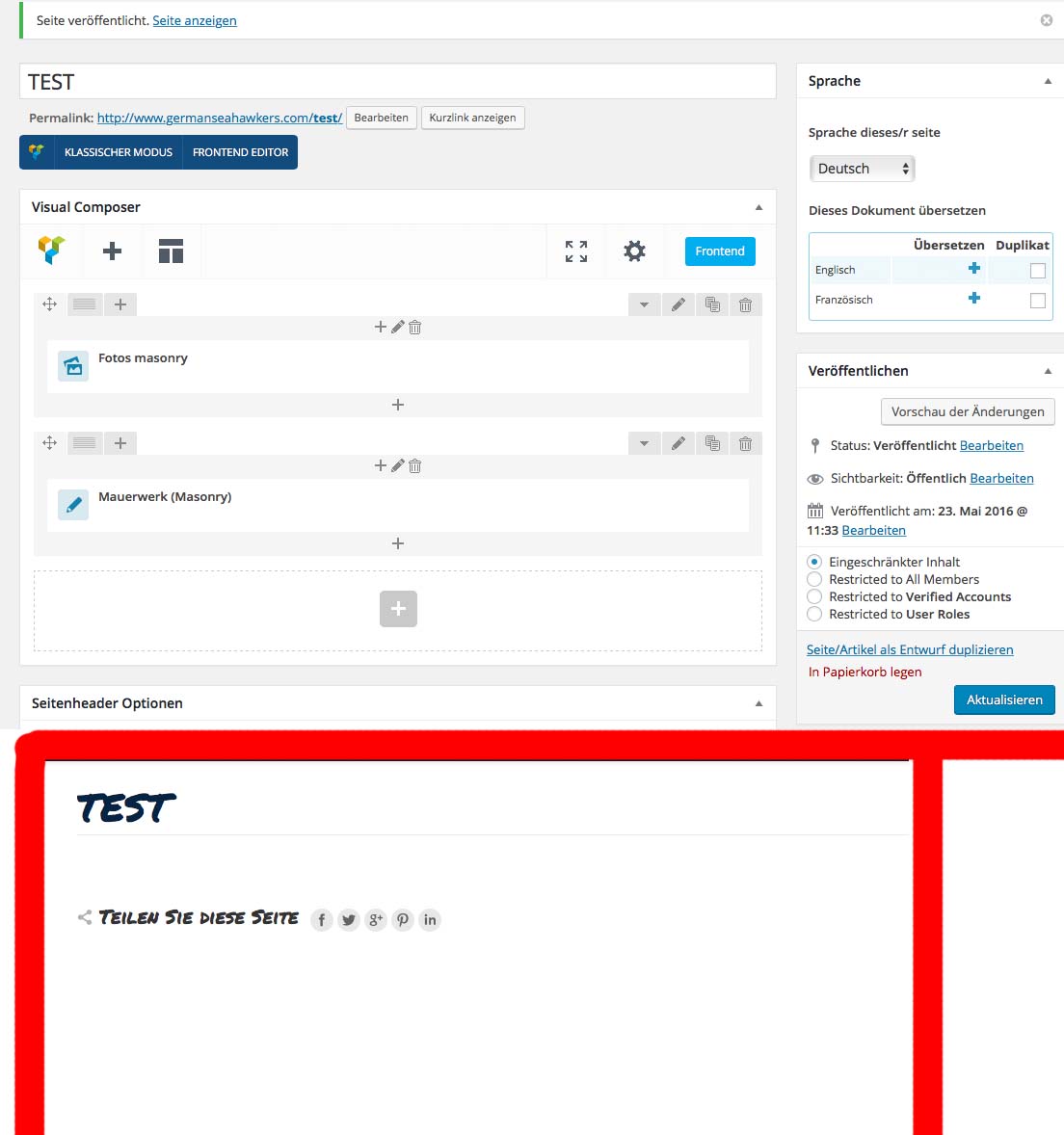
After Update the7 (3.7.0) and VC i can´t see the VC Dream.Theme Elements at the Fronded. At my Backend i can config all Plugins but on my Site its all white. (testet with Blog Masonry and Alben justified gird)
Hi,
We recently moved our post types to the “The7 Post Types” plugin. (Can be installed via Plugins > The7 Plugins)
i know  they are installed, i see it at backend and i can use all things. But no Dream-Theme Element from Visual Composer is at my Front-end visible
That is strange.. Can you please try to save theme options? – maybe styles were not generated properly.
Here is a screen: http://www.germanseahawkers.com/wp-content/uploads/2016/05/test.jpg and here my config: http://www.germanseahawkers.com/wp-content/uploads/2016/05/the7_options.rtf
Have no idea what’s happened there  Can you please submit a request via our online help-desk http://support.dream-theme.com – and post a link to a ticket there?
Thanks!
done
Can I have a link to your ticket? Thanks!
Thanks! We’re on it.
there is an update at my ticket. I think i can isolate this issue
Yeh, thanks! l forwarded you report to our programmer for further investigation.
buyer(visualoft) is me. how can i fix it? http://goo.gl/JD0Fuo
Hi,
Please, submit a request via our online help-desk http://support.dream-theme.com – we’ll get back to you ASAP and take a look what is wrong.
Thanks!
i’m sorry. url error (http://goo.gl/JD0Fuo)
Hello,
Where is your buyers badge?
Can a slider be full width while the page is boxed? Tnx!
Hi,
I guess it can be done with Slider Revolution (there is a “force full-width” option). But I’m not 100% sure.
Hello, I have an issue with installation:
After upload, it shows the message that it install correctly, but as soon as I activate it, it shows a blank page with INTERNAL SERVER ERROR, and can no longer acces my Admin Backend, so can’t even acces my web backup.
I had to call my hosting provider so they could give me access to my backend again. Try to install it a couple of times more, but still, same issue. Please send some data on this.
Thank you.
Hello,
Where is yur buyers badge?
Can you confirm? For me to access the support area the cost is $41.30 for only six months? So…. $81.60 per year? Is there something cheaper? Do you have a Q&A area that I can access as read-only, but not post questions? I am sure my question has been asked and answered many times.
Hi,
1. Authors have zero influence on pricing. Envato sets prices themselves.
2. There is a publicly available KB: http://support.dream-theme.com/knowledgebase/
3. Please read this: http://support.dream-theme.com/6-month-support-really/ 
Another presale question, is this template compatible with plugins yoast SEO and Jetpack? Thank you very much
SEO by Yoast is fully compatible. Jetpack is partly compatible.
ok thank you for the answer kind regards
Hello I have a presale question, are the colors of fonts, backgrounds, buttons etc fully customisable, I mean can use any html color code within this template ? thank you for your time, kind regards, A.
Hello,
Most of colors and backgrounds are customizable via Theme Options.
ok thank you for answering!
visual composer is not loading anything.
Hey,
I’m guessing it has something to do to absence of buyers badge in your profile
Hello. Please let me begin by saying that your theme truly is the most customizable wordpress theme. As a developer I have used your theme on dozens of websites and will continue to do so.
I am here to report a small issue and hope that you would have a solution for me. When you enable social share button on media, the buttons only appear on gallery images. It remains absent on blog post images.
Thanks
Hi,
Thanks for feedback!
To be honest that’s how we designed it. Our logic is in “gallery” images are separate “entries” that people will want to like. In the blog – posts are (not separate images).
You can contact our support guys – maybe they have a solution for that. However I cannot guarantee it
Where do I manage the sidebar for the single product page, using woocommerce?
Hi,
Please note that we can provide support only via our online help-desk: http://support.dream-theme.com (here in comments we can only answer some general and pre-purchase questions). Submit a ticket there and we’ll get back to you ASAP.
Thanks!
Don’t know why it was so hard to just give me this link: http://support.dream-theme.com/knowledgebase/woocommerce-layout-setting/
Because I’m not a support staff and did not know that KB article existed Luckily there are links to the support portal and KB in the theme description.
Can i use regular text for logo instead of pictures (png)? How to do it? I would like to make a ‘doctor’s website’. Do you have tempate for that? I’m a newbie and don’t have much time to setup the website…
Hi,
“Medical” demo is on the way and is due to be released next week. Text in place of logo is not supported though.
Hi all of you. This theme looks awesome and in a first look it meets all my expectation to cover in my website. My question is, Could I use this theme for several domains with regular licence? or per each domain used must I pay an additional licence? Thank you for your time and response,
Hello,
According to ThemeForest Regular License 1 site/domain = 1 license. But you may want to double check it with Envato support directly.
Hi, how do I add a logo grid as you have done in the Creative Demo website please?
Hi,
Those are regular columns with images in them
I’m not sure that’s correct. It’s using a class called ‘logos-grid’?
Sorry we had some demos renamed many times. Can you please provide a link to a specific page, so I make sure that we’re talking about the same thing 
Hi,
Got it.
There’s a post type called “Logos” where you can add these images (if you are on The7 v.3.7.0, you need to install the plugin called “The7 Custom Post Types” via Plugins > The7 Plugins). Then there’s a corresponding shortcode in Visual Composer.
i’ve installed all required The7 plugins, but cannot see any VC shortcode called ‘custom post types’?
Hi,
Please, submit a request via our online help-desk http://support.dream-theme.com – we’ll get back to you ASAP and take a look what is wrong.
Thanks!
forgive my ignorance but has the testimonials option gone from the latest version?
Hi,
Not exactly. We moved it to separate plugin. Please install the “The7 Post Types” plugin from Plugins > The7 Plugins.
awesomeness
Glad you like it
kindly i have small issue with Share this post at facebook not working.
http://lebanesewomenforum.org/mothers-day-at-chwayya/
please advise,
Thanks
Hi,
Please, submit a request via our online help-desk http://support.dream-theme.com – we’ll get back to you ASAP and take a look what is wrong.
Thanks!
Hello Support Team,
kindly note i create ticket and number is #41612 .
i can’t access your support page having an error.
How ever my version of my themes is Version: 3.6.0 .
i upload your new themes and having problem with all css i don’t know why.
kindly advise me what file should update as you update it to fix the facebook share and my blog post not showing slideshow when the blog page load more post.
Regards