59157 comments found.

Is there a way in which i can allow my users to select the country and then show different contents depending upon the country ? Something like “http://wpgroupbuydemo.com/locations/boston/”
Also i have sent you an important message in private, please do respond !
your example doesn’t have real country based content. It’s just categories of posts. You can also group content by categories
Hi,
Im using rehub main theme and I’m comparing all other themes from rehub themes on my localhost, my main rehub theme don’t have this options from recash:
http://prntscr.com/cdm9c6can you send me code to add this functions to main theme?
Thanks
you can place this number manually in functions/thumbandhot.php
http://screencast.com/t/n5a6ojkK81FJThanks ! One more questions:
How I can creat same template of deal like that: http://prntscr.com/cdmrl7 On my main template I can’t find way to do that and it looks like that: http://prntscr.com/cdmry5Thanks !
because you use Rehub main theme. Enable recash child theme and you will see thumb counter and single layout as on screenshot http://rehub.wpsoul.com/documentation/docs.html#childthemes
thanks ! Working perfect ! Another fast question – Do you have any idea how to split Deals and Coupons in frontend and in pages ?
I want to have 2 pages:
1. Deals
2. Coupons
but how user can add coupon or deal ? I want to seperate this options. Add Deal or Add Coupon.
THANK YOUUUU ! btw. 5 stars rated today 
You can
1. Add deals and coupons in different categories, then, you can show them with visual composer filters by category
2. You can add more deep dividing. For example, you can add deals as posts and coupons as woocommerce posts
Hi, I’m working on a post similar to your page: http://rehub.wpsoul.com/review-post-with-shortcode-inserting/ I found on my page that there is a text of shortcode [sharing_buttons] at the top of the page below post metas (author, date, category) and above the existing social media sharing buttons (still above the post content). I checked Global Enable / Disable and both “Disable share buttons” settings are OFF. Tested first in Re:Cash, later in RE:HUB Thanks
theme options – ads option. Delete there
I installed the Vendor theme everything works but one thing. The login/register pop up. customer sign up works, but when Apply to be a vendor is checked it does not work. Its not redirecting to Vendor sign up page. is there some code I have to change ? I’m using WC vendors pro.
currently, it’s redirecting to vendor dashboard, this will be changed in update
Hi Sizam,
I’m using Re:Cash child theme
Could you add a ”edit” button via users live posts so that they can easily edit that post?
Thanks : )
there is no such button, but there is shortcode which renders full list of user post(pending, draft, posted) with edit/delete icons. You can find shortcode in the same place where you get shortcode to place form on page
Yeah, you know, every community have “edit/delete” button on the page so that users can edit their posts with ease! Could you please add those features in next updates? Thanks
I’m using Recash 6.1 theme and I can’t find a solution to this issue. When using included plugin or any other Facebook posting plugins the post content is scrambled, the following site is an example; if you click the Facebook icon you should see the post is a mixture of category, excerpt, author, description, etc.
http://ficipedia.com/iphone-7-marketed-as-nonflammable/Any assistance would be appreciated.
Try to install any plugin with facebook metatags. For example, Seo by Yoast. After this, you also need to purge cache in facebook console https://www.google.com.ua/?ion=1&espv=2#q=clean%20facebook%20share%20cash
Worked great. Thank you.
it is possible to create a theme with multi- store system , where the products are mixed rather than be separated stores and each sale is paid to their respective owner ?
All products are already mixed in shop http://revendor.wpsoul.net/shop/
Yes, I understand, in all stores were separated and each was paid directly to each vendor independent unlimited stores within a store. The customer chooses the product and redirect directly to the seller’s store and the payment is made directly to your store not for the site in question . Understood?
No. Maybe you want to have multivendor choice inside each product?
Maybe you have cache on site?
I cleared the cache and still have the same probleme !
can you send me your email , because i found a lot of problemes that i need to help with
How can I disable UNLIKE botton? Only LIKE button. I sent u email about link in stores.
I don’t see any emails from you
I’m using s2member plugin together with buddypress. But for some reason when new users log in, they are being redirected to homepage not to welcome login page (I have welcome page created and added to S2member general settings). Any ideas what else I might have missed?
where do they login?
I’ve tried to login from everywhere:
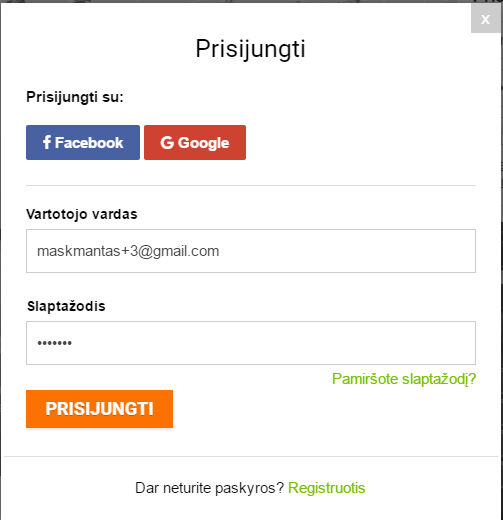
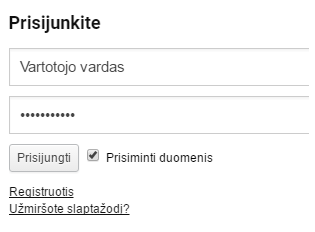
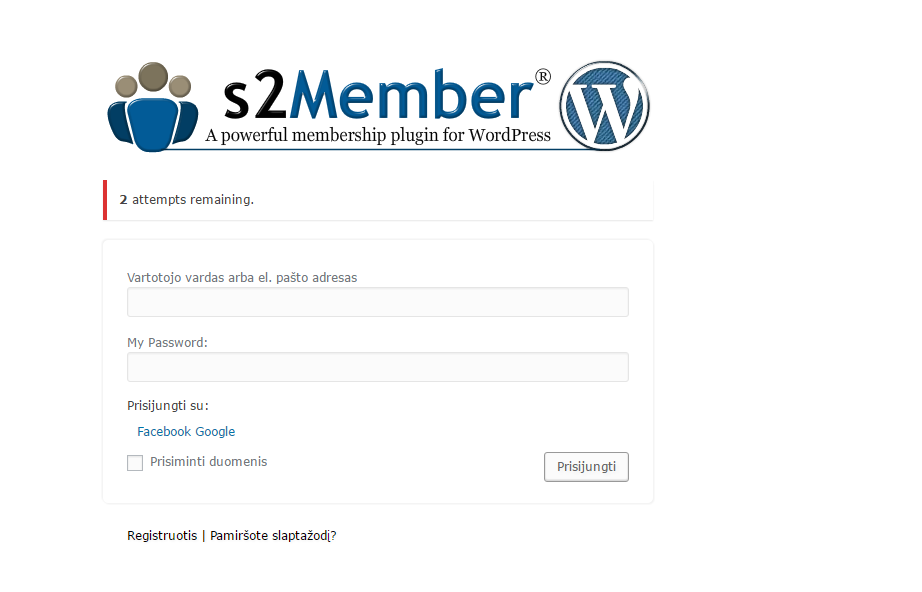
the popup: https://i.gyazo.com/4745cb1c5cb4b4c113f2b9b88db9ed13.png login widget: https://i.gyazo.com/92c42ed15de2c2d63ce67182a1a4f65c.png /wp-login.php: https://i.gyazo.com/1b5cf95508a87fc309309f97ce2bce49.png
I’m being redirected to the homepage even though I have welcome page created and enabled in the s2members settings.
send admin access
The access has been sent.
Hello,
I am using the Re:Hub theme and I recently noticed a small issue. When viewing a page as a user who is not logged in, there is a blank space added below the article title but about the body of the article (or the featured image if there is one). When logged in with a user account there is no additional blank space. Please see the example pictures below.
User logged in (no space): http://imgur.com/rHLtv2r User not logged in (extra blank space): http://imgur.com/JDzH1aC
Is there a way to ensure that the extra blank space does not appear for anyone visiting this website?
Website: http://solarproductspro.com/
Thank you.
it’s because you have ads before image. Check it in theme option – ads option
That worked! Thank you.
Hi Sizam,
Does your theme allow Vendors to set up their own shipping arrangements?
Regards,
yes, but it’s available only with WC Vendor PRO plugin
I just checked the WC Vendor Pro Plugin Site. I couldn’t find any info on Vendor self shipping set up info. at all? Would you mind providing the link so I can read up on it. This is critical for my site.. Thanks..
I found the setting shipping fee on WC Vendor Pro but I don’t see setting up shipping courier / local pickup etc.. options on their DEMO.
Please verify!! Thanks
I don’t think that this is available in woocommerce, but you should consult with Wc vendor author, because I don’t have such information
Great themes. Using the Directory theme, is there a way to remove the author name and the publication data of posts/pages on the homepage?
Some modules doesn’t have author name. Try different modules and find the best which fit your needs.
thank you. disabled them all. appreciate the fast reply.
Where can i accept pending deals? etc?
Hi, in Revendor theme can user add products from the frontend on free wc vendors?
As well can user create coupons product I can see how in the demo site when i login with testvendor… or coupons are available only with wcv pro plugin?
Products – yes, it’s available with bundled RH Frontend plugin
Coupons – no, only in WC Vendor PRO
I cant see in the revendor demo wc pro dashbord how can i create coupon product like printable coupons, reveal on external page… like this product type http://revendor.wpsoul.net/product/printable-coupon-with-image/.. Can you explain how? Thanks a lot.
This is theme unique field and it’s available from RH frontend bundled plugin (you don’t need WC Vendor PRO for this). Please, note. Woocommerce coupons is not the same as http://revendor.wpsoul.net/product/printable-coupon-with-image/
Woocommerce coupons gives ability to use this coupon ONLY INSIDE your shop. Unique theme’s coupon function is for external products
So how can users create them?
Admin must add these fields in setting of frontend form. I can’t give you more details, because you are not a buyer of theme
OK thanks now its clear… this is presell question,can i create with Rh frontend publishing pro, on Revendor user frontend submit form for deal like these on recash http://recash.wpsoul.net/add-deal/ ?
Yes, of course
I use Rehub theme. how can I get this layout in my review posts?http://redirect.wpsoul.net/pipelinemediazaur/
Hello,
can I use this theme’s own page builder and Visual Composer on the same posts/pages/custom post types? On all templates? I found I can’t but I may have some wrong settings… I’d use a review template of the theme but I’d add some elements to content which only exist in VC or in a VC addon. Thanks
I found I can, but it should have been enabled in VC / Role Manager and not in VC / General settings.
Hi Sizam,
I can see your theme has Vendor category on sign up, I would like to know how to add that on my sign up page?
Hi,
I had purchase this theme, I got few question to know how to fix it:
1) How can I set the review appear on each post? Because after i publish the post, i could not see any review option at the bottom of the page.
2) For the RH Front end post, everytime user post a articles or blog in my site, it will record down the post in their own user dashboard?
2. Yes, post will be recorded in dashboard, user can edit their posts http://rehub.wpsoul.com/documentation/docs.html#user5
Hi sizam, for the review feature as you can see from this post http://www.econnection.com.my/2016/09/02/%E9%A9%AC%E6%9D%A5%E8%A5%BF%E4%BA%9A%E5%B0%86%E5%9C%A89%E6%9C%88%E4%BB%BD%E8%90%BD%E5%AE%9E%E7%9A%84%E6%96%B0%E6%94%BF%E7%AD%96%EF%BC%81/ i could not found the way to make the review appear on post page. In theme option, I got enable it but it no showing out
this link is not working for me
describe your steps
Here is the screenshot that show the review is no showing out http://www.awesomescreenshot.com/image/1544642/268fe478cc1cb65c56e43fa58e144071 I got read the documentation but it didn’t step down the way to make review appear
Do you mean User reviews?
Ya. How to make it appear on my site?
Besides that, I found out, the box with title shortcode is no working
What shortcode do you use for title box?
send screenshot
Hi sizam, for review it still no showing the review. I will sent the login detail to you. Please check your email
looks like you didn’t read any of my links with tutorials.
I didn’t find any of post with review format. Also I didn’t find option in theme option to enable user reviews. Check again my links
I also don’t see any problems with title box on your site http://screencast.com/t/eL8PdD5a47HY
Hi, I got read the link of tutorial but the documentation didn’t mentioned the way to insert it only show the different of review. Can you help check on my post and theme option? I think got set all review setting but it still no showing
For title box I had solve it. Now only the review problem
For title box I had solve it. Now only the review problem
send me page where you added review, but there is no user review box. I tried almost all pages and don’t see that you added review
I can’t reproduce any problems with categories on your site. I created page http://www.econnection.com.my/sample-page/ place there post module, added category http://screencast.com/t/vzN1r4ihH Page shows this category as expected.
Category must be added by name (you will see autosuggestor in field). I think that you are trying to add category ID (this is wrong)
Hi sizam, Can you show me the way to add review in post by using screenshot?
for categories tag i know how to using it. Thank you
Hi, Normal post type (first option) dont have review feature?
No. Post must be review format to have review form.
Hi sizam, ok now i got it already. Thanks anyway.
But do you plan to put the review function on theme option, maybe in theme option you can add default review function, so when create a post we can direct choose the default review. If want to create different or custom review then they can choose customize review to create their own review.
For the type of user rating option, i think you guys need to add in one more option which is “full review with criteria” . Because some post does not include pros and cons
All of these are already available. You should read links which I wrote you with more attention
http://screencast.com/t/pA1zTCoWYs0s https://wordpress.org/plugins/duplicate-post/Pros and cons are available for user reviews. You must enable full review and criterias in theme option – review/affiliate – user reviews
Hi, for the pros and cons, I mean that I dont want pros and cons appear on userreview. I want it show review rating only
user_reviews_in_comment textarea{display:none}
you can place this in theme options – general options – custom css
I need to insert that code? Do you guys plan to add in new option for that?
For the specification table is use for what purpose? Any demo to show it? Same goes to layout tab demo?
Besides that, for the front end post pro, why i could not found the media field which can allow user to allow their images? In this plugin “https://codecanyon.net/item/frontend-publishing-pro/8517990?s_rank=4” it got include this field but in this theme don’t has
Looks like TF deleted code which I wrote
#user_reviews_in_comment textarea{display:none}
RH frontend PRO has all fields as Frontend PRO + some new fields
I don’t know how you missed this field, because it’s default http://screencast.com/t/w01iYDjcE
available also for meta field type http://screencast.com/t/Uc9r6eYY5
The image url field only can allow user to upload one image. I got check with front end post plugin in codecanyon i found there is some field which is no include in this theme. One of the field is gallery field (http://www.awesomescreenshot.com/image/1549879/b7863e265d6f44171708b4d2970dcb3a) another is media file field (http://www.awesomescreenshot.com/image/1549883/9c5dc17c34c6685bc00499ef1fd70260)
For the code that you provide just now is use for what purpose?
Sorry please check this screenshot. For gallery field (http://imgur.com/uHjpkEV) and media field (http://imgur.com/jojzxSN)
gallery – http://imgur.com/uHjpkEV media -http://imgur.com/jojzxSN
media field is the same as image url field.
gallery field currently available only for woocommerce products
Hi, But image url can upload many image that is the different you can try on the demo version. And here is the sample page that i create to try the front end post http://www.econnection.com.my/sample-page/
As I wrote early, this is available in product submit
http://screencast.com/t/Vbnmbtyss0You can try on http://revendor.wpsoul.net/add-product/
Making the same for post – doesn’t have any sense, because post doesn’t have multiple gallery image output as product. So, even if you use multiple image for post – you don’t have any instrument to output such images without php skills
Can I change the product gallery to other label name? How can I insert this field image field in this theme? I could not found it
This is available ONLY in products, not posts. Create form for products and you will see this field
If like that, how can i allow user to post their images as many as you can. Because previously before purchase i got confirm with you either this front end post can use to post an article or blog
you can create as many image url fields as you want. For blog post you don’t need to create any of additional image fields because media upload button is available in post editor http://screencast.com/t/lWLr4iy50
You can allow subscribers to use this button in RH Frontend – settings
Hi Sizam, so thisrh frontend post is use for insert product right? If next time I want to isert classified what should I do? Because current I was using blank child theme so what should I do? For the blog or articles maybe I will install access post pro plugin to support it. Will it crash with Rh front end post?
For the theme update, can I update directly will it affect the serting that I had set?
RH Frontend PRO is for all post types.
You can update theme, settings are safe
Hi sizam, because I don’t want to mix up. RH Front end post i use it for product or classified post. while access post pro is use for article and blog posting.
If using RH Front end post to submit product or classified post, what should i do?
You can use RH frontend for all post types
http://rehub.wpsoul.com/documentation/docs.html#user5 http://rehub.wpsoul.com/documentation/frontend/Hi, but for the front end post there are some field are different compare to original verison
docs are the same for both versions. It describes overall process
Hi sizam, after read the documentation i just need to enter the meta key that provided by you guys then i can using it to create product post or classified? After add the field, how about the element of the field do i need to select after i enter meta key?
You need to add meta key only if you need additional data for post, like external url, etc
Docs has all names of meta keys which you (maybe) need for theme, also there is video which shows process to make form for submit deals to theme field.
If you don’t understand what meta key do, I suggest that you don’t need to add them at all
Ok. I will try it. If got any problem will contact you again. Thank You
I’m using rehub and i’ve been updating it. However, im actually using the child theme re:thing. Am I supposed to update the child theme as well? but if I update it each time i lose all the customizations i did to the child theme which is pointless then to use a child theme.
let me know, thanks.
in most cases I update only main theme, no need to update child. Sometimes, I add some changes in child theme, this will be described in changelog
good know. then something happened. after i updated, my sidebar went below the main content on the page layouts.
see here:
http://imgur.com/a/CZX6QSolved.
FYI if anyone is interested, under affiliates options i turned off Adsense compatibility.
Yes, but it was fixed early, maybe the reason is that you use old child theme. Maybe, try to copy just css file from new version