9432 comments found.

Sorry Fahid, I asked this question already, I summarised it again down below because I am unable to post it on the https://support.inspirythemes.com/ask-question/ as you instructed me in the email. Please help. During my 6 months support, the client content was not ready, hence why my issues are arising a little over a month after my support ended. Please help
I purchased this templated in July 2016. This is the website I am using it for: http://www.golfviewresidence.com
1) the logo is not staying on the left the way it should be. It’s overlapping with the menu 2) How to make the footer only have one column . As it is now I am \”forced\” to use 4 columns. 3) How to add a text link above the 3rd variation of the main menu. I want to a text link, a call to action text called “RESERVATION”
Hi!
PURCHASED tag is not being displayed with your name.
So, if your client purchased this theme, then ask him for purchase code and use that to communicate with us on our support site.
If you support period has been expired. Please Renew Support for this theme to get more help.
For the details on Renewing Support you can consult the following Knowledge Base article.
: http://support.inspirythemes.com/knowledgebase/extend-renew-support/
Thank You.
Hi!
What grid system is this theme using? It tried bootstrap’s ‘col-sm-6’ but it didn’t work.
Thanks!
Hi!
This theme supports bootstrap version 2.x.x. So here is its grid columns guide: http://getbootstrap.com/2.3.2/scaffolding.html#gridSystem
For any further assistance, you can reach our support staff through our support site. (Support related links are given below)
Regards,
Fahid
Hi Support Team,
I want to change default setting for thumbnail location from right to bottom. From your reply at other comment, i need to change to thumb-on-bottom at file framework/meta-box/config-meta-box.php.
Now i’m using child theme. So can you guide me how to put this change in child theme?
For your info, i already create files config-meta-box.php at realhomes-child/framework/meta-box. But dont know is it then solution.
Thanks in advance
Hi!
Mind creating a ticket on our support site? Our support team will take care of you.
Support related links are given below.
Regards,
Fahid
Ok. Just submited my ticket
Thanks 
I was wondering if you will be adding membership functions so that a user can subscribe and be allowed to post several listing. Do you also have other layouts in the works for this theme? It seems a bit dated now. It looks like it hadn’t been updated since Dec and was originally offered in 2013 (which is a very long time for theme design), are you planning a more updated theme to be released?
Hi!
Thanks for sharing your concern in detail.
We are already done with the membership feature for this theme (testing part is being processed). It would be supported in the upcoming theme update very soon.
Regarding theme layout, yes we are working in this regard also. But we can’t give you an ETA for this.
Kind Regards,
Fahid
I send this message for support team but the team reply say
I am sorry that you are facing this problem. Please provide WordPress and FTP login details of your website so I can check what is going wrong with it.
Please, I don’t Use the theme on the domain, I use a theme on localhost. I think this is the real problem With RTL languages The team can check the theme with Arabic WordPress version until can solve the dashboard text direction after activation the theme.
My message for support team
In this time I don’t want Purchase WPML. I know the Real home support the RTL Direction I tested it work perfectly
I have Two questions only
1- As I say I don’t want purchase the WPML means I don’t want multiple language translations. only I want to translate the default language from English to Arabic How I can do this? Must I translate any file to Arabic until the site show in the Arabic language?
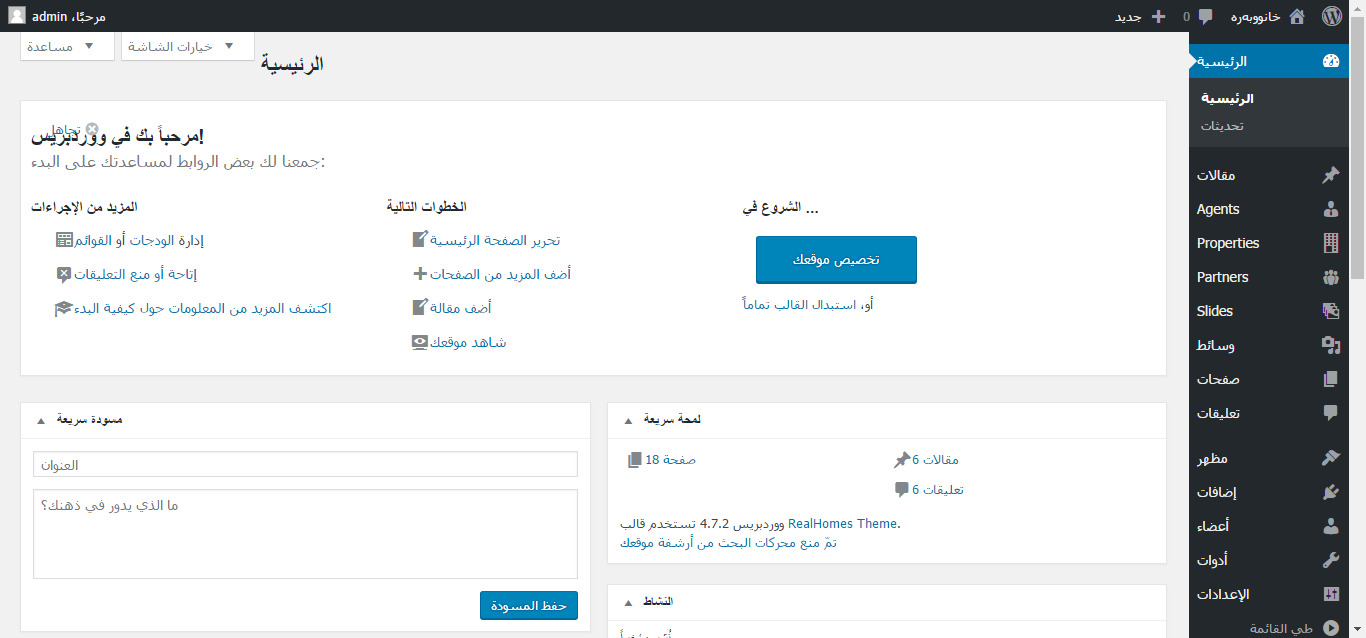
2- I know that you used if( is_rtl() ) within function.php file. due to this code I used and installed Arabic WordPress version until register rtl.min.css file, But when I activate Real Home theme the admin dashboard area, it’s corrupted and change the Arabic direction texts
MEANS: I don’t have the problem with the theme RTL direction but only I have the problem with the Admin dashboard text direction when activating Real Home theme.
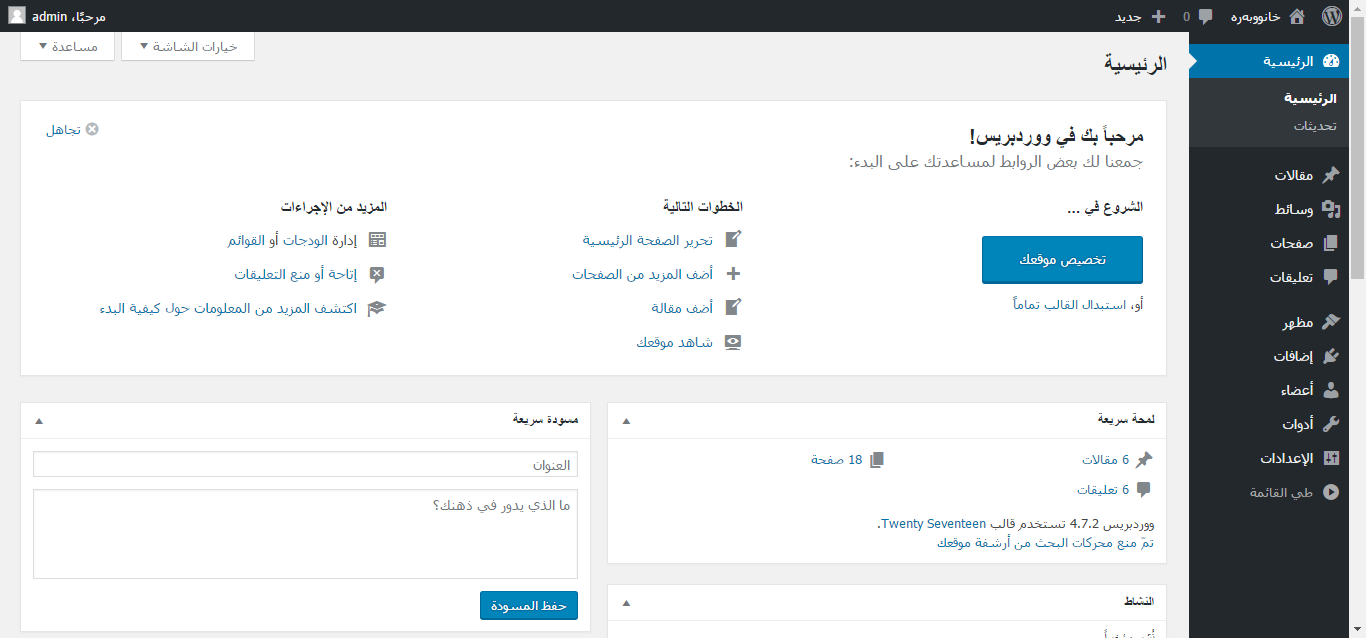
1- See this photo I have not problem with dashboard text direction when Twenty Seventeen is activated
http://www5.0zz0.com/2017/02/17/18/207394051.png2- See this photo I have problem with dashboard text direction when Real Homes is activated
http://www14.0zz0.com/2017/02/17/18/243201002.pngHow can I solve this problem?
Hi!
Here are the answers to your both questions.
1) Yes, you must have to translate this theme strings in Arabic yourself. It’s also true you have no need for the WPML plugin purchase as you don’t want a multilingual site.
You can translate your site in single language using PO & MO file method. For the more details, I will highly recommend you to consult the Knowledge Base article on How to translate your theme to your language.
2) I have asked a support team member to test the theme with RTL language and also check its dashboard functionality as you stated at the end of your comment.
I will get back to you sooner. Thanks for your all the patience.
Kind Regards,
Fahid
Hello again,
I have communicated with the related support team member and we couldn’t replicate this backend text direction issue on our side by activating the RealHomes theme and using RTL language.
So if you want us to look into your site issue then you must have to put it online and provide the admin access in your created ticket that has been replied already.
Many Thanks,
Fahid
Thanks my problem is solved by using WPML
Glad to know your problem has been solved
Hi!
Thanks for taking the interest in Real Homes.
Unfortunately, there is no default way to change this theme color scheme. However, you can achieve a new color scheme of the theme by following the Knowledge Base article given below.
: https://support.inspirythemes.com/knowledgebase/changing-the-theme-colors-scheme/
Regards,
Fahid
Hi,
I purchased this templated in July 2016. This is the website I am using it for: http://www.golfviewresidence.com
1) the logo is not staying on the left the way it should be. It’s mixing up with the menu 2) How to make the footer only have one column 3) The Appearance > Customize menu seems to have many sections (almost all) missing compared to what is shown on “http://realhomes.inspirythemes.biz/doc/#home-header”. This is a problem, because I cannot control what appear on the homepage. It is set to static page, and then that static page is set to the default “home” page. It doesn’t seem to want to appear. I did not do anything special, after the demo import, this is how it was. Please help. 4) How to edit the addtional menu items (favorites, logout, submit, etc) on top of the main menu (3rd variation). I want to just have one item called “RESERVATION”
Hope you can help, otherwise I am stuck with a very difficult to customise theme,  and time wasted :(((((
I’ve figured question 3. Please help on 1,2 and 4. thanks in advance
Hi!
We have dedicated support staff to help you out with such queries. Kindly create a ticket on our support site and our support team will take care of you.
Support site can be found here: http://support.inspirythemes.com/
Thanks & Regards,
Fahid
Fahid, I do NOT get the mails sent through the agent contact form!! I just got to know this by a customer and checked it myself and I just don’t get them. I also put in the e-mail for copy mail in the customizer. Nothing!! I don’t want to know how many mails I already missed!!! What can this be??
I put in another e-mail and it works. So, I guess there is a problem with my e-mail… ok, I will check it. thanks.
but is there a way to show the customer as SENDER?? Right now the sender is wordpress@mydomainname via mydomainname. It would be fine if the sender’s e-mail is the sender and I just could respond to the mail.
Hi!
You can reply an email directly as the sender email should be set in the mail header information already.
To send emails Wordpress use default WordPress sender information. If you want to change it then you can follow the following article in this regard.
: https://www.fahidjavid.com/change-default-email-sender-wordpress/
Or use https://wordpress.org/plugins/wp-mailfrom-ii/ plugin.
For any further assistance, you can reach our support site and create a ticket on our support site. Our support team will take care of you.
(Support related links are given below)
Regards,
Fahid
perfect! thanks!
One last item Fahid – on my website www.azroygroup.com, the slider for homepage is gone! I’ve set settings for it to show, but I’m not sure where to turn it back on? Can you help please?
Hi!
Make sure you have added at least one property to the slider. If the issue persists, then create a ticket on our support site and our support team will take care of you.
(Support related links are given below)
Regards,
Fahid
How do I change the Find Your Home border color?
I am working here http://bulgarianfashion.com/property/luxurious-classy-villa-for-sale-in-caesarea/ ... and I would like to set the outline border color for both the slider and the Find Your Home box to #CAB042
Hi!
You can set that code to those areas by adding the following code into the Customizer > Additional CSS box.
.widget.advance-search .title {
    background-color: #CAB042;
}

#property-detail-flexslider .jcarousel-container-vertical {
    background-color: #CAB042;
}
For more help in customizing theme styles, I will recommend you to consult https://support.inspirythemes.com/knowledgebase/changing-the-theme-colors-scheme/ Knowledge Base article.
Regards,
Fahid
Hello, and thanks for the reply. I am looking for the outline border color of the entire search box and slider box NOT for the background color
Hi!
Then use the following code to change the border color of those areas.
.main,
.widget.advance-search {
    border-color: #CAB042;
}
Regards,
Fahid
Hi I try to find WPML Multilingual CMS PLUGIN but I can’t find it within theme files or by search within WordPress plugin
Sorry, also I want, How to change direction from LTR to RTL? Please explain this to me
your theme don’t contains rtl.css file
Hi!
1) This theme only supports WPML plugin. WPML plugin is not included within theme. It’s a paid plugin that you can buy from their own WPML site.
2) This theme adapts RTL styles automatically for the RTL languages. However, if you want to test then you can use the https://wordpress.org/plugins/rtl-tester/ plugin.
For any further assistance, you can reach our support staff through our support site. (Support related links are given below)
Regards,
Fahid
Can you advise why the Flexslider does not auto rotate whenever the browser is out of focus? E.g. when a new windows is opened on top of the website slider.
I have checked it in the demo but it is not moving. You can try open a notepad on top of the slider to notice it. How do i make the slider auto rotate at all times? Thanks.
Hi!
This is how FlexSlider works. However, you can consult all configuration properties for the FlexSlider here: https://github.com/woocommerce/FlexSlider#properties
For any further assistance, you can reach our support staff through our support site. (Support related links are given below)
Regards,
Fahid
Hi, I have just attempted to update my clients wordpress to 4.72 and it appears to break the gallery add on even though you can select an image it does not appear in the advertisement as well as the featured image is no longer styled it just becomes one big image.
I would appreciate any advice.
Thanks.
Hi!
Sorry for the inconvenience.
Please create a ticket on our support and provide your site URL with issue details. Our support team will take care of you.
Support related links are given below.
Regards,
Fahid
Hi, I want to submit property to edit and admin user only except subscribe user, and how to make open property on map new window? please let me know how to i fix that. many thanks.
Hi!
I am confused about your both questions. Please can you explain both of them again? Would be great if you add related screenshots. Sometimes images can explain what words can’t.
Best Regards,
Fahid
Hi,
1) I want to make that only Admin and Editor can submit property. (except another user’s)
2) I want to open a new window when I click on Property on the map.
Thank you.
Hi!
1) What a user can do or can’t do depends on the user role. You can create custom roles or modify existing roles capabilities by using any of the following plugins.
: https://wordpress.org/plugins/capability-manager-enhanced/
: https://wordpress.org/plugins/user-roles-and-capabilities/
: https://wordpress.org/plugins/user-role-editor/
2) For this purpose, you would need to edit the banners/map_based_banner.php file as I have displayed in the screenshot given below.
Regards,
Fahid
Hello Usman
I hope you can help. The Google Maps api’s have been created and successfully added to our website. The Google map on the contact page is working 100%. However, the maps on each individual property page are showing the “Oops! Something went wrong.” message.
When I check the Javascript console error message, and take the url from this and add it to the our google credentials, the map then shows as it should for this property. But we cannot add each property url to Google Maps developers console. What to do?!
Thank you very much for your help.
Regards, Rob
Hi Rob,
Sorry for the inconvenience.
Ensure that you have set the correct URL for the permissions. Use only domain name.
If the issue persists, then create a ticket on our support site and our support team will take care of you. Also, add a link to your site when you create that ticket.
(Support related links are given below)
Regards,
Fahid
Hello Fahid
Wow, I’ve never had such a fast response! Thank you.
I have created a ticket on the support website.
Thanks again!
Cheers, Rob
Just wanted to say that Support (Usman) has already taken care of my ticket, provided the solution, and all is working 100%. Never had better support. Thank you guys!
Hi!
I am glad to know your issue has been resolved. You are always welcome to our support whenever you need any further assistance.
Best Regards,
Fahid
The link of your support site has problem!
Hi!
I just checked the support site https://support.inspirythemes.com/ and it’s working fine for me.
Are you still having any issue in navigating the support site?
Regards,
Fahid
Hello.Sorry but not for me,still blank page, strangeness!
Hi!
Which are browser and machine you using to open it? Did you try chrome or any other browsers like FireFox or Opera etc.
What is your location? You can also give it a try by using a VPN.
Thanks,
Fahid
Hello. The same problem both in firefox and chrome. In chrome the mesage is ERR_SPDY_INADEQUATE_TRANSPORT_SECURITY. My location is Greece
Hi!
Sorry for the inconvenience. I have forwarded our discussion to the theme author. He will get back to you sooner.
Thanks for your patience.
Regards,
Fahid
Hi there,
The theme author has collaborated with me to look into it and find the issue. We got our support site visited from Turkey and Germany and found it working there.
We also searched in this regard and found that it’s something to be fixed from the client side. For more details please consult: https://productforums.google.com/forum/#!topic/chrome/tO7sdYWe6uc
If you still remain unable to resolve this issue then I will recommend you to test the support site on another machine and network.
Best Regards,
Fahid
Hi,
I have 2 questions.
1. How do I add the Property Title in the listing? It’s visible in the search results, but not when you open the ad.
2. On the Property search page (Property Search Template), how can I make the page title and text visible above the search form? I need to have some information text on the page.
Best Regards Peter
Hi!
1) It should be displayed in the header banner area as pointed in this screenshot: http://jmp.sh/c3PfbOR
2) I am not sure if I could understand your question properly. However, you can edit the Search Template in the template-search.php file.
For any further assistance, you can reach our support staff through our support site. (Support related links are given below)
Regards,
Fahid
Hi,
Thanks for your reply.
1. I don’t want the title to be in the header banner area, because then all titles will be in the banner area on all pages. I just want the title in the Property listing to be visible.
2. When I create a page and make it to a Property Search Template, the page title and text isn’t visible. The page will only show the search form.
Best Regards Peter
Hi Peter,
Please create a support ticket on our support site and I will ask a support team member to help you displaying the titles of these pages inside instead of the banner. Also, add a link to your site when you create that ticket.
(Support related links are given below)
Regards,
Fahid
how can I change “Sorry No Results Found” if not results are found in a search?
Hi,
You can change that string by using the https://wordpress.org/plugins/say-what/ plugin.
The text-domain is: framework
Regards,
Fahid
Hi, I like your theme very much and I have few presales quesitions please: 1) Registered users should be able to upload all data about their real estate together with attachments. One of those data should be place in google maps: is it possible for them to select location on google map instad of typing coordinates? 2) I see that every real estate have a contact form for potential buyes to contact seller about real estate of interest. When email from those contact forms arrive to web owner, will he know from which real estate this contact form came? ( I suppose I do not need to make thousands of different contact forms for that purpose?) 3) Registered user can make a review of a real estate? 4) All real estates should have their location on google maps. When searching and filtering real estates, is it possible to type in location ( Google maps integration) instead of selection of places in dropdown ( categories)? 5) Is it possible to filter in google maps – draw a simple polygon of interest and filter by that? This feature exists in google maps and some websites already using.
Thank you very much in advance!
Hi!
Thanks for taking the interest in Real Homes theme.
Unfortunately, this theme doesn’t offer such kind of functionalities. I am afraid it would need code customization within the theme.
If it’s something important for you then you can hire our customization services here: https://inspirythemes.com/theme-customization/
Regards,
Fahid
Hello,
How can i change language english to French to the website (bathroom to salle de bain, or Know more in the slider, Email US, log in, profil or logout at the top of the website for exemple)?
Change $ to € for price ?
Thanks
Hi!
1) This theme is fully translation ready. To translate it into your language I will recommend to consult How to translate your theme to your language.
2) However, you can configure the price settings from the Customizer > Price Format options panel.
Regards,
Fahid
Thanks a lot Fahid !!!
Have a good day

This item was featured on ThemeForest

Power Elite Author
Contact the Envato Market Help Team