546 comments found.

In the template zip the Data.xml file does not come in to install the demo. Where is it possible to download? because I bought an incomplete template
We have given Demo install system in our theme, please go to Appearance >> Theme Options and follow the screenshot http://prntscr.com/gh8q89 Thanks a lot – let us know if you need further help.
Hello, I need help. Theme with position problems. Www.joaonicolodi.com.br Help.
This is a technical issue, please submit a ticket at https://webinane.ticksy.com. Our support team will surely help you in this regard. Thanks a lot
Hi there,
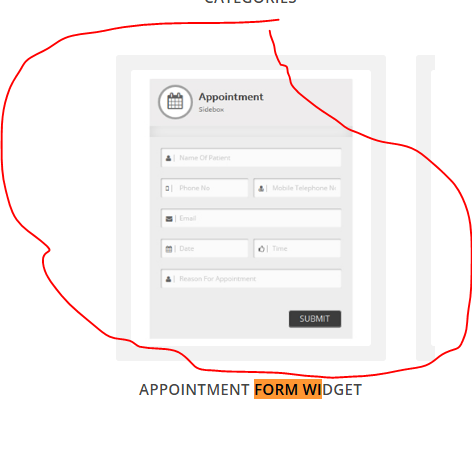
The ‘appointments widget’ is showing up fine on the website, but I have no idea where the ‘filled out form data’ is submitted…? is it stored on the dashboard where I can read replies from people who have filled out the form online? is it sent to an email address? if so, where can I can where the information is submitted?
I’ve also checked my wp-admin email and no details of the tested ‘dummy’subbmited text information, like name, email, appointment date etc? where do I access the settings for the appointment form widget from the ‘elements section’. Please see image links here:-
https://snag.gy/crOQIe.jpg https://snag.gy/XPqpH0.jpg https://snag.gy/7HgqJn.jpgMany thanks
Please can you send me the sample demo content as automatic import demo content is not working . its just load load and load…
Which version of the theme you are using dear?. Thanks
The latest which is uploaded… 4.7.2
Here are the details
http://www.timbermate.in/wp-admin/admin.php?page=sh_theme_optionsPlease send the details at webinaneff@gmail.com because your support license is expired and our team will give you its solution. Please don’t forget to send ftp and wp-admin information. Thanks a lot
Hello, I’m having trouble updating plugins related to your theme. can you help me? Www.joaonicolodi.com.br
Yes brother we can help, please send an email at webinane@gmail.com. Though your support license is expired but we are ready to help you overcome this issue. Thanks a lot
Is there a video of the template, for example inauguration // Dictate //
No videos available for this project. Thanks
dear sir how to translate “view all” at recent events full page widget by using WPML it is not displayed at the string translation
Please submit your ticket and also please provide the url of the page where you want this issue to be solved, we will diagnose the issue and provide the solution for it.Our support center is https://webinane.ticksy.com Thanks a lot 
dear sir how to translate view all at recent events full page widget by using WPML it is displayed at the string translation
Duplicate Comment.
Hi, import function of theme panel is not working and I would like to import data by using Wordpress import feature but i couldn’t find the “data.xml” sample file. Can you please supply this file or place that I can find? thanks..
Can you please send an email at support@webinane.com and CC to sugotech@gmail.com so that we can have a look into it. However your support license is expired but we are ready for your help. Thanks a lot
Hi, thanks for quick reply, I’ve sent an e-mail now.
Hi again, I would like say my opinion about localization. In Visual Composer there are some special element such as, Services, Portfolios, Affiliation etc. but none of them have Title attribute so I cannot localize this elements’ title from Visual Composer editor to my language e.g “Our Affiliation” is used for title of “Creative Our Affiliation” element on Visual Composer. In default editor I can edit the titles by adding title attribute manually, but I think you should add Title attribute to be editable. Regards.
We have seen that this feature is not given in the theme but we welcome this suggestion and we will include these features in the next update which will launch in the next week. Thanks a lot for your patience.
Good day, I’ve upgraded the theme to the latest version and now need to upgrade plugins: VC, Layerslider and the plugins come with the but when i click update i receive: Update Failed: Update package not available. where to find the packages in theme. thanks
You will first have to delete the old plugins, once the old plugins are deleted, you need to reinstall the plugins afresh from the dashboard. I suggest to please wait for the next update which will be launched this week. This will have latest fully compatible plugins with WordPress 4.6.1. Thanks a lot for your cooperation and understanding.
Thanks for the reply, but after I delete the old plugins where i can find the new plugins folders?
You will get a notification in the dashboard asking for plugins installation. Follow those notifications and it will automatically fetch the latest versions of premium plugins. Thanks a lot – let me know if you need further assistance.
I didn’t get the notification, i’ve upgraded the theme yesterday and still no notification?
Please send your ftp and wp-admin information at support@webinane.com and we will first check it and then guide you further. Thanks
We have seen your problem as you sent the email, the problem is not with the theme, the problem is with the third party plugin which you are using. The plugin is ‘modal login for wordpress’ please deactivate it and your problem will be solved. Thanks a lot
Fantastic support as usual. you guys really rock. thank you..
You are welcome bro we will always be there for your help.
I’m using the theme but it isn’t responsive?? How can i fix it so it shows up as responsive on mobile?
It is responsive my brother, can you please share the URL so that we can check why it is not responsive on your side. Thanks a lot
it’s donnybrookclinic.com
Thanks for sharing your URL, we can see that some of the new sections are added in the website which are not responsive. You will have to send your purchase code first to our support team to verify your purchase. Then we will need wp-admin and ftp information so that we can fix the issues with your new section. Our email address is support@webinane.com Thanks again for your cooperation.
Hi! How i can import demo data on online site?
Out team has responded your ticket and required some information so please reply back to the team and they will solve you issue. Thanks a lot for your cooperation.
I have tried to upload the data.xml three times and it’s giving me a internal sever error message that says it can’t be uploaded. So I called the hosting company and they said I needed a code from you guys. I want to upload the demo.
Can you please submit a ticket at https://webinane.ticksy.com so that we can diagnose for what reasons you are facing this error. Thanks a lot for your patience.
Hi, I tried to email you guys about an issue I’m having and I got an error saying your support email wasn’t working? I updated my version of Wordpress and some plugins and suddenly the theme is doing weird things, like shifting to the left. Can you guys look into this? What email should I contact for help?
Please contact webinane@gmail.com and our support staff will solve this problem immediately. Thanks a lot
Hi,
Visual composer doesent work, it is not possible to edit the theme after demo install.
And, if i ad a new logo, it doesent show up. Header php has the latest update: $Logo = ‘’;
I have set up my site in the html5 version while waiting for bugs to be fixed in the wp version. Please help me get visual composer to work and logo editing so i final can port the html5 to Wp.
Running theme version 4.6 and vissual version 4.9
Actually the theme version is latest but you have not installed the latest version of Visual Composer. Please delete the current version of VC and install 4.11 plus which is given in the theme. This way it will start working fine. I will give you the answer of rest of the error after consulting with the technical team. Thanks a lot
I cant find the 4.11 version in the theme. How do i activate it? If i try to check the guide, the visual composer section describes info about woocomerce?
I installed by using demo data, so why the theme is the newest and visual older i dont know.
I purchased visual composer, but its not freakin possible to uninstall it or update it…. I bought the html5 version of this theme just to be able to launch the site within time, because thje first versions of the WP-versions was totaly loaded with bugs and i never managed to install the demos etc, known issues that i hoped was fixed now. But, i still experience abnormal amount of errors on this theme…
Update: After the purchase of VC, i got it activated but guess what, it still says not possible to update directly, only manual….and i just spent 40bucks for getting it activated and updated to work with your theme wich added the total cost to almost 100 dollars for the theme. I really need this to work now, i cant use the html5 version because we need more features: site nanotannteknikk.no
We want to check the backend because there are no reported errors in the theme which you are saying. Please send your ftp and wp-admin information at support@webinane.com and send the list of errors with it. Please be patient we will help you to use it properly, Our next support session will start after few hours. Thanks a lot for your patient.
Hi, thanks for the follow up. I have sent an email. Was gona work with this now but have to delay everything, if you only knew how much frustration delays like this can cause you would understand why im a bit eager getting this fixed hehe
Update: After renaming VC folder to old via ftp, i was able to install the latest version of VC…probably only a VC bug there. But im still having issues with the logo upload
and, sorry for yelling. The theme is great and It doesent deserve my hard words. Im just eager to get it up and running. We will take the rest from mail support
This is your right to ask for support and if something is not working then it is our duty to help you overcome those issues. So we are happy with your yelling and ready to help you to any extent.
I still have an issue with the logo and changing it, this is the same for lets say the banner.jpg image. So there is an upload issue somewhere. Ive checked with my host and everything needed is enabled and activated.
I saw some others having this issue as well but their fix didnt help. Open for suggestions hehe
lol, the theme lives it’s own life
The logo works now, did nothing, maybe some cache kept me from seing changes but, still weird, it just started working. But, the problem now is that even though i set it to use log instead ofg text, the logo slogan is added under the logo. I have not typed any in the backend, made shure its set to not show any extra text, but it still does it. Is there a setting im missing?
Do you need further help from our end brother?
Hello
Dear Clients and interested buyers, we have included the following updates, bug fixes and features in Dictate,- New – Added 37 multiple demos installation options
- Updated – Fully compatible with Wordpress 4.5
- Improved – Improved demo importer speed to import data – now it takes only seconds
- Updated – Updated all plugins in the theme
- Added – Added 37 visual composer default templates to access your desired demo page on a single click
- Fixed – Fixed – All known bugs which are mentioned by our dear clients
If you have suggestions or need bug fixed please email us at support@webinane.com Thanks a lot
I have installed the theme dictate and have upgraded to version 4.5. Layer slider on the homepage does not work (I installed version 5.6.6.). In addition I try to insert a shortcode and it appears Warning: include(/homepages/44/d524876868/htdocs/wp-content/themes/dictate/framework/resource/shortcode_output.php): failed to open stream: No such file or directory in /homepages/44/d524876868/htdocs/wp-content/themes/dictate/framework/loader.php on line 89
Warning: include(): Failed opening ’/homepages/44/d524876868/htdocs/wp-content/themes/dictate/framework/resource/shortcode_output.php’ for inclusion (include_path=’.:/usr/lib/php5.4’) in /homepages/44/d524876868/htdocs/wp-content/themes/dictate/framework/loader.php on line 89 Please, could you help me. Regards
Please don’t worry about this error, we are launching an update today for this theme, your problem will be resolved once you will download and install the update. Thanks a lot
Please download the latest version now and you will not these problems any more. Thanks a lot
Hello,
I’m using the Dictate theme and for some reason the template is not center on any web browsers. How do I fix this?
www.nashvillegreekpicnic.com
You have updated the wordpress version to 4.5 but you have not updated the theme and premium plugins yet. Please update your plugins and themes first, we are hopeful that you will not face this issue. Thanks a lot – in case of more help you can contact us at support@webinane.com
Is this theme supported by WordPress 4.5? Also, with there be an update to the built-in plugin, “LayerSlider WP”? Thank you.
We will launch its update with the latest plugins within a day. Thanks for your interest, i will send you the reply as it will be live. Thanks a lot
I’m trying to replace the footer stock background image and it won’t allow me. I’ve done this multiple times before, but now it isn’t working.
Can you please share your Url so that we can diagnose the reason solve it. Also i request to please send your ftp and wp-admin information as well so that we can help you. Thanks a lot for your patience
Definitely. Here’s my http://www.myluminescence.com. I’ll send the other info via email. Thanks!
I have forwarded your ticket to our technical staff, please send the required information to the support staff at support@webinane.com Thanks a lot
You can change the footer background in Theme Options > General Settings > Footer Settings > Footer Image. If having difficulty in changing the footer image, do contact us at support@webinane.com. Sometimes some commands are not executed properly due to server restrictions. We can diagnose it by accessing your server. Thanks a lot