19077 comments found.

Thanks for the latest version 7.14 – I downloaded it but this time folder doesnt have all of the slider revolution files like the previous betheme packages.
meaning the demo zip files
Hi,
the latest version of the BeTheme is 20.4 so if you want to have complete theme, please update theme to its latest version. Since version 20, all pre-built sliders comes with the demos automatically.
Best regards,
Muffin Group team
How do move my licenses around – I have like 5 or 6 but cannot find anywhere to allocate or cancel them?
Hi,
if you have any problems with licenses, please send us private message thru contact form on the right at https://themeforest.net/user/muffingroup#contact and we will help you.
Best regards,
Muffin Group team
I bought about 3 month this license, and now I started a new project but the version is 17.8… The latest version is 20.4… How i can activate the license for futures actualizations… Thanks
Hi,
you need to update theme first and then under BeTheme > Dashboard section, you need to put purchase code to register theme. For more details about theme update, please read this topic.
Best regards,
Muffin Group team
is it possible to have a local dev version ?
Hi,
yes, you can have a local dev version of course.
Best regards,
Muffin Group team
Hello, I have some issues with RevSlider + Layer Slider after updating to version 20.3 After clicking update plugin RevSlider — download process starts but fails quickly with message “archive is empty”. Is it common problem or just mine? Anyway it is not vital. Please answer next questions:
1.How can I change the size of Title in post with Intro Header option on (boxed layout)? 2.Is it possible to show social sharing with Post Intro Header option on? 3.Are there any ways to customize Intro header (height, author, some other stuff) I want to make it smaller — 700px? 4. What about breadcrumps with Intro Header option on? I use Yoast SEO for breadcrumps.
Thanks!
Hi,
if you have a message that archive is empty, you probably didn’t registered theme or you have registered for a different domain. If you will send us access to your WP dashboard privately, thru contact form which is on the right at https://themeforest.net/user/muffingroup#contact, we will take a closer look it.
1. Please send us link to page where you would like to change title sizes.
2. This is not possible.
3. This can be done with custom css only because Intro Header is pre-defined and hardcoded template.
4. Intro Header have only title and post meta included.
Best regards,
Muffin Group team
I managed it somehow. Another question: why does classic header loads after content? How to fix it? Users complain about it alot
Please send us link to page where header loads after the content so we can take a closer look on it.
The header you have chosen, uses Javascript which loads as the last one and that’s why menu loads last. If you will send us access to your WP dashboard thru contact form which is on the right at https://themeforest.net/user/muffingroup#contact we will see if this could be avoided.
I can’t send you the access, it is not possible  please tell me whtat should I check in a dashboard or give at least more information about that!
What you ask for is called “customization” and without access to the WP dashboard, we don’t know if this would be possible or not.
I am just asking why the header loads after content and if it is possible to fix it. It is not customization. It is a classic header with boxed layout. I am sure that other betheme users have the same issue with the classic header.
We already explained how header works and we thought this would explain everything. And yes, you ask for the customisation because by default, header always loads last because like we said, it uses Javascript which need to be loaded as the last one and that’s why there is nothing to be “fixed”. This is how Javascript works.
However, if you want us to check if this could be somehow changed with custom css on your site, then we need access (please notice that each website is different and have totally different configuration of settings). Otherwise, it won’t be possible because there is to many elements in header that uses JS and this behave can not be changed by default because it would be necessary to remove many features that lot’s of customers already uses.
Hi! great theme
I want to install the theme in a test domain. If I register it, can I transfer it to a different domain?
thanks
Hi,
if you register theme on a test domain, after transfer, you need to de-register it on a test domain and then register on a new one.
Best regards,
Muffin Group team
Hi! Some parts of the site were not translated (to pt_BR), I already tried everything and even put a plugin (Loco Translate) but I could not. Can you help me? How do I translate these parts (blog, posts)
Screen print: http://bit.ly/2tQXO3X
Tks.
Hi,
those parts can be translated within .mo/.po files but you can also translate them with included translator under BeTheme Options > Translate section.
Best regards,
Muffin Group team
Hi, Nice Scroll is preventing mouse wheel scrolling over iframes due to overflow-y: hidden; on the html element. We have just disabled it but wanted to mention it in case you want to fix.
Hi,
yes, we know that and this was already mentioned several times on support forum and here already. Nice Scroll is quite old feature and unfortunately is not good in many aspects. That’s why, we recommend to use Default Browser Scroll instead.
Best regards,
Muffin Group team
Ok, thanks for the update. Sorry I did not see the other mentions of it here. I’m pretty sure it’s always enabled by default with a fresh install though so maybe you should consider keeping it set to Default Browser Scroll initially to prevent people from complaining about it .
We set Default Browser Scroll by default quite long ago so it’s weird that you have Nice Scroll by default instead.
It looks like it’s only enabled by default with some of the demos which I’m sure is intentional. Sorry for the confusion and thanks for the reply .
Hey,
Yes, you are right, this option could be turned on in one of the older demos, we will delete it completely soon.
Best regards,
Muffin Group team
Hi,
Building a new site for my client purchased betheme, one small question, I have used the white label options , everything works fine but in Apperance – It still says “Betheme Options” , how do i remove it ?
Hi,
as you can see, there is no “Purchased” label next to your nickname what means you did never bought this theme. And because support is for our customers only, we can not help you unfortunately. If your client bought it, tell him to create account on support forum and post your questions there.
Best regards,
Muffin Group team
Well, all i was asking was a simple bug in your system on white labelling and this is the response !! Well, I will ask my client who runs a fortune 500 company to create a login in your support portal and then ask this.. height of sarcasm !!
There is no need to be rude because you have no proof that the site you are talking about has license so we really do not understand your behave. If your client will create you an account on support forum or you will send us purchase code, username of TF account that is connected with that purchase code and access to WP dashboard privately thru contact form which is on the right side at https://themeforest.net/user/muffingroup#contact, we will show you that white label works the way it supposed to work.
Hi,
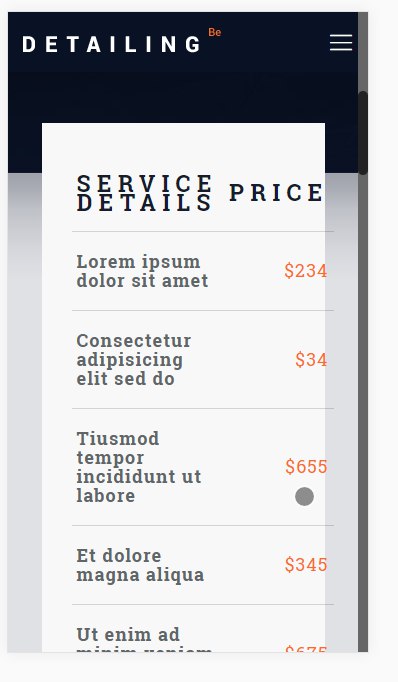
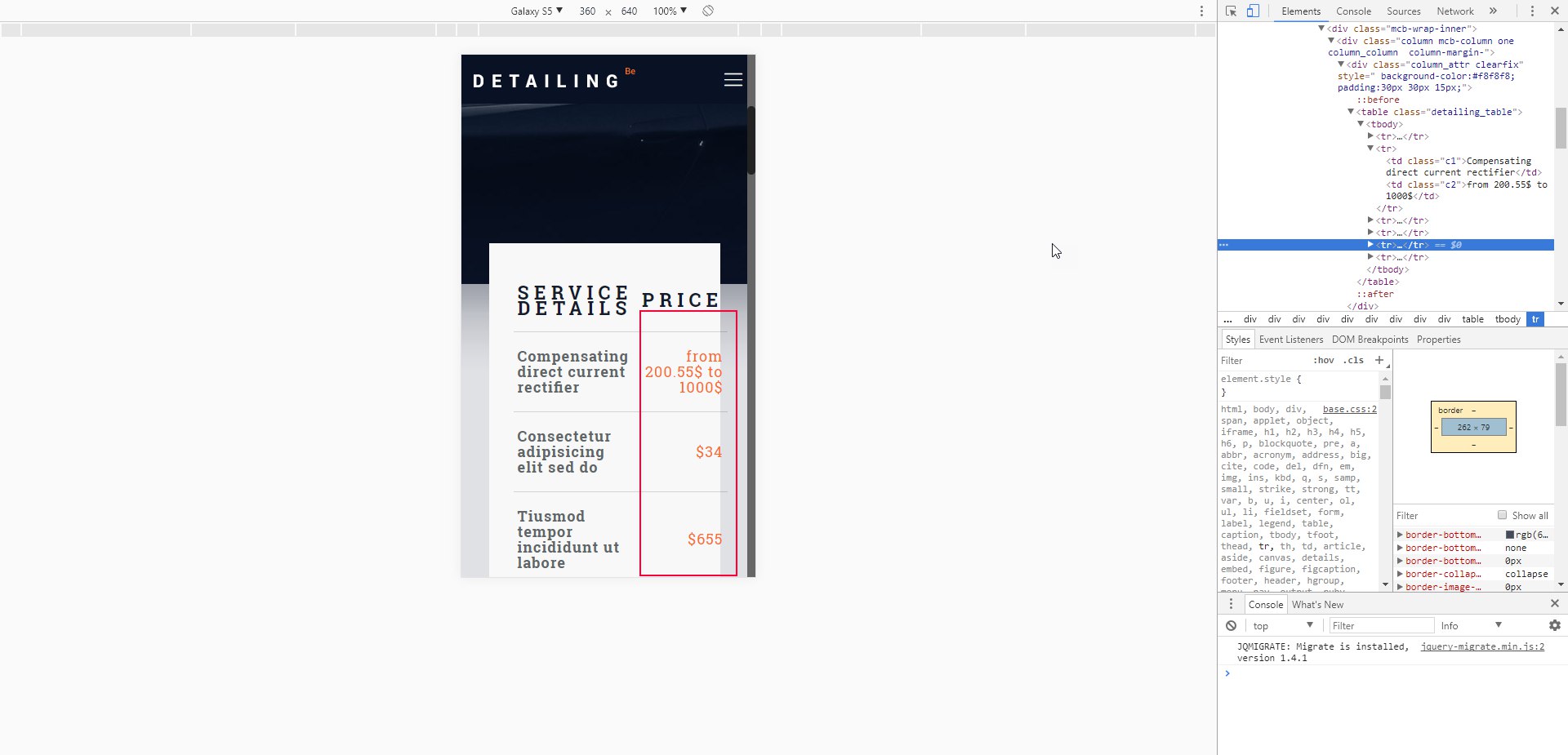
this is how responsive mode works for html tables. You can touch your screen and swipe and you will see how responsive table works.
Best regards,
Muffin Group team
Hi In “Restaurant 2 Slider” is a text and i couldn’t find it to edit! This text (welcome to our restaurant). I have checked Slider Revolution but that was not there! can you help me please?
Hi,
this is Static/Global layer and it’s in the left top corner of slider settings.
Best regards,
Muffin Group team
Thank you so much! i have seen 1000 times, but i couldn’t to find it! you are the BEST!
You are welcome!
Hi, presale questions to be sure i can do it with your theme:
1 – I need a seach box that can look for between just the post categories and authors (users). Have you got this option in your theme? Is really fast and accurate the results? Can i see a Demo? Can i customize completly with CSS?
2 – I need to set up a login to access a some landing page that is just allowed to users registered, because in that landing page will be a form to send some documentation. At the same time i’m going to set up a foro with Bbpress, and i would like that the user and password will be the same for both, i mean, once you are registered you can enter in both places.
And the last thing, in the login i would like to have a checkbox to mark if you want to suscribe to the nesletter, that will be connected with Mailchimp.
I see this plugin, bau i’m not sure if it works properly with your theme and can do all the issues i explain above. https://ultimatemember.com/features/
Many many many thanks for your help to take a decission, if i can do it i will buy your theme now!
Hi,
1. We use default WP search and it works on whole database and you can not search between post categories and authors only.
2. No, we do not have anything like this included.
3. As far as we knows, MailChimp plugin have such feature included but to be sure, please contact with plugin’s author.
Best regards,
Muffin Group team
Hi, first of all well done for the theme! Excellent work! Can I have Vimeo videos in lightbox for blog articles? Thank you in advance
Hi,
we do not have such feature included in theme unfortunately.
Best regards,
Muffin Group team
Hi muffingroup,
I am looking for a passepartout style. Do you have it in your BeTheme?
What I mean is a fixed white border that don’t move. I see in the comment that someone have also this question from a year ago. Is it now in the template?
Thanks kc
Hi,
we are sorry but we do not have such kind of layout style included into theme.
Best regards,
Muffin Group team
Thanks for the fast feedback. Do want integrate it near in the future? 
At this moment, we do not have such plans.
OK, thank you very much.
No problem.
Hi Betheme,
I just move my website to a new server but after login the betheme option do not function. Can I know is it the server spec not enough to support the theme?
Screenshot :
http://fuchieng.com/icycle/Image%202.png http://fuchieng.com/icycle/Image%203.pngHey,
please be so kind and send us WordPress dashboard access privately thru contact form which is on the right side at http://themeforest.net/user/muffingroup#contact and we will check what might be the reason. Please don’t forget to let us know in a message, what for this access is.
Best regards,
Muffin Group team
Good morning! We are trying to update content on our website, but unfortunately the Muffin Builder pencil edit icon is no longer functioning. This was working normal until recently for some unknown reason. We have updated BeTheme to the latest version and are still experiencing the issue.
Is there anything we can do to resolve this? As of now, we are unable to edit any pages on our website. Thanks for your assistance. We look forward to resolving this issue soon. Have a nice day.
Hey,
please be so kind and send us WordPress dashboard access privately thru contact form which is on the right side at http://themeforest.net/user/muffingroup#contact and we will check what might be the reason. Please don’t forget to let us know in a message, what for this access is.
Best regards,
Muffin Group team
Thank you for the quick response. We have sent a message with further details and look forward to resolving this soon. Have a great day!
Ok, thanks.
Hello,
I need to hide the font color of the button cart in the footer, is it possible ?
Hi,
as you can see, there is no “Purchased” label next to your nickname what means you did never bought this theme. And because support is for our customers only, we can not help you unfortunately. If your client bought it, tell him to create account on support forum and post your questions there.
Best regards,
Muffin Group team
hello,
i’ve been using “Wordpress Meta Data & Taxonomies Filter” (https://codecanyon.net/item/wordpress-meta-data-taxonomies-filter/7002700?ref=realmag777) to filter and display some projects and there are always errors with the output…the plugin author said that there is conflicts with the theme css
so can you recommend me another plugin to do the job that would be compatible with betheme?
I’m trying to reach something like this: http://www.bechtel.com/projects/ (filtering and displaying)
thanks in advance
Hi,
we did never tested any similar 3rd party plugin so we can not recommend any unfortunately.
Best regards,
Muffin Group team
Hi,
Can you please let me know how I need to set up the portfolio to show this type of the navgation (the next and prev arrows and the little squares at the top of the page):
http://themes.muffingroup.com/be/theme/portfolio-item/single-project-5Thanks.
Hi,
this navigation, can be easily enabled under BeTheme Options > Blog, Portfolio & Shop > General section.
Best regards,
Muffin Group team
Thank you,
I can see the arrows but not the icon in the middle (the squares).
You must forgot to set portfolio page under BeTheme Options > Blog, Portfolio & Shop > Portfolio section and that is why you don’t have this icon in the middle.
Hello I need to know why there’s no portfolio menu in left bar on my wordpress administrator after I’ve installed the theme and pre-built theme? I can’t add and edit the testimonials section. What should I do? thanks!
Hi,
you probably disabled this post type under BeTheme Options > Global > Advanced > Theme Functions section and that’s why it is invisible.
Best regards,
Muffin Group team
I think i’m not disabled it, I’ve checked everything on there. Do you have any other suggestion?
Please send us WordPress dashboard access privately thru contact form which is on the right side at http://themeforest.net/user/muffingroup#contact and we will check what might be the reason then. Please don’t forget to let us know in a message, what for this access is.