

267 comments found.

Hi, Question in a single portfolio page how could I disable the title or the reduce the space about between the navigation bar and the first images container. Please advice, many thanks in advance. Mitjo
Other question, I just noticed that my url icon (flavicon) doesn’t change in safari. please see https://janhendrik.co. Please advice? Many thanks in advance Mitjo
Hi,
1. To hide the title:Please try to paste the custom css code to “Appearance > Customize : Additional CSS”:
body.single.single-ux-portfolio .title-wrap {
    display: none;
}
To change the space, use this css(the default is 120px):@media (min-width: 768px) {
.single-portfolio-fullwidth-slider .gallery-post-des {
padding-top: 20px;
}
}
2. The Safari can not show favicon. You could visit other site to check if there is the favicon on Safari tab.
Regards!
Bwsm – uiueux.com – Twitter – Facebook
Dear,
Thanks for your response. but the last part is not working regarding the distance of the header, please see https://janhendrik.co
Please try to paste the custom css code to “Appearance > Customize : Additional CSS” to reduce the space(hide the title and content section):
.single-portfolio-fullwidth .gallery-post-des {
    display: none;
}
A couple of questions before I buy your theme (which is gorgeous btw:)
1. is it possible to have this ( http://themes.uiueux.com/art3/c2/ ) layout for single portfolio? I mean 1 column scrolling down with thumbnail options for all items in portfolio?
2. The demo websites are taking ages to load! Is there anything that can be done about it?
thanks!
Thanks for your interest in our theme
1. It is possible, the page is built by BM Builder, It is could be set in single portfolio
2. It is caused by host server.
Regards!
Bwsm – uiueux.com – Twitter – Facebook
Hi,
Question note sure if I can’t find it. But how could I create a custom or styled search result pages. as the current looks extremely plain. Please advice if this is possible or future option, let me know.
Or if I could turn the search function off. Please advice?
Also how could style the blog/news pages on content?
Hi,
how could I create a custom or styled search result pages.I don’t know how do you change the search page, you could add custom css if only change style.
Or if I could turn the search function off. Please advice?Please go to Appearance > Theme Options > Layout: Header / Show Search Button On Expanded Menu Panel, disable it
Also how could style the blog/news pages on content?I don’t understand this question. Please give more tips(better paste a page url or screenshot to explain). Thanks!
Regards!
Hi,
Thanks for your response, regarding the blog page layout. I am not sure how I could structure the layout. I assume that would also with the layout builder please advice?
Thanks in advance Mitjo
Hi, welcome, the blog page could be created by Grid module, there is a video guide here: https://vimeo.com/231995861
Refer Doc “Grid”: https://www.uiueux.com/documentation/art/index.html#bm-builder
Best Regards!
Thanks
When I use logo center layout for the header, the sub-menu is not showing/working. Any ideas?
Hi, thank you for purchasing our theme
Please try to paste the custom css code to “Appearance > Customize : Additional CSS”
.navi-show-center #navi-header li:hover > .sub-menu {
  -webkit-animation: slide-up .4s 0s 1 ease normal both;
  -moz-animation:slide-up .4s 0s 1 ease normal both;
  animation:slide-up .4s 0s 1 ease normal both;
}
.navi-show-center #navi-header li:hover > .sub-menu {
  display: block;
}
Regards!
Bwsm – uiueux.com – Twitter – Facebook
Thank you.
Hi, everything has been going smoothly, but I don’t know what I did for the menu items to disappear. I think everything is routed correctly and I’ve checked out all the menu options and can’t get it back.
Hi, thank you for purchasing our theme.
Did you mean how to hide menu? It is possible by custom css. It depends what’s header layout with site. Please leave the page url here(or send via my profile contact form). Thanks!
Regards!
Bwsm – uiueux.com – Twitter – Facebook
Oh sorry. Should have been more clear. I’m wanting to get my menu back. marthadouhne.com
Please try to activate “Show Header” :
It is turned on!
I already had the header shown, but I messed around more and i dont know what I did to fix it but it shows up now! Thanks!
Hi, I checked you site, yes, it is shown now. If you have other question, please let me know.
Regards!
Hi, first of all I must say this theme rocks. Question would it be possible for the layover navigation to have all menu items alined to the left for mobile and desktop view.
Also how could I have the images to fit flexible into the viewport? Please advice
Hi, thank you for purchasing our theme.
It is possible by custom css. It depends which header layout set with site. Please try to paste the custom css code to “Appearance > Customize : Additional CSS” box.
#navi {
    text-align: left;
}
If you talked the single image module in BM Builder, refer the DOC:
Click "+" / "-" to increase / reduce the columns. Each module could be set 1-12 cols width. When the module is 12 cols already, click "+", the module will be fullwidth.I suggest leave the page url here(or send via my profile contact form). Thanks!
Regards!
Bwsm – uiueux.com – Twitter – Facebook
Thanks
I am a developer working for a client who purchased this theme. I have one issue. I watched the videos as a guide to show me how to create a new porfolio. I go portfolio-add new-gallery settings-select images to add images to a portfolio and group them in a category.
My issue is that when I go to add a Masonry grid or any other grid to a new page by Pages-add new-bm content builder-masonry grid then i click on general settings Source-portfolio category- i select the category
when i go to Edit portfolio layout- only the featured image from the category shows up, but none of the other pictures that I added to the portfolio.This is preventing me from completing the galleries for the site. Your help would be greatly, greatly appreciated.
Hi,
Did you mean that show all images of each portfolio item in grid list? There is not the option in for now. Maybe it is possible by slider in lightbox when click a item of grid. I don’t know what is you talked?
Please send the purchase code to me via
my profile contact form. Thanks!
Regards!
Bwsm – uiueux.com – Twitter – Facebook
Hello everyone,
Our ART WordPress theme 1.2.0 Update is available now! BM Content Builder is unlocked on single portfolio and posts.
Best Regards from Bwsm!
i have my blog running on another theme using VisualComposer for layout, would it be difficult to get the layout of old post back when using this theme?
Thanks for your interest in our theme.
Art theme supports VC, but It is not optimized for style.
You could choose use VC or BM Content Builder(built-in Art theme) to build the pages. If you choose the BM, the pages built by VC maybe need to be re-built.
Regards!
Bwsm – uiueux.com – Twitter – Facebook
Can i have a demo page of your blog? how many style do you have ?
Sure, the demo url: http://themes.uiueux.com/art/blog/ The cols could be set 1-6, Item Spacing is unlimited, with filter or not, load more button or infinite scroll.
you mean that i can custom to be like this easy yeah ? https://eu.representclo.com/blogs/media
Yes, it is possible. It needs that each single post is set featured image.
Thanks for the great theme! How do I change the sharing function in the upper right corner?
Hi, thank you for purchasing our theme
Please login wp-admin, go to Appearance > Theme Options > Social Networks
If doesn’t work, please leave the page url with the sharing function you mentioned. (Or via
my profile contact form)
Regards!
Bwsm – uiueux.com – Twitter – Facebook
Url:http://i.69devil.com/ux-portfolio/leonleon/#&gid=1&pid=2
doesn’t work
Url:http://i.69devil.com/ux-portfolio/leonleon/#&gid=1&pid=2 The sharing function in the upper right corner of the page cannot close
Please go to Appearance > Customize, paste the custom css code to “Additional CSS” box.
.pswp__button.pswp__button--share {display:none;}
The CSS code has been added. But the problem remains unsolved.
Hi, I replied your mail.
Thank you very much. The problem is solved!  Can the article page social networking site be customized?
Please login wp-admin, go to Appearance > Theme Options > Social Networks
Congratulations!
Amazing Work, Good Luck With Sale 
Thanks!
How can I change the send email on the info page in the ART theme . . . the contact form . . . can’t find it!
Hi, thank you for purchasing our theme
The info page is built by BM Content Builder, make sure the BM Content Builder is activated, add a new page, click “BM Content Builder” :
Insert a Contact form, edit it:
refer: https://www.uiueux.com/documentation/art/index.html#!/pages
Regards!
Bwsm – uiueux.com – Twitter – Facebook
Nice theme. I need the portfolios to be displayed randomly each time a user enters the page, is it possible anyway? Thanks.
Thanks, glad you like our theme.
There a 2 kinds of module to create the portfolio list: Masonry Grid and Grid.
It isn’t possible by Masonry Grid, because Masonry Grid is built manually, please check the video how it works.
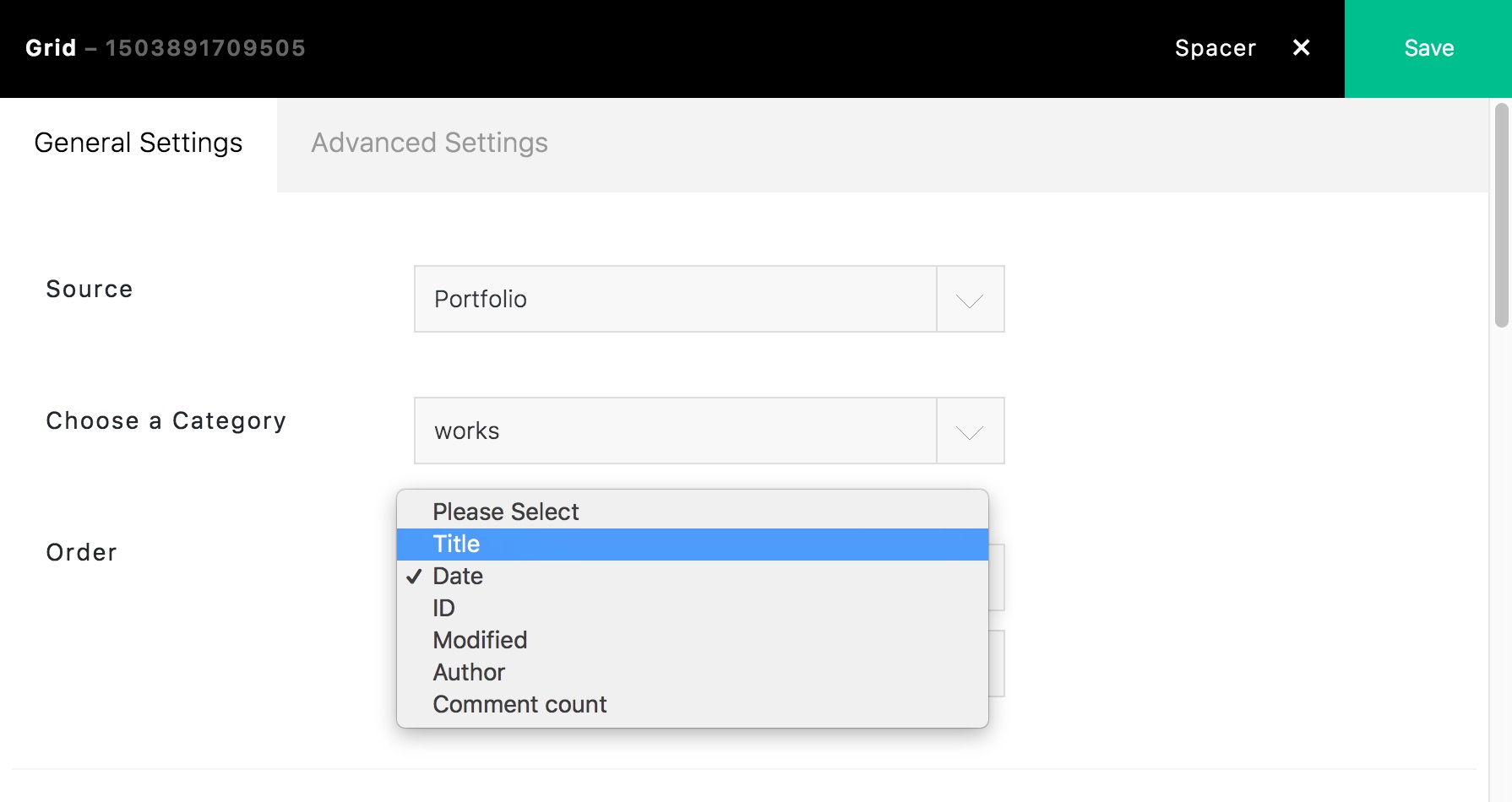
There is not the default option in Grid now, but it is possible by changing a file(I’ll let you know how to do if you buy theme). We’ll test it if possible add to the option next version.
Regards!
Bwsm – uiueux.com – Twitter – Facebook
Nice job, glws bro!
Thanks!
Awesome template… does this support ad space at all?
Hi,
Thanks, glad you like our theme.
There is not default “AD” option in ART theme. But it can show short-code by Text module of BM Builder. You can use a plugin(like Advanced ADs) supported the short-code to achieve this function.
Regards!
Bwsm – uiueux.com – Twitter – Facebook
Great job. Impressive design and functionalities. Good luck with the sales
Thank you
fantastic work on this, awesome i wish you big sales for the weekend 
Thanks you, EricProchnow.
Hello.
First of all, great theme! Can I make all portfolios visible at page c3 for front page? Not using portfolio button, I hope all the portfolio is visible as 1 column at front page.
Thanks for your time and have a nice day.
Hi, thank you for purchasing our theme.
Yes, the Portfolio(Grid and Masonry Grid module) can be placed in any “Page”. I am not sure what’s the “portfolio button” you mentioned. Please give more tips. The portfolio could be set 1 col(demo).
Regards!
Bwsm – uiueux.com – Twitter – Facebook
Thank you for your reply. The problem solved
But I’ve another small problem when using layout template ‘gallery on right’ in single portfolio page. There are two gallery style ‘standard’ and ‘filled’ . The title and article on the left are well fixed when using ‘filled’ option. Sticky function works flawlessly. But using ‘standard’ option, when the scroll down, some of the texts go up and are covered with header. Can you let me know how to fix this issue?
And is it possible to make sticky header bar on mobile?
Best regards
Hi, welcome!
I tested again, didn’t find the issue with ‘standard’ option. Could you please leave the page url here (or send your page url via my profile contact form), thanks!
Because some old browser limitation, the header sticky is disable for mobile. You could use the css to enable it. Please paste the style code to Custom Css (Appearance > Theme Options > General Settings : Custom Css):
@media (max-width: 767px) { .responsive-ux.header-sticky #header { position: absolute; } }
Best regards
Thanks a lot!
Please check this page : http://studio-gidoo.com/ux-portfolio/soban/ On my pc, the title on the left go up and are covered with header. Please compare it with other pages on ‘filled’ option.
And I can’t find Custom CSS in Theme Option > General Setting. Please check this issue too.
Regards!
Welcome! Please go to Appearance > Customize, paste the custom css(the header sticky css included, the css I pasted yesterday is not right) code to “Additional CSS” box.
@media (max-width: 767px) {
 .responsive-ux.header-sticky #header {
    position: fixed;
 }
}
.single-gallery-col2 .title-wrap {
  padding-top: 40px;
}
@media (min-width: 768px) {
 body.single.responsive-ux .single-gallery-col2-filled .title-wrap,
  .responsive-ux .single-gallery-col2 .is_stuck .title-wrap {
    padding-top: 160px;
  }
}
Regards!
That worked, thanks so much for your help!
Welcome! If you like Art, please rate it, thanks!
Congratulations for this awesome template.
Thanks!


