38445 comments found.
Hi, I have setup portfolio categories. But there is not way to directly link to a Portfolio category. I have some footer Portfolio links, but when accessing it show an empty page
https://mysite.com/project-type/software/ What am I doing wrong?Thanks
Hey! Could you share your actual URL so I can see your settings since I can’t replicate this on my end? http://themenectar.com/demo/salient-ascend/project-type/applications
Cheers
I send you an email
Hey, it appears that issue only occurs when using the specific project style you had assigned in the options panel – 8.5.1 will sort it 
Ok with another style, the categories are working, thanks. But what about the styling. It looks very strange. Just a large Category title, and a thumb below. How can we change the single Category header background. And also the square link to the main portfolio is also not visible.
Hey,
1. As of now you can’t alter that without custom modding
2. The back to all items button has never been available in archive setups – if you want more control over the single category pages you could simply create pages for each category using the VC portfolio element limited to each category. You could link to them from the same location in the footer if desired via a custom menu
Cheers

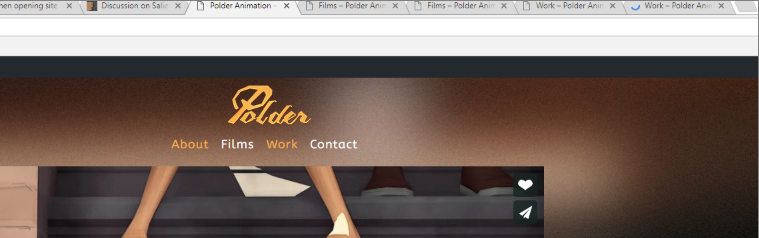
Sorry another question! I noticed a bug, when you open an url in a new tab 2 menu items get highlighted and stay highlighted in the page where you opened the tab. I’ve got an example here https://i.gyazo.com/130bb738afb8bd57fe298e7e0fbfb308.png
You can test it yourself at: http://polderanimation.com/wordpress/
Hey! That’s expected behavior as the link is still active until you click anywhere else – are you not seeing it return to normal when clicking again in another location?
Hey There!
I was wondering if it was possible to have 2 different portfolio thumbnails refer to 1 portfolio page. http://polderanimation.com/wordpress/work-2/ http://polderanimation.com/wordpress/work/In these 2 pages you can see the portfolio item blik twice, what I’ve done is made 2 different portfolio items with the same page layout but was wondering if this was possible with just 1 page, having an alternative portfolio thumbnail on another page.
Hey robbertjanvanommeren,
http://polderanimation.com/wordpress/work-2/ is returning 404 at the moment, but each project can only have one image associated with it as the featured image. Having the same item show a different image depending on the page would require custom developmentCheers
Hi,
After upgrading to version 8.5.0, there is no button to proceed to checkout in the cart page. please see screenshot http://prntscr.com/h25bho
Please support.
Thank you
Hey, have you also ensured that you’re using the latest version of WooCommerce? If so, could you please reach out in regards with your admin credentials via the contact form on my author page? https://themeforest.net/user/themenectar
Cheers
Hi,
We are using WooCommerce Version 2.6.11 is not supported?
Thanks
Seems in the description of the plugin state that Compatible With WooCommerce 2.6.x
Hey, the current version of Salient has updated in accordance to more recent WooCommerce versions – is there any specific reasons why you would prefer to stay on an outdated WooCommerce?
Cheers
Okay we will schedule to update the woocommerce to latest versions. Thank you
You’re welcome
Hi, how do i set the left and right ‘margins’ or spaces for my webpages when I’m viewing on Mobile devices? If you were to visit https://energy-democracy.org/what-is-a-prosumer/ , you’d see the white spaces beside the title boxes. I’d like to reduce the white space (on all pages). Is that possible?
Second question: Is there a way to make the Title: “About Author Name” and the author’s bio below his image? https://energy-democracy.org/germany-still-fair/
Hey PIRR,
1. Are you referring to viewing on tablet or smartphone? The viewport spacing was increased in the current theme version (8.5.0)
2. This would need to be modded in the single.php file as of now
Cheers
I’m referring to viewing on smartphone. Is it possible to reduce the left and right spaces slightly, for every page?
Hey, you can control that spacing by adding this into the custom css box in your Salient options panel:
@media only screen and (max-width: 690px) {
body .container, div.slider-nav, .post-area.standard-minimal.full-width-content article.post .inner-wrap {
    max-width: 340px!important;
}
}
Cheers
Hi, I think after I’ve updated the theme, the above css doesn’t seem to work. Are you able to advise where did it go wrong?
Hi, the above css doesn’t seem to work after I’ve updated the theme and selected a new display setting for the post listings. Are you able to advise where went wrong? Thanks again!
Hey, I just checked out the site and can verify from inspecting the page that the snippet listed above is still actively setting the width to 340 px when viewing on a portrait smartphone. If you’re not noticing it, please try changing the number from 340px to something a little higher
Cheers
Hello Team,
When ever I am supplying a href with # tag in URL it’s giving me below error
Uncaught Error: Syntax error, unrecognized expression: #/accom/66268
Sample URL: www.mywebsite.com/#/accom/66268 Error Screenshot: https://imgur.com/E7Zzvae
Can you please let me know what should be the reason? I am using latest version of the Salient & Visual Composer
I have checked all new theme features it’s really #AWESOME and making development super easy.
Hey princebhalani143! This issue will be sorted in the next release due out later tonight – as of now it can be fixed by turning off the option for animated anchor links in the theme options
Cheers
Thanks for the solution, I’ll wait for the next release as it’s not good to disable animated anchor links smooth scroll
Sounds good
What happened with the “Original Demo”? http://themenectar.com/demo/salient-promo/portfolio/original/ Was looking to design my site like that before the new templates. 
hello there! thx for another great update. I am having some issues on comments for my posts. not sure what’s up, but there doesnt seem to be a comment section for my posts. thx in advance
Hey rooster47! I can’t seem to replicate that on my end – could you kindly reach out in regards via the contact form on my author page with your admin credentials so I can log in and check on what’s going on? https://themeforest.net/item/salient-responsive-multipurpose-theme/4363266
Cheers
yes. thx much
Just updated to 8.5 from 6.x – a long overdue update! Most things were perfectly fine (using a child theme), but I notice that my portfolio thumbnails are not loading anymore. Thought I’d reach out before restoring the older version because I’d like to keep the theme up to date. My support can be renewed if needed to solve the issue.
http://www.briancavanaugh.com/worksMany thanks!
Hey cavanaughb!
Could you kindly share a screenshot of what’s in your child theme functions.php file?
Cheers
Thanks! It looks like you’re using an outdated version of that – could you try replacing it with the current one found in the download from TF?
Cheers
Perfect – thanks!
Cheers.
You’re welcome!
hi, how can i change style big hamburger to animated minimal from – http://themenectar.com/demo/salient-corporate-2/
Hey KO20,
If you’re trying to get the effect show on that demo, you must use the “material” skin in the general settings tab of the Salient options panel and your off canvas navigation style must be on the default “slide out from right”. Note that the material skin was just added in 8.5.0
Cheers
Hello! I was trying to migrate my blog to the new theme skin ‘Material’.
Everything was fine until I tried to edit an audio post, the player does not appear on the page.
Do I have to enable something in particular? I double checked the media file and it appears in the post.
Here is a screenshot with the new version on top and the previous one in the bottom with the audio player.
https://s1.postimg.org/3r7x306mjz/Untitled-1.jpg
Thanks!
Hey myuption!
Could you kindly share your actual URL so I can see all your theme settings?
Cheers
I can confirm it is a 8.5.0 issue, I tested on my online site, not the test one. I removed the old theme completely, put a fresh copy of the theme and the player disappeared from the posts that include embedded audio. I will revert back.
Now, in the category page, the player shows up like before.
Hey, the upcoming minor update will be fixing this
Thanks!
Cheers
I have a video background at the top of my website and a transparent header. When I scroll to the top there is a white bar that appears above the video banner. How do I get rid of this?
Hey scosch76,
Can you please share your URL in regards so I can take a look to assist?
Cheers
The problem seems to happen on ipad and mobile sizes. A white band above the main banner. http://cb3.ede.myftpupload.com/
Hey, please update to the current version of the theme and then switch the option in the general settings tab of the Salient options panel for theme skin from “original” to “material” http://themenectar.com/docs/salient/updating-salient/
Cheers
Hello! Digging your updates!
I second the bug report of the Shapes not functioning. You can choose any shape for the row and once you save, it reverts back to “Curve.”
Disregard, just saw your other comment. It was cache issue. Thank you for that tip!
Thanks mrhocs! Glad you found the answer quickly
Cheers
Is it possible to export posts from Essential Grid and import them into Salient portfolio posts?
Hey mrittman,
That would likely take the use a plugin to convert the data, i’m unaware of a specific one to recommend though. If you check with the author of that plugin, they may have one to share
Cheers
Okay I will look into that more Thanks!
You’‘re welcome
BUG I have problem with new feature “SHAPE DIVIDER” I cannot to change Shape type: when you select a new style, no changes are made
Hey kosyrau, you most likely just need to clear your browser cache – it sounds like you have old Salient admin script files cached which are causing the issue.
Cheers
Hi Guys,
I am just writing a fresh comment as the last topic veered off to be more about updating the theme as opposed to our issue with the blog styling.
Thank you for the suggestion to create a Large Image Left Style… however we cannot seem to locate that style even from the blog style tab even after updating the theme to 8.5. We cant seem to locate the option so are back to assigning that particular style from the individual post pages.
We are now having the following issues:
1 – The Blog can be assigned a Large Featured Image style from the individual post but looks very much wrong on Firefox (no featured image showing), but ok in Chrome.
2 – We cannot seem to be able to target the title to being the size of the header font down, longer titles run off the box.
3 – The Description text is running off the box too.
4 – The Large Featured Left Style cant be centered into the middle of the page.
Can you guys clarify these items for us?
Thanking you kindly.
Jenny
Hey Jenny! Could you kindly share the URL showing these issues so I can take a look?
Cheers
http//:www.studiomorton.com – Thanks guys. We are due to launch this tomorrow so I will deactivate the Coming soon mode for a bit today so you can see… Do you know approx which hours you would be taking a peek at it? Jen
Hey guys, knocked off the Coming Soon Mode so the site is love, let me know if you need anything else before you look at it? Thanks J
Hey Jen,
1. I can currently see all the featured images loading on FF https://imgur.com/a/6rCyf can you please let me know what version and OS you’re seeing them not display on?
2. The blog titles for the large alt style are based off the typography settings for the h3 tag – they are increased by a percent value since there’s more room than the smaller posts. If you don’t want to alter the h3 values, you can use this css:
body .masonry.classic_enhanced .masonry-blog-item.large_featured h3.title {
    font-size: 25px!important;
    line-height: 30px!important;
}
3. Add this into the custom css box in the Salient options panel as well:
.post-area .excerpt {
    word-wrap: break-word;
}
4. Are you referring to this style https://imgur.com/a/SszeU ?
Cheers
Hi there,
Than you again for the response guys.
After applying your code snippets, the blog is looking fabulous now. I realised there was some old custom css in the CSS box which was throwing off the style in Chrome, this has been removed so its all looking sweet now.
Our only outstanding issue on the blog now is the style of each post.
The blog style we are trying to achieve is the gorgeous sample you have on the Salient Start Up Blog Demo. The sample where the category, title and intro all appear on the left and the image to the right. All in encased in a square box . See image here too https://imgur.com/a/orgyY – We would like all of our posts to appear in this style down the centre of the blogpage. Is this possible?
Thanking you again for the responses.
Jen
Hey! To get that style to appear full width of the content container, add this into the custom css box in your Salient options panel:
body .post-area.masonry.classic_enhanced .masonry-blog-item.large_featured {
    width: 100%!important;
}
Cheers
Works perfectly! Thank you guys!!!
You’re welcome
Hi there,
I think I’ve found a bug(?). I upgraded to 8.5 and set up the Material masonry blog on my home page with pagination. When I click through to the other pages, the same posts load as the first page. This is also true of infinite scroll.
The issue can be found at https://spookymag.com. I’ll renew my support if it’s necessary to deal with this, but if this is an actual bug I imagined you’d want to know ASAP.
For what it’s worth, I have WP Rocket installed for caching.
Huh. You can disregard. It’s working fine now. All I did was remove the offset from the blog section and clear the cache. Not sure which of those things fixed the issue, but here we are. If it crops up again, I’ll let you know.
Hey scallemang, the offset value will indeed override any pagination set by default in WP – i’ve noted to include a workaround on the future
Cheers
Hi I’m on Salient theme & just started building my site. I can’t make the header image responsive on android phone? It appears too wide and does not resize. The banner image is GIF format px 2000×475. The page is https://www.gobu.co.uk/home-test/ Can you please help ?
Hey! The URL shared doesn’t appear to using Salient at the moment, have you changed since posting?
Cheers
Yes I did change it I was trying something sorry…I’ve changed it back now. I will leave it on Salient until I hear back from you. Many thanks
Hey!
Instead of using the page header for this, you could use a single image element inside of a row set to full width content. This will ensure no scaling issues – you can also use the option at the bottom of your edit page screen to “force transparency on navigation” if desired so it acts exactly like the regular page header section
Cheers
Anyone else having trouble with Salient JS Composer with the latest 8.5.0 update? I found that after installing the plugin, I was unable to edit any pages or posts as a blank page would appear every time I clicked ‘edit’ on a page or post.
I reverted to the previous version of the Salient theme and Salient JS Composer and everything seemed to work again and I was able to edit pages and posts
Hey trowdy,
If the page was entirely blank white, this sounds like your WP setup running out of memory. You could check your php error log to confirm this, or you could just try asking your hosting company to increase your available memory allocated to php
Cheers
Ah ok, thanks for the tip! I’ll try that out. Cheers
You’re welcome – let me know if you get it sorted
Hello again, I just updated to the latest version of the Salient theme and JS composer and I’m having the same issue where I’m unable to edit any pages or posts as a blank page appears every time I clicked ’edit’ on a page or post.
I’ve increased the PHP memory limit to 512mb and have tried disabling plugins to see if there was a conflict but that didn’t work either.
Any suggestions as to what might be causing this? Thanks
I just tried debugging mode and I got these errors:
Notice: Constant WP_DEBUG already defined in /home/traviswh/public_html/wp-config.php on line 81
Warning: Cannot use a scalar value as an array in /home/traviswh/public_html/wp-content/plugins/js_composer_salient/include/classes/core/class-wpb-map.php on line 768
Warning: Cannot use a scalar value as an array in /home/traviswh/public_html/wp-content/plugins/js_composer_salient/include/classes/core/class-wpb-map.php on line 715
Fatal error: Uncaught Exception: Element must be mapped in system in /home/traviswh/public_html/wp-content/plugins/js_composer_salient/include/classes/shortcodes/shortcodes.php:1434 Stack trace: #0 /home/traviswh/public_html/wp-content/plugins/js_composer_salient/include/classes/shortcodes/shortcodes.php(1498): Vc_Shortcodes_Manager->getElementClass(‘nectar_hotspot’) #1 /home/traviswh/public_html/wp-includes/class-wp-hook.php(286): Vc_Shortcodes_Manager->buildShortcodesAssets(’’) #2 /home/traviswh/public_html/wp-includes/class-wp-hook.php(310): WP_Hook->apply_filters(’’, Array) #3 /home/traviswh/public_html/wp-includes/plugin.php(453): WP_Hook->do_action(Array) #4 /home/traviswh/public_html/wp-admin/admin-header.php(118): do_action(‘admin_print_scr…’) #5 /home/traviswh/public_html/wp-admin/edit-form-advanced.php(483): require_once(’/home/traviswh/...’) #6 /home/traviswh/public_html/wp-admin/post.php(174): include(’/home/traviswh/...’) #7 {main} thrown in /home/traviswh/public_html/wp-content/plugins/js_composer_salient/include/classes/shortcodes/shortcodes.php on line 1434
Hey trowdy, could you please reach out in regards with your admin credentials via the contact form on my author page so that I can take a further look?
Cheers
Ok no problem, will send you an email. Thanks again
I am trying to add an external chat plugin script on my website. How can i add external javascripts to the theme options. Please help
Hey,
You can includes scripts via a child theme or one could technically be added via the “Google Analytics” field in the CSS/Script related tab in the Salient options panel
Cheers