38442 comments found.

Hi there! How might I remove the image box from a team member? I’m using the “Meta Below” team member style. I have no image chosen, but it shows a shadow profile which I’d like to get rid of (I’ll be placing an image to the left, instead, using the builder). Thank you!
Ignore, I was able to do it with a bit of CSS. If anyone is looking to do the same, the CSS I used was:
.team-member img { display: none; }
Hey LemhiRG,
Glad you figured it out, thanks for posting that for anyone else interested 
Cheers
Is there a way to place the “Add to Cart” button on the product pages higher? Perhaps beside the price, right below the Title of the product? One mobile, people have to scroll down to see it. Thanks
Hey,
That’s the default position that WooCommerce places the button, moving it would require using actions to modify the plugin itself
Cheers
Hello Support, how can in hide the written line “By Author In “Tag” in Recent Post – Single Large Featured? Can You Help Me with the CSS? And Also How i Can Translate the written “Read More”? Thank you in advance
Matteo
Hey Matteo,
1. Add this into the custom css box in the Salient options panel:
.grav-wrap { display: none!important; }
2. You can use the included nectar_salient_strings.pot file in regards
Cheers
Hi guys, Thank you for the answer. point 1 is ok, but point 2 no..where is the nectar_salient_strings.pot file? thanks
Ok i find it in loco settings and changed some strings but it doesn’t work..
Can you explain better what i have to do for point 2? i’m trying to use Loco plugin
In Loco Translate > Themes > Salient > Advanced you can set the path to the .pot file. For the Template file field use “lang/nectar_salient_strings.pot”
hi guys, how do i disable the blackish background overlay from the fancybox parallax hover! it goes away when i hover over it!
Hey bachuramadhikari, add this into the custom css box in your Salient options panel:
.nectar-fancy-box[data-style="parallax_hover"] .bg-img:after { display: none!important; }
Cheers
works! Much Thanks! 
You’re welcome
Hi, Suddenly website not loading and i cant even open theme settings from back end panel. tried to reinstall too. http://www.ninjaos.com
Hey reset5, the first error i’m seeing is coming from your plugin “wp-support-plus-responsive-ticket-system” referring to a core WP script (jquery) not being present. If that somehow got removed form your WP installation, it would break most plugins/themes and the admin section. Did you recently update your copy of WP?
if I translate the theme with poedit and running the child themes, do I have to put the .mo & .po file in the salient-child/lang folder or in general wp-content/languages folder?
Hey cedzufrei, the lang directory within Salient itself is the needed location
Cheers
Hi ThemeNectar,
Can you please visit: https://evermaven.com/portfolio/cod-resurgence/
For the image gallery I am using “meta overlaid w/zoom effect on hover” setting. I am trying to add a hover opacity to each image similar to what’s seen here: https://evermaven.com/work/
Can you please shed some light on how this can be accomplished?
Many thanks.
A millions thumbs up for this theme. Loving it more and more I use it.
Best, Alan
Hey Alan!
add this into the custom css box in your Salient options panel:
body .portfolio-items .col .work-item.style-3:hover .work-info-bg {
    opacity: 0.4 !important;
}
Cheers
Hi Nectar, How I can force the shopping cart icon stays on the header even with 0 item in the cart? At the moment, the cart icon only appears once I add item into the cart.
Thanks.
Hey asrulamps, change your theme skin from the original option to either “ascend” or “material” in the Salient option spanel > general settings tab
Cheers
It’s worked! Thanks for your prompt reply
You’re very welcome
Considering buying your theme, but I need one thing cleared up: I love your masonry portfolio. But the demos don’t make it very clear where the ”<” ”>” and thumbnail icon navigate to, because when clicked, it bounces all over the place. I plan on having 6 different portfolios (like in https://www.flylanddesigns.com) and I want the thumbnail icon to click back to that specific portfolio. Also, I want the ”<” ”>” buttons to go to the next post in that portfolio. My current theme (Enfold) instead takes you to the most recent Portfolio Post in ANY category, which is not useful. I this the way your works as well?
Hey flylanddesigns,
By default it goes in chronological order, however there’s an option to keep the items within the same category from the Salient options panel. However the middle thumbnail “back to all” button can only have one defined URL of an overall page of your choosing
Cheers
deleted
Hi Nectar,
How can I make the image gallery become 2 columns on mobile resolution?
Thanks!
Hey devlicence, it would be possible via custom css – just kindly share your URL so i can see your settings to provide the correct snippet
Cheers!
Hi themenectar, I’m still developing it locally.
My settings for the image gallery is:
Gallery type – Image grid style Image size – Full Display Title/Caption? – Yes Layout – Fullwidth Masonry Style – Yes Item Spacing – 2px Constrain Max Columns to 4? – Yes Gallery Style – Fade In from bottom
Thanks
Add this into the custom css box in your Salient options panel:
@media only screen and (max-width: 1000px) {
html body .default-style .portfolio-items .col.elastic-portfolio-item,
html body .portfolio-items .col.elastic-portfolio-item.tall, html body .portfolio-items .col.elastic-portfolio-item.regular {
    width: 49.4%!important;
}
}
Cheers
thanks!
You’re welcome
Hi Team, Whenever I install this theme, Am getting Malicious Files detected warning and getting the whole site blocked. The malicious files detected are Flexia or Xbiret which I didn’t install and also no other plugin installed. Please rectify this problem as the full project is affected and had to reinstall and reconfigure. Thanks in advance.
Hey ravindharblack, please open a ticket in regards with more information in regards (i.e. what’s showing you that info etc) as Salient itself is not shipped with any known exploits and can be verified clean through various theme checker plugins and virustotal https://www.virustotal.com/#/file/ca725a013b3ca4bd796a739f98bffe215eb00e0d59b9bbb772c0d697383a1c41/detection
let me know here once you’ve open a ticket https://themenectar.ticksy.com
Cheers
Is there the ability to put the header bar at the bottom of the window below an image or slideshow? Then it switches to a sticky menu at top when scrolled down? I see this option on a lot of the premium themeforest wordpress themes, but really would prefer to use Salient if at all possible
Hey urbanstorm,
As of now it would only be possible to achieve that with a page submenu VC element, but you wouldn’t be able to add a logo currently
Cheers
related post
Is it available the ”related posts” feature?
Hey ninomolaro, in Salient 8.5+ there’s an option in the blog tab within the Salient options panel to configure related posts
Cheers
Hi, I’m trying to translate some strings in my Wordpress installation but can’t seem to find them using loco translate. For example I can’t translate the button ‘Read Article’ shown by the visual composer element ‘Recent posts’ with style: ‘Multiple Large Featured’. I can find them in the nectar_salient_strings.pot file but this isn’t available in the dutch translation file provided. I tried changing this in the source .pot file but still no luck. Same with trending posts and author information right above the post. Thanks in advance
Hey KreatixAgency,
You can use the nectar_salient_strings.pot file to generate your own .po file, you don’t have to use the default.po file. In Loco Translate > Themes > Salient > Advanced you can set the path to the .pot file. For the Template file field use “lang/nectar_salient_strings.pot”
Cheers
Hi, thanks for helping me out. That worked perfectly for the ‘Read Article’ & ‘No comment’ strings but translating the: By %s [author]’ didn’t work.. It still shows the original english version. And the strings ‘Trending posts’ ‘New in…’ are nowhere to be found in any of the Salient or Salient Visual Composer files.
Hey, can you share the site URL so I can see where you’re using the strings “Trending posts” etc
Cheers
Hi, we changed the elements so we’re not using trending posts etc. anymore. But we still can’t find the strings for the Author info (on the homepage main slider & on the header image of the blog post itself) thanks! http://oliveropdebeeck.com/
Hi, any news?
Hey, sorry for missing this – I’ve just verified on a fresh install of Salient using the nectar_salient_strings.pot to generate a .po allows for translating “By” and “In”. Could you please open a ticket in regards with your admin credentials so we can take a further look into this? https://themenectar.ticksy.com
Cheers
Hi, Thanks for solving this. I can’t open a support ticket anymore because my support expired. Should this be solved by updating the theme or not?
Hi,
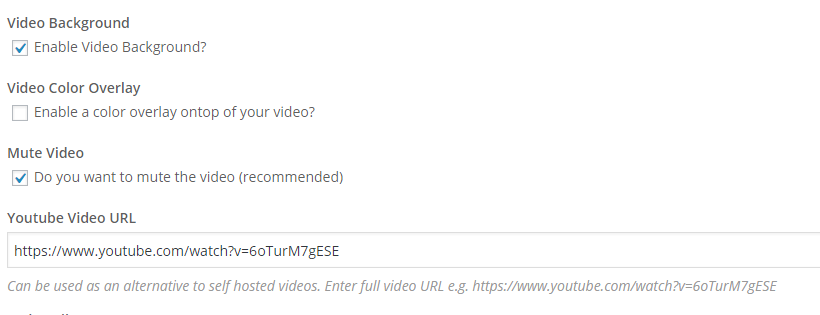
I am working with someone who’s using this theme. Since the last update, we are seeing this error in the console when we use a youtube video as the background.
https://i.gyazo.com/51e900912c23d92fbc51e3aed7dc7cba.png https://i.gyazo.com/a432ff8d48ce70607c18d4a8d6319715.pngHey zanary,
Please share your URL in regards so I can take a look as that doesn’t appear to originating from the salient directory
Cheers
Feature Request It would be fantastic if you could add Medium to the social icons—> medium.com LOVE your theme!
Hey, thanks for the request – it’s been noted!
Feature Request It would be fantastic if you could add Medium to the social icons—> medium.com LOVE your theme!
Hey, thanks for the request – it’s been noted!
On many comments, it is recommened that I have to modify index.php but my problem is that I don’t know which part of index.php I have to delete or modify Best regards
another question How can I modify the height of main footer area above copyright area ? There seem to be many free space, I want to make it thin.
Hey,
1. Add this into the custom css box in the Salient options panel:
.archive .row .col.section-title { display: none; }
2. Please share your URL in regards so I can see your settings to assist
Any recommendation on adding a notification bar to the top of the theme? I’m not sure if these plug-ins will be compatible.
https://torquemag.io/2016/09/notification-bar-plugins-wordpress/Thanks!
Hey tmanschap, I haven’t personally tested with that plugin but it should work. You just may need a line of css to adjust the z-index of the top bar to get it on top of the default Salient header nav bar. Let me know if that’s the case and i’ll help you out