38442 comments found.

Hi, is there a date for the next update? Font Awesome have released newer icons which I am keen to use but they aren’t yet available on the current Salient. Thanks
Hey markWP,
There’s no exact date yet but the beta is out and Font awesome will be updated in it shortly. If you’d like beta access, please just send an email via the contact form on my author page in regards 
Cheers
Hello! How can I improve the loading speed? I have already reduced all image sizes, but google speed analysis is very poor https://developers.google.com/speed/pagespeed/insights/?url=maraprint.lv
Hey, firstly – check out the write up we released on this topic in the documentation, as it’s full of useful informationhttp://themenectar.com/docs/salient/performance-optimization-guide/
You need to enable caching & minifcation as documented in the above link, and compress the images you have on your site which are unnecessarily large in file size (around 1MB each) like these:
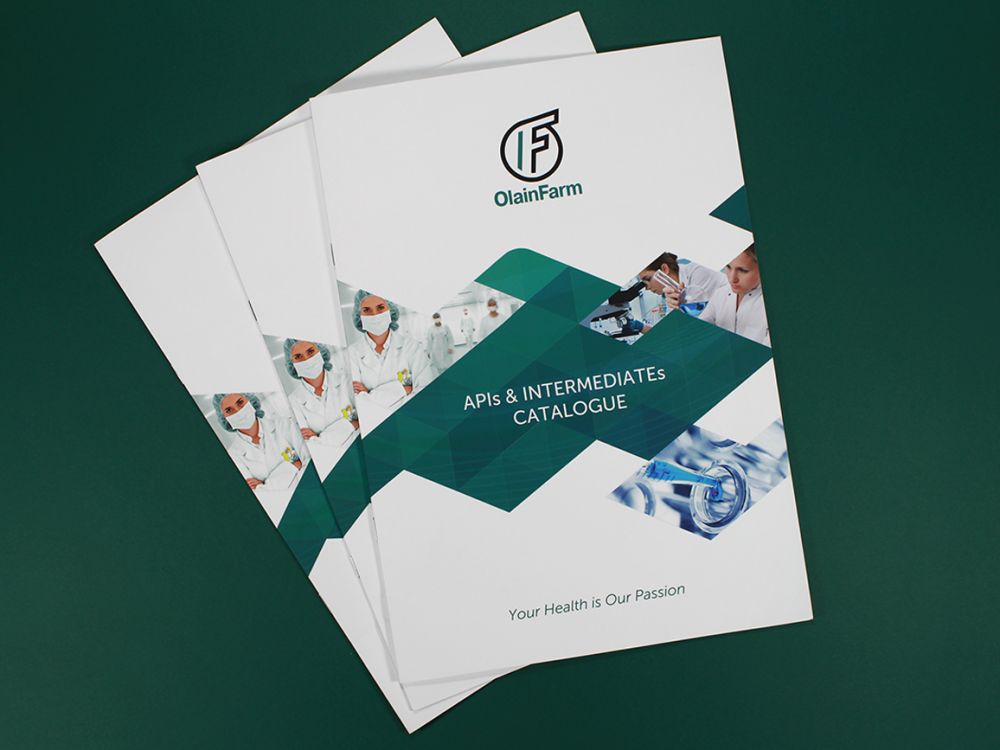
http://www.maraprint.lv/wp-content/uploads/2017/12/maraprint_reklama_800x600-e1514977800402.png http://www.maraprint.lv/wp-content/uploads/2017/12/olainfarm_bukleti-e1514976888269.png http://www.maraprint.lv/wp-content/uploads/2017/12/maraprint_autoaplimesana_silvanols2-e1514977586943.pngetc..
You could easily get those to under 300kb each given what their dimensions.
Cheers
Hello,
I’ve a question about customising the theme. I want to change some text inside the ‘Recent Posts’ element with the setting ‘Multiple Large Featured’ style enabled.
The things I want to accomplish is removing the author image, and change ‘by’ to ‘Sponsored by’ and change ‘in’ to ‘Channel’. In with file I can edit this? I searched the hole theme but I didn’t found it jet 
Best Regards, Casper Boon
Hey Casper Boon,
To remove the image, add this into the custom css box in your Salient options panel:
body .nectar-recent-posts-single_featured .grav-wrap img { display: none; }
Also, you could alter those text strings via the .po file to avoid file modding – however if you would like to edit the theme directly, they’re located in the nectar/tinymce/shortcode-processing.php file
Cheers
Thank you very much, It took some time, but i finally got it working
Cheers!
You’re welcome FilmBroeders, glad to hear
Hi, Can you please tell me if Salient is compatible with BuddyPress ?
Best regards
Hey nourdh,
Salient offers basic styling for BuddyPress but no additional development has been done for integration with the plugin
Cheers
Pre-sales question: is it possible to have sticky columns in visual composer? Thanks in advance
Hey, it’s possible to make the sidebar element sticky wherever needed – but that sidebar element can be only be populated from the widgets section of your WP admin panel
Cheers
Hi Theme Nectar, Happy New Year!
1) How was the top hero section created for http://themenectar.com/demo/salient-slider-portfolio/portfolio/atv-website/
I like how it shows an animated mouse icon centered at the bottom of the hero section, and want to replicate that.
2) Also, are there plans for the Salient theme to continue to work with WordPress’s Gutenberg editor when it is released?
Many thanks Mike
Hey Mike,
1. The page header is set using the page header settings metabox http://themenectar.com/docs/salient/page-metaboxes/#pageheader and the Fullscreen Height option is turned on. The animated scroll icon can be selected instead of the default arrow in the Salient options panel > page header tab
2. Salient will still work with the WPBakery page builder. The developers from the WPBakery team have also recently stated that they will add support to be compatible for gutenberg when it’s out
Happy new year!
For the Flickity carousel, I can’t seem to find a way other than css (which I suck at) to change the font color of the text element to the left of this element. Looks perfect on a white background, but if it’s on blue for example, it’s all dark. Even though h4 type html values work, other values to change this text don’t seem to be allowed in the carousel area. http://seattlecapitalinvestments.com/about/ – see screenshot: http://prntscr.com/hvd4ah – maybe you could provide the css? And maybe future update on this element. Thanks!
2. Also a possible bug? on that same page: http://prntscr.com/hvd9ql
Hey SiteTonight,
1. Add this into the custom css box in your Salient options panel:
.nectar-carousel-flickity-fixed-content .nectar-carousel-fixed-content p {
   color: #fff!important;
}
2. Could you open a ticket in regards with your admin credentials so I can inspect the setup closer within the page builder?
Cheers
Hi Phil,
I use this blog post template: http://themenectar.com/demo/salient-blog-ultimate/we-hired-a-new-employee/
How can I have the “back to top” button with this template? (of course I will move the icon sharing a little upwards via CSS)
Thanks and Happy New Year
Hey,
As of now it would require a modification to the init.js file as the event is conditionally not bound when the fixed social media sharing option is on. Do a search for this to end up at the right sections:
if($('.nectar-social-sharing-fixed').length == 0)
Happy new year to you as well!
Hey ! thanks I’m looking at this
You’re welcome youyou78
Hello,
After updating to the latest version, the post dates seem to have disappeared from the classic masonry layout. See here:
http://flycam.staging.wpengine.comIs there a way to get them back?
Thanks.
Hey vgundara, we’ve fixed this issue in the current beta – please reach out in regards via the contact form on my author page so I can shoot you a copy
When the header layout is “left header”, the animated underline animation is different, is it possible to change this?
Hey dataconcepts,
It would require custom css as of now – are you trying to emulate the regular underline hover effect from other header styles?
Cheers
Yes, i would like it to be the same as it is with the horizontal header.
Hey – add this into the custom css box in your Salient options panel:
@media only screen and (min-width: 1001px) {

html body[data-header-format="left-header"] #header-outer[data-lhe="animated_underline"] header#top nav >ul >li:not([class*="button_"]) >a >span:after {
    height: 2px;
    top: auto;
    bottom: -2px;
}

html body[data-header-format="left-header"] #header-outer[data-lhe="animated_underline"] header#top nav >ul >li:not([class*="button_"]) >a:hover, body[data-header-format="left-header"] #header-outer[data-lhe="animated_underline"] header#top nav >ul >li:not([class*="button_"]).open-submenu >a, body[data-header-format="left-header"] #header-outer[data-lhe="animated_underline"] header#top nav >ul >li:not([class*="button_"]).current_page_item >a, body[data-header-format="left-header"] #header-outer[data-lhe="animated_underline"] header#top nav >ul >li:not([class*="button_"]).current-menu-item >a, body[data-header-format="left-header"] #header-outer[data-lhe="animated_underline"] header#top nav >ul >li:not([class*="button_"]).current-menu-ancestor >a {
    color: #000!important;
}

}
Cheers
Thank you so much, worked perfectly!
You’re very welcome
Hi there… my buttons within a page are not hyperlinking. Is there something I’m doing wrong? I’ve used your theme for a while, but suddenly – the buttons don’t hyperlink.. not within the navigation but within the page when you say “learn more” etc. Is it just me?
Hey sandflower81,
Please share the URL in regards where this issue is occurring for you so I can take a look
Cheers
Hi,
How do we use a different burger menu icon, we’ve chosen your ‘Corporate 2’ demo but like the style of the icon from ‘Salient Product’ demo
Thanks
Hey Micatuca, the product demo uses a different off canvas menu style and also a different theme skin. In the Salient options panel > header navigation > off canvas navigation tab select “Slide out from right hover” for the “off canvas menu style” option, and in the Salient options panel > general settings tab select “ascend” for the “theme skin” option.
Cheers
We have a huge problem. When you are editing a page with visual composer, every time you modify an element and click SAVE CHANGES, the page goes to bottom, even when you drag and drop an element. Always goes to the bottom page after saving or doing something. In Firefox is impossible to edit any element because the button [SAVE CHANGES] doesn’t work. Firefox shows a lot of errors that you can see below (image url):
https://s3.amazonaws.com/uploads.hipchat.com/285286/4972812/dOQb5ahpXh81acZ/upload.pngHey mzuker,
this was fixed shortly after the release of WP 4.9 – please see the changelog in regards http://themenectar.com/changelogs/salient.html
You need to be using the current version of the theme (8.5.3) and the Salient VC (5.2.4) in order to ensure WP 4.9 compatibility
Cheers
Thank you for your great template! I have one simple question, but I don’t do coding… I would like to add the word ‘MENU’ next to the hamburger menu. Some people still don’t understand it’s a menu  Can you help me with some code?
Cheers!
Hey maaikemedia! This would require some custom modding as of now – you could use CSS like this for a start though. Add it into the custom css box in the Salient options panel:
body #header-outer header#top nav >ul.buttons {
    overflow: visible!important;
}
.slide-out-widget-area-toggle a >span:before {
    content: 'Menu';
    position: absolute;
    right: 84px;
    color: #fff;
}
Thanks for your reply! Unfortunately it’s not working. Do you have another suggestion? This is the url: https://www.luytadvocatuur.nl
Hey, it wouldn’t be able to take effect with using the material skin – you’d need to change to ascend in the Salient options panel > general settings tab
Thanks, I tried but it doesn’t look nice. We chose your beautiful theme because of the Material Skin, with the cool menu effect.. Isn’t there another solution? You would make my client so happy!
Thank you, it works great!
Glad to hear
Hi there! Happy new year I started working with your template and I have my site already build! Yuuuhuuu!!... but I will like to know if its possible to maintain the Off Canvas Menu only on the mobile version and leave the desktop version with the classic top navigation. Thanks for your time and support
Hey rasheedny!
Yes – just disable the option for “Off Canvas Menu ” in the Salient option panel > header navigation > off canvas navigation tab. It will still be used for your mobile nav automatically
Happy new year to you as well
Thanks for the reply. Actually if you disable that option it will automatically disable all other option incluinding “Off Canvas Menu Mobile Nav Menu items”, and now I have the ugly menu (classic dropdown) on the mobile version.
Hey, just make sure you’re using the “Header Sticky On Mobile” option in the Salient options panel > header navigation > logo & general styling: http://themenectar.com/docs/salient/theme-options/header-navigation/#logo-general
Perfect!! Thanks for your time and support.
You’re welcome
Hi, just wanted to ask what happened to terms&conditions link that used to work @ the checkout. The box is there to check but when you click the link to see terms&conditions page a box appears above it showing the entire code of T&C page. Have it on both sites with updated Salient.
You can see the issue here: https://ibb.co/dp6b7G
Hey SebastianHas,
WooCommerce recently change that link to show the page content in a little window that doesn’t parse shortcodes - this article covers it and what can be done to fix it.
Cheers
When Salient theme is active, the jQuery function preventdefault does not work. As soon as I disable the theme, it starts working again. I’m not seeing any error messages so I’m having a hard time debugging it. I don’t have support anymore, but this seems like a glitch with the theme. Are you aware of this and do you know why it might be happening? Thanks, - Reggie
P.S. You can see the issue here: http://thesuitcase.cogentstudios.com/testing-prevent-default/
Hey Reggie, if you’re specifically referring to calling the preventDefault method on a click event – you’d either need to disable the page transitions in the Salient options panel > page transition tab or enable the option for “Disable Fade Out On Click” in the page transitions tab.
Cheers
Yes, That did the trick! Thank you so much for your help on this! You’re the best!
You’re welcome
Hi,
for some reason I cannot change the accent colors of the Theme anymore. When I head over to the “accent color” tab it first shows properly all the color-codes but after a second they all disappear and there is no way to get them back to change them. My wordpress, theme and plugins are all up to date.
Any idea how to fix this? Thanks!
Hey steviepoker!
If you’ve verified that no third party plugins you may have active are causing this, please open a ticket in regards or reach out with your admin credentials via a private email
Cheers
Hi,
I have several h2 tags with the nectar-gradient-text class. These are displayed on desktops, but on mobile phones the h2 text is invisible or hidden or disappeared. How come?
I hope you can help me out. Many thanks!
Hey!
Could you please share your URL in regards where this is occurring and also let me know what mobile device you’re seeing this occur on
Cheers
The URL is www.asombro.nl. And it concerns all the h2 gradient texts on the website. The mobile device is this case is an iPhone 6S.
Hey, I can see it occurring as well on your URL but not on my own testing or the demo. Can you quickly verify that your minification plugin is not causing it?
Everything seems to be well displayed on a desktop, but on mobile the h2 text is still not visible….even after disabling the minification/optimimalization and/or cache plugins.
Hey,
I’m still seeing that the minifcation is active – is there anyway you could reach out via a private message or through a ticket and provide admin access so I can temp disable it for a moment?
That’s true! I disabled the plugin for a while to check if the problem would be solved. But I think that didn’t do the trick. That’s why I activated it again. But I’ll send you a private message so you can login and test some things for yourself.
Did you receive my private message/email?
Hey there! I started creating a page using your Demos and Im having a problem with the maps, I insert the location data, and when I load the page it a first glance you see the map but then jumps to an error. The map turns grey and it seems the error comes from a Javascript. How can i fix this? Site: www.onlyrasheed.com
DONE, never mind.
Hey rasheedny, glad to hear you’ve sorted it