38442 comments found.

looks like salient has a big issue with videos. theme loads embed videos from youtube 3 times instead of one, 99% sure there is a bug according the developer tools. Did some testing :-/
Hey cedzufrei, Salient wraps video iframe embeds from Youtube/Vimeo in new markup to allow them to be responsive – this however has been reworked in the beta (which will likely fix what you’re seeing in the dev tolls) and if you’d like early access just send me an email in regards via the contact form on my author page https://themeforest.net/user/themenectar
Cheers
The nevigation underline feature for the selected page is doing something odd on my website. Both “Home” and “Our Values” are always underlined. https://www.meadforge.com Can we fix this so only the current page is underlined?
Hey MHMEDIASTRATEGIES,
Could you please open a ticket in regards with your admin credentials so we can take a further look into this? https://themenectar.ticksy.com
Cheers
Hello!
I used the code above, to delete the opacity in fancy boxes in my website. But in the General Settings/ Custom CSS Code, where I put this code, appears the attention symbol (display “Use of Important”) and The change is not applicable.
.nectar-fancy-box .box-bg:after { display: none !important; }
How can I do this?
Hey gennialedesign! Could you please share the URL where it’s not working for you so I can see why that may be?
Thanks!
Hey,
That specific style of fancy box requires a little different css 
.nectar-fancy-box[data-style="parallax_hover"] .bg-img:after {
    display: none!important;
}
Hello! My client is asking one thing in the blog module.
I’m using the “Auto Masonry: Meta Overlaid Spaced” module.
My question is:
Is there any way to let all columns at the same height and width? I mean, i want let all columns in vertical style, removing the wide colummns.
The job is almost finishied, but the blog page is the main feature of the site. You can help me with this? I’m trying to find the .php, but i can’t find.
Thank you very much.
Hey jocowoxeju,
that would need to be handled via css, not through file modding – could you please share your URL in regards so I can see the setup to assist?
Cheers
Hey! Thanks for the fast reply
The page is that one: http://dudaventura.com.br/blog-test-page/
Could you please let all columns like the second and the third? Because we have 12 chapters and like this will fit all of them equally
Thanks!
Hey! Add this into the custom css box in the Salient options panel:
body .auto_meta_overlaid_spaced .masonry-blog-item:nth-child(8n+1), body .auto_meta_overlaid_spaced .masonry-blog-item:nth-child(8n+6), body .auto_meta_overlaid_spaced .masonry-blog-item:nth-child(8n+7), body .auto_meta_overlaid_spaced .masonry-blog-item:nth-child(8n+8) {
    width: 25%;
}
Hi, I’m using the header default layout with Full Width Header on. For the logo I’m setting the Header Padding to 00. I’d like also to set the logo at 0 px from the left, now there are some px. Thank you.
Hey vanpaolo,
add this into the custom css box in your Salient options panel:
body #header-outer[data-full-width="true"] header >.container {
    padding: 0 28px 0 0;
}
Cheers
Thank you!!!
You’re welcome
Hi, I need the same thing for the mobile header. Thank you
Hey vanpaolo, Add this in as well:
@media only screen and (max-width: 1000px) {
#header-outer[data-full-width="true"] header >.container,
#header-secondary-outer[data-full-width="true"] >.container {
    padding: 0 28px 0 0!important;
}
}
Cheers
Hi Now there is 0px on the left, but top and bottom there are still about 25px
Could you kindly share your URL so I can see what settings you have active?
Hey vanpaolo,
Use this css:
@media only screen and (max-width: 1000px) and (min-width: 1px) {
   body.material #header-outer {
       padding: 0px!important;
   }
}
Cheers
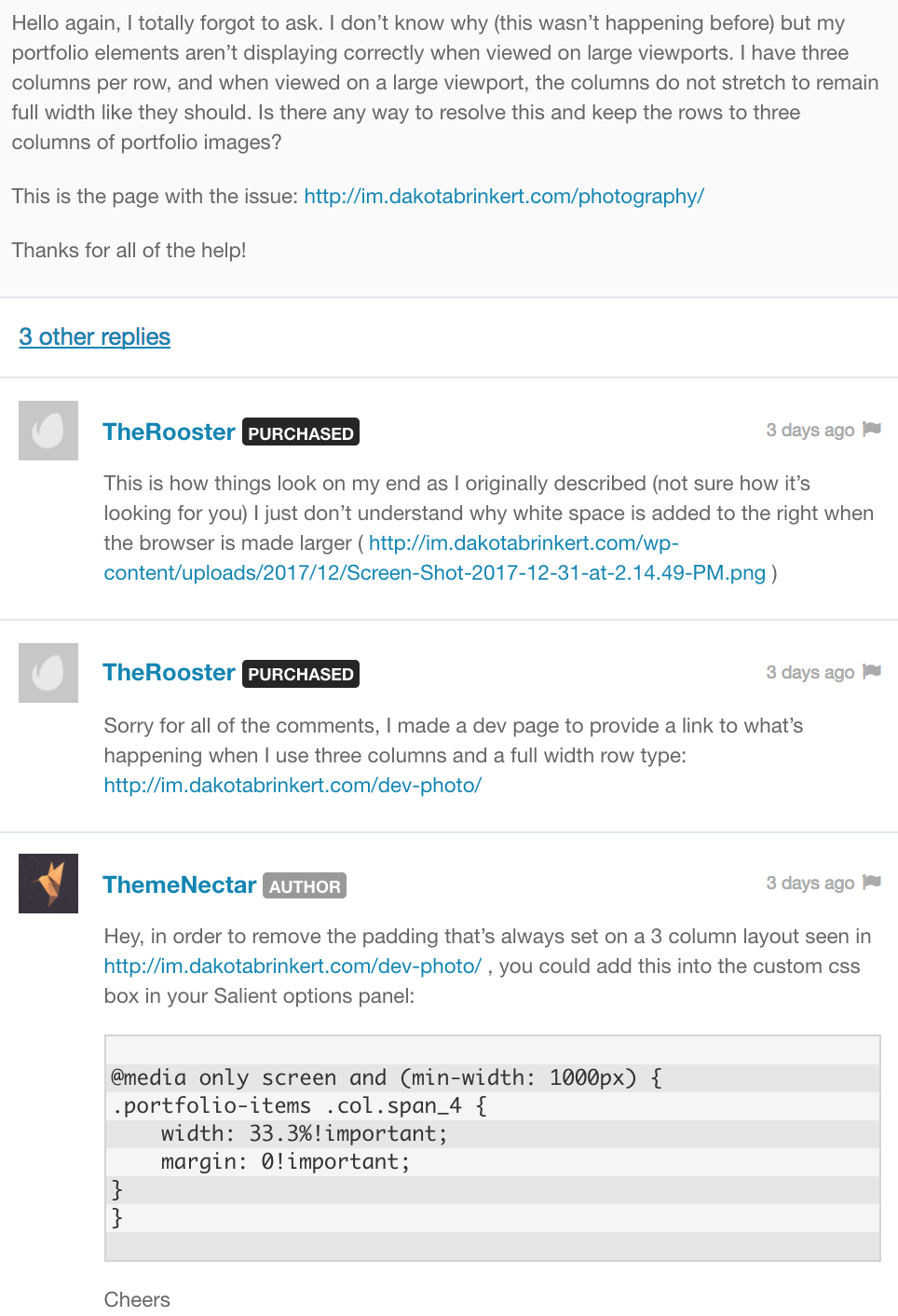
Hello again, thanks for all the help. I commented back but it’s buried deep in the comments page. Here’s a screen shot of the conversation, where we left off:
http://im.dakotabrinkert.com/wp-content/uploads/2018/01/Screen-Shot-2018-01-04-at-6.28.50-PM.pngI added it to the custom css, which helps to some extent, but doesn’t solve the problem. It leaves very small gaps between the images revealing the background color, especially when resized. Also, the images separate when the browser is made smaller.
Would installing an older version of this theme solve the problem? This was never an issue before. Or, is there any custom css I could add to allow me to use the “full width” portfolio layout and Constrain Max Columns to 3 (as opposed to the option to constrain to 4)?
Thanks again
Hey TheRooster,
Please see your previous comment in regards as I responded to it a little bit ago
Cheers
How do I get my Nectar Slider buttons to use the “Extra Color Gradient” color scheme that is specified in the Salient Options? When I am inside of the Nectar Slider slide options I only see a couple of the Button Color Options to select from. I have provided a screenshot of the options that are shown in the Nectar slider button color options and another screenshot that shows you the gradient that I have specified in the Salient Accent Colors section. I am trying to be the “Extra Color Gradient” to be used on all of my Nectar Slider buttons.
https://www.anthonyandmarisa.com/wp-content/uploads/2018/01/Nectar-Slider-Button-Options.jpghttps://www.anthonyandmarisa.com/wp-content/uploads/2018/01/Salient-Accent-Color-Options.jpg
Hey Anthony_And_Marisa,
As of now the Nectar slider doesn’t have that option by default, you could manually add into a button shortcode into the text field within a slide with a gradient button for the time being to achieve this though
Cheers
Hello ThemeNectar,
First of all, thank you for your kind support in this comment section. I would like to change the font size (it is too big) in my blog header, but I can’t find the right path in settings. My blog header format is “Fullscreen with meta under”.
https://iliaslois.com/polaroids-from-the-north/Have a great year!
Hey iliaslois!
The fullscreen post header overrides the default settings in the typography options – to target it, you could add this custom css into the Salient options panel:
html .single #page-header-bg.fullscreen-header h1 {
    font-size: 50px!important;
    line-height: 60px!important;
}
Cheers
Hi, for a Nectar Slider slide, is there a way for me to add some text above the Heading? I need some ‘eyebrow’ text above it. Or if there was a way to have a tiny mCE editor or find a way to edit that heading in CSS I could do it. Thanks!
Hey smithwood!
For now adding text above the heading would require modding to the function in regards, however you can target the heading with the following CSS selector:
.swiper-slide .content h2
Cheers
Hey, just a couple notes for the wishlist . No rush really though, I know you’re swamped!
1) portfolio pages to display linked categories + attributes – attributes are currently not links, and as far as I can tell categories are not displayed at all! Would be super handy to avoid coding manually lol.
2) if there’s any chance of having some of the options from the Minimal skin in the Ascend skin, like the card style search results display with hover, that would be AMAZING.
Thanks again for all your hard work!
Hey skiffie! Thanks for the requests
Thanks for noting them
Of course
Hello ThemeNectar,
congratulations on your theme, it looks great and I’d love to buy it.
I have a few questions though and after digging through the comments for the last hours I thought I just write you here for some up to date answers.
I am mainly interested in the portfolio aspect of the theme, so the questions regards this. And even though I am not a web developer I am quite tech and computer savvy and am fine with digging into the css or other configuration files finding and altering things. That said it would be doable for me to make changes but hard to write something new.
So here goes:
1) As far as my understanding goes, it is possible to have the portfolio thumbnails link to a custom url. But is it also possible to have them not be a link at all but only text or an image? I want to have some text between my portfolio elements that I would like to tag as ‘about’ as a category for the filtering. So when I press about in the filter bar only these texts / images are visible. Is that doable?
2) Is it possible to change the aspect ratio of (some of the) portfolio elements? I work in video so my work is in 16:9 usually.
3) Is it possible to have the image of the portfolio element change on mouseover? Even to an animated gif for example? So that the elements would animate on mouseover?
4) Is it possible to make the horizontal filter bar sticky when scrolling? I think that I saw you saying that this is only doable with some custom programming but how hard is it?
And I think that’s it. It would be fantastic if you can help me, can’t wait to dig into this!
All the best, Mike
Hey Mike,
1. You can choose for an item to be a “Custom Content Grid Item Content” which allows it to not be linked at all if you please, and for it to contain custom text
2. There’s an upload for an image that won’t be resized as normal, but you wouldn’t be able to use a masonry layout when using that
3. The portfolio styles that Salient offers are showcased here: http://themenectar.com/demo/salient-promo/portfolio/ unfoprtunately none have the option to swap to an animated gif on hover
4. This still would require some custom modding – it would be javascript development
Cheers!
Hey, thanks for the super quick and helpful reply! Cheers!
You’re welcome
Is there a way to include alt tags for accessibility compliance within the Image Gallery of Visual Composer? I would rather not use the Show Title/Caption option and use only the alt tags for compliance. Thank you.
Hey henkinschultz,
Yes the image gallery is capable of pulling from your defined alt tags in each image defined in an image grid style of the image gallery element. If you’re having issues with that could you please share the URL in regards?
Cheers
Hey, I’m currently seeing alt tags on the items within the grid, are you referring to the image element dynamically generated in the lightbox once clicked on?
Yes, lightbox alt tags. I guess maybe this is not so important for ADA compliance, if the alt tags exist within the grid. Thoughts?
Hey, unfortunately Magnific doesn’t addalt tags there since from an SEO/html validation perspective it doesn’t matter. I’ve noted the idea to them in future updates
Hey ThemeNectar,
I want to change some functions in the Single Post ‘Slider’. I changed some lines in the file ‘single.php’, where I edited some other thing for the single posts. I want to change the link of the author, en the tekst before the author (https://filmbroeders.nl/images/2018/01/Screen-Shot-2018-01-04-at-14.56.35.png)
I changed the line 124 to
<span class="meta-author vcard author"><span class="fn"><?php echo __('Sponsored by', NECTAR_THEME_NAME); ?> <a href="<?php echo (get_the_author_meta('user_url')); ?>"> <?php $author = get_the_author(); ?> </a></span></span>
But this doesn’t effect the text or the function in the ‘slider’ Could you help me out?
Best Regards, Casper
Hey Casper!
That text is created in the nectar_page_header function in the functions.php file
Cheers
A most wonderful theme. Already bought 3 and will buy 3 more this month. One suggestion: In the footer file there is a period after company name in the copyright section. Wouldn’t it make sense to remove this or have it optional? I have yet to see this copyright period in any other theme. Thanks!
That’s awesome to hear wolfgang2016!
I’ve noted your feedback in regards. Also, in the footer options tab there is an option to remove that auto copyright text you’re referring to via the “Disable Automatic Copyright” field
Cheers
Hi, just to clarify: the auto copyright text with the automatic year change is very convenient. I would just like propose to eliminate the ”.” after the company name because often there are more links following that, like “Legal” or “Data Protection Policy”. So in this case the ”.” doesn’t make sense. Thanks!
Hey, thanks for the further clarification
Hi there! Love the theme. Unfortunately, my mobile menu is not displaying links. Please see ashevillebanner.com
Hey rk73551, I’m seeing the navigation links as set in the header menu: i.e. Start Project & Contact Us – are you referring to the tooltip side nav? If so, that specific dot navigation style is hidden on mobile by default (the other alternative options are not)
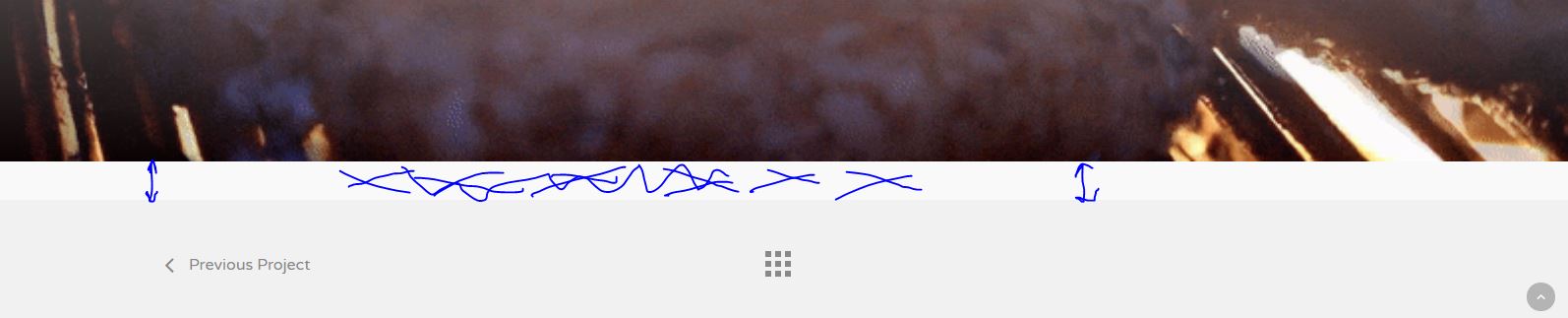
Hey guys, Happy New Year. in Portfolio view there is a space at the bottom of the page, before the prev – next navigation. Any idea how to remove it so the content goes all the way down? http://artcny.com/wp-content/uploads/2018/01/Capture.jpg
Hey artcny,
Add this into the custom css box to remove it on that style of pagination:
body .bottom_controls {
    margin-top: 0px;
}
Happy new year!
Thanks, that did it for that specific portfolio item. Anything for the entire theme, so I don’t have to add each time?
Hey artcny, if that was entered into the Salient options panel, it should have been applied globally. Could you share a project URL where it’s not applying for you?
Thanks
Hi,
I think I got it to work, it was a typo on my end 
Glad to hear you got it
Is there any way to add a video background to a column?
Hey karlova72, not as of now without some custom modding – but it’s an item on the wishlist. By default video BGs can only be the BG of a row element.
Cheers
Hi guys! I have Salient’s latest Version: 8.5.3, latest WP Version 4.9.1. Visual composer should be updated to the latest Version 5.2.4 otherwise it will not save any changes, after one will click ‘save’ nothing will happen, composer’s pop up will stay opened and changes can’t be saved. Please update the composer to avoid disappointment.
Hey cleardesignnz!
Yes – the Salient VC must be at the current version of 5.2.4 in order to work properly with WP 4.9. Are you saying now that you’ve updated everything is fine on your end or that you’re facing an issue?
Cheers
Please advanced modal function (VC) THANKS!
Hey wearebeta, thanks for the request – your +1 has been noted
Hi. I have a full width image grid with 4 images but want a 4px border in between each image. Is there away of doing this without having the 4px on the outside images – so these would be flush against the edge of the screen? Thanks.
Hey belletragedie, could you kindly share your URL so I can see your exact setup to assist?
Cheers
Thanks for your quick reply. Here’s the URL http://creativemouse.co.uk/clients/miquill/ – as you can see the 4 image blocks do not line up with the slider or footer. They have an 8px border. Thanks.
Add this into the custom css box in the Salient options panel:
@media only screen and (min-width: 1000px) {
body .portfolio-items.constrain-max-cols.no-masonry{
  margin: 0 -8px!important;
  width: calc(100vw + -70px)!important;
}
}
Cheers
Thank you that’s great. I had to change the -70px to -55px but worked great!!
You’re very welcome







)