195 comments found.
Just wanted to say Hello, how are you doing? Looking forward to more new updates and more amazing layouts/designs too. Thanks.
Thanks!

Hi. For a while i’ve not use the slider but now, slider not working autoplay, there is no bullets, no sliding. What should i do?
Hi there 
It seems your support has expired about 2 years ago. You must renew it from your Downloads page to get help from us. Thank you for understanding!
Hi
Is it possible to add plugins like visual composer to edit pages or add calendar or slider revolution?
How can I edit the main page from dashboard / pages to see it in blocks format?
Thanks
All the things you see on our demo site have been made via the theme customizer. You can go to “Appearance > Customize > 7. Layout Options” to see all available options. We’re not able to suggest any 3rd party plugins at the moment.
Hello,
When I set the header option to 4.20. Header Menu Container Width / Fullwith, this disappears.
As you can see that bar in full screen and from where that menu changes (Featured, Trending, Hot …)
Thanks
Thanks for letting us know about this issue! For a hot fix, please go to “Appearance > Customize > Additional CSS” and add the following code:
.top-line-container { background-color: #000; }
This will make the header menu background black. You can use any color instead of #000.
Hi
how can i put the header the same as the demo, that is “logo above the menu”
Thanks
Hi,
Just go to “Appearance > Customize > 4. Header > 4.7. Logo Position” and choose “Top”.
Good afternoon, I just bought your template.
Where can I find the information to install the template correctly? Where can I find tutorials or information on its use?
Thanks
Hi there!
Please see: http://burnhambox.com/hunted/help/
i have an issue with “wp-content/themes/hunted/lib/google-fonts.php): failed to open stream: No such file or directory in” and i try to re-upload the google-fonts.php and it say “The file you uploaded, google-fonts.php, contains a virus so the upload was canceled: google-fonts.php.suspected.sigs.InterServer.net.SHA256.24008.UNOFFICIAL FOUND” what should i do? thank you
Hi there,
We suggest you to scan your server against viruses. You may want to contact your hosting provider about that.
the file still quarantine, i was contact my hosting provider, and they say the file was have virus
the file was move to quarantine_clamavconnector, and it does to 2 my domain that use your theme
my hosting provider says i have to tell theme developer for clean the file from virus, please help me, my clients was always asking me for this issue
My friend, the virus is on your server or on your computer, not in our files. All authors upload their files to Envato servers and you download the theme from there. So it’s impossible to upload a theme which includes a file with a virus since Envato system would have already rejected the file. Hope this helps.
By the way, you can’t use the theme with more than 1 domains. If so, you must buy another license. 1 theme for 1 domain, it’s the rule.
i have problem with instagram widget, its not working
Hİ
Which instagram widget are you using and what is your site address?
Hello
How to activate the option: Logo + leaderboard
Best Regards
Hi, downloads from Elements do not include support service. Please buy our theme from ThemeForest to get 6 or 12 months of help.
Hi, I already have a 1 year subscription to Element. Can I just subscribe to technical support?
Hi again, I understand your situation but unfortunately support packages are not being sold separately.
Hi, it’s good I bought the theme from ThemeForest.
Hi,
Please go to “Appearance > Customize > 4. Header > 4.7. Logo Position” and select “Top”.
Then navigate to “Appearance > Customize > 17. Banner Management > 17.6. Header Banner” and add your banner code into the field. Ensure that “Show Header Banner” box is checked.
Hello, Thank you for this help but I have two more questions: 1 – I installed the demo version but I have not all the costs because almost all links refer to the demo version online.
2 – I would like to reproduce exactly the home page of the demo version.
Thanks you in advance
Hi again, sorry for late reply!
1. In fact, it doesn’t matter. Because all of the menu items demonstrate a layout which can be done via theme customizer. I mean, there’s no page templates for them.
2. You can follow the steps in documentation: http://www.burnhambox.com/hunted/help/
Please let us know if you need anything else.
PPQ: Is there any to optimize images for desktop vs mobile? I’m assuming this is responsive, but large on a desktop doesn’t play nice with an iPhone Also, is there iPhone nav at bottom, e.g., an UP arrow that follows as you scroll (in iPhone/Android?)? Thanks.
Hi
1. Since it’s a responsive theme, it uses the same images for both desktop and mobile. For now, Hunted hasn’t got a feature to show different images on site opening, according to the device.
2. I’m afraid we didn’t do that for mobile If you think you really need that, maybe trying a 3rd party plugin would help. Like this: https://wordpress.org/plugins/wpfront-scroll-top/
Please let us know if you have any other questions.
Cannot find the Documentation (Instructions) for Hunted Theme in the Zip Files.
Hi
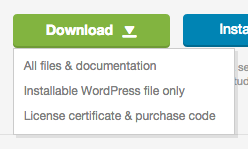
Make sure you’ve downloaded all files & documentation. Please see: https://help.market.envato.com/hc/en-us/article_attachments/201329780/downloadButton.png
By the way, your support package seems to be expired. If you need further help, please renew your support period from your Downloads section on ThemeForest.
how can i add my ads to div.leaderboard-header please help
Hi
Downloads from Elements do not include support service. Please buy our theme on ThemeForest to get 6 or 12 months of help.
Hi – I have installed the updates, but the custom widgets went away. I anticipate this is because I need to install the Hunted Components plugin, but the link in the alert message is not clickable for me. Where can I download and install the plugin to bring the custom widgets back?
Hi
I’m not sure why it isn’t clickable but you can find the plugin in /hunted/lib/plugins/ folder. Go to “Plugins > Add New > Upload Plugin” and locate the “hunted-components.zip” file.
By the way, this issue is related to the previous update. Please see the note below.
IMPORTANT: This update includes a components plugin. Ensure that you’ve installed and activated it. If your widgets disappear, find them in the “Inactive Widgets” pane and re-add them into the sidebar(s) of the theme.
I think I realized why it’s not clickable. Built-in plugins do not appear in blue. You should click “Begin installing plugins” link right under the alert message.
That was it – Thank you! Choosing ‘Begin Installing Plugins’ allowed me to choose just the Components plugin I needed. All set now.
Glad to hear You’re welcome.
Yo. I didn’t see the slider moving. Is it static?
Hi
No, it’s not static. Just use the previous-next arrows to navigate between slides. You can also do finger-slide on touch screens.
I wonder if it’s possible to make the slider change by itself… If not, Can I buy a plugin and incorporate it?
Yes, you can enable the “Autoplay” option easily. No additional plugins needed.
I just purchased the Hunted Theme. It will not install. Error says it lacks the CSS stylesheets.
Hi there Thank you for your purchase!
Probably you’re trying to upload the wrong file. Please see this article by Envato: https://help.market.envato.com/hc/en-us/articles/202821510
Okay got it! Thanks.
You’re welcome!
Is it also possible to get the layered .PSD files if I purchase this theme?
The PSD file is not included in the package.
Yes I realize that, which is why I was asking if it is possible to obtain the layered .PSD files.
We are planning on using the theme for a large site. Having the .PSD files makes it much easier for our graphic designer.
If you have Envato Elements subscription, you can download the PSD file from there: https://1.envato.market/4BeRL
Hello!
How can I put an ad code to the header banner (728×90)? I can’t find the way to do so. Please, help.
Thanks!
Hi
What’s your purchase code please?
I have another issue I ran into. On the mobile version and pad version, I’m trying to figure out what container to target with CSS rules to put space between the header container and mid container. Currently on the mobile the upper widgets or the first container (such as the slider) are being covered by the header bar.
If I put a top margin of 120px on the mid container it comes out nice, but leaves huge space on the desktop site.
Hi again
Could you please share your site address to let us see what you have right now? We can provide the necessary CSS according to your site.
Thank you. Can I kindly ask you to send an e-mail to burnhambox@gmail.com including your WordPress login address, username and password? Because the issue we see on your site shouldn’t have happened. We’d like to have a look at your current configuration and see if this is a bug or something.
I am getting double text in a post on the actual post page. Could you help me to display only one text?
Nevermind I fixed it. Found the selection box for excerpt not playing nice
Hi
Yes, that was the check box. Happy to hear that you’ve found it.
Let us know if you have any other questions.
Hi There – Is it possible to have the the header widgets not show on mobile? I love it on desktop, but on mobile it pushes my latest blog posts too far done. Can I toggle that feature on and off depending on screen size or something? Thanks!
Hi again, hope you’re well
I see, you can use this CSS:
@media all and (max-width: 640px) {
.header-widgets-container { display: none !important; }
}
This will hide the header widgets if the screen width is BELOW 640px. You can play with the value as you wish.
Thank you – I added that to the “additional CSS” of my child theme (and cleared my cache) but it does not seem to have an effect.
Well, I tested it one more time and everything seems fine when I add this code into the “Additional CSS” field on my customizer (Appearance > Customize).
Could you please try the same code without @media part and see if the widget area is gone? Like below:
.header-widgets-container { display: none !important; }
If it’s gone, maybe you should increase the 640px value to 960px for example.
Tried that code as well – It did not have an effect on the widgets.
Could you please send your WP login details to burnhambox@gmail.com to let us have a look at it?