

639 comments found.

Hi, just purchased youtr theme, i cannot install the theme when i select the theme in appearance to upload, the proceees freezee on DECOMPRESSING THEME. PLEASE HELP ME
Hello, sorry to hear about that. Here are some things I can recommend for what is going on:
- Make sure you are uploading “podcaster.zip” and not the entire folder from Themeforest which also includes other files not part of the actual theme.
- Restart your PC and browser, clear your browser cache, log out and log back in again. Then try again.
- Use FTP to upload the theme files. You can find out how to do that here: http://themestation.co/documentation/podcaster/#install-ftp
- Look into the server settings from your hosting company. Typically there is a limited amount of time (set by your host) that it will upload a file. If a file takes long to upload, it might fail.
If this keeps happening, could you include a screenshot of what you see when the upload freezes? Any error message would be very helpful. You can open a support ticket here: https://themeforest.net/item/podcaster-multimedia-wordpress-theme/6804946/support
Trying uploading again, im only uploading the theme not the entire folder, same, the screen freezees in Decompressing, just before uploading
Thank you for your reply. Could you let me know which of the suggestions from my previous reply were tried before you attempted to upload the theme again? Especially asking your hosting company about uploading larger files as well as trying to upload the theme by FTP instead, if it won’t upload through the browser. That will make it easier to look into the issue.
You can open a support ticket here: https://themeforest.net/item/podcaster-multimedia-wordpress-theme/6804946/support Please include a screenshot of what you see when the screen freezes.
Thanks!
Will this theme allow embedded podcasts from acast?
Hello, thanks for getting in touch. Could you open a support ticket here: https://themeforest.net/item/podcaster-multimedia-wordpress-theme/6804946/support and include the <iframe> embed code from your acast player? I can then look into it and would be happy to let you know.
Hi! I want to use the stretched paralax background images from the audio post type in standard posts as well. Is there a way to do this?
Hello, at the moment, the stretched parallax mode is only available for audio posts unfortunately.
However, if it’s merely the look you are going for, you can select the audio post format, without adding an audio file to your post. That way you’ll still get the look of the audio post header. Sorry about that, I hope this helps.
Hi, since the 1.9.0 update the transparant player on my frontpage disappeared. How do I get it back? The player is green, now.. 
> manmanmandepodcast.nl
Hello there! You should be able to turn it transparent in the theme options: Podcaster > Theme Options > Front Page Header > Media player. Make sure the custom colors are active and the the transparent player setting is on. Hope that helps!
There seems to be quite a few issues with 1.9? On mobile, my site wouldn’t even load properly, even though on desktop it was fine. I’ve reverted back to 1.88. Like the poster above, the menu links all went to a page they shouldn’t. Now on 1.88 I have my podcast embeds displaying twice on the page instead of once, but that’s better than 1.9.
Hello, Sorry about that, this will be looked into. Just a few questions, have any customizations been made to the site (plain CSS or using a child theme for example)? Or is a caching plugin currently active (such as wp super cache, w3 total cache or something similar?) What other plugins are active, besides the recommended ones? Just let me know. Thanks!
Hi there, no CSS or child themes, but I am using W3 total cache yes. Also running yoast / jetpack / askimet
Thanks for your reply. Have the caching plugins been flushed since running the update? Look into the plugin settings to make sure they load the newest files. You can also try deactivating, checking your site and then re-activating the plugins. This is to make sure the caching plugins fetch the newer/updated theme files. My suspicion is that the caching plugins are still serving the older theme files.
Running Podcaster 1.8.8. with WP 5.4 I was notified today about an update of the podcaster theme on 1.8.9. Installation of the update broke the entire website in that the menues didn’t work anymore (whatever menu item is clicked it always directs to the same page) and all CSS customizations were lost (i.e. font colors, background images), Having rolled back to 1.8.8. I am looking forward to getting a fixed new version in due course. BTW: what about a child theme ? Thanks
Hello, sorry to hear about that, there is a fix on the way correcting the title displays/menu links.
As for child themes and customizations, are you using a child theme, if yes, which files did you customize, I’ll look into it for you.
I bought two copies of this theme to use with two sites on my wordpress multisite. The first site is working great. The second site is able to activate the theme, but in the dashboard>podcaster menu the “Theme options” item is missing, which contains all the features of the theme. Any idea why that would be happening?
Hello there, have you activated the “Redux Framework” plugin. You should be able to activate it by going to Appearance > Install Plugins. Select it from the list and make sure it’s installed and activated. That should bring the theme options back. Let me know if this helps!
Hi! Thanks for making and supporting this theme. Of course, I have some questions:
- How can I have my blog and podcast feeds referenced as links in the HTML head? - My Front Page doesn’t support sidebar widgets… from the Podcaster docs, it seems like it’s supposed to, but I can’t figure out what I did wrong. Do you have suggestions for troubleshooting that?
Thanks!
Hi there, just a bit of follow up, you want to display links to your blog and feed in the navigation menu or on the header in the front page?
If you wish to display a sidebar on the front page, you can do that by editing your designated front page (you’ll find it by going to Pages > All Pages). On the right side under Page Attributes, switch the template to either Front Page (Left Sidebar) or Front Page (Right Sidebar)
Please keep in mind that this is an earlier version of the front page template that doesn’t support the host, newsletter or donate button section as of now.
I hope this answers your questions, and let me know about the links.
Thanks for the reply! I’ll try these other templates, or wait for the new version to have sidebar widgets (if you’re planning on adding support for those?) My first question was actually about adding a <link rel=”alternate”> element to the HTML head. Is there a way to do that without editing templates by hand?
Thanks for your reply. New features are added every now and again, so they will be included in a future update.
As for adding additional HTML tags to the header, if you need to customize that, you can do it by using a child theme and adding them by hand. I recommend using a function that you can add to your child themes functions.php and hook to wp_head. That way, you don’t need to actually change any template files.
Hello, i’m trying to imprt the theme demo content for podcaster-golden-demo-data.xml but the site is not looking exactly like the demo site (http://demo.themestation.co/podcaster-golden/). Url of the site i’m working on http://productcentered.azurewebsites.net/. Thanks
Hello,
Thanks for getting in touch. After importing the demo data, please make sure you followed all the steps found in the “Getting Started” section of the documentation. http://themestation.co/documentation/podcaster/#getting-started
Specifically it looks like you still need to set the static front page and install the plugins (Redux Framework in particular). After installing Redux, you will be able to activate the “Golden” preset within the theme options. That should do it. Let me know if it helps.
Thanks for the response, i however find the documentation not to be straight forward. From my experience with WordPress themes, the standard this days is for all that needs to be imported and configured to have a replica of the demo site requires nothing from the user. Having users do some technical work before they can see the demo site up and running is discouraging.
At the moment i’m still trying to figure out how i’m to display content on the homepage just the way we have it on the demo site. I have updated my site thou.
A step by step approach to your documentation would have been better and will also reduce the number of support requests. Is there a Video tutorial for recreating the demo site on a clients website ?
Hello,
Thanks for your constructive feedback. Podcaster is currently undergoing some changes which includes the documentation. So will be changes to that soon.
As for installation videos, there are none as of now, however, if you let me know what exactly about figuring out how to display content on the homepage you’re stuck at, I’d be happy to help. Have you already imported the demo data?
Hello, Is it possible to add extra subscribe buttons to the front page in “Theme Options – Front Page Header – Schedule & Subscribe – Subscribe Buttons”? Because now it’s just only 2 buttons.
Hello! That space only supports adding two buttons, as seen in the demos. I recommend setting up a seperate subscription page with more buttons that you can link to from the front page instead. I hope that helps!
Hi!
I am trying to translate some part of the template. I am trying to use the soundcloud demo and I’ve not been able to translate “Featured Episode” and some other text there.
Another issue is that I would like to know that if I wante to delete all the menus created by the demos can be deleted without messing up the template. I have now all of them on the menu list.
Also, is it possible to increase the size of the logo?
Thank you!
Hi, you can change the that text within the theme options. Go to Podcaster > Theme Options > Front Page Header > Header Title . Just replace the text there with your own.
As for the menu, you can delete the menu from the demo and create your own. Just make sure to tick the boxes at the bottom of the menu creation page under Menu Settings > Display location. Otherwise the new menu you create won’t appear on the page.
Unfortunately, the size of the logo will always be reduced to 90px in height so it fits into the navigation menu properly. You are of course free to make your own customizations, but there is no way of increasing the size of the logo, I’m afraid.
I hope this helps! 
Is it possible to have the header as a video?
Hello, a video can be embedded, as seen in the video demo: http://demo.themestation.co/podcaster-video/
But using a video as a header background is not possible right now. It is something that is planned for the future, though.
Hello,
Can you help us understand why the mobile version of the website looks so messy: https://envato.d.pr/YbYFKc
Thank you!
Hello, I responded to your support ticket a couple of hours ago. Please check your junk mail, sometimes support replies land in there unfortunately.
As to your question, it looks like the additional typewriter code you added might be breaking the theme. If you add your own code, you have to make sure the code you add is responsive as well, otherwise it might mess up the theme.
I have an issue that has been around on my site (www.dedataloog.nl) for a long time. But since I now want to post video next to audio it has become a real issue.
The thing is as follows: When I switch from an audio to video post the form to enter the video url etc does not update. The form underneath the post still contains audio url information as it does not update. Refreshing the post page does not work.
What could be wrong? I tried on Mac and Windows all types of browsers. The form does not update. I remember from half a year ago that the form did update as I switched from e.g. audio to video or image.
Can it be that several categories are deleted somehow ?
Best and keep up the good work
also, the donate / newsletter and host options do not seem to work. I turned them all on.Could this be a bug?
found part of the solution in an older comment!
Hello,
It looks like the older front page template is active for some reason. Please edit your front page (Pages > All Pages > “Edit” on selected page). On the right side of the edit window you’ll find the metabox Page Attributes. In the “Templates” dropdown menu please select Front Page (New). Then save. The Hosts and Newsletter sections should be back now. Let me know if that helps!
Hello, happy to see you figured the first part out. About the audio/video I have a couple of questions: which plugin are you using for your podcast? Blubrry PowerPress, Seriously Simple Podcasting or Podcaster Media?
Also, are you changing posts that were previously had the the audio post format to be video, or are these new posts you are making? In other words, are you including video with your audio episodes or are these separate posts? Are you inserting video into the body of the post or do you wish to make the video featured player? Lastly, what version of Podcaster are you using and are you using Gutenberg? Thanks.
Thanks for the quick reply.
Happy you figured that out!
Hello, I’m sorry to hear you’re having trouble with the setup. If you haven’t yet updated to the newest version (1.8.7) I recommend doing that. It contained a number of bug fixes that took care of the grid problem. Also, do read the update section within the documentation before you go ahead with the update. If you are using a child theme or caching plugin you might have to take some precautions before you update.
http://themestation.co/documentation/podcaster/#updatesPS: The account you used to leave this comment is not the one you used for the purchase. Please log into that account, so I can verify your purchase of the theme. Thank you.
Hi I am the developer who is basically working on this theme. I solved the other problems mentioned above with the update. now the problem is with the homepage and blog featured image that wont change followed what was is the theme settings. see pages: http://recruitingconversations.com/category/blog/ and http://recruitingconversations.com/ ( this image basically is coded so I had to change it for the mean time in case we have viewers basically it is thesame as the blog page.
also pagination is all wrong. when i hit page 2 on the homepage it just takes me to thesame page with the image and numbers all wrong. http://recruitingconversations.com/page/2/
Hello,
thanks for your reply. That is no problem at all, if you are unable to log into the account that was used to purchase the theme, you can use the purchase code instead. Get it from whomever made the initial purchase, open a support ticket here: https://themeforest.net/item/podcaster-multimedia-wordpress-theme/6804946/support and include it within the message. I strongly advise against posting the code within the public comments.
Unfortunately, I have to verify the purchase of the theme before I can give support. I’m really sorry for the inconvenience, I hope you understand.
my boss basically does not know how to do this that is why he asked me to ask you. so getting him to make the inquiry is highly a long process. I know understand what happened basically. Once I make the the page I created as primary homepage the pagination wont work. basically that and the frontpage and blog header image is does not work.
Hello again, I just need you, not your boss, to include the purchase code for the theme within the support ticket you send in here: https://themeforest.net/item/podcaster-multimedia-wordpress-theme/6804946/support . If you don’t have the purchase code, you can ask your boss to send the code to you. It can be found in his purchase confirmation email from Themeforest. After that I can verify your purchase and take a closer look at the issues. Again, sorry, but I need to make the confirmation on my end as well.
Yes I am waiting for his reply on the token and or purchase were do I send it?
Please send a message from this page: https://themeforest.net/item/podcaster-multimedia-wordpress-theme/6804946/support
Include the code and your issues and a support ticket will be opened for you.
sent the email. thanks
Thanks! Responded
Hi there. Is there a fix for the mobile website on the way? Because on mobile devices my website looks like a mess, right now…
Hello,
I’m really sorry for the inconvenience, a fix is on the way. Do you have any way to revert to the previous version? If yes, please do that for now.
As others, I’ve also just discovered tha one of the latest updates had a huge effect on Front Page and many parts of the website.
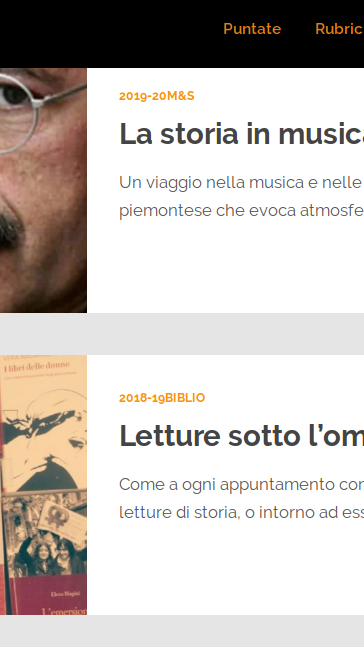
Front Page problems: - the player does not fill the full space on the page even if required to do so - List of posts layout: I used the list, even changing the setting from list to grid and back then there no way to fix what now appears as a weird grid (without titles and space in between) -> https://radiovanloon.info/
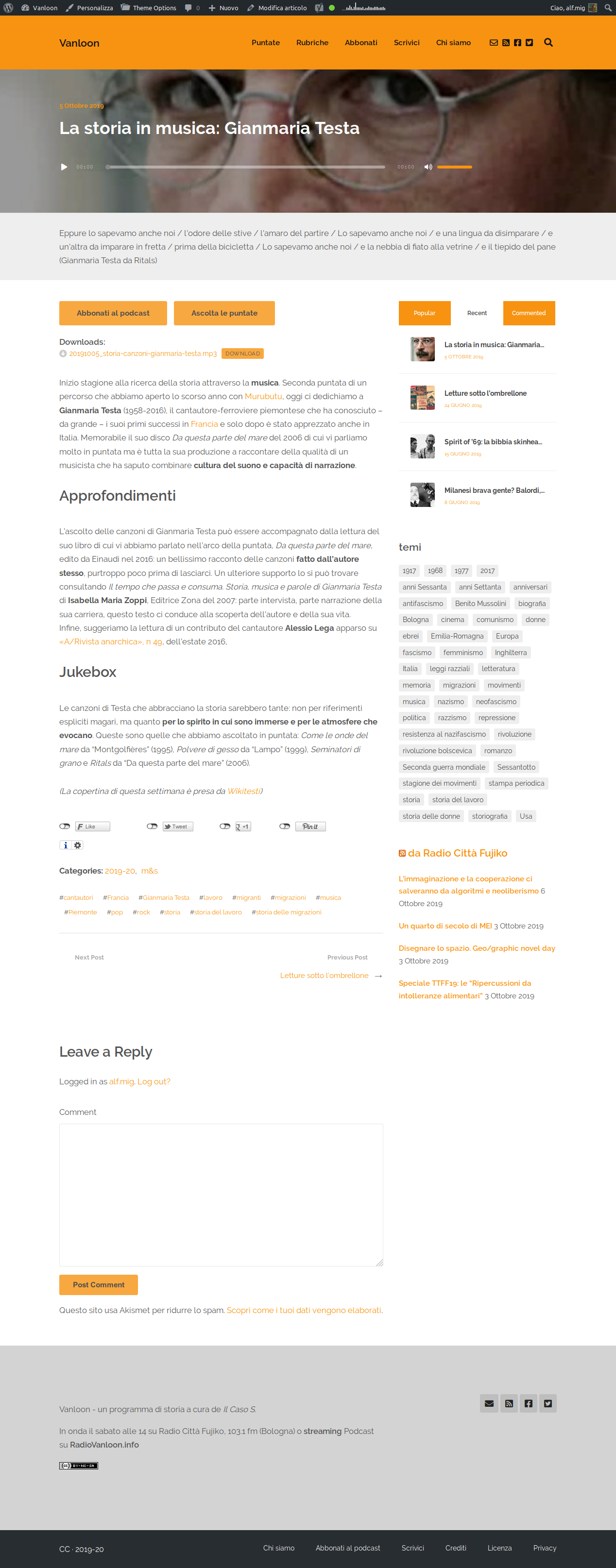
Blog Layout: - even choosing the column left / body right there is no way to invert what is fixed to the opposite -> https://radiovanloon.info/2019/06/24/consigli-letture-2019/
I’ve installed all the plugin you recommended with the update 1.8.4+ (Podcaster Media, CMB2, and Podcaster Widgets) except for MailChimp, which is not needed for me. I also want to let you notice that many information attached to those plugin are not up-to-date: the link http://www.themestation.co/plugins/ is forbidden; CMB2 is not tested with the last WordPress version. Finally, what do we need to do about others required plugins: Envato Market, Redux Framework, Theme Station Shortcodes?
Can I also ask you why do we need to run so many plugins with a theme? Are there risks of having a less stable WordPress installation and overall website security?
Thanks for clearing all this out.
Hello, thanks for getting in touch and the feedback. I’m not able to see the links to your site, since it looks like it’s is maintenance mode. You can open a support ticket here and send me links to screenshots instead: https://themeforest.net/item/podcaster-multimedia-wordpress-theme/6804946/support
As for the plugins, to keep it short, WordPress has come out with new guidelines as to what type of functionality should be in themes vs. plugins. That means that some of that functionality that was previously in themes had to be moved to external plugins. It’s a lot of themes currently going through this so unfortunately it’s out of my hands. Thanks for the information about the broken link, it will be looked into.
As stated in the documentation: Envato Market is for installing/updates, Redux Framework is needed for theme options, Theme Station Shortcodes is not really needed if you are using the new Gutenberg editor and required if you wish to use shortcodes with the classic editor. As for CMB2 it is a reliable plugin used for metaboxes. It is required to add audio files to your posts. Since it’s it’s a third party plugin, I can’t do anything about testing, but I’ll look into that as well.
As for PHP, the most current version of Podcaster is compatible with PHP 7.2, so I recommend upgrading to that version.
Hi, sorry for the maintenance, I just realized this reading your comment. Thanks a lot for the information about new WP guidelines with plugins and theme, plus the info you gave me on those plugins. I’m sending you screenshot on the ticket. Thanks again.
I responded to your email
Hi all,
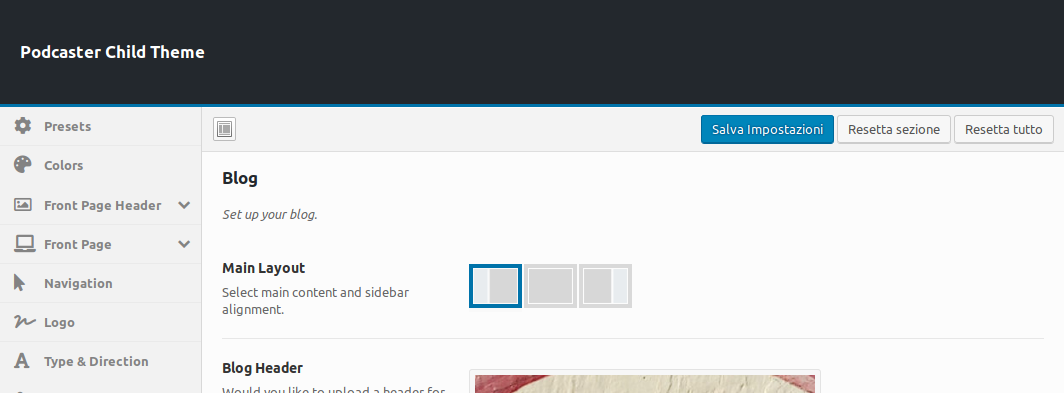
still experiencing some of the problems above reported, for example the Blog Layout (settings: https://radiovanloon.info/wp-content/uploads/2019/10/Screenshot_2019-10-07-Podcaster-Theme-Options-%E2%80%B9-Vanloon-%E2%80%94-WordPress.png; result: https://radiovanloon.info/wp-content/uploads/2019/10/Screenshot_2019-10-07-Gianmaria-Testa-un-viaggio-fra-storia-e-musica-%E2%8B%86-Vanloon.png ).
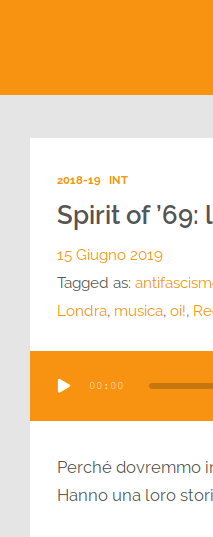
Also, I noticed there is a small issues on Front Page with how the category is showed (https://radiovanloon.info/wp-content/uploads/2019/10/Screenshot_2019-10-07-Vanloon-la-vostra-mezzora-di-storia-sab-h14-103-1fm.png ) when two or more categories are selected for the same episode/post (the problem doesn’t occur on archive pages: https://radiovanloon.info/wp-content/uploads/2019/10/Screenshot_2019-10-07-Le-interviste-di-Vanloon-in-podcast-⋆-RadioVanloon-info.png ).
Thanks!
Hey there, could you let me know which version of Podcaster you were running before the update and just to be sure, the current version you are running? Thanks!
Hi, I am currently running version 1.8.8 (with child theme). At the beginning of September I was running 1.8.6 (I may have skipped 1.8.5, but usually do every update as soon as you announce it—I have email notification for this). The 1.8.7 solved most of the problems, but some of them still remain
Thanks for the feedback and your patience. The bugs are being taken care of and should be fixed within the next update. It should be out by early next week.
Hi there, just a quick add up on this (I’m sorry, but I’m realizing only now that many small features work differently after the updates I listed above).
For example I notice that excerpts work in a different way:
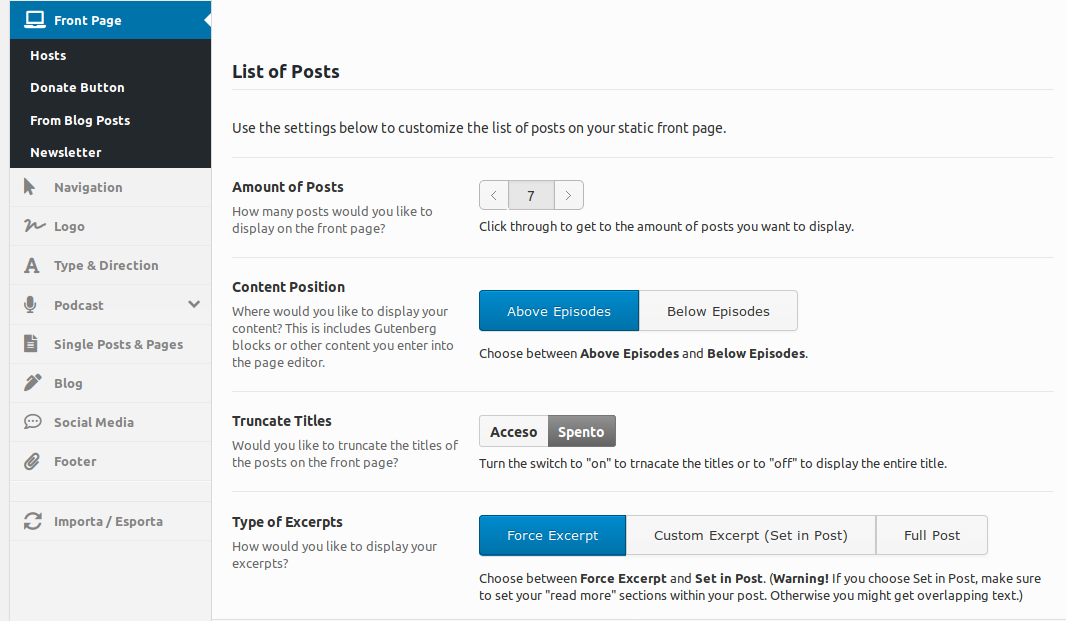
- Front Page > Type of Excerpt > Force Excerpt: before it was actually the very first lines of post text truncated automatically, now it print the post’s “Excerpt” (which is actually better, but I thought it is worth noting: https://radiovanloon.info/wp-content/uploads/2019/10/front-excerpt_back.png; also because after Gutenberg the tag <!-more-> doesn’t work properly, which means it forces you to split your paragraph in two)
- Front Page Header > Excerpt: even if you set it (with selected style and everything) on theme option backend (https://radiovanloon.info/wp-content/uploads/2019/10/postlist-excerpt_back.png) nothing appears on home (https://radiovanloon.info/wp-content/uploads/2019/10/front-excerpt.png)
Thanks to add this on your fixing todos! A.
Hi there, Thanks for your feedback. I’ll look into the Gutenberg issue.
As for the excerpt not appearing: what Header Type are you using? If it is set to Static Post or Slideshow, you will have to set the excerpt within each individual post, in the Featured Post box. Do let me know if that helped.
Yes, it’s Static Post. Also, I just noticed the Featured Post box had a ‘Display Excerpt’ option to be ticked and it now shows something. However, it shows the ‘Excerpt’ and there’s no possibility to choose between first words of the post, excerpt and/or captions. Before the update that was set by default to first words (and in fact the following option seems to go in that direction: «Excerpt Word Count – Enter the amount of words you want to display in your excerpt. Leaving it blank with default to 55 words»). Now it might seem a bit redundant, as one has already the excerpt on the lists of last episodes that follows immediately after the featured post.
Thanks a lot for everything and for the tag ‘more’!
WordPress 5.2.2 is asking to upgrade PHP version. I personally have PHP 5.6 and my hosting provider allows me to upgrade to 7.2 or 7.3. Is all right with Podcaster? Which version would you recommend? thanks
I replied to this in your other comment, hope this is okay.
Thanks very much!
Apparently I have 1.8.6 installed, but the player has disappeared from the slider header and suddenly posts are showing vertical instead of horizontal.
http://runningafever.comUpdate – re-activating the main theme fixed the post problem, still not seeing player in the header.
Just a question: which setting are you using within your audio posts. “Audio File (URL)”, “Audio Embed (URL)” or “Audio Embed (Code)”?
Audio Embed (Code)
Update, just tried Audio File (URL) and that works. Not really the player I want though, I want to use the Libsyn player. Also, it’s working fine on the episode page, just not in the header on the front page.
Thanks for letting me know. Yes, the front page is being looked at at the moment so thanks for your feedback and patience. You should be able to use the embedded Libsyn player again after the next update.
Thanks for your reply, the front page is currently being looked into and will be fixed.
New update installed, everything looks good. Thanks!
Happy to hear
Hi, I have a problem with mobile side (view https://www.dropbox.com/s/fyxopynfbpggjdk/demo.jpeg?dl=0) In particular, logo overlaps the part below. I complied with the measures indicated on the guide, but the result is the one in the picture. (view http://themestation.co/documentation/podcaster/?fbclid=IwAR0OXFjlowXrPP3YGa94w7Qv4TB5LOEUfgX_9I5QoxfJpMQHu6oLN8lHxws). Could you help me, please? Thanks.
any news?
Hello, I’m sorry about that. There is a fix on the way for this that will be included in the next update. Sorry for the inconvenience and thanks for your patience.
I could know how much time more or less? Thanks.
The update has been delayed a little, but should be out by mid next week.
ok, thanks!







)
)
)