510 comments found.

I would like to change the orange color of all items (buttons, selections, links …) to blue, how do I do it?
This is general query comment section. All support requests like this are handled via our support desk. Please, open a support ticket here with site url and admin access : http://support.themewinter.com/support-center/
the sidebar in my posts appear below and not on the side, how do i fix this? I already updated the theme and nothing
Hello guys. Why am I not having a menu on mobile devices? – https://onlybestinfo.ru/ As I turn on the elements kit, the menu on the phone disappears. If I turn off the elementskit then the menu appears, but not so beautiful ..
This is a just general inquiry comment section.
All support requests like this are handled via our support desk. Please, Open support ticket with your URL and a screenshot. So we can take a look: http://support.themewinter.com/support-center
when i activate to elementor plugin my google page speed scrore is 9 (on mobile) 46 on windows pc but if i deactive elementor plugin then theme is not working but seo score 56 – 76.
how can i fix this seo speed problem ?
Yes, without Elementor builder the site will not work.
To get speed and seo score you have to follow some rules. This is very common.
https://support.xpeedstudio.com/knowledgebase/how-to-improve-the-speed-of-your-website/Main thing is you have to optimize the site. Need to compress images, html, css files etc.
Let us know the result here : http://support.themewinter.com/support-center/
Just buy this theme 
Thanks a lot. At the bottom of the landing page you will see : Text and Video Documentation : http://demo.themewinter.com/wp/digiqole/landing/
For further assistance you can open a support ticket here : http://support.themewinter.com/support-center/
Regards.
hey sir I love this theme but There is some problem. 1. Single blog format 4 not working.
Please, Open a support ticket here with site url and admin access : http://support.themewinter.com/support-center/
Our support team will check the issue.
Regards.
Hi! If i will have a proposition for improvement of this theme, then what a better way to contact with the developer – here or by email? Thanks for theme
Please, open a support ticket here : http://support.themewinter.com/support-center/
Best Regards.
Hi
How to show full featured image on single blog post without crop.
Thank you
Hi, normally full image will show on single blog post. No settings needed. Check our demo : http://demo.themewinter.com/wp/digiqole/
If there is problem please, open a support ticket here with site url and admin access : http://support.themewinter.com/support-center/
I found solution for solve this problem. This problem is caused by wordpress auto crop featured image.
Slove, add this code to function.php to stop auto featured image crop.
add_action( ‘init’, ‘czc_disable_extra_image_sizes’ ); add_filter( ‘image_resize_dimensions’, ‘czc_disable_crop’, 10, 6 ); function czc_disable_crop( $enable, $orig_w, $orig_h, $dest_w, $dest_h, $crop ) { // Instantly disable this filter after the first run // remove_filter( current_filter(), FUNCTION ); // return image_resize_dimensions( $orig_w, $orig_h, $dest_w, $dest_h, false ); return false; } function czc_disable_extra_image_sizes() { foreach ( get_intermediate_image_sizes() as $size ) { remove_image_size( $size ); } }
ref. https://gist.github.com/czenzel/0f5888cbbfa4a857e56361dd3bc19b39
Thankyou for fast support.
No extra code needed to get this size. If you need more assistance please contact with us.
Regards.
The theme is soo awesome but after installing the demo content there is a option to change top header banner but no options to delete other banners in the page so how can we do it pls guide
Please, check the video doc : https://youtu.be/H2Gznwwmv4I?t=501
Other banners comes from Elementor Builder.
For further assistance please open a support ticket here : http://support.themewinter.com/support-center/
Hi, Do I need a Elementor license to use the Elementor with this Theme?
Thanks
Hi, in this marketplace all WordPress themes comes with free version of Elementor.
There is no permission from Elementor authority to add Pro version with WordPress theme. Hope its clear to you now.
Please, let us know for further assistance.
Regards.
Excuse me. Can I download just a page? Such as here http://demo.themewinter.com/wp/digiqole/. Or can you please help?
Please, follow some small steps to see the documentation : https://youtu.be/H2Gznwwmv4I
For further assistance please open a support ticket here : http://support.themewinter.com/support-center/
Does this theme support the menu going to 2 lines? Or does it have a secondary menu?
Sorry, I need to clear more. Can you please provide a screenshot.
How Can i Install WooCom At this Theme? Any Instruction Please?
Its a standard WordPress Theme. From plugin area you can easily install WooCommerece like other plugin. No special instruction needed.
If you are new in WordPress just follow the documentation : https://www.wpbeginner.com/beginners-guide/step-by-step-guide-to-install-a-wordpress-plugin-for-beginners/
Let us know for further assistance.
I just bought this theme and to be honest I would like a refund. I’ve already downloaded it but I can’t get anything set up to look like the demos. The socials are too hard and it just doesn’t look the same. I’d rather comment than leave a review right now. Please advise how I may get a refund.
Hi, don’t worry about refund. Did you follow the doc to get your site look like demo : http://demo.themewinter.com/wp/docs/digiqole/
We have video doc also : https://www.youtube.com/watch?v=hME7RGSHXyA
Let us know the result.
Also, you can open support ticket to check the issue : http://support.themewinter.com/support-center/
If we can’t solve your issue, we will give you refund.
Regards.
Hello, i only see a hamburger menu on my iPad when looking at the demos, is it possible for tablet users “medium” size screen devices to have a main menu visible or does the theme only provide the hamburger menu?
Sorry, on desktop view you will get Mega Menu.
Hello, I want to do this. My site: onlybestinfo.ru I want about http://demo.themewinter.com/wp/digiqole/
You want your existing site look like DigiQole demo. Please, follow the video doc : https://youtu.be/H2Gznwwmv4I
Sorry, can I have it ready?
to my mail
We have one click demo content install option : http://prntscr.com/p3uy4n
But as you have existing content on your site, the content will remove.
ok. I undestand. Thank you
Please, let us know for further assistance here to open a support ticket to : http://support.themewinter.com/support-center/
Regards.
hello, i purchase this theme. I want install demo, but demo not ready ? any solution ?
Sorry, I need to clear more. We have video and text doc from landing page : http://demo.themewinter.com/wp/digiqole/landing/
Didn’t demo installing to follow the documentation : http://demo.themewinter.com/wp/docs/digiqole/
Hello! One question before buying. Are the post (no pages) made exclusively by the builder or can I write them in the editor with whatever layout I choose?
We have 6 post layout. You can use and write post without Elementor Builder.
Please, check the example from Features Menu : http://prntscr.com/p24vd9
Let us know for further assistance.
Best Regards.
Can the subject be completely translated into Spanish? Thanks in advance for your attention
Yes, we provided .pot file so that you can easily translate the site by poedit or locotranslate.
Regards.
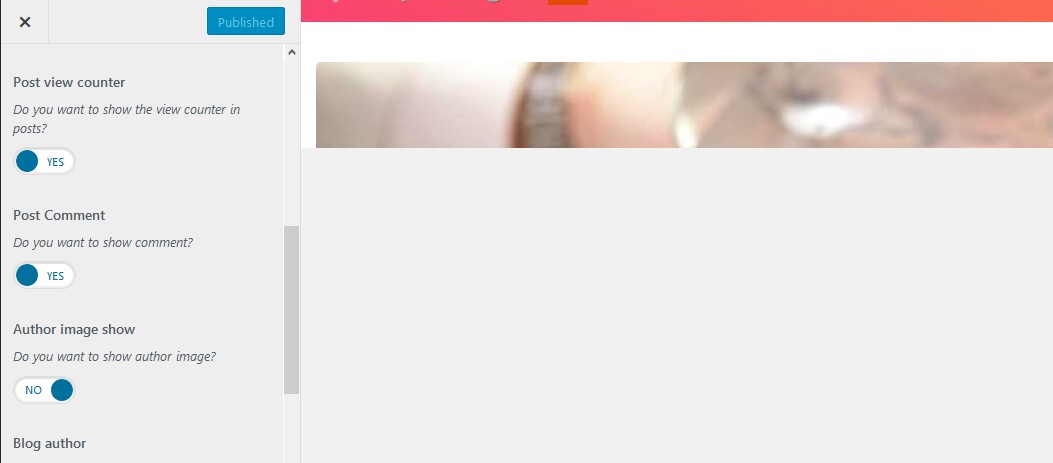
Now, the Theme Customizer an Elemtentor editor show in a strange way, only 140px on top. I cleared my cache everywhere, but it is still the same. https://i.postimg.cc/4y981vMQ/5d6ff3d9.jpg
1) We are checking Digiqole essential issue.
2) Can you please open a ticket here with site url and admin access: http://support.themewinter.com/support-center/
I checked digiQole essential and not found any issue like your site : http://prntscr.com/p1yokz
May be an error log or console report can help to find the issue. Waiting for your ticket.
Regards.
The Digiqole Essentials plugin update in 1.0.9 broke the site, I removed it via FTP and installed the previous version to make the site work again.
With 1.1.0 I was able to install the newest Essentials.
Yes, you can.
Theme version is 1.1.0 and DigiQole essential version is 1.3.
Regards.

This item was featured on ThemeForest

Power Elite Author
Contact the Envato Market Help Team