38434 comments found.

Hi there, when I try importing a demo (Corporate), it doesn’t actually import it. It says successful, but there is no media added and it doesn’t make it anything like the corporate demo. I upped my max execution time in php and that didn’t fix it either. I also tried manually importing and that didn’t work..
Hey SkipLive,
Older demos (pre-version 8.0) do not come with a full set of dummy images. This is because years ago we used to use premium stock photos that have licenses that prohibit redistribution (we have since switched to unsplash images only). However, in regards to the demo not importing – have you tried to set the home page in Settings > Reading as well as the navigation menu in Appearance > Menus > Manage locations? If so, could you please share your URL in regards so I can take a look?
Thanks in advance
Hey saisi,
In the Salient options panel > footer tab, please ensure that the option titled “Footer Background Overlay” is set to 0.
Cheers
Hi it is at 0.0 but still have the overlay
Hey saisi, add this into the custom css box located in the Salient options panel > general settings > css/script related tab:
#footer-outer[data-using-bg-img="true"][data-bg-img-overlay="0.0"]:after {
  opacity: 0;
}
This will be sorted in the next release 
Hi! Can I use recent posts with image,text and read more button? Like Minimal but with image. Thank you
Hey DonMatis,
Unfortunately having a read more button as well as the image/text would require modding to one of the styles since there is currently none with that combination.
Cheers
Hey ThemeNectar,
I’m running into an issue that only occasionally occurs when viewing my site. The problem is a thin white line that appears to separate rows. It’s showing between rows with dark backgrounds and between the bottom row (dark bg) and the footer. It goes away when the browser is resized, and doesn’t happen 100% of the time.
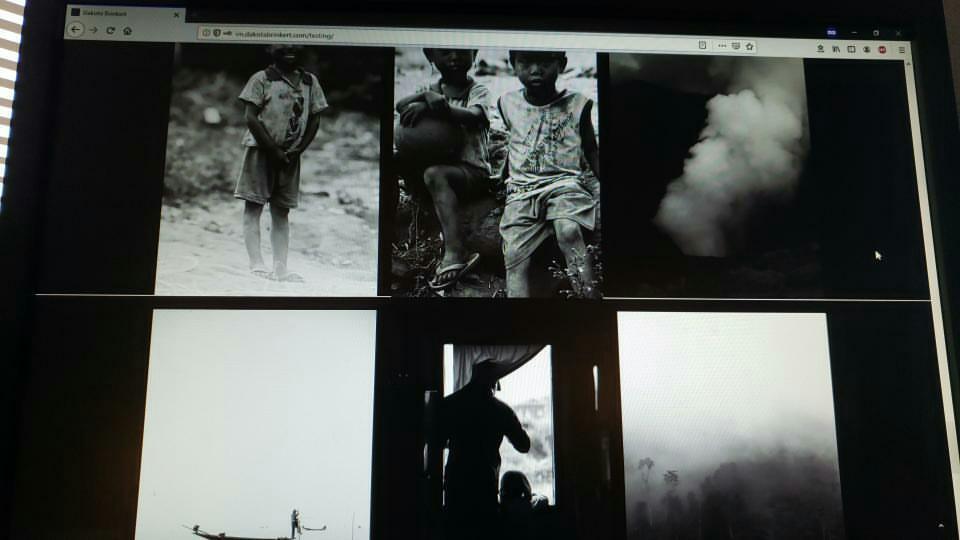
Here are some photos to show you what’s happening: http://im.dakotabrinkert.com/wp-content/uploads/2019/10/Screen-Shot-2019-10-10-at-3.29.37-PM.png http://im.dakotabrinkert.com/wp-content/uploads/2019/10/thumbnail.jpg http://im.dakotabrinkert.com/wp-content/uploads/2019/10/IMG_20191010_153713_802.jpgThe webpage is: http://im.dakotabrinkert.com/testing/
Thanks!
Hey TheRooster!
In the Salient options panel > general settings tab, can you ensure that you have the “Overall background” color set to #000000 instead of the default?
Cheers
Thanks for getting back to me so quickly. This worked for the page, but caused issues on other pages that have a different color scheme. Is it possible to define the overall background color for individual pages via custom css, or would it be possible to prevent there from being an overall background color to prevent this from happening on all of the pages?
Thanks again!
No problem
You can alternatively add this into the custom CSS box in WPBakery (top right gear icon in the page builder) on any page which you need it:
html body .container-wrap, html body.ascend .container-wrap {
  background-color: #000!important;
}
Cheers
Images inside my blog posts aren’t showing up. They only show up when “Previewing” the posts while editing. When checking my site on other browser windows and my mobile phone, the images are not showing up. Please help? Thanks.
Hey Judah07, I’d be glad to take a look and assist if you could share your URL in regards.
Thanks in advance
Thank you for your reply…. bnbamplify.com
Thanks Judah07,
I checked a couple of posts and haven’t seen any errors occur yet. Just to verify, are you referring to every image on any post or just specific images? Are you not able to see the right aligned image on this post from your side? https://ibb.co/qj4zLmV
Yes, that image I can see… but the image further down the page would not show up. Also inside other posts, certain images would not show up, only in the edit mode. However, I think I’ve fixed the issue. I had recently downloaded the Smush plugin and I think this caused the issues. I just deactivated the plugin and now I can see all my images. I guess we’ll need to either find another plugin that will shrink the file size on images without completely removing them from the post. Do you have any suggestions? Thank you for your prompt replies. I absolutely love this theme.
Hi,
I have a question, where does Google Tag Manger code go for the body?
header.php or page.php ?
Can you please also tell me after which part of the code should I place it in?
Thanks
Hey toolbox101,
You can place that code within the Salient options panel > general settings > css/script related tab at the “Custom JS Code” field. Or you can alternatively use a plugin such as https://wordpress.org/plugins/duracelltomi-google-tag-manager/
Cheers
There are two codes, one goes in the JS code like you said, where does the other go?
One has to go in the head, which the Custom JS Code is for.
But the other goes into the body. I want to know which php file to put it in and after what tag.
I want to avoid using plugins.
Can you help with this? Thanks
Never mind, got it working
Hey toolbox101, I’m glad to hear you got it working. For reference, you can modify the header.php file in regards.
Cheers
Any way to remove zoom on product pages?
Hey sbcarlos,
Could you let me know which Single Product Gallery Type you’re using or share your URL in regards so I can assist?
Cheers
Hey ThemeNectar, I want to ask if I can add svg background to the row instead of an image? How that will react to the bigger screens?
Hey ramanjeet_singh,
WordPress currently does not support SVG uploads by default. For that, you would need a plugin such as https://wordpress.org/plugins/safe-svg/
Is there a way to active full screen rows on mobile? I know it was possible before, but I can’t seem to find an option for this now in theme settings.
Hey Liyte!
The full screen rows will be active by default on mobile as long as the option labeled “Disable on mobile” is not on: https://ibb.co/CvDTDw7
If your setup does not have that active, please share your URL in regards so I can take a look.
Cheers
Hi, Have previously used this CSS to change the size of the product image on a single product page.
”@media only screen and (min-width: 1000px) { .single-product .product[data-gallery-style=”ios_slider”] > .single-product-main-image { width: 35%; } .single-product .productdata-gallery-style=”ios_slider” > .summary.entry-summary { width: 65%; } }”
We need to reduce the image size as this code does but keep the width of the product image area and the content area (eg. product name, quantity, add to cart button etc) the same width as now. 50-50 (I think). So just reduce the image size/height without effecting the layout of everything else. Is this possible? Thanks
https://www.foodieflavours.com/shop/flavours/natural-flavouring/apricot/Hey MarcGarner, You can change the snippet to the following:
@media only screen and (min-width: 1000px) {
.single-product .product[data-gallery-style=”ios_slider”] > .single-product-main-image {
width: 35%;
 }

}
Cheers
Hi,
This doesn’t seem to have worked. https://www.foodieflavours.com/shop/flavours/natural-flavouring/sweet-hazelnut-chocolate/thanks.
Hey MarcGarner, I’m currently not seeing that snippet active in your setup. Could you kindly open a ticket on our support forum in regards with temporary admin credentials so we can take a closer look into this: https://themenectar.ticksy.com
Thanks in advance
We have a problem with the megamenu header column “minus” signs. They seem to appear in the off canvas navigation. https://imgur.com/a/vV6EZdI
Hey kebecweb,
Can you please share the actual URL where this is occurring so I can take a closer look at the setup?
Thanks in advance
Check the off canvas navigation “megamenu” column header are showing “minus” signs.
Hey kebecweb, I can not replicate that issue locally so it would be helpful to see your URL so I can try and mimic your theme settings. Is your URL live?
I switched on ‘Add Shadow Behind Transparent Header’ yet I see no shadow or where to insert css to create it? https://www.farmproperties.co.za/test/
Hey gustav939,
I can see that the shadow is taking effect from my end. Here’s a video showing the current state vs. deactivating that CSS rule which is currently adding the shadow: https://www.dropbox.com/s/yb3odruw23ptrgz/headshad.mov?dl=0 What browser are you unable to see it on?
Not showing in any browser. this ia what I wanted and expected by switching shadow on: box-shadow: 0px 5px 20px #0000000a !important;
Hey gustav939,
The option is not using a box shadow, but rather a linear gradient BG inside of the header as shown in the video. To use a box shadow on the transparent header, you’d need to add custom CSS as you currently have.
Hi, can Salient theme do something like this? Check out 12:30 from video, the section angle-in and angle-out thing.
https://www.youtube.com/watch?v=GsWyhRt_UkoBesides that, can we create nested content? What I mean is create a column in a column and again in a column?
Hey mwmak,
1. Salient does support shape dividers, which can be added to any row: http://themenectar.com/demo/salient-promo/shape-divider/
2. You can nest a column within a column, however there are only two levels supported by the page builder.
I may found a bug here: We are trying to add a transparent header in the portfolio page. We are just using a simple row on Visual Composer. In the Salient options “Permanent Transparent Header” is activated and under the portfolio page we don’t activated the “Disable Transparency From Navigation” radiobutton. The page has still no transparent header here. Maybe a bug?
Hey sey87,
Do you have a page header BG image or BG color set for that project? The only way that the transparent header will trigger on a portfolio project is when one of those is set. If you do, please share the project URL in regards.
Thanks in advance
Hey Salient,
Since the new update whenever I use Revolution Slider with video background its not loading/playing. I assume that’s because you added lazy loading. When I change theme everything works perfectly.
Hey jstech1,
The lazy loading options in Salient are not enabled by default and would not target anything other than Salient specific elements when enabled. Could you kindly share your URL in regards so I can take a look to help?
Thanks in advance
That screenshot is accurate although it only inherits inline CSS. It doesn’t really inherit any of the page builder settings. Everything you see there is individually stylised from the text editor.
To conclude: Global CSS box doesn’t apply anything there WP bakery pb doesn’t apply any settings either
footer
Hey saisi, could you kindly elaborate on your question relating to the footer?
Where do things stand in terms of ADA compliance? Estimate on further updates?
Hey teenhype90210, v10.5 added in a number of accessibility changes for level A compliance including tab controls/keyboard focus highlighting, header navigation accessibility for mobile/desktop, and VoiceOver support for the mobile menu. We will indeed continue to add further compliance in the future.
Great theme! But… why is my footer messed up on this page only? Works fine on the individual clan pages … http://legendclans.com
Thanks MarkusB! This issue is related to the full page screen rows and was fixed in v11.0.1 Cheers
ok, thx
Is that ready for download on Themeforest? If not, how can I get it?
Hey MarkusB,
11.0.1 was released last week
Cheers
Hi,
I am using blog header type: Variable height minimal. I would like to remove the header from a single blog post, is that possible?
Thanks.
Hey cwayneboss,
add this into the custom css box located in the Salient options panel > general settings > css/script related tab:
.single-post #page-header-wrap,
.single-post .heading-title {
    display: none!important;
}
Cheers
Hey MarcGarner, unforutnately the script that is powering that carousel does not have an option to scroll in that manner,