59156 comments found.

Dear I follow the instructions to translate the site to spanish but some sections appear in spanish but others in english, Do you reccomend translate manually or afect SEO and other caracteristics of the theme?
Please let me know what I jave to do do translate properly
Please check my site http:/mercado77.com
Thanks
What do you want to translate? Your whole page is demo page and you can edit it in Elementor https://www.youtube.com/watch?v=88fs0jts9Pk
I just purchased the theme with the impression that you had a demo with WCFM plugin. Please provide the link to this demo or the doc that outlines how can I integrate theme with the revendor theme with WCFM. It’s listed here with no other instructions. https://wpsoul.com/how-to-create-multi-vendor-shop-on-wordpress/#which-vendor-plugin-you-should-use
retour.wpsoul.com
Anyway, you can import any demo and then switch or install WCFM
thanks
Because you use outdated theme version
Good Day, I am using Latest version 9.6.2
Ok. Sorry, forget to mention that all new demos are available only for Elementor.
Hello, Does Affiliate Marketing with Amazon require a regular license or extended license?
Theme has only regular license
Hello I would like to know if it is translated into Italian, if there are affiliations that can be used in Italy and if all its functioning is guaranteed also for the Italian territory Thank you !!!
You can translate any word in theme to any language. About affiliate networks, you can write which network you need and I will advice you
Perfect, the affiliation networks are the classic ones, Amazon, Ebay, Mediaworld, Trovaprezzi, Euronics, eccc ….
You can use offer import if you have product feed
http://rehubdocs.wpsoul.com/docs/rehub-theme/affiliate-settings/bulk-import-of-offers/Or use Content egg + Affiliate egg.
https://wpsoul.com/make-smart-profitable-deal-affiliate-comparison-site-woocommerce/You can write to support@keywordrush.com and consult about available shops or hire them to make custom parsers
hello I bought your product today, I think it is very valid and I trust your work if I have problems in the setup I will let you know thanks for the support
Hi,
I have updated the theme and so now “Sort by” is not working properly. If i want to sort it lowest to highest price, it sorts but doesnt do it by order, instead all kind of prices anywhere.
Can that be fixed? Never before had this problem….
/Maftuna
Please, follow for faster support
https://sizamtheme.support-hub.io/articles/how-to-write-to-support-if-you-need-technical-help:)))) hahhaa ok sorry. Here comes link to my product page. https://byggbara.se/butik/?swoof=1&orderby=price
As said, all looks fine but it doesnt ”sort by” properly – doesnt apply the order of sorting!
We support only woocommerce filters or bundled plugins http://rehubdocs.wpsoul.com/docs/rehub-theme/shop-options-woo-edd/better-product-filtering/
If you use custom filter plugin, you should report bugs to author of plugin
I do use the woocommerce filter and i think we are talking about 2 different things! I am not talking about the sidebare with filter (woocommerce filter widget), i can do there any product filter i wish and it works properly!
Bu if i am on a store/product page >>> https://byggbara.se/butik/ , there is ”sort by”, you can sort by most sold, popularity, price lowest to highest etc. That exactly ”sort by” is not working properly, i never get all products sorted from lowest to highest price! ”Sort by” sorts some random way, products with different prices are mixed but not sorted from lowest to highest!
So, Do you mean that exactly ”sort by” is also connected to woocommerce product filter?
Sidebar filters by custom plugin will affect sorting of woocommerce. Disable plugin, then we will check
Ok, i dont want to disactivate woocommerce filter plugin, cuz all modifications will be lost, i will need to re-do! But see what i found!
If i go to store https://byggbara.se/butik/ and sort by Lowest to highest, it doesnt sort it properly! see here https://byggbara.se/butik/?swoof=1&orderby=price
BUT, if i add any more filter order from sidebar/from woocommerce product filter, lets say we add ”price range” filter, then the sort by price ”lowest to highest” applies properly too! See here https://byggbara.se/butik/?swoof=1&min_price=4&max_price=41260&orderby=price
So the ”sort by” works properly only in combination with woocommerce filter, but not alone! I have changed the site to english. Can you check it? and ideas?
Please, deactivate filter plugin, then, we can check if theme had problem. If you have problem with plugin, you can write to author of plugin
I would like to ask two questions.
1. What would be your suggestion to make a product page fields like this? “Adultos”, “crianças” are variations of one product with different prices https://snipboard.io/oPGgMu.jpg
2. I tried to do something with the product variations but it wouldn’t be exactly that. https://snipboard.io/m1xBRn.jpg I would like “Adult” and “child” to appear all the time. Help me?
Thanks your reply sizam. But did you look this link i sent you? Not quite this format. https://snipboard.io/oPGgMu.jpg They have a quantity number field for each variation.
Variation can’t have numbers, it’s composite product
https://docs.woocommerce.com/document/composite-products/composite-products-use-case-configurable-product/Or maybe product extra https://codecanyon.net/item/woocommerce-extra-product-options/7908619?_ga=2.151606714.269936487.1571906371-582736683.1562253263
Hi Shizam, if using Elementor on the Post Grid how do you reorder the posts as it’s a right pain to change just one banner. We currently have to delete them all and then add in the order we want. Doing this every day is a bit tedious. I liked the old way where we could drag around the posts
Order by parameter is available in all modules in Data settings
Where? Data settings is blank
??? The video shows the problem https://youtu.be/88fs0jts9Pk?t=916
Please select “Manual order” and you will see what i mean
I don’t see any issue on this video. Give me correct link please
Hello,
I have enabled multiple currencies on my site. And it is working properly. However, in the checkout page, it is showing the currency in USD. How do i make, it shows the price in the local currency rather than USD?
Please follow the ecom model to checkout page here: https://bit.ly/35WWkWZ to see it.
How did you enable multiple currency?
i did it using a dropship plugin. Should i do use some other way to achieve what i want? Please let me know. Thanks
Please, write to author of plug-in if you have questions about functions of plugin
Hello sizam, is it possible to remove these numbers? I don’t want to use dropdown menus for them. I want this layout but without numbers. https://ibb.co/ZMCfGCk Thank you.
.woocommerce .widget_layered_nav ul li span.count{display:none !Important}
you can place this in theme options – general options – custom css
Theme option – general – select width
2. Theme option – appearance
hello, can i change style, color, font for “load more deals button”
see here: https://imgur.com/a/ykXh2qZ
thank you
Which color, style, font do you need?
color : #af1616
font: Arimo
style : little wider like the “buy now” button in this page https://ali-buy.com/coleman-fision-100/thank you very much
friend?
.re_ajax_pagination .def_btn{padding:20px 10px; background-color: #af1616 !important}
For Arime font – you can enable it in theme option – font option – headings font
its allready Arimo here and still it dont show this font in that button see – https://imgur.com/zXixNgg
also, where to paste this code? thank you!
also need text color white please
.re_ajax_pagination .def_btn{padding:20px 10px; background-color: #af1616 !important; color: white !important}
you can place this in theme options – general options – custom css
thank you it work but the font still not arimo how can i fix
please….?
it will be fixed in update
hello,
Do you have support for the Hebrew language?
Yes, sure
full support? also to the backdoor admin?
Theme doesn’t have ready translation, but you can translate any word by yourself
Hi, how do I remove add to cart in retour and still keep the price?
Theme option – loop customization
And inside products, theme option – shop settings
Hello, I would like some help and a step by step guide on how to install the “child theme” http://rewise.wpsoul.net/, with all the pages and submenus as seen in the demo. When I install it you only see the home page, but when I click on the product it does not enter the product page. I can’t understand which compressed files I need to install and which plugins. I would like to install the theme as the demo, so I can only change the images and texts and link the products to the Amazon markeplace, ebay, to use it as an affiliate marketing.
Thanks
Answered
Hello, I would like some help and a step by step guide on how to install the “child theme” http://rewise.wpsoul.net/, with all the pages and submenus as seen in the demo. When I install it you only see the home page, but when I click on the product it does not enter the product page. I can’t understand which compressed files I need to install and which plugins. I would like to install the theme as the demo, so I can only change the images and texts and link the products to the Amazon markeplace, ebay, to use it as an affiliate marketing.
Thanks
whats the syntax for adding data for custom tab in woocommerce using RH WOO tools. You mention to use EOT; ..please show some example. here is your training material link
http://rehubdocs.wpsoul.com/docs/rehub-theme/shop-options-woo-edd/how-to-create-custom-tabs-in-woocommerce/Tab1 EOT; Tab2
Hi Sizam, just a quick question about recent schema changes:
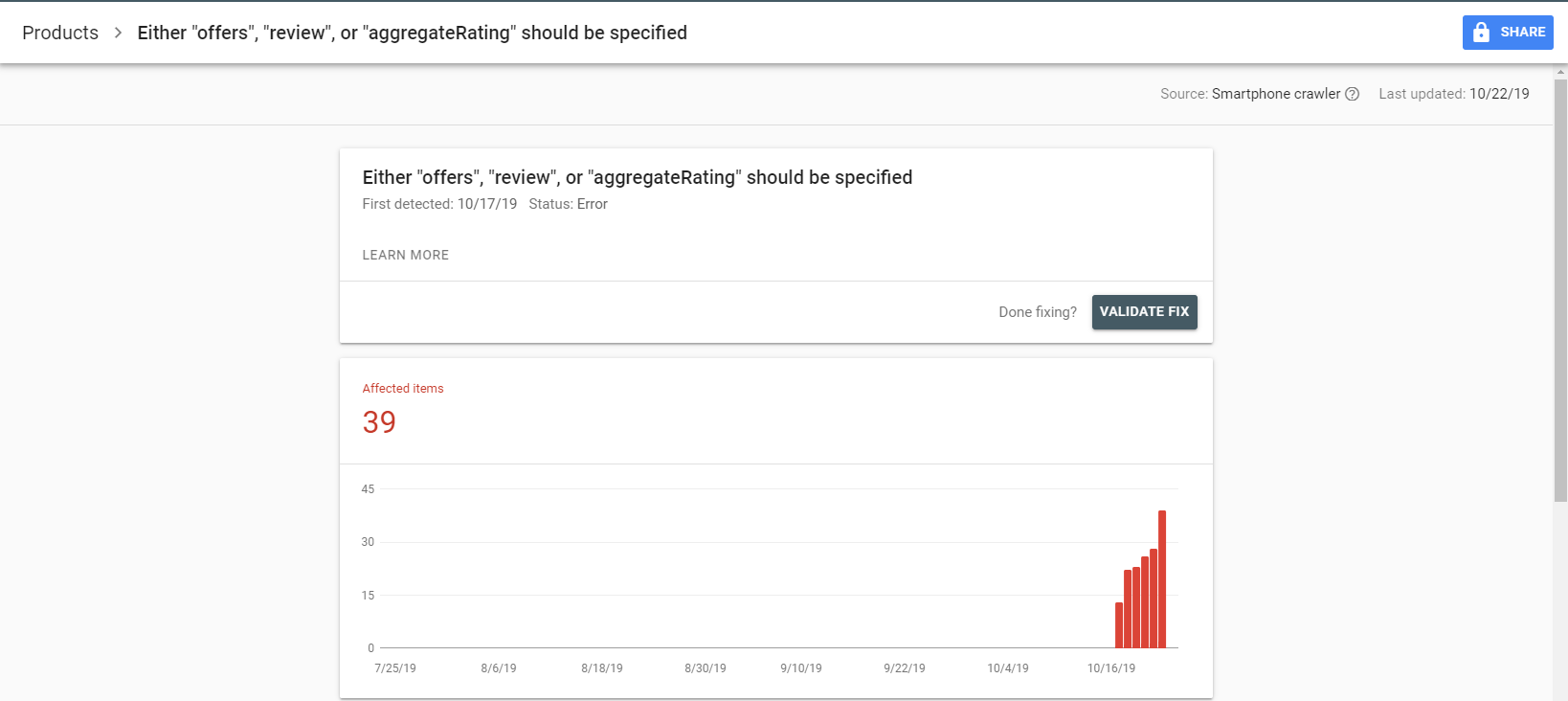
Does Google choose itemReviewed @type automatically? Mine are shown as “product”: https://i.gyazo.com/5d9c092f30dca24fb87c6e8e30c56f77.png and it obviously triggers an error, because it’s published under Post. Is there a way to change the itemReviewed @type in Posts?
This is the newest error that appeared a few days ago on pretty much every post: https://i.gyazo.com/a9d0a3668c5016374ec03cc8dac66f7b.png Theme version: 9.6.1
Pre-sale questions
1. Do you provide customisation services?
2. How can i add affiliate program to the multivendor website?
1. Yes 2. Woocommerce affiliate add-on for wcfm https://docs.wclovers.com/wcfm-affiliate/
Unbelievable! The guys are the best!