38442 comments found.
Hi,
Is your theme fully support RTL ?
Hey mancdim,
There is an included RTL specific stylesheet. Kindly let me know if you’re encountering an issue.
Cheers
Thanks alot for your fast reply 
We have purchased one license and currently we are working on it .. Now we have a new work and we want to buy a new license but the customer’s requirement that the theme must full support RTL (100%) specific with Arabic language .. So is your theme have that support?
There are some problems related to RTL that we found while working on the current license, such as:
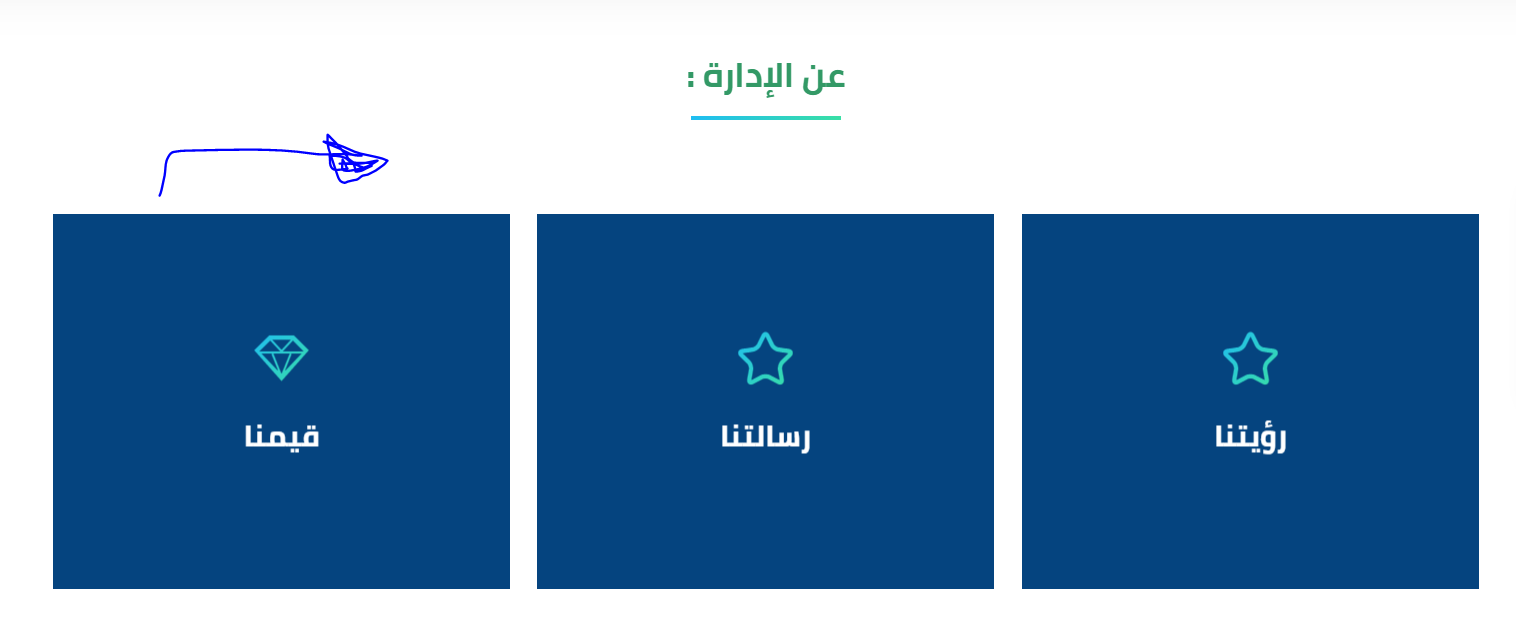
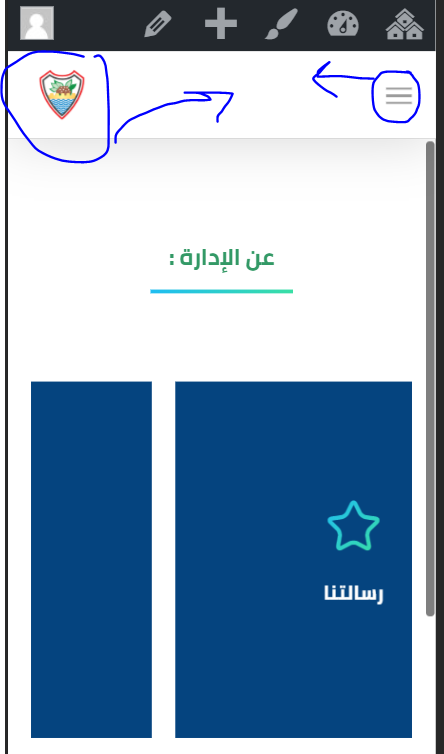
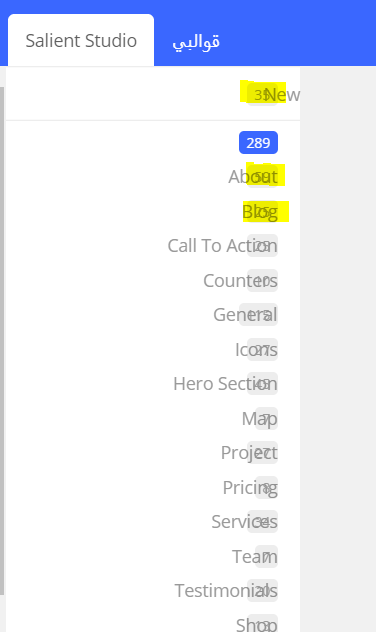
1- Social media icons appear next to the main menu, not on the left. https://www10.0zz0.com/2020/02/03/06/333627341.png 2- The direction of animation of some elements, such as ( carousel item with flip box), appear from left to right. https://www10.0zz0.com/2020/02/03/06/561325031.png 3- The direction of the logo on the mobile appears on the left and the main menu on the right: https://www6.0zz0.com/2020/02/03/06/224278428.png 4- Numbers for salient template inside WPbakery : https://www10.0zz0.com/2020/02/03/06/508818777.pngRegards
Hey mancdim,
The Salient Studio item count issue fix has already been added into the current beta version, which will be out later this month.
To alter the order of the mobile menu, you’d need to adding the following CSS:
@media only screen and (max-width: 999px) and (min-width: 1px) {

#top .col.span_9 {
  right: auto;
  left: 0;
}

#top .span_3 {
  text-align: right!important;
}

}
Altering javascript based elements like the carousel to become RTL would require custom modding at this time, but I’ve noted it on the to-do list
Cheers
Nice for Salient Studio item and also for logo on mobile .. Thank you
What about the social media logos that appear next to the main menu and not on the left side, Is there a code to solve that?
Also regarding carousel RTL .. Will the problem be resolved in the next update right? If there is a specific code that I can add now to solve this problem, I will be grateful to you ^^
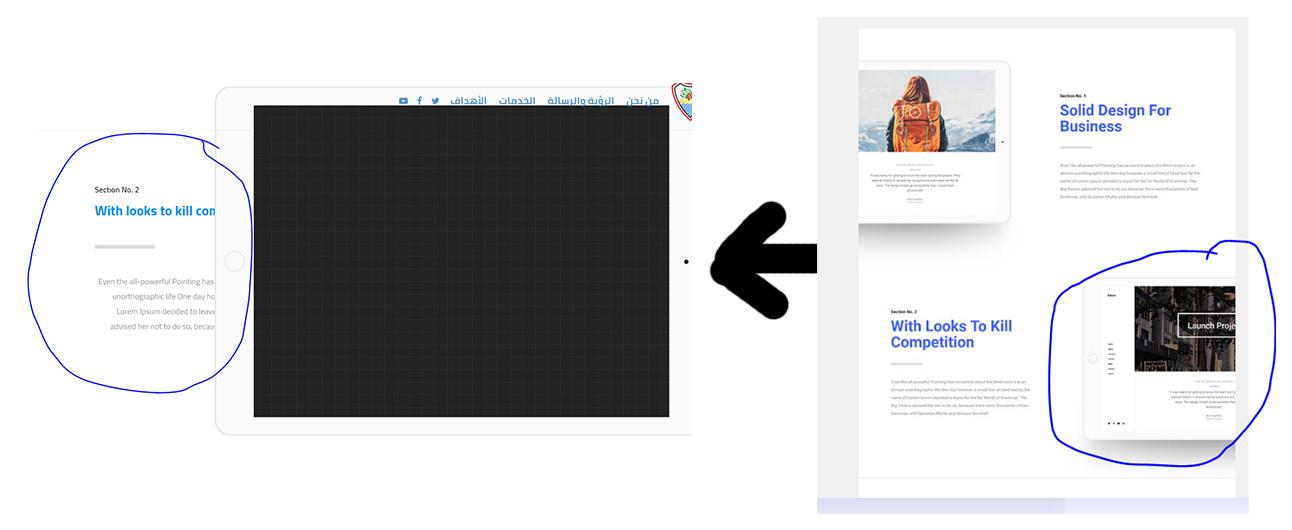
I have another issues that appeared while adding some of salient temlates .. you can see that in these screeshoots :
https://www11.0zz0.com/2020/02/04/07/447286542.jpg https://www11.0zz0.com/2020/02/04/07/568004346.jpg https://www11.0zz0.com/2020/02/04/07/624004277.png https://www5.0zz0.com/2020/02/04/07/226072737.jpg https://www5.0zz0.com/2020/02/04/07/827528031.pngRegards
Hey mancdim,
1. Can you share your actual URL so I can take a look at the full header settings used?
2. The carousel RTL support would require custom javascript as of now – i’ve noted it on the to-do list
3. Some of the images you shared are going to 404, but in regards to the ones I can see – not all studio templates will automatically adjust to become RTL, the settings within the columns/elements might need to be adjusted so that it makes sense for an RTL language
3- you can see these links for another images :
https://ibb.co/qJRqjNj ....>>> https://ibb.co/xzsF9Xd ...>> https://ibb.co/Bry2YWj >>and I did not find any option in the row and column settings that could handle that .. In some themes there is an RTL option within the WPBakery row options ..
Hey mancdim,
1. add this into the custom css box located in the Salient options panel > general settings > css/script related tab:
@media only screen and (min-width: 1000px) {
#header-outer[data-format="menu-left-aligned"] .row .right-aligned-menu-items {
    margin-right: auto;
    margin-left: 0;
}
}
3. I’ll review those for the next release
thanks alot
Do you know when the next release ?
Another issue that occurs when we change the main menu view ( full header settings) .. you can see attached pictures:
https://ibb.co/z8dYVTP ...>> https://ibb.co/28V3vW5 ...>> https://ibb.co/hYnMHj0 ...>> https://ibb.co/2j72j8j ...>> https://ibb.co/wQJJ7hC ...>> https://ibb.co/s3hHTQqHey mancdim, the next release is still targeted for later this month. If you’d like beta access, please reach out via the contact form on my author page https://themeforest.net/user/themenectar
Thanks alot .. What about the last issue that related to the full header settings ( which is not compatible with RTL), will it be resolved in the next release ?
Hey mancdim, the next release will also be adding additional RTL CSS for the header formats.
Cheers
thanks alot
You’re welcome mancdim :)
Dear Cheers ;
Thanks alot for beta version
I uploaded the version as well as tried it and noticed that a number of issues related to RTL were solved, but unfortunately there are still unresolved issues including the following:
1- Direction of menus in full header settings .. You can see the pictures in google drive file number: (01, 01-2 ): https://drive.google.com/file/d/1jxngQ8VmcjFuEb1OFdPWu2brIwt4o3xD/view?usp=sharing2. The RTL option is not included in the rows for the WPBakery and this may cause the place and directions of the images to change when viewed on the mobile.
3 – Some items still appear from left to right ( Fade in ) such as some of carousal ( Overflowing ) and Gradient Pricing Columns .. You can see attached file in google drive number: (02, 02-1, 02-2, 2-3, ). 4-There is an issue related to overlap Icons with text in salient settings panel and and the appearance of squares within the row options, You can see attached file in google drive number: (03 , 04).
Regards
Hey mancdim, thanks for the feedback! I’ll take a look into those to see what can be squeezed for the immediate next coming release
Cheers

Hey – Seeing an issue when I updated to WooCommerce 3.9.1 where the “Add to Cart” loading gets hung up. Any idea what this could be? (https://thefamilyfreezer.com/shop)
Hey Andrew_McNelis,
I’m currently being led to the shopping cart when using the add to cart button. Could you kindly let me know which browser you’re experiencing this behavior on and if you’re able to see any javascript errors being reported in the browser console?
Thanks in advance
I was able to fix by disabling AJAX Add to Cart within WooCommerce settings. This was happening on Chrome (desktop), Safari (desktop), and Safari (mobile). No browser errors to speak of.
Hey Andrew_McNelis,
Could you please open a ticket on our support forum in regards with temporary admin credentials so we can temporarily enable the AJAX feature and take a closer look? https://themenectar.ticksy.com
Let me know the ticket ID here once you’ve opened it so I can oversee the ticket.
Thanks in advance
Hello! IM having two small issues – I updated but there is still a LARGE gap on the mobile size between my home page banner and the content http://aquarianyogi.net/
and the social media icons are not showing, Im using a plug in I wonder if there are conflicts with simple social icons?
Hey djinanna!
1. You have enabled the option for “full height row”. Please turn that off when editing the row within the page builder so that the height can automatically adjust as needed.
2. The plugin which is conflicting with the social media icons is located at wp-content/plugins/cssjockey-add-onsCan you kindly try to disable that?
Cheers
Hello TN,
I have just acitvated the transparant header function. All is good and looks amazing, however I find it that the non-visible header is triggered quite late. Because of this, when the header is transparant, the logo will fall over the text in the Nectar slider because the non transparrant header is triggered quite late.
Is there anything I can do to make the transparant header switch to the non-transparrant header faster, so it doesn’t interfere with the text in the nectar slider?
Hey hookieoalo,
Can you please share the page URL so I can take a look at what you’re referring to?
Thanks in advance
Yes, you can check it in your demo:
http://preview.themeforest.net/item/salient-responsive-multipurpose-theme/full_screen_preview/4363266So for example I use a logitech master MX3, and I have the scrolling with ‘clicks’ so to say. It really takes a few ‘clicks’ for the menu bar to turn white.
IMO, ideally, the menu bar would turn white after the first ‘click’ in order to ensure no text in the first row (wheter it be a nectar slide or not) will get overlapped by the logo (when its still in the transparant menu bar).
In your demo its not an issue, but on pages that have a nectar slider which is +/- 375px high and are shown on 15 and 13 inch devices (and ipads) it is an issue somehow.
Thanks for taking the time to check it out, looking forward to your reply.
Hey hookieoalo,
Are you able to replicate the same behavior when using the default scrollbar/mouse wheel or is it limited to the ”click” scroll functionality on your mouse?
Hi TN,
Its happening with both. The nicest would be that if you do one ‘click’ scroll, or just a tiny movement on normal scroll, it will already trigger the solid menu bar.
After all, the transparant effect is mostly (if not only) used to display a menu bar transparant in the beginning position of the website, right? It doesn’t make much sense to me to keep it transparant any longer than needed.
Hey hookieoalo, modifying that would require editing the init.js file again – you can change the two instances of ”$scrollTriggerOffset” in regards.
Cheers
Thanks for a wonderful theme that keeps on giving guys !!! would like to add a youtube pop out window link to a button on nectar slider is this possible? currently we can only include a link that takes the user to youtube site.
Hey AndyHol :) When adding a youtube URL in for the “Button Link” in a Nectar Slider, a lightbox should automatically be shown. Could you kindly share your URL in regards so I can take a look? Cheers
grandefloridaresort.com.au – Thanks
Thanks AndyHol,
There’s a JS error occurring which is preventing the functionality – could you kindly temporarily disable your javascript minification so I can take a closer look?
Cheers
JS minify deactivated
Thank you AndyHol, have you also removed the button from the slide? I’m not seeing it any longer from my end.
button added again
Thanks AndyHol :) Can you verify that you have a lightbox script selected in the Salient options panel > general settings > functionality tab? (i.e. magnific or fancyBox3)
Nailed it!!! Thanks Guys – You are the BEST
Glad I could help, AndyHol
hi,
When you put a link in External Project URL in the portfolio item, it links to a custom page and opens the link in a new window. Which is perfect.
But this does not work with the new Grid Post, the external link does not work and it does not link to external URL, it still opens the portfolio item.
Example, in this demo http://themenectar.com/demo/salient-frostwave/portfolio-3-columns/ you link to a Venmo page, but if I use the new Grid Post it won’t open a Venmo page, it will still open the portfolio item.
Can you fix this with the coming update? this is a big issue and makes the new Grid useless.
Thanks
Hey toolbox101, this issue will be sorted in the next release. If you’d like a copy of the beta nos, please reach out in regards via the contact form on my author page: https://themeforest.net/user/themenectar Cheers
Hi. Was this fixed in v12?
Hey toolbox101, yes – we’re using the post grid element on the new landing page in combination with external project links.
Cheers
Hi,
I see it was fixed, thanks.
There is another issue that I think can be improved in the future should you decide to do so.
The external project link can open in a new window, after all this is an external project. Would you add this, please?
Also, would you add an option to nofollow the external project links?
Thanks
Hey toolbox101,
Thanks for the feedback
Hi, have not updated to v12.0.1 yet, was the external projects opening in a new window fixed in the .1 update?
Thanks
Hey toolbox101, that functionality can now be added in by specifying the class name “target-blank-external-urls” on the post grid element.
Cheers
That did not work, i put that css selector in the Post Grid’s Extra CSS section. Also, tried putting it on each post’s, post settings CSS section, did not work.
It would be better if you could add js functionality or default setting for this just like the regular portfolio grid does.
Hey,
It does not need to go on each project, only the actual post grid element as I mentioned. Please share your URL in regards so that I can take a look at your setup.
Here is the link http://xgo.a2c.myftpupload.com/home/
Hey toolbox101,
The logic is only looking for URLs with http:// and not https:// – I’ll add that change in as well for the next release.
Is it a CSS fix? Cuz you gave me a CSS selector to put in the grid box.
Hey toolbox101,
CSS can’t alter this functionality – the class name I mentioned that you could add onto the element (target-blank-external-urls) is used by javascript, which will parse the URLs in the element and add the target=”_blank” when necessary. Currently, it’s only looking for non https URLs as I mentioned though.
Hi. I’m having problems with logo at the header. It is updated in some pages, but in other pages the logo still salient’s logo, and I’m not understanding why.. any clue?
Hey jbejasi, If you’re using the transparent header effect, please ensure you’ve also added in your own versions of those logo’s in the salient options panel > header navigation > transparent header effect tab. Cheers
Hi there,
Any update on the next version and new demos? One particular theme in the trending charts has caught up really strong recently. Any surprises we can get excited for?
Hey BlueScreenPanda,
Yes, the next release will be adding new demos
For when to be expected?
Hey BlueScreenPanda , In a couple of weeks Cheers
I set this button to take on the theme styling but it doesn’t match no matter what I try. What do I have to do? https://bit.ly/2RLGcm1 (password: 12345)
I want it to match the Salient Add to Cart button but make it Grey. Thanks.
Hey ehong33234, add this into the custom css box located in the Salient options panel > general settings > css/script related tab:
#aqbp_quick_buy_btn {
    font-size: 12px;
    background-color: #444;
    margin: 30px 15px;
    padding: 20px 45px;
}
Awesome, thank you so much! If I want to change the font size for “Add to Cart” so it is bigger, which setting is it in the TYPOGRAPHY tab?
Hey ehong33234, the add to cart button font size can’t be changed via the typography settings,This would need to be added in:
.woocommerce-page #ajax-content-wrap button[type="submit"].single_add_to_cart_button{ font-size: 18px;}
Hi! i have a issue whit the toggle panels, when you click on the ”+” to open to the next one, the page goes to the up of the page and you need to scroll back down to the toggle is open.
This only happen whit some toggles panels. Is there anything I can change that would force the panel to be at the top of the box when you open it? Thanks!
Hey GENEXP!
Can you please share the URL in regards to where this is occurring so I can take a look?
Thanks
Hello, the URL is https://amiif.org/agenda-de-la-semana-de-innovacion-2020/ any of the toggle panels with this issue is de 4th one “10:30-10:45 AMIIF se adhiere al pacto mundial”
Thanks
Hey GENEXP, It looks as though some other third party script could be interfering with the click events. Could you kindly try to disable your third party plugins for a moment to test?
Hi, I did some tests with the same page structure in a new test site where not have plugins installed and I still have the same problem with the toggle panel. The URL for this test site is: https://somospulso.com/mich-wp/test/
Thanks
Hey GENEXP, since I can’t get this issue to occur locally, could you please reach out via the contact form on my author page with a temporary login for the test setup? https://themeforest.net/user/themenectar
Thanks in advance
Would you consider adding support for adobe typekit? I see an article where you recommended a plugin but the plugin is spammy and has ads.
Is there a manual way I can make it compatible with the theme without a plugin?
Hey BlackWat3r,
It’s still an item on the wishlist, but as of now it would require custom development if you do not wish to use a plugin.
hi, how do I make a menu item non-clickable ?
Hey djb19, You can either make the item a custom link and provide ”#” for the URL, or you can use CSS. Here’s an example you can add into the custom css box located in the Salient options panel > general settings > css/script related tab:
#top nav > .sf-menu > li:nth-child(1) {
  pointer-events: none;
}
Hello. FYI – I just updated from 10.5.x to 11.x. Not sure – but it seems like the new image animation hover is adding a bottom margin to images, thus affecting my page’s layout.
I fixed the problem with the following CSS:
.img-with-aniamtion-wrap .hover-wrap { margin-bottom: 0px;}
However – might I be affecting other issues with this? Curious, why add the bottom margin if it’s not needed?
Hey nickpucci,
Prior to the new markup, the single image element used to also have that 15px margin applied to the img tag itself. However, it was removed when the image was the last img in a column, which might explain why you didn’t see it (depending on your setup).
I’ve noted the idea to remove that by default.
Cheers
Hello.
I need help with the visualization of Yoast SEO plugin. I can’t see the regular options of the box Yoast in every single page. For example, I can’t write the metadata like the title or description, because the tab SEO, Legibility or Social don’t display the content in the screen.
Please help me.
Hey plataformayseguridad,
Please open a ticket on our support forum in regards with temporary admin credentials so we can take a closer look into this: https://themenectar.ticksy.com
Thanks in advance
Hey Nectar!
Hope all is well. Quick question is there an easy way to change the order of portfolio items whenever we use an element on a page without having to delete and re add all the info?
I am trying to re order the projects on this page -
https://cardinalmf.com/developments/Hey lnbbroductions!
Yes, you can either edit the date of the project or you can use a plugin such as this to drag and drop the order: https://wordpress.org/plugins/intuitive-custom-post-order/
Cheers
is there a way to add css color overlays? I would like to add the multiply filter to the color overlay on the page headers to the portfolio pages. Thank you
Hey lindsayclineco,
add this into the custom css box located in the Salient options panel > general settings > css/script related tab:
.page-header-overlay-color {
    mix-blend-mode: multiply;
}
Cheers
Hi, I’m looking to edit the Core plugin but do not want to cause issues with updates. Is there a way I can make a ‘child plugin’ and edit that instead?
Hey adayin, so I can point you in the right direction, what specifically are you trying to modify within it?
Cheers
Hi, I’m looking to add the page header meta boxes to a custom post type – https://www.lehelmatyus.com/965/salient-theme-header-custom-post-type
Hey adayin, that specific file can’t be modified through a child. However, since I can definitely see the benefit of modifying those, I’ll be adding a filter into the next Salient release which will allow
for modifying the post types array easily from a child theme
If you’d like a copy of the beta when that feature gets added (this weekend), please reach out via the contact form on my author page https://themeforest.net/user/themenectar
Cheers
Thank you. I’ve sent a request for the beta via that link.
Thanks adayin
Perfect. Thank you for your help!
You’re welcome adayin
Hi, I’m using tabs on a page and am getting so many errors.
https://monosnap.com/file/AsfAQulEfsDHsyB7vcgghdE2vu6LglHere is the page: shorturl.at/erIN2
Hey djb19, I am not seeing the “ERR_HTTP2_PROTOCOL” errors in the browser console from my end when testing on Chrome/Firefox – Are you able to see them in other browser such as Firefox? What version of Chrome are you using?
Cheers
Thanks for the reply. I’m using a plugin for video playlist, and it doesn’t work on this theme or especially in tabs. The plugin auto said this:
What happens on your website is that one of your scripts crushes, and thus starts a chain reaction of errors. You need to find this initial faulty script, and you should be good.
Please, let me know if this helps.
So, it’s a website script (probably the tabs element) that is doing this
Hey djb19, The tabbed element does not load in a separate script file, but is rather contained within the main Salient script alongside all other theme element javascript. I haven’t seen the issue you’re referring to in the browser console yet: https://ibb.co/GTT50Hp , but the error “ERR_HTTP2_PROTOCOL” does not have to do with javascript
For me, sometimes it loads sometimes it doesn’t. I am on Safari. Here is the video playlist loading:
https://www.dropbox.com/s/3v9sytfww26rkss/Screen%20Shot%202020-02-01%20at%208.51.30%20AM.png?dl=0I contacted the plugin author and they said What happens on your website is that one of your scripts crushes, and thus starts a chain reaction of errors. You need to find this initial faulty script, and you should be good.
So I want to know which script is this
Hey djb19,Unfortunately even when checking in Safari, there are no javascript errors showing in the browser console for me To help point you in the right direction
Hey Nicko_217,
Are you unable to use the Nectar Slider plugin anywhere on your site or just specific pages?
We’ll need to take a closer look at the page setup to assist – kindly let me know the ticket ID if you have one open.
Thanls
unfortunately, I can’t create a ticket, because the support period has ended The slider does not work on the entire site
Nectar Slider settings don’t work. everything is reset when saving. only works via short-code
https://yadi.sk/i/vof79rLRPBJ4Aw https://grand.photo/2-2/we’ll give you admin account on e-mail
Thanks Nicko_217
I can also switch the site to PHP 7.4 so that you can check its performance