944 comments found.

Hi, before to buy this theme i’d like to ask about: 1. if it’s possible to have more than one event for day? 2. supose that we can add highlights at home?
Thanks, Mariona
Hi,
1.) of course
2.) what do you mean by highlights?
Lubos
Hi, i mean to feature events at home, maybe on the main slide, thanks!
I am sorry but I still do not understand what exactly do you mean. You can put any text on your homepage if that is what you have in mind.
Sure, i think we can work with that, thanks!
One last thing, if i want client has property of the theme but they want i buy it for them, how should i proceed buying it? is possible to buy with my acccount for them?
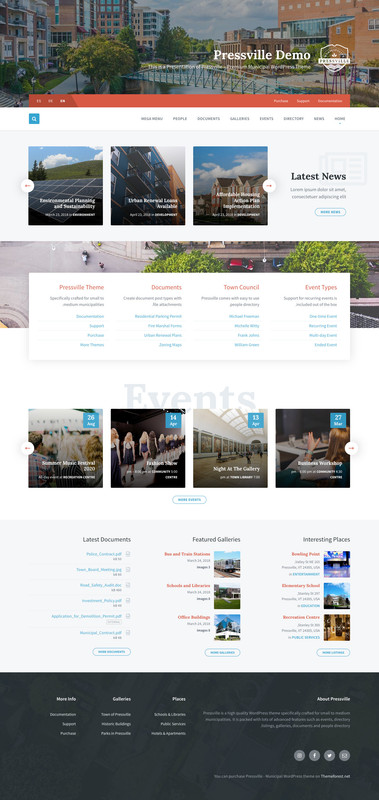
Sorry I misread your message. You can list events on homepage of course. For example, when you take a look at the default homepage at Latest News section – you can use the same element for events (you can of course put it anywhere between header and footer, not just on top of the content). All three demo homepages are just examples. They are not set in stone as you can rearrange, remove or add new sections.
I highly recommend that your client will buy it with his own account, so he will have access to support and updates in the future when you may not work with him anymore.
You can just ask him to send you the purchased code so you can verify the purchase if you will ned my help during your work on the project.
Thanks a lot!
When I updated to 2.2.3 of the theme, the Map at the top of the directory listing disappeared. Is this a feature or did something go wrong with my upgrade?
Hi,
go to Appearance / Customize / Map Settings and set map provider to Google Maps (or a different provider). It was mentioned in the changelog. Please always read it before you update the theme.
Lubos
Thanks, missed that one.
good morning I would like to know how to center the logo on the Pressville wordpress template Thank you
Hi,
please share your URL.
Lubos
Try this CSS:
.header-titlebar__logo { display: block; margin: auto; }
Perfect Thanks
Is there a way to be able to select the default archive layout rather than the grid layout when I use the Pressville Directory block on a page? I want to include other blocks so I can’t use the /directory URL and customize it.
Hi,
I am sorry but that is not possible.
Lubos
Well, what I really want is to be able to put a block of text or an image on the archive listing before the grid of posts. Is there an easy way to do this?
Not without come code customization. Basically you have to copy the template-parts/lsvr_listing/archive-layout-default.php or archive layout-grid.php file (depending which layout you are using) to your child theme (preserve the relative path) and put any code which you like to have right before the list on line before line 11. I mean feel free to experiment with the placement, you still have the original file in the parent theme if something goes south.
You just need to figure out the code itself. You can for example use ACF plugin, which allows you to create some blocks of various content in your admin and then put a small code snippet into the template file which will render that content on your frontend. Customization like that is not really covered by theme support, but if you decide to give ACF a try, there are plenty of documentation and extensions for it out there. If you are not developer/coder then this is probably the easiest way to pull this off and will give you a lot of power when customizing any WP theme in the future, not just this one.
Thanks. I’ll check out ACF.
I’m attempting to use the Easy Notification Plug in my site but found that the “wp_body_open” action hook is not in your header.php file. I have added it and it works fine. Do you intend to include in a future release? I’m running WP 5.4 and Pressville 2.2.3
Hi,
sure, I will add it in the next update.
Lubos
Hello, is it possible to insert an video in header background instead of images?
Hi,
I am sorry but that is not possible without some advanced code customization.
Lubos
Well done, it works! Many thanks for your support. Thierry
Hi, thanks a lot for your quick answer. I’ve checked both dates (start and end) as well as the settings but the issue remains. It’s another server than the previous one, I use 1and1 platform. All the best Thierry
Hi,
try to deactivate and remove the LSVR Events plugin (it has to be done via admin, not FTP). Then follow the prompt to install and activate it again. Then try to create a new post event.
Lubos
Hi, I’ve bought another licence of your nice theme for a second website I’m now developping (http://patrimoinemondial.airesprotegees.info), all is ok except the calendar which doesn’t display any event. Even after regenerating events in tools, any upcoming event appears as “ended” (ex. http://patrimoinemondial.airesprotegees.info/events/groupe-patrimoine-mondial/). Could you please help me? Thanks in advance for your support.
Hi,
please double check your start AND end date. Make sure you’ve set your timezone settings under Settings / General correctly. Does this issue occurred also on the previous site where you’ve used the Pressville? Does this new site runs on a different server than the previous one?
I am sorry, but it is getting very late here so I will get back to you tomorrow.
Lubos
What is causing the issue and how can it be fixed?
Hi,
do you see it on the demo site as well? Can you share a screenshot? I am not able to replicate it on my side.
Lubos
sure how to i share a screenshot with you?
Send me a PM, I will reply to your email and then you can reply back with the screenshot.
just sent tnx!
Got it.
Hi I need show with pressville posts shortcode the notices. At moment my page show the standart posts but when I clic in the button show notices Anybody can help me please.
Hi,
I am sorry but I am not sure I understand. Pressville Posts can display only standard posts, it is not possible to use it for displaying Notices. If you want to display notices (for example on your homepage), you can use LSVR Notices Widget block.
Lubos
Is it possible to have the theme get woocommerce support?
Hi,
I do not plan to add any specific WooCommerce features (this is a municipality theme after all and I want to keep it that way), but the plugin itself should work. Please check out this article.
Lubos
Can you add a color background to the part of the widget that shows the news title, button, icon. in that news widget? is that possible?
Hi,
which widget exactly do you mean? It won’t be possible without some custom CSS, but maybe it will be pretty simple.
Lubos
Widget: Pressville Posts, List of Posts. Ty for all the support
There is no such widget, you mean block. Not every element you can edit in your admin is a widget. Widgets are specific elements usually used in sidebars ( some of them can be used as content elements as well, they have “widget” in their name). Just FYI to prevent confusion in the future.
Try this CSS:
.lsvr-pressville-post-grid--posts.lsvr-pressville-post-grid--dark-bg,
.lsvr-pressville-post-grid--posts { background-color: #FF0000; }
Ty, srry for the confusion on my end as well, in that block theres four blocks that show, I just want to add a bg to the section of the block that shows the title, the description text, and the button (to lead to more posts).
this part of the block https://www.visitkeyport.org/wp-content/uploads/2020/04/Screen-Shot-2020-04-02-at-10.32.53-AM.pngPlease share your URL so I can see it.
Try this:
.lsvr-pressville-post-grid--posts .lsvr-pressville-post-grid__post-bg { background-color: #FF0000; }
that changes the post bg color, i more talking about the section to left of the boxes: https://www.visitkeyport.org/wp-content/uploads/2020/04/Screen-Shot-2020-04-02-at-4.52.33-PM.png
You can try this but I doubt that is what you had in mind, that section doesn’t have the same witdh as the posts:
.lsvr-pressville-post-grid--posts .lsvr-pressville-post-grid__header { background-color: #FF0000; }
let me try that but i def get you there, ive been trying to explain it to a client its an unnecessary change to begin with.
Change it to this to change the height as well:
.lsvr-pressville-post-grid--posts .lsvr-pressville-post-grid__header { background-color: #FF0000; height: 300px; }
But since that will affect the mobile version as well, I would use this code instead to make it work only on desktops:
@media ( min-width: 1200px ) {
.lsvr-pressville-post-grid--posts .lsvr-pressville-post-grid__header { background-color: #FF0000; height: 300px; }
}
awesome ty, let me see if the client is happy with this. life saver mate!
Hey
Just a feedback you may interested in.
A Stories menu, Like Historial storied happened in the city, or situations happened with people.
Am gonna buy your theme later.
Hi,
I am sorry but I am not sure I understand. Can you be more descriptive please? Thanks.
Lubos
Hey there! I finally bought the Theme Pressville and it look awesome! Could you please tell me how i am able to translate specific areas or elements? For example the Filter in the Events-Area. How can i translate it to german? Thank you very much! Simon
Hi,
please follow this tutorial (you have to translate the theme and all LSVR plugins, some strings may appear in several translation files) http://docs.lsvr.sk/pressville.wp/#translation
Lubos
Hi, I need to install this script <script src=”https://1millionbot.com/displaybot/db.js”></script>, it’s a chatbot, an IA for Coronavirus information, but I don’t see where in the Pressville theme
I have tried to put this sentence in an html widget but it doesn’t work. I add a plugin to put this sentence in the footer but it doesn’t work as well.
Hi,
you can try to use this plugin.
Alternatively, copy the footer.php file from the parent theme to your child theme and put that code on line 51.
Lubos
Please note that customization is not included with the theme support. There may be more to it then just pasting this code somewhere. You should either hire a developer for the job, or take a look if there is not a WP plugin version of this script.
BTW the most proper way to do this would be adding the script via PHP, here is the thread with the solution. Just replace the URL from that snippet with your URL (https://1millionbot.com/displaybot/db.js). You should put that code into your functions.php in your child theme.
RTL demo URL please
Hi,
I am sorry but I do not have live demo for the RTL version, but here is the screenshot from my local installation.
Lubos
is there way to hide the start time of an event? i see opt to hide end time but not start. tried .post__info-item-text{display:none;} but that hides the dates as well…
Hi,
try this:
.post__info-item--time { display: none; }
Please renew your support (under your Theme Forest account / Downloads) for any future support requests. Thank you.
Lubos
that doesnt change anyth..it still looks the same..ok tnx
Please renew your support and then share your URL where I can see it.
I decided to use a custom design and hide the feature. Noted on renewing support, thanks!
How can I make my post choose if I don’t want to show the featured image. I need the featured image for the grid but not in the header of post
Hi,
you can disable that under Appearance / Customizer / Standard Posts.
Please note that your support has expired, please extend it (under your ThemeForest account / Downloads) if you need additional assistance. Thank you.
Lubos
is there a way to change layout opts for Directory posts? It’s showing content narrow and centered but I don’t see opts as “Page Attribute” seen for Pages to change that to left align..
Hi,
I am sorry but there are no such options. Something like that has to be custom coded.
Lubos
What I mean is how do i get it to look like the demo page? it shows more indented and narrow on my page..
looks like my page is nested in lsvr-grid__col lsvr-grid__col-xlg-span-8 lsvr-grid__col-xlg-push-2
@media (min-width: 1199px) .lsvr-grid__col—xlg-push-2 { left: 16.666%;} that’s causing it to indent and be more narrow..
Please share your URL, but if you set a sidebar for your listing posts under Appearance / Customize / Directory then it should look exactly like the one in the demo.
ah it seems like a glitch in settings. i have to set detail page as right sidebar and then disable for content to left align like demo.
Not sure I understand. Just setting the sidebar should be enough to look like the demo. Unless you are using some sort of custom CSS which interferes with it.