38439 comments found.

I’m trying to eliminate the header and footer margins on blog posts but can’t find any CSS or setting to do this. Do you have any recommendations?
Hey evanstewart4,
The CSS needed to alter the single post template would vary depending on your blog settings. Could you kindly share a post URL so I can provide the needed snippet?
Cheers
Here is the link the the post I’m referencing: https://obsessedacademy.com/blog/too-expensive-objection
I would love to be able to apply this to other posts as well, but this is the first post in question.
Hey evanstewart4,
add this into the custom css box located in the Salient options panel > general settings > css/script related tab:
.single-post .container-wrap,
.single-post .post-area > article .content-inner,
.single-post .main-content > .row  {
  padding: 0;
}
If you like to limit it to specific posts, you can instead add it into the custom CSS in the page builder (top right gear icon).
Cheers
Hi, Is it possible to make the background image, in row settings, responsive on this theme
Hey Dkomborero,
Can you kindly share the page URL that shows what you’re referring to? i.e. are you trying to alter the size of the row itself or swap the image all together.
Thanks in advance
the website isnt live yet. I’m working local but just asking if if a row background image can be made responsive. I dont see any settings and on a mobile imulation it stays the same size and therefore crop out some parts of the image i want visible
Hey Dkomborero,
Because there are so many possibilities for how a row can be setup, it would be hard to help without seeing the setup you’re using. Could you alternatively provide a screenshot of the desktop/mobile state?
For some general advice, if you’re using top/bottom padding on the row – make sure you’re using a % based value instead of a pixel based value. Depending on how much content you have in the row, ensure that the typography responsive settings you’ve specified in Salient options are allowing adequate resizing.
Thanks Dkomborero,
In order to have the image set as the BG in your row remain similar on mobile, the aspect ratio of the row would need to remain similar on both viewport sizes. As of now, the aspect ratio is changing dramatically. Altering this would mean a greater reduction in the size of the text used via the theme options > typography > responsive settings, and removing the right/padding padding on the column that’s preventing the text from expanding the full width of the container.
Salient uses the CSS property “cover” for background sizing, which ensures that the images is used at exactly the size needed to fill the space to prevent empty spaces:
https://developer.mozilla.org/en-US/docs/Web/CSS/background-sizeHello, is there a font overview (webpage) with all the standard fonts in Salient?
Hey ponchovogel, are you referring to a list of fonts that are used in the demos or a list of all available fonts?
list of all fonts in full mode..(not in demo mode) I found some nice fonts just using Google and try them out seperatly but it takes some time 
Hey ponchovogel,
Salient includes access to all the free google fonts, and should be displaying a live preview of what the font looks like when you select it via the typography options. If you’re looking for a live preview before selecting the font family, you could check out the main Google fonts page here: https://fonts.google.com/
Cheers
Thank you 
You’re welcome
Hey, Team Salient!
Some realy cool features in your update. Especially column direction for different devices is realy cool, was long needed and clever too! Chapeau. Salient is the best! I recommend all my customers and friends Salient. Stay the way your did last years.
Regards, BD.
Hey BD, that’s awesome to hear! Thanks so much for dropping by to spread some love.
Hope you’ve been well
Hi there! How can I add a custom field (ACF) to the blog posts that are shown on a page which has the “recent blogs” module of the Salient VC builder? I would like to add a custom field above the title. And also would like to add a “Read more” link.
Hey reijerstevens!
This would require querying for the custom field within the recent posts output function. You can find the relevant file at wp-content/plugins/salient-core/includes/vc_templates/recent_posts.php
As of v12, element template files can also be overridden in your child theme to have modifications persist through future theme updates: http://themenectar.com/docs/salient/overriding-salient-wpbakery-element-template-files-through-a-child-theme/
Cheers
Great! Thanks for the help! I am using the “default” style, any hint on which line I need to be to show the ACF above the post thumb?
Hey reijerstevens,
If you’re using the recent release, around line 250
Thanks, that worked! And if I would like to add the same content to the single post page header with blog header type “Variable height minimal” below the h1 entry title? Which php file handles that?
Great, reijerstevens
For the next mod, if you’re using post headers without any featured image assigned to the header the file will be salient/includes/partials/single-post/post-header-no-image-regular.php If you are using image based post headers, the file will be salient/nectar/helpers/page-header.php
Hello, Do you have some PSD for Salient? thanks
Hey molinpierre, I’m afraid Salient does not provide any PSD files for the demos
Amazing update as ever! Thanks for the ongoing development
Thanks ND81!
I’ve updated to the latest theme and WP 5.4 but my top portfolio image is no longer showing the images on all portfolio pages. The images appear on the home page and in the ‘preview’ and are all accessible so not sure what the problem is.
I also get the error: ....public_html/wp-includes/class-wp-hook.php on line287
Hey garethvaughan,
Can you please share your URL in regards so I can take a look? Alternatively, feel free to reach out via the contact form on my author page https://themeforest.net/user/themenectar
Thanks in advance
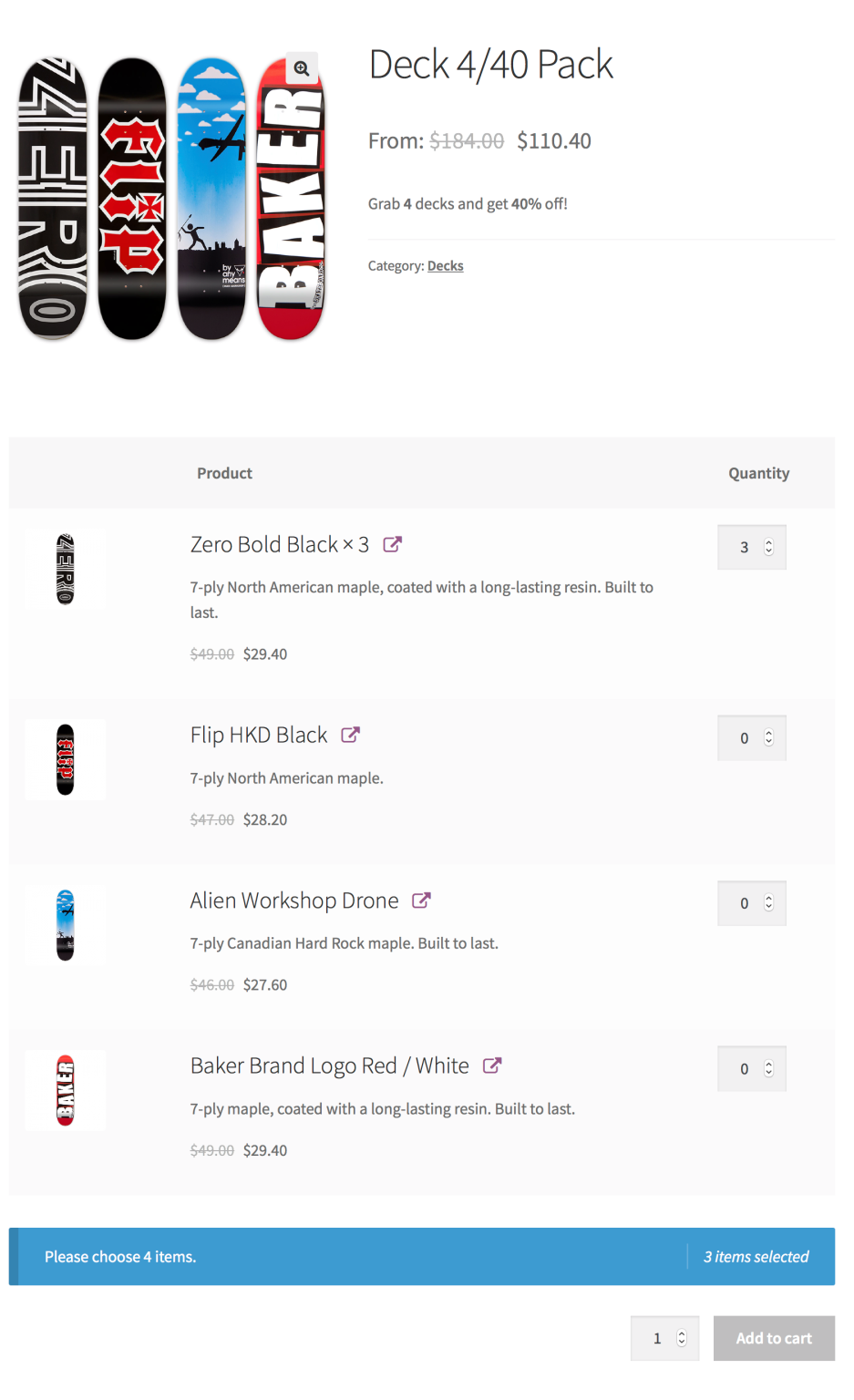
I want to start using Woocommerce Subscriptions, Product Bundles, and All Products for Woocommerce Subscriptions but I can’t get my product page to layout like they have in their example. How can I get my product page to look like this? https://docs.woocommerce.com/wp-content/uploads/2019/10/apfs-use-case-bean-box-product-v.3.0.png
My product page: https://rb.gy/mhnuta (pass: abc123)
Hey ehong33234,
It looks like the default layout is selected in the product bundles: https://woocommerce.com/wp-content/uploads/2012/07/pb_use_case_pick_n_mix_57-1.png
Which option do you have selected within the plugin configuration?
https://docs.woocommerce.com/document/bundles/bundles-configuration/?_ga=2.94018333.185365261.1587387978-1167289908.1582322036#layout-optionsHi ThemeNectar,
Got this theme in 2017 and am still loving this theme in 2020. Many thanks for the wonderful theme and constant updates.
However, after updating with the recent update (v12.0), I dont see the new features added in the changelog? Is it because my WordPress version is not up to date (v5.4)? My web host dont plan to update our PHP..
Thanks & stay safe, Leonard
Hey leonardlyz, thanks a lot!
After updating the theme, make sure you also update the included Salient plugins to their current version as specified in the “updated” section of the changelog.
Hope you’re staying safe as well
Oh yes got it alr thanks a lot!
For WordPress it can be found at Appearance > Themes > Plugins.
Thank you once again.
You’re, welcome leonardlyz
When a user clicks a portfolio thumbnail, I would like the user to be directed to a specific anchor on the single portfolio page. I would like this to be done on every portfolio thumbnail using the same anchor name. Is that possible? Thanks!
Hey lindsayclineco,
This would require a modification to the salient-portfolio/includes/frontend/shortcode.php file
Within that, near line 216 (depending on your version) there a line which can be altered to globally apply the change:
$the_project_link = (!empty($custom_project_link)) ? $custom_project_link : esc_url(get_permalink());
Cheers
hello want your topic. But I wanted you to have this kind of header as in the picture https://www.evernote.com/shard/s246/sh/82d4de5f-df62-7d7a-ab52-31e656c78622/392109fcf9abadbf0c4bc5dc88e41a15 That is, the content is full width and the Boxed header?
Hey alexandrio10,
Unfortunately Salient does not include a header design such as that. It would require some custom CSS.
Ho wow… great update!!! Thanks a lot for supporting this theme! Great great job!!! Stay Safe!
Thanks a lot, barreoblique :)
Hope you’re staying safe as well!
Hello, I updated your theme to 12v. if I am using Child theme will it follow up? I can’t see new options. Thank you.
Hey Fixedman,
Depending on what version you’re updating from and what you actually have in the child theme will determine if you need to update anything within it. If you’re not seeing new options after updating, you likely need to also update the included Salient plugins as well.
Cheers
It was last one 11. something, Child theme is 1v, I have no option to update plugins.
nvm, found it! Thank you
Glad to hear, Fixedman :)
Bonjour comment faire l upgrade de 11 a 12 si deja installer merci
Hey videofuzion, you can use any of the update methods listed in the documentation here:
http://themenectar.com/docs/salient/updating-salient/Cheers
merci
You’re welcome videofuzion
Hey Phil. Thank you again for another amazing update. Really appreciate all of your hard work and effort. Hope you keep the updates coming. Congrats!
Hey joe88, Thanks for the kind words!
I’m happy to share it with you all
Cheers
I’ve bought this theme a million years ago and never ever had I regret it. Awesome job, boys
That’s truly awesome to hear, PapaJohns
Glad you’ve been enjoying Salient!
Amazing new update guys… some huge game changers in there! Setting padding/margins etc specific to each device is HUGE.
Just one thing we’ve noticed for the bug list – on the add social buttons element in VC, there’s no option for Instagram, it’s missing. There’s also no social icons widget for the footer – would be really helpful!
Thanks createdesignsuk!
It’s been a long time in the works and I’m excited to finally share it with you all.
I’ve noted your request for the wishlist
Cheers
wellness
Hi again!
I have a question. Before, when I used the Agency theme with video (webm file) background in the hero space, it worked on both desktop and mobile. But now when I tried the Corporate 3 theme and used the video background (same file), it doesn’t show on mobile.
(1) How to fix above mentioned issue? Seems like a general problem for this specific theme.
(2) Also, how would I fix the styling so the hero text has the same styling as in the Agency theme, but in Corporate 3?
(3) And lastly, when I upload a logo same logos that I use in Agency, the logo is really small on desktop, even though I have both a retina version and smaller. I tried different sizes of the logo, but it’s small all the time. How to sort this out if this is something that happens in general in Corporate 3?
Thank you so much for a great theme! Would really appreciate if you help me out here.
Mr. Cross
Hey Mr. Cross,
1. As long as you do not have the option enabled titled “Disable Parallax Backgrounds On Mobile Devices” in the Salient options panel > general settings > functionality tab, the video should play on mobile. If that’s not enabled, please share your page URL
2. You would need to apply the same typography settings to the H1 tag via the Salient options > typography > general HTML elements tab. The Font family used in the Agency demo is called “Playfair Display”
3. The logo display size is constrained by the “Logo Height” field in the Salient options > header navigation > logo & general styling tab. Simply add in your desired height into that field.
Cheers
(1) Thank you!
(2) Ok. Best!
(3) You really are great. Do you know that? I’m gonna recommend you to all my clients.
(4) Bigger issue: Look how the site looks completely different on different computers and devices (one looks like blog, other as it is supposed to).
As it should on desktop, Macbook Pro, Chrome: https://ibb.co/MgbsFww As it should on mobile Samsung Galaxy S8, default browser: https://ibb.co/rx6QNJM Completely different on mobile, other Samsung Galaxy S8, Chrome: https://ibb.co/znBZCML Completely different on desktop, Windows, Chrome: https://ibb.co/L6khLcQOn the windows desktop, in Internet Explorer, the hero part (video) doesn’t fill the height of the screen properly. Looks cropped.
The address is: nyskaparna.se www.nyskaparna.se
What is making this happen/how to fix this?
Cheers
Thanks crosslateral
1. The screenshots you’ve shared where the site doesn’t look right is actually not using Salient, but instead is loading the default WordPress theme “Twenty Twenty”: https://wordpress.org/themes/twentytwenty/ I would suspect that somehow the default theme is hard cached in your setup or something else is causing it to load on your server when you’re not logged as an admin.
2. Can you provide a screenshot showing what you’re seeing on IE and also let me know the version of IE you’re testing with?
Thanks in advance
Hi again and thank you for helping!
This is really strange.
(1) Cleared cache in Safari on my MBP and got this:
MBP Safari after cache was cleared: https://ibb.co/KzsT61SThis is still how it looks on one mobile and not the other, both Samsung Galaxy S8, but one in Chrome and one with default browser (!).
I cleared cache on the Windows computer and not it looks pretty OK, but instead the above mentioned issue on MBP Safari occured.
Windows 10 Chrome: https://ibb.co/SRd2ypf Windows 10 Microsoft Edge, version 44.18362.449.0: https://ibb.co/hmKxNsG(2) How to make the video fill the height of the screen in all browsers?
Cheers and thank you so much for helping me, because this is really frustrating!
Ah, I found something.
(1) The other template is used when “http” (and www directly) instead of “https” is entered. So when I type in http://www.nyskaparna.se I get the other template and when I type in https://www.nyskaparna.se I get Salient. Do you know how to fix this?
(2) Still the issue with video height though.
(3) And in Safari, although Salient is loaded, the video is not (it loads in other browsers).
Cheeers!
Found something again.
(1) Might have been a cache issue. Do you only get Salient loaded when entering http and https?
(2) Still an issue with video height: How to make it fill the whole screen on landing (like Agency theme) so it works in all browsers?
(3) Still an issue (video not loading in Safari).
(4) Noticed that in Agency there is a nice arrow down button on video. How to add this to Corporate 3?
(5) If you visit nyskaparna.se on mobile device (screensize Samsung Galaxy S8) and press the burger menu, the “E:” and email afterwards breaks in two lines (design bug). How to sort this out?
Cheers!
Hey crosslateral,
1. The caching that could cause an entirely different WordPress theme to appear activated would not be related to the browser cache, but rather server cache. In the case that two seemingly separate installations are being used for http/https, you’ll need to contact your hosting provide in regards.
2 & 4. Remove the row, and instead use the page header meta with the “fullscreen Height” option selected: https://ibb.co/H2zk72S
3. You need to provide a .mp4 version of the video for Safari playback – .webm file types are not supported in that browser
5. Add this into the custom css box located in the Salient options panel > general settings > css/script related tab:
@media only screen and (max-width: 450px) {
#slide-out-widget-area.slide-out-from-right {
    padding-left: 40px;
}
}
Thank you so much!
Only crux left now is: (3) Also have a .mp4 version now. How to make site play mp4 if Safari and .webm for all other browsers?
You are geniuses for making such a great product!
Mr. Cross
You’re welcome Mr. Cross
If you supply both file formats, the browser will automatically determine which to play.