

38439 comments found.

Hi! Thank you for the best theme on Themeforest. 
One question: In the theme Corporate 3, how to make team member infos popup instead of being on separate page?
Like this consultancy firm (inspiring). Scroll down for team members and click: https://www.cupole.se/who/Cheers!
Hey crosslateral!
add this into the custom css box located in the Salient options panel > general settings > css/script related tab:
@media only screen and (min-width: 1000px) {
body .nectar_team_member_overlay {
    opacity: 0;
    pointer-events: none;
    max-width: 1000px;
    height: 50vh;
    box-shadow: 0px 20px 70px rgba(0,0,0,0.3);
    transform: translateX(-50%) translateY(-50%)!important;
    top: 50%;
    left: 50%!important;
    transition: opacity 0.6s cubic-bezier(.2,1,.2,1);
}

body .nectar_team_member_overlay {
    opacity: 1;
    pointer-events: all;
}

}
Cheers
Hey team!
When I insert the code, the content is really off proportions.
In the popup, how to:
(1) make text area 70 % and image area 30 % of popup width, (2) shrink the padding so the text uses more of the text area width and (3) shrink the text sizes (the two headings and body text) and social media icon size in that popup?
Cheers, Mr. Cross
Hey Mr. Cross, you can add this in as well for that:
body .nectar_team_member_overlay .team_member_details {
  width: 70%;
  padding: 5%;
}
.nectar_team_member_overlay .team_member_picture {
  width: 30%;
}

.nectar_team_member_overlay[data-style="bio-fullscreen-alt"] .team_member_details h2 {
  font-size: 24px;
  line-height: 1em;
}
.nectar_team_member_overlay.open .team_member_details .team-desc {
  font-size: 14px;
  line-height: 2em;
}
.nectar_team_member_overlay .bottom_meta a i {
    font-size: 20px;
}
Hi,
I have turned off the “Force Dynamic CSS to Inline In Head” option but I am still getting this huge CSS. https://imgur.com/a/CP3LuxG
I can cut some of it down if I turn off the transparent header, but I need that for the look I am going for.
But even if I turn it off, there is a still a huge CSS in the code.
How can transfer all this into an external file? The theme options do not have such setting.
Can you please add an option? I see that a lot of people were asking for this in the form.
Thanks
Hey toolbox101, the CSS which remains in the head should be less than 8kb and is needed for dynamic theme options that change on a page by page basis. The bulk of the other global dynamic CSS, created based on theme options, is stored in salient/css/salient-dynamic-styles.css. The only way a large amount of CSS would be stored in the head is if your server is unable to write to that file (it would go to the head as a fallback). From the looks of your screenshot, that is not occurring.
Hello,
When we set Header Permanent Transparent to On, Off Canvas Menu as well as a button pulled to the right (menu) stops working on Desktop resolutions (it’s not clickable). Mobile is fine. It worked well before v12 update.
Any ideas what’s going on?
Apparently, it has something to do with:
body[data-bg-header="true"] #header-outer[data-permanent-transparent="1"].transparent {
pointer-events: none;
}
I have changed this to:
body[data-bg-header="true"] #header-outer[data-permanent-transparent="1"].transparent {
pointer-events: auto;
}
and now works as intended where Off Canvans Menu is again clickable along with the menu button.
Hey freschstudio, I’d be glad to take a look if you can share the URL in regards. Are you also unable to click on the menu within the new demos using the permanent transparent option?
Update – I just tracked it to specifically the “right-aligned-menu-items” div, thanks for pointing this out!
You can also correct it before the next release by using the following:
#header-outer .right-aligned-menu-items {
 pointer-events: all;
}
Cheers
No problem, glad we could help.
The code you have provided also works as a fix, thanks!
You’re welcome freschstudio
Hello, on the split full screen menu, where can you add text on the right side? I can not seem to find it.
Also, love the 12.0 update. There are some cool new features! Keep up the great work.
nevermind. found it
Thanks clixgroup!
For anyone else wondering, it’s populated from the “Off Canvas Menu” widget area in Appearance > Widgets.
Cheers
How do we contact you guys without having an account?
Hey kitebud,
You can use the contact form on my author page https://themeforest.net/user/themenectar
Cheers
I’m trying to build a homepage like Simple Blog except showcasing pages I select instead. Your theme says it uses WP Bakery which is capable of doing this using the Post Grid element. However, in your Nectar version of WP Bakery the Post Grid element only allows Blog Posts or Portfolio posts.
How do I get this to work with the pages instead?
Hey dotdragon,
the Post Grid in Salient is a completely different element despite sharing the same name as the raw WPBakery element. Adding a new post type into the element would require copying the post-grid template file into a child theme and adding the option into the query.
http://themenectar.com/docs/salient/overriding-salient-wpbakery-element-template-files-through-a-child-theme/I’m not trying to override anything, I just want to make a homepage that uses Pages instead of Posts in that masonry format, is that possible?
There’s no option to query for pages in the Salient post grid element, so adding that functionality would require overriding the existing element file currently. However, I’ve noted to add such functionality into Salient in a future release.
Hope you are well. We are currently running WP 5.4 with Salient theme v12.0; WooCommerce 4.0.1 & WooCommerce Square 2.1.1. Since upgrading to WooCommerce 4.0.1, we have received the error: outdated copies of some WooCommerce template files. Specifically this template: salient-child/woocommerce/single-product/related.php version 3.0.0 is out of date. The core version is 3.9.0 Please advise on if there will be a future Salient update to address this error. Thank you for your time.
Hey bluedirtgirl,
I hope you’re doing well also
The notification you’re getting is related to a template override you have in your salient child theme. You’ll need to remove or update that file from your child theme in order to get the error cleared (or activate the parent theme). The Salient core theme does not include an override for that file. It would appear that someone who worked on your site in the past created that override for you.
Thank you! Keep well.
Glad I could help bluedirtgirl
Hey there. i have a couple quick questions. First, can you suggest a twitter plugin that works best with your theme? Would be awesome if there was one built-in with your cool styling.
Next question… how can I make my footer full width while keeping my copyright border set to container-width?
Thanks!
Hey arteest!
1. Unfortunately I don’t have a specific plugin to recommend for twitter, but if you encounter any styling conflicts just let me know.
2. If you already have the full width footer layout activated, add this into the custom css box located in the Salient options panel > general settings > css/script related tab:
#footer-outer[data-full-width="1"]  #copyright .container {
  max-width: 1400px;

}
Cheers
Hi ThemeNectar,
Amazing theme!
Quick question, I am trying to set up a page similar to this: http://themenectar.com/demo/salient-ascend/portfolio-fullwidth-masonry/
but with profile pictures that would link to a users Instagram account. Is something like that possible? In my mind I was thinking of using the ‘Team Member’ feature but can’t see a Masonry display option for that.
The layout will appear on this page: https://evermaven.agency/mavens
Also, if it possible for the opacity box on the left to stay full height or match the height of the column on the right?
Your help an insight would be greatly appreciated. Many thanks.
Best, Alan
Hey Alan!
1. If you use the portfolio post type for this, in each project you could specify the instagram link by using the “external project url” field: https://ibb.co/7Vjpyrq
2. If you set the parent row to use equal height columns, the column heights should remain the same
Thank you for your reply I really appreciate it.
Is this not something that can be done with the Team Member feature or another method so I do not have to create 10-20 portfolio pages?
Best, Alan
Hey Alan,
There’s no option to use a masonry layout with the team members. If you do not need the masonry aspect, it would be easiest to just use a fancy box
Cheers
Hi, I’m planning on renewing my support license, but had a quick query.
I wanted to know whether we can configure the Salient theme to achieve a similar clean look as per the below website (mainly for the blog pages)
BLOG LIST PAGE : https://vtldesign.com/vital-blog/
SINGLE POST : https://vtldesign.com/digital-marketing/digital-marketing-strategy/how-to-write-marketing-plan-template/
Thanks
Hey mohammed_burhani,
You can achieve something similar, but not exactly. For example, Salient doesn’t have a single post layout like that where the sharing toolbox is fixed to the screen. You could achieve a home page that functions in a similar matter by using multiple blog/recent post elements on the page. Our recent blog demo uses the same method: http://themenectar.com/demo/salient-blog-ultimate/Hi!
Thank you for a great theme. I have a question:
In Corporate 3 and team members on the page, under Team Member Settings, I am trying to set email address as “Social Link”. Have tried with and without “mailto:”, but nothing works. How to fix this?
The best, Mr. Cross
Hey Mr. Cross!
Could you share the URL that shows the issue when using mailto:
Thanks in advance
Hello, I cannot seem to get the bold single testimonial to display smaller font size on mobile:
    @media only screen and (min-width:400px) and (max-width:600px){
#ajax-content-wrap .nectar_single_testimonial[data-style] p {
  font-size: 25px!important;
        line-height: 30px!important;}}
This would be ideal to be coded into the element so it’s responsive. Can you advise?
https://solocedar.com/Hey liamsiviter,
I copied your custom CSS into a local setup to take a closer look – it appears as though you have some syntax errors in CSS rules above the testimonial rule, which are preventing any CSS below from processing. Please correct or remove the following items with red x’s in the css box: https://ibb.co/SVLWKkZ
I’ve also noted to correct this font issue in the next release.
Cheers
Hi, I’m loving the v12 update! But is there a way to take out the newly added “background glow/shadow” of the Fancy Boxes when choosing the Color Box Hover Effect? I strongly prefer what it was like in the previous versions, but I see no option to change it back. Thanks!
Hey j0nthn, great to hear!
Can you share your URL in regards so that I can take a look? That fancy box style always had a box shadow applied when on the hover state, or at least it should have been displaying one. I’m wondering if something in your setup prevented that.
Thanks in advance
Hi! It’s on marketyze [dot] io. There are several fancy boxes there with a bright orange shadow now. Never had any shadow before the update.
Even if there is supposed to be a shadow, is it possible to take it out? That would be great.
Hey j0nthn! You can remove it by adding this into the custom css box located in the Salient options panel > general settings > css/script related tab:
body .nectar-fancy-box[data-style="color_box_hover"]:before {
  display: none;
}
Cheers
Thanks! That fixed it
You’re welcome j0nthn
Hey guys!
For Corporate 3 theme, how do you change color for anchored links, for instance “View Services” and “Meet the team” in the body of the site? Can’t find it in the Salient Options panel, have looked under several sections.
Cheers and keep up the good work!
Hey crosslateral!
Those two links are created through the “Call to action” page builder element, which can coloring options directly inside of the element settings.
Cheers
Can you please show where to find the settings? Would really appreciate it!
Cheers
(Would it be a nice suggestion in coming version/update to have styling for that text somewhere more convenient, for instance the Salient options panel? If possible! )
Hey crosslateral!
Please see the following in regards: https://ibb.co/RTKDbDL
Big Please Feature Request:
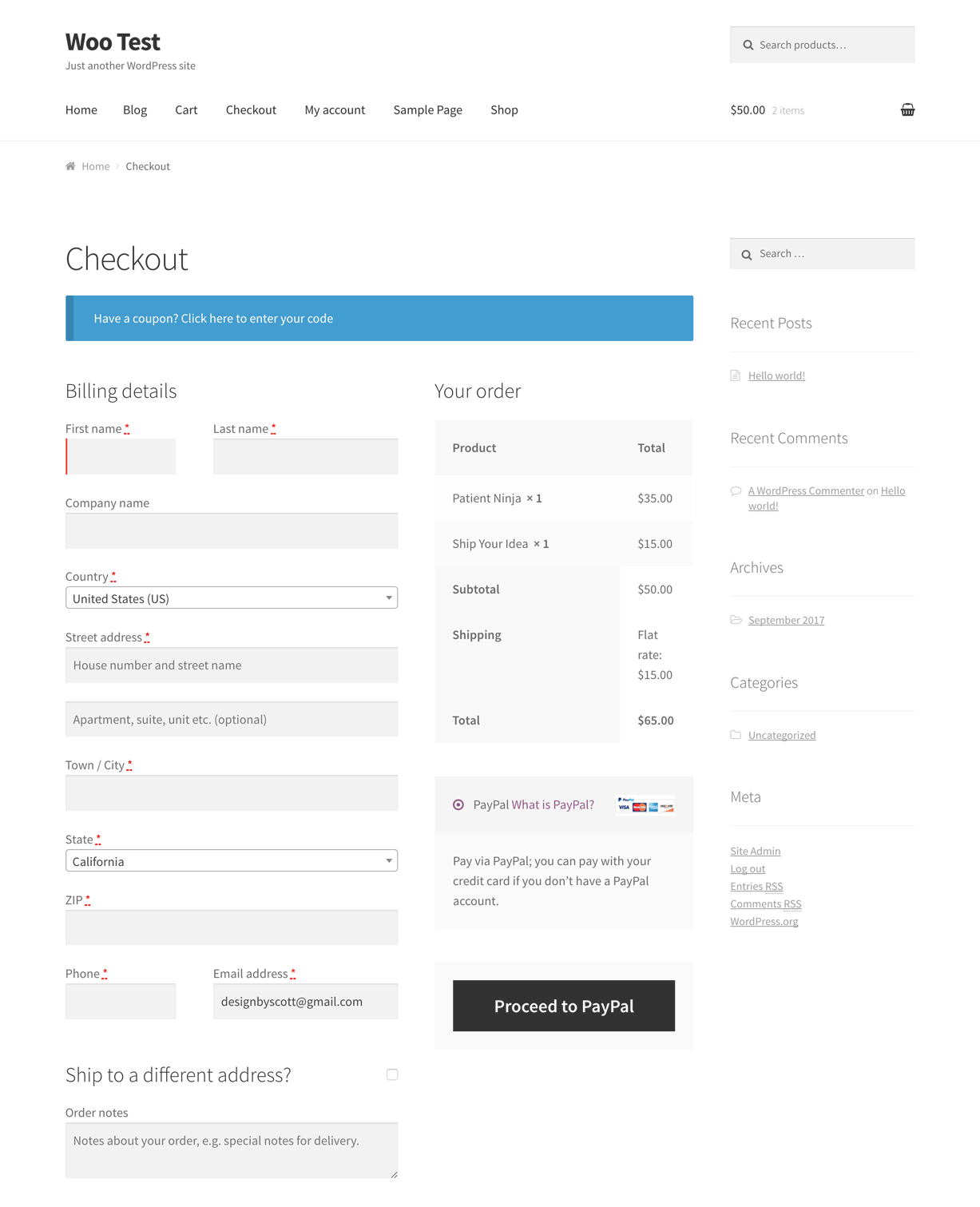
The checkout page kinda sucks it would be fantastic if there were some more layout options. With clear fields and sections. Scrolling through billing details, address, Shipping options and then payment selection. Clear design for payment options would be amazing current radio buttons aren’t very good. Clear boxes in columns would be much better.
With the current design keeping the right hand “order summary” bar sticky while the details on the left scroll would be a great start.
If the design/layout isn’t controlled by the theme please let me know.
Hey MarcGarner,
The checkout page is mostly controlled through WooCommerce in terms of the layout. We’ve only modified minor things to match Salient better. Here’s the default checkout template
I’ve noted your requests
Hi there is a bug in the New Vertical Sticky Scrolling tab. If you put a call to action with an arrow, the arrow gets messed up. See it here https://imgur.com/a/cRugGDW
And the button is not even clickable
Buttons also have an issue, see it here https://imgur.com/a/lbhCI1M
I have also tried putting a regular link, does not work.
Can you please provide a fix? thanks
Hey toolbox101,
the fix for that will be included in the first minor release. If you’d like it early, please reach out via the contact form on my author page https://themeforest.net/user/themenectar
Thanks, I’ll wait for the fix.
Will the Post Grid’s external projects not opening in a new link also be fixed with the next update?
Hey toolbox101, we’ll include an option for that.
guys, awesome theme! When I click on “More posts by Author” in the blog area I get to a page where I can’t change the header image. How am I able to change the header image of a specific author and his posts?
Thanks titansdesign
For now that would require custom CSS. You can add this into the custom css box located in the Salient options panel > general settings > css/script related tab and modify to fit your site:
.author-YOUR-AUTHOR-NAME #page-header-bg .page-header-bg-image {
  background-image: url(IMG.JPG)!important;
}
Cheers
is this correct?
.author-PDG #page-header-bg .page-header-bg-image { background-image: url(‘https://perspectives.princetondg.com/wp-content/uploads/2020/04/image-3.jpg')!important; }
somehow not working …
also, how do i update it for multiple authors?
Hey titansdesign, Here’s an example snippet for 2 authors:
.author-pdg #page-header-bg .page-header-bg-image {
  background-image: url(https://perspectives.princetondg.com/wp-content/uploads/2020/04/image-3.jpg)!important;
}

.author-chris #page-header-bg .page-header-bg-image {
  background-image: url(https://perspectives.princetondg.com/wp-content/uploads/2020/04/image-3.jpg)!important;
}
Also, the default image used on all archives can be defined by you in the Salient options panel > blog tab via the “Archive Header Background Image” option
SUPPORT for DEMO site I renewed my support with you guys. Doesn’t show a new “lic code” for me to submit a new ticket.
here’s my q:
My site has been running on the very first (legacy) demo design of salient for a while. I want to change it up, using different parts of ur different demo sites.
1. Is it possible to import (certain) pages of your demo sites (ie. index page and subsequent pages of (porfolio) “CREATIVE PORTFOLIO” & (blog business) “NONPROFIT” without it being implemented or over-writting what I currently have?
- in other words, just import these pages just as drafts so that I can see how it is done, then replicate?
2. If possible to import pages without over-writting current, how do I do it?
- A long time ago, it was imported as XML. But now I don’t see the option there.
3. Can the “CREATIVE PORTFOLIO” demo be repurposed as a biz site, w/ a portfolio in a separate tab?
Please help.
Thank you
Hey meic01m
The license code can take an hour on Ticksy after renewing to refresh – I responded to your ticket over there in regards.
Cheers
thank you!
You’re welcome, meic01
I am trying to figure out why the titles/descriptions are working for some images but not others at the bottom of my image gallery lightbox view. Here is the site I’m referring to: http://jennytraynham.com/#work.
See screenshots below for reference:
https://www.dropbox.com/s/os0dg5kf72×8c91/Screen%20Shot%202020-04-22%20at%2011.20.34%20AM.png?dl=0 https://www.dropbox.com/s/apn25o9mq3b0hh9/Screen%20Shot%202020-04-22%20at%2011.19.37%20AM.png?dl=0
Hey bentraynham, make sure you use the HTML symbol for quotes in that are in captions so that they can parse within the lightbox HTML correctly. It looks like some of your paintings are using a standard double quote instead of an HTML entity
Oh yes, that did it! Thank you so much for catching that!
Glad I could help, bentraynham
What specifically is “remove default portfolio single project header” meant to do? I’ve enabled it but all my project pages still have the header – with image and centred text displayed over it – as before.
Examples would be really helpful in the update notes, it’s often unclear what’s meant to happen or what needs to be enabled/disabled elsewhere for it to work.
Hey Millionsknives, Have you updated your Salient Portfolio plugin to the current release (1.5)? If so, that option should indeed be removing the header without you having to do anything further. If you’re already updated, please share your URL in regards so I can take a look.
Thanks in advance
That fixed it, thank you. I only updated the Core plugin, I didn’t even know there was one for Portfolio!
Glad that fixed it for you, Millionsknives





!important;)

