5232 comments found.

is your theme compatible with visual composer, or WBakery or both of them?
Hi,
WP Backery 
All the Best UT
I’ve logged into your support site but there is no where to contact you for support? the installation of a demo hasn’t worked and is showing twice the menu items and UT lines all over the site?
Hi,
please open a thread about your issue here: https://helpdesk.unitedthemes.com/index.php/ThreadAdd/2/ Our support will get in touch with you then.
All the Best UT
Hi,
Is it possible to change the order of the portfolio items by either date or title?
Hi,
you could use a plugin such as: https://de.wordpress.org/plugins/post-types-order/ for this approach.
All the Best UT
Hi, Looks like Brooklyn suffers from an issue after updating to WP 5.5. ‘Syntax error, unrecognized expression: .logo a[href*=#]’. The following temp fix works but a proper update would be appreciated
https://support.yithemes.com/hc/en-us/articles/218754127-WordPress-4-5-Uncaught-Error-Syntax-error-unrecognized-expression-a-href-not-href-Hi,
are you on the most recent version of the theme? Because this has been addressed a long time ago.
Kind Regards UT
Hi. I have tried and tried but keep getting an issue with text style on certain pages. Seems like a CSS issue. www.boxob.co.uk Main page is fine but when I go to news or portfolio the text looks like it hasn’t applied the styling to it? Please help
Theme Support
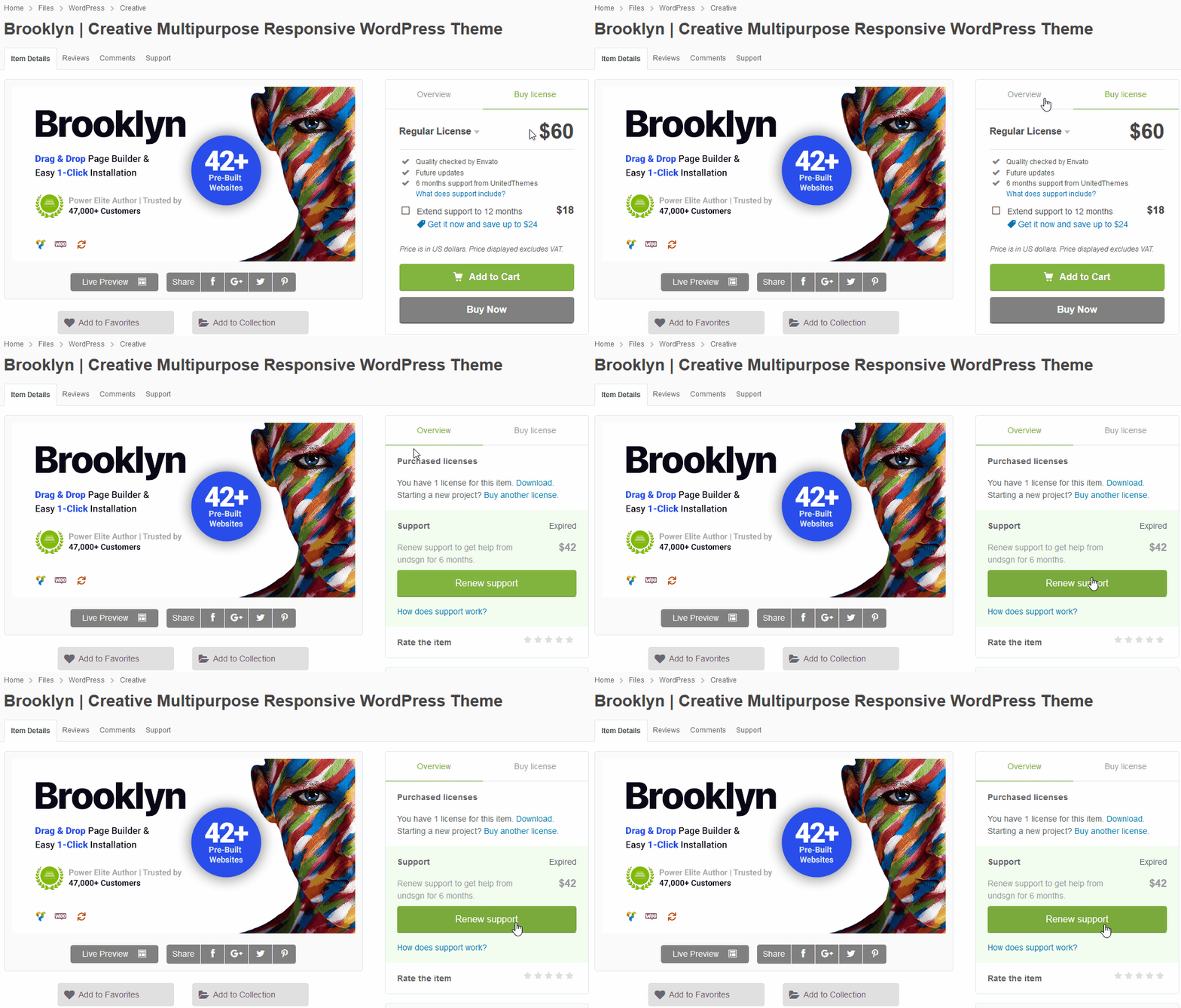
We consider support as important as our theme development. If you need help, get all of your questions answered quickly with exclusive access to our dedicated support forum. It’s free (you need an active support subscription) and easy to use. If you have any pre-sales questions, please post them here in here and we will answer them promptly.
…………………………………………………………………
Register for the United Themes Community
Support Forum
Renew Premium Support
Register here
Find your Purchase Key
…………………………………………………………………
We’ll see you on the inside,
Thank you very much
UNITED THEMES™ Team
So it’s not free then is it? Why are you answering other questions yet an old customer who still purchased your theme and needs support you don’t? Mmm…
Hi,
all requests are channeled in our support forum. Because this comment section is not intended to deal as a customer support area. Its missing features etc. Your inquiry does not contain any valuable information about the issue you have. No screenshot, no browser information etc. This makes it very difficult to provide any proper support. You can still post with an expired status in our forum. Means if the issue you report is a theme issue, you will of course receive free support.
All the Best UT
Will you be updating the changelog for the latest theme update? It has been out for weeks now, but no changelog entry has been posted.
Hi,
yes we will post it soon. It was basically a single line of code to bypass the Wordpress Core Bug of broken localized vars attached to jquery enqueue. See: https://core.trac.wordpress.org/ticket/50919
All the Best UT
Looks like still no changelog update. Can you please post it?
Hi! I have a question. Can I use the theme with Wordpress 5.5 and PHP 7.4? Thank you for an answer. Regards
Hi,
please stick with 7.3 until we release the next update.
All the Best UT
Thank you for your answer! I will do! Regards
Hi, I am getting a XMLReader issue when trying to use the demo importer. Is there something wrong with the XML and is there a manual option?
Theme Support
We consider support as important as our theme development. If you need help, get all of your questions answered quickly with exclusive access to our dedicated support forum. It’s free (you need an active support subscription) and easy to use. If you have any pre-sales questions, please post them here in here and we will answer them promptly.
…………………………………………………………………
Register for the United Themes Community
Support Forum
Renew Premium Support
Register here
Find your Purchase Key
…………………………………………………………………
We’ll see you on the inside,
Thank you very much
UNITED THEMES™ Team
Does the theme automatically install 45 different pages for each demo option, or can you choose which demo page(s) you want to install? I’m hoping to not add a ton of bloat to my site (even if it’s just in the backend). Thanks.
Also, you say your theme is built for speed, but I just ran several sites listed in your showcase on Google PageSpeed, and the average speed was 8 out of 100.
Hi,
each demo is a single website you can choose. Means if you install #45 you get what’s on demo #45. About the website speed. Not all demo websites are currently optimized. We also recommend using GTMetrix, since its more detailed and readable. For example: https://gtmetrix.com/reports/themeforest.unitedthemes.com/mBBqh5Xl
Kind Regards UT
Hello,
I have a problem with the hero video displayed on the home page. I don’t understand why there is a zoom effect. I’m importing a 1920px wide video and I can’t see it at 100% height.
I tried everything: changed the dimensions of the video, enlarged the width of the pages (from 1340px to 1920px), set the hero video to “full width” or “grid based” and whatever I do, the zoom effect is present. An idea ?
Also, I read in a comment that we could “force” the display of the video hero on mobile device for the “self hosted” videos during the next update. Is this still expected? I saw the option only for Youtube links.
Thanks a lot for your help. PS : Excuse me for my english ^^
Christine
Theme Support
We consider support as important as our theme development. If you need help, get all of your questions answered quickly with exclusive access to our dedicated support forum. It’s free (you need an active support subscription) and easy to use. If you have any pre-sales questions, please post them here in here and we will answer them promptly.
…………………………………………………………………
Register for the United Themes Community
Support Forum
Renew Premium Support
Register here
Find your Purchase Key
…………………………………………………………………
We’ll see you on the inside,
Thank you very much
UNITED THEMES™ Team
Ok. So, yesterday I created a post on the forum. Thank you for your reply.
Hi,
you received an answer in the meantime.
All the Best UT
Hello, can you please make the theme update via the wp-admin or post the explanation of how to make the mobile menu show up here? Mobile menu shows fine on my site on inside pages but not on the homepage. Using version 4.0.2.
Hi,
since we don’t have a website URL it’s hard to tell why it’s not working.
An auto updater is available with a later version of the theme. You need to update manually first.
The easiest way to update the theme via FTP:
1.) log in to themeforest
2.) go to your downloads section
3.) download all files (you will automatically get the most recent version)
4.) unzip
5.) upload the “brooklyn” folder into the following folder on your FTP server wp-content/themes
6.) after you have uploaded the entire folder the theme itself is up to date
7.) go to “Appearance” -> “Install Plugins” and hover each plugin name, if a link appears which is called “update” hit this link to update the plugin
Done!
Now go to Brooklyn > Licensing and activate the theme for future updates. However, before attempting any updated, please make an entire site backup.
All the best UT
Hello, I was able to fix the problem by installing the “Enable jQuery Migrate Helper” plugin. Thanks for the response though!
hello,
strongly considering Brooklyn for a photo-centric project. so, now I am trying to get an overview of different options to include captions (to photos / galleries – not hero images or other higher level elements).
– can you point me to somewhere where I can see (all) the options the theme provides? best would be seeing it in actual use/rendering
thx ahead! oliver
hey United!
– seeing your answers below, I just wanted to make sure you saw my question
thx again for any feedback!
Hi,
that depends on your needs at least. If you browse our live demos you can see all available image presentations. If something is not shown or you can’t find it in first place, let us know, and we tell you if this is covered or not.
All the Best UT
Hi, I downloaded your updated version and tried to install to Wordpress. But it says “The package could not be installed. The theme is missing the style.css stylesheet. Theme installation failed.” Please assist on this even though I purchased this theme some times ago and my support is expired, because clearly this is your file got problem. Thank you.
Hi,
Missing style sheet error when installing the theme
A common issue that can occur with users new to installing WordPress themes is a “Broken theme and/or stylesheets missing” error message being displayed when trying to upload or activate the theme. This error message does not mean that the theme you have purchased is broken, it simply means it has been uploaded incorrectly. Luckily, there is a very easy fix.
https://help.market.envato.com/hc/en-us/articles/202821510All the Best UT
Thanks for reply. So that means I installed brooklyn.zip only, correct? What’s brooklyn-child.zip for? Should I installed brooklyn-child.zip too?
Hi,
yes install the inner brooklyn.zip only. A child theme is optional, you can learn about child themes here: https://developer.wordpress.org/themes/advanced-topics/child-themes/
Hi,
The mobile menu is not showing despite having the correct settings. Here is the website address www.dts.am. Please can you let me know what is the issue here?
Thanks and appreciate your support.
Can I get an update please, this is urgent.
Hi,
please update the theme to the latest version as well as all plugins. Your version is outdated. You can obtain the latest version by opening your download area here at theme forest and re download the theme. Make a backup before performing the update.
UT
Is there an alternate solution like a quick fix using CSS? or any specific plugin? I’ve made some changes to the theme so I might lose all of that.
Hi,
this is not solvable with CSS since the JS is not triggering at all. You can send us an admin login via profile, make sure we have access to Appearance > Editor – so we can try to find out why its not firing at all.
https://themeforest.net/user/unitedthemesAll the Best UT
Thank you, I’ve sent you a message on your profile. Looking forward.
Hi,
alright. We applied the code from the most recent version of the mobile menu JS, that fixed the issue.
Have a nice day.
All the Best UT
Thanks, but I still don’t see the mobile menu, it seems it is triggering but not loading.
Hi,
did you clear the cache properly? The menu now definitely works.
Yes, thank you it worked. Amazing support.
You are welcome
Feel free to drop us a positive rating in return. That would mean a ton to us.
Best UT
Hi – I am thinking of buying this theme, but I can’t find any woocoomerce or shope page in the demos. Is this theme ready for shops? Is there any sample?
Hi,
yes it’s fully ready for woo commerce, it also has cart features for header and top header. An example shop will be released with the next update.
All the Best UT
How to make smooth scroll animation of top header like this:
https://themeforest.unitedthemes.com/wpversions/brooklyn/demo42/Theme Support
We consider support as important as our theme development. If you need help, get all of your questions answered quickly with exclusive access to our dedicated support forum. It’s free (you need an active support subscription) and easy to use. If you have any pre-sales questions, please post them here in here and we will answer them promptly.
…………………………………………………………………
Register for the United Themes Community
Support Forum
Renew Premium Support
Register here
Find your Purchase Key
…………………………………………………………………
We’ll see you on the inside,
Thank you very much
UNITED THEMES™ Team
Hi, I’ve tried to avoid seeking help as I bought this theme some time ago and now only using it but support has run out. I love these themes but I have spent all weekend trying to work this out and it’s driving me insane (I’m very new to wordpress and website building). I am using Brooklyn theme #21 and I cannot seem to work out how to get hero images on the separate pages. I can on the home page using the Theme Option menu and then placing image in Front Page section. The example you have of the guy with the beard is unique in each page. In the metapanel I have set it to use hero image and I have set it to custom and imported file and simply shows black. Can you have a look at www.lifememorials.com.au and advise me what I’m doing wrong?
Hi,
in case you want to display a hero on a sub page, you need to edit the page in backend editor and then scroll down until you reach “Brooklyn Metapanel”. Then in Hero Type you can activate the Hero and also select your desired Hero Type such as video or image.
All the Best UT
Correct, that is exactly what I am doing however as you can see here it will not show the image I have uploaded (correct to size & dimension requirements) https://www.lifememorials.com.au/services/ I have tested video hero and it works when I add a Vimeo link but for some reason Hero Image will simply not appear and keen to have still image rather than video at this stage, and I cannot see what I am doing wrong so I simply have to assume there is an issue somewhere in the code? I changed the background image to blue (from black) just to see if certain changes had impact and that worked, also made connecting dots work so I’m clearly in the right spot but Hero Image simply wont display the image I’ve uploaded. Any thoughts?
Hi,
please drop us an admin login via profile, so we can take a loot at it.
All the Best UT
Hi, to confirm do you wish me to make a login for you via wordpress so you can access site? I assume I will need an email address to do this? Can you advise? (Sorry for my lack of experience here)
Hi,
yes that’s what we asked for, you don’t have to use a real email in this case, more important is that the new account has admin privileges.
Done, I’ve sent you the username and password via your profile. Let me know if you don’t receive. Thanks in advance
Hi,
thanks. We have received the login and drop you an answer soon.
All the Best UT
Hi UT, I’ve sent the CPanel login per second email request but haven’t yet had a reply so just checking in here to see that you’ve received it?
Hi,
yes received. Going to check this right now.
Kind Regards UT
Hi,
thanks we were able to track down the issue. The plugin Shortcodes Anywhere or Everywhere does break the wordpress default function get_post_meta. This caused the issue you experience.
THANK YOU SOOOOO MUCH!!! Champions
You are welcome
Hello – I just loaded the theme and haven’t loaded any other plugins – PageSpeed Score (23%) YSlow Score (53%) Fully Loaded Time 8.6s Total Page Size 5.91MB
I thought this theme page load was fast – Can you explain why is it so slow?
Theme Support
We consider support as important as our theme development. If you need help, get all of your questions answered quickly with exclusive access to our dedicated support forum. It’s free (you need an active support subscription) and easy to use. If you have any pre-sales questions, please post them here in here and we will answer them promptly.
…………………………………………………………………
Register for the United Themes Community
Support Forum
Renew Premium Support
Register here
Find your Purchase Key
…………………………………………………………………
We’ll see you on the inside,
Thank you very much
UNITED THEMES™ Team
Can I set 2 different logos on header and steaky header?
Theme Support
We consider support as important as our theme development. If you need help, get all of your questions answered quickly with exclusive access to our dedicated support forum. It’s free (you need an active support subscription) and easy to use. If you have any pre-sales questions, please post them here in here and we will answer them promptly.
…………………………………………………………………
Register for the United Themes Community
Support Forum
Renew Premium Support
Register here
Find your Purchase Key
…………………………………………………………………
We’ll see you on the inside,
Thank you very much
UNITED THEMES™ Team
Hi, thank you for theme. I have 2 questions.
1. How to change navigation area height in css? (div id=”header-section-lower-area”) 2. How to place logo in sticky header? (style 7) 1. https://prnt.sc/u3u5x9 2. https://prnt.sc/u3u62n
Theme Support
We consider support as important as our theme development. If you need help, get all of your questions answered quickly with exclusive access to our dedicated support forum. It’s free (you need an active support subscription) and easy to use. If you have any pre-sales questions, please post them here in here and we will answer them promptly.
…………………………………………………………………
Register for the United Themes Community
Support Forum
Renew Premium Support
Register here
Find your Purchase Key
…………………………………………………………………
We’ll see you on the inside,
Thank you very much
UNITED THEMES™ Team