5515 comments found.

Hi ! How can I connect my booking or aibnb calendar to the wp rental calendar
Hello. You use the management dashboard and go to edit property -> calendar. Even as single owner, you use the same. Help https://help.wprentals.org/article/icalendar-import-export/
Please use our client support http://support.wpestate.org/ if you need further help. This is also a private support where you can send us your site details (url and wp-admin access). Our standard office hours are Monday – Friday, 9AM-5PM Europe timezone. If you wish my assistance to register in support please send a message from here – https://themeforest.net/user/wpestate
Thank you
Hi Thank you very much !
Hi. Thank you as well for the follow up.
Hello, I am using this system.
I am using this system. When booking a property, payment by credit card is able. But can I make a reservation from points or deposit? Does this system support a point system?
Hi miukun, Thank you for the message. We don’t use “Wallet” style as money is transactioned directly through merchants to admin accounts. Thank you
Thanks for the reply.
I understand that there is no wallet-style support. Is there any plan to be loaded in the future? Or do you have plans to work with the wallet plugin?
Hi Miukun, We don’t have any plans at the moment for such an addon. I will save your feedback to wishlist for now. Thank you
Thank you for adding it to your wish list. I hope your product will develop further.
Thank you for your support.
Hi,
I have some pre-purchase questions. For direct use/operate by property owners (sole agency / single agent) – internal use only, does WP Rentals support these;
→ accept payment from property renter via WooCommerce PayPal/Stripe ?
→ WooCommerce Discount Code Implementation (discount code generated by WooCommerce) ?
→ monthly basis rental, not daily.
→ multi currency? i.e. SG$ (Singapore Dollar) / IDR (Indonesia Rupiah) ?
→ video & 3D Tour for properties?
Thank you.
Hi IDPLUS-id
Thank you for the message.
1. You can allow renter to pay Via Woo Commerce the deposit required for booking to be confirmed. Demo with Woo Enable https://demo1.wprentals.org/
2. If you use the Woo Coupons on checkout, they will apply with the note that discount codes will not sync in the invoices generated by the theme (which show in user dashboard at all times). They will show only in woo generated invoices (sent to renter by email or in wp-admin -> orders for admin)
3. We do not have monthly rent support. Only day or hour
4. You can only display prices in different currencies. Payments are processed in 1 currency (which you choose)
5. We have 3rd support as embed option. You can add the virtual tour iframe in a dedicated field and will show like this https://main.wprentals.org/properties/west-town-3rd-floor-dorm/
Thank you
Dear WPRentals Team,
Your theme looks awesome and exactly what I am looking for,
May I please have a question before buy your theme for my clients,
Is it possible to add or remove fields on the booking form ?
We wish to add : Member’s club number, Referent name, Email, Phone etc… in the booking process (or during the obligatory login/subscribe request of your theme)
However, If not, do you have any suggestion of plugin compatible with your theme ? (like for exemple : Checkout Field Editor for woocommerce)
Your reply will be greatly appreciated, Among the hundreds templates I checked today, yours seems to be the best !
Hi bertrand2409, Thank you for the message.
The booking form fields can only be modified in code and it’s a complex change.
The woo checkout form can be set to include more fields, which would register in woo plugin details (not my profile of the dashboard)
If you need further info or want to test our theme, please send a message from here https://themeforest.net/user/wpestate
Thank you
Hi WpEstate,
1. I tested the adding of listings in Boat Rental and there is the Extra Options probably to add extra products or services, for example, Catering or Transfer or other customized extra products and services? However, I can’t see the resulting listing as it is pending approval. Since this feature is shown in the demo can you confirm if this Extra Options for “extra products/services” is available?
2. Can it be done by the boat owner or the site admin or both?
3. Is hourly booking available on Boat Rental instead of only per night basis?
Thank you!
Hi, Thank you for the message
1. 1. I tested the adding of listings in Boat Rental and there is the Extra Options probably to add extra products or services, for example, Catering or Transfer or other customized extra products and services?
—> Yes. And you can read here more on how this works https://help.wprentals.org/article/1-20-add-extra-options-in-booking-form/
However, I can’t see the resulting listing as it is pending approval. Since this feature is shown in the demo can you confirm if this Extra Options for “extra products/services” is available?
—> Yes, it is available, but we don’t publish test submissions. However, I can help test your property on a test domain. For that please send a message from here – https://themeforest.net/user/wpestate
2. Can it be done by the boat owner or the site admin or both?
—> It’s by boat owner only.
3. 3. Is hourly booking available on Boat Rental instead of only per night basis?
Yes, you can enable this. I will help test.
Thank you
Is it possible to program a price based on weekly rentals and have it searchable? I don’t need booking or any payment options. I just need it to show the price per week…if i need to remove price as a search criteria I could possibly live with that
Hi sobe1213, Thank you for the message.
From this list I can help remove price from seach
Use search type (horizontal) or 5 (vertical) and set what fields you wish https://help.wprentals.org/article/advanced-search-type-3-and-4-custom-search-fields-setup/
If you need our help to setup the search with your desired custom fields, please use our client support http://support.wpestate.org/ . This is also a private support where you can send us your site details (url and wp-admin access). Our standard office hours are Monday – Friday, 9AM-5PM Europe timezone.
And if you wish my assistance to register in support please send a message from here – https://themeforest.net/user/wpestate
Thank you
Hello! Is Wp Rocket compatible with Wp Rentals?
Hi Eggeno, We’re not aware of any incompatibilities and we’ve seen it installed and running. Thank you
installed yesterday but got errors so i deleted and reinstalled…not purchase key will not work…same domain and server
I also get the following when I try to login
http://shoretourz.com/wp-login.php?redirect_to=http%3A%2F%2Fshoretourz.com%2Fwp-admin%2F&reauth=1Hello Sobe, Thank you for buying the theme. This message is from your hosing – IONOS https://prnt.sc/vly7tk – I don’t know if they can disable it to be honest.
For the installation / activation we will help asap. The key is verified against the Envato servers and we checked, they are up. You may just need to retry.
Please use our client support http://support.wpestate.org/ and send us your site details (url and wp-admin access) to help activate the theme. Our standard office hours are Monday – Friday, 9AM-5PM Europe timezone, so we will be online today to help asap.
If you wish my assistance to register in support please send a message from here – https://themeforest.net/user/wpestate
Thank you
Hi, is it possible to set minimum booking days based on the season? For example, from 1/1/2021 to 30/6/2021 there are 3 minimum booking days (any days of the week). From 1/7/2021 to 31/9/2021 there are 7 minimum booking days (Sunday to Sunday) and only multiple of 7 days (7 days, 14 days, 21 days and so on).
Hi rhew90, Thank you for the comment.
We have the following options (which may help) when using custom price – help https://help.wprentals.org/article/how-to-choose-different-prices-for-different-dates/
Details you can use are highlighted below: https://prnt.sc/vldyawMin days for a specific period Turnover days for check-in and check-out for a specific period
Please use our client support http://support.wpestate.org/ if you need further help. This is also a private support where you can send us your site details (url and wp-admin access). Our standard office hours are Monday – Friday, 9AM-5PM Europe timezone. If you wish my assistance to register in support please send a message from here – https://themeforest.net/user/wpestate
Thank you
How can I set diferent search forms in categories or pages?.
For example: Custom Search Form for Apartments (with custom fields) Custom Search Form for Houses (with custom fields) Custom Search Form for Flats (with custom fields)
Hi Leo, Thank you very much for buying the theme. I am afraid we cannot create different searches. You can create a search for shortcode/widget/mobile and header search and a search for half map list style.
Half map fields are managed from Search -> Half Map https://help.wprentals.org/article/properties-list-half/
Custom fields for shortcode, widget, mobile and header search can be set with search type 3, 4 and 5 – https://help.wprentals.org/article/theme-options-advanced-search-form/
Please use our client support http://support.wpestate.org/ if you need further help. This is also a private support where you can send us your site details (url and wp-admin access). Our standard office hours are Monday – Friday, 9AM-5PM Europe timezone. If you wish my assistance to register in support please send a message from here – https://themeforest.net/user/wpestate
Thank you
Hello! Please, can you tell me in which files are php jquery functions and ajax calls that control booking form in single property page? Thanks in advance
Best regards!
Hi. I don’t know if this helps https://help.wprentals.org/article/technical-booking-explained/
Please use our client support http://support.wpestate.org/ if you need further help so that I can consult with my colleagues.
Thank you
Ok! Thank you
I would like the reservation data to appear in the woocomerce order. WOULD IT BE POSSIBLE?
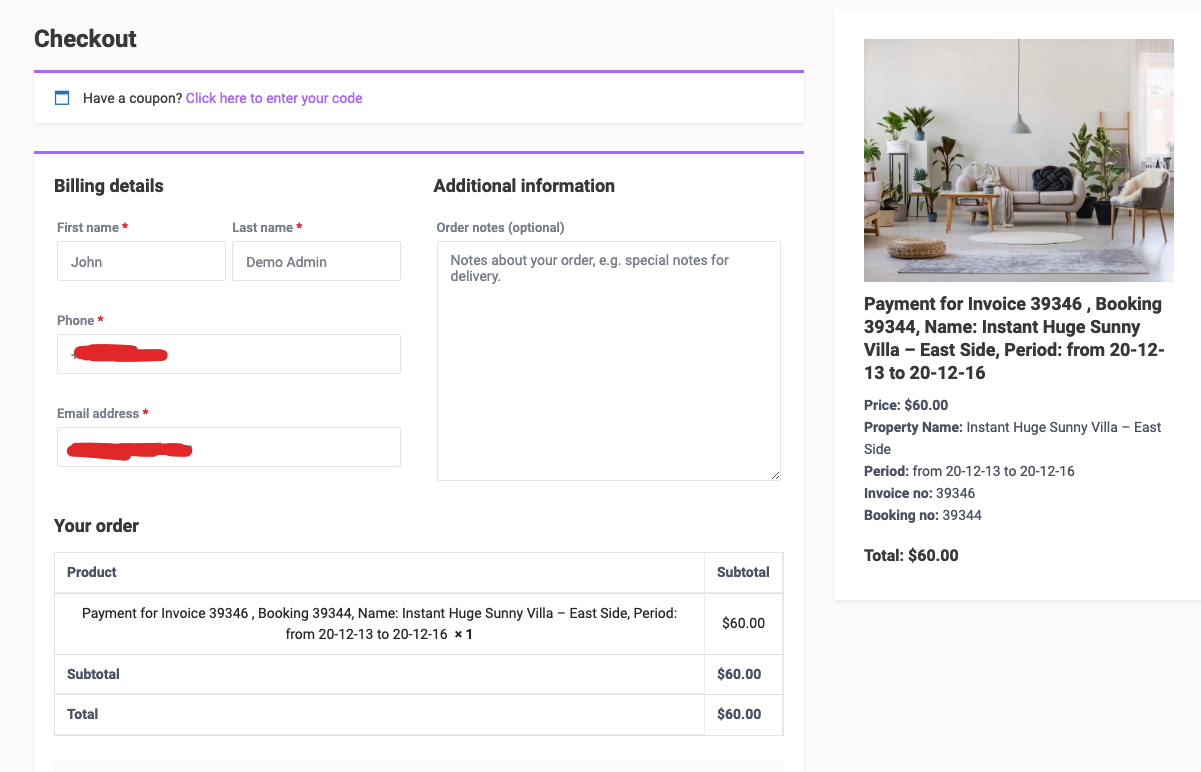
Hi Juan, We added this in last update – Update: WooCommerce checkout product includes booking details in title So you will find the details in the product title in wp-admin. Thank you https://help.wprentals.org/wp-content/uploads/2020/09/woo_booking_product_details.png
Thank you
Hi I am looking into purchasing the theme. Are you planning to split the commission to have a host fee and service fee in future updates?
Hi QAFANDE, Thank you for buying the theme before I could answer. We haven’t planned this feature. I cannot guarantee it either at this moment. But I saved your feedback to our wishlist.
Please use our client support http://support.wpestate.org/ if you need further help with the theme setup or any theme feature. This is also a private support where you can send us your site details (url and wp-admin access). Our standard office hours are Monday – Friday, 9AM-5PM Europe timezone. If you wish my assistance to register in support please send a message from here – https://themeforest.net/user/wpestate
Thank you
Most welcome and thanks too for getting back to me in a timely manner and the feedback is much appreciated. I hope the item makes it to the top of the wish list  It would be great for us to be able to spread earnings between the host and guest being that the platform is bringing them together. I will definitely be in touch for any needs.
Hi QAFANDE, Thank you as well. Will keep in mind the feedback.
Seriously thinking about purchasing this theme. 4 questions:
1. Can i add a form at checkout where the renter has to acknowledge and digitally sign? Or at least complete a form before paying? Aka saying that they will assume responsibly.
2: On your demo, it sends the owner an inquiry, can I have it actually accept the payment too?
3. If collecting a deposit, does the theme offer the ability to return the deposit from the dashboard after the rental is complete?
4. What plugin are you using to handle the rentals?
Hello chmorelock07
Thank you for the message
1. Can i add a form at checkout where the renter has to acknowledge and digitally sign? Or at least complete a form before paying? Aka saying that they will assume responsibly.
—> If you switch to woo commerce for payment, on checkout there is a terms and condition field which would allow you to force user to check before proceeding with paying the deposit asked.
—> Demo – https://demo1.wprentals.org/properties/condo-in-liberty-state-park/ and screenshot – https://prnt.sc/vjx9da
2: On your demo, it sends the owner an inquiry, can I have it actually accept the payment too?
—> I am not sure what demo you checked.
—> We have booking form and contact owner form. Booking form can work in different ways.
—> If admin sets a deposit, that will be needed to be paid before booking is confirmed.
We have 2 options for booking
1. Instant booking enabled
User sends request -> He is prompted to login -> He must pay the invoice (deposit) if that is set in admin and booking is confirmed if payment confirms. If deposit is 0, booking is confirmed without any payment.
This is instant booking https://demo1.wprentals.org/properties/apartment-in-jersey-city/
In demo1 we activated a deposit which must be paid. We also activated Woo Commerce payments (to process through other merchants if theme included merchants are not enough. Theme included merchants are PayPal and Wire Transfer)
This is instant booking with 0 deposit https://ibiza.wprentals.org/properties/west-town-3rd-floor-dorm/
2. Send booking and owner approves or rejects the request
User sends request (after he logins) -> Owner approves or Rejects the request -> If the request is approved user must pay the invoice (deposit) if that is enabled and booking is confirmed OR if deposit is 0, booking is confirmed when owner approves the request. Money goes to admin always.
After a booking is confirmed, owner can cancel a confirmed request at any time.
3. If collecting a deposit, does the theme offer the ability to return the deposit from the dashboard after the rental is complete?
—> Only admin can manage returns manually (outside the theme)
4. What plugin are you using to handle the rentals?
—> It’s our theme code that manages the booking system.
If you need further information, please let me know
Thank you
So a client of mine has this site and there is an error in the top left.
Invalid campaign token ‘XxSxsL’
This appears to be a common error as I googled it and found a lot of wordpress sites with this theme and that error. Not what people want for SEO, lol.
Any chance you could post the suggested fix here? Thanks in advance.
Hi. There is nothing in the theme code related to campaigns or tokens https://prnt.sc/vhsocc If you can show us where it happens, we can recheck the same page on our demos. But it’s possible this is connected to a 3rd party plugin if we cannot replicate.
Please send us a ticket in support with the site details – http://support.wpestate.org/ and we will check the details.
If we cannot replicate, we will recommend to disable extra plugins and install the latest theme / core plugin and then recheck.
You can use your client license code to register in support and let me know the ticket ID here to check asap. Thank you
Hello, how to use this theme with cache plugin like swift performance. it generate cache and immediately clear it. but when i changed the theme to default theme, the cache plugin works fine. isn’t it compatible with caching?
Hi. I don’t understand the issue from the description. We’ve seen the theme used with cache plugins, but not this one in particular. I don’t know what should happen in the plugin and how you check if cache exists or not, so I cannot answer further. It’s a 3rd party plugin, and I don’t know the settings to check . But we don’t have any theme end code to affect caching for sure. Maybe it’s related to plugin settings, or to the option if you’re logged in or not to see the cache in place.
Thank you
Hello! How can I group cities within the province?
For example:
Rome
↳ Civitavecchia
↳ Fiumicino
↳ Pomezia
So, in this way if I look for rome, I get back all results that are in the province of rome. Let me know if this is possible
Hi eggeno, We don’t have this system (province -> city) as taxonomy. But for search you can use theme search.
In theme search we have theme auto-complete with includes states as well (country, states, cities, areas)
So you can make sure you add State – and City value for properties and then in search you can search by State.
I can show an example
https://santorini.wprentals.org/properties/beautiful-cabin-simple-price/ – this has county SANTORINI (what would be Rome as Province)And then you can search by Santorini with theme auto-compelte -https://santorini.wprentals.org/advanced-search/?stype=meta&search_location=Santorini&advanced_city=&advanced_area=&advanced_country=&property_admin_area=&check_in=&check_out=&guest_no=&wpestate_regular_search_nonce=476fc7eb0f&_wp_http_referer=%2F&submit=Search
Thank you
There is something that I noticed and that is that when the email templates are edited when the user receives the emails, not only does they receive them as spam (trying to solve it) but it also messes up all the html, I don’t know if it has to do with never the function is called: function wpestate_set_html_mail_content_type () { return ‘text / html’; } But keep it in mind for professional email designs, it is also very unprofessional to send the password as the user entered it without covering it.
I realize i was wrong with this statement, i used oldschool basic html with a table and i did it right, but that they are sent to the spam tray I still don’t understand.
Hi Victor, Please see this help https://help.wprentals.org/article/emails-are-not-sent-emails-not-working/ We put some tips for spam too.
Spam algorythms are complex. But see the sender email and then try also the email provider. The most common issue is the server from which emails are sent (if you’re on a shared email server, your emails can be considered spam just because that server ip was marked as spam)
For the html question, I cannot answer and I am not sure if it’s still an issue. You can use TEXT editor https://help.wprentals.org/article/email-management-in-theme-options/
But I don’t know if there is a list of allowed html for emails (we do have security set in place and html may be limited). But to check you must send us the html example and my colleagues from development to check in code, which they can do if you open a support account here http://support.wpestate.org/
Thank you
i set currency ILS – Shekel in payment option and woocommerce. Why in order widget, add listing page and other places, i see EURO symbol €
Hi, Thank you for the comment. We use theme currency options to display currency on the site. Woo currency is only to process the payment if you enable woo for that.
—> For properties you can edit the currency https://prnt.sc/vhaqn8 —> For theme payments check this as well – https://prnt.sc/vhare5 In some places we display payment prices based on https://prnt.sc/vhare5 even
So make sure you set both in theme options as well.
Please use our client support http://support.wpestate.org/ if you need further help. This is also a private support where you can send us your site details (url and wp-admin access). Our standard office hours are Monday – Friday, 9AM-5PM Europe timezone. If you wish my assistance to register in support please send a message from here – https://themeforest.net/user/wpestate
Thank you
Hello, i saw a few customers before were asking for it – as i need it also:
Is it planned to integrate monthly booking in the near future? I also saw a lot of people on similar plugins asking for it. So i think if you have it that would be a huge advantage for this plugin.
BR Andreas
Hi Andreas, The monthly booking is not planned and I don’t have any other info now. If you have also examples you wish to share, you can send them to me in private – https://themeforest.net/user/wpestate and I will check. Thank you