23244 comments found.

thank you very much, greetings
You’re Most Welcome!! 
I changed my domain but my template that I bought does not want to install, how to change the domain?
Hello, @tessasotto,
I have reset your purchase code, now you can use the same purchase code for registration of your theme.
Regards, P-THEMES.
Hello Team,
This is a Pre Sales Question.
We are manufacturers and exporters of Fashion Wears.
We are about to start our digital showroom using Porto Theme with an Inventory of around 4000 SKUs and each product contains 4-5 images and the number grows by 40 SKUs per month.
Ques. 1) We want to know is Porto capable of handling this much of SKUs?
Ques. 2) Will it get slow after uploading this much of SKUs?
Ques. 3) Will it be capable of sorting and filtering between these SKUs?
Ques. 4) Is there any suggestion from your side while using Porto for this purpose or any best practices?
Thanks in Advance
Hello, @genusapparels,
First of all, thanks for showing your interest in Porto WordPress
1. Yes, Porto WordPress is ready to handle a large number of products.
2. We have our dedicated Speed Optimization Wizard as well, and the detailed article on the speed of the site, so you can achieve a Good Speed using it.
3. We have used Yith WooCommerce Ajax Product Filter plugin for filtering options on Shop, so it provides the functionality of Filter Product By Attribute, Filter Product by Price, but not with SKU. so you have to try with any other third party plugin which better meets your requirements.
4. I suggest you, go with Porto, It will be the best suit for your website and we are always here to help you out
Regards, P-THEMES.
Your ip address is blocked as spam!!!
I have a problem. “Error: Your ip address is blocked as spam!!! ”
The domain is https://elnobre.com
Thanks for fixing the problem.
Hello, @Dncarbonell,
I am sorry I am not able to locate your IP in our Database, Please go to Porto >> Dashboard and deactivate the Theme from there and then again try to activate the Theme with the same purchase code and if finds the same issue then please share your site WP-Admin Login details and purchase code PDF file with us via our email newsmartwave@gmail.com so that our experts will check and solve this issue for you on your site.
Regards, P-THEMES.
Hi, I’ve already sent an email to newsmartwave@gmail.com, however I still haven’t got a reply. Thanks
Hello, @Dncarbonell,
I have just confirmed from the support department and they said that they already replied to your email, so please check back your email reply now and reply to your email accordingly.
Regards, P-THEMES.
Hello,
I re-installed the theme, but this message appeared: “This code was already used in another site. One standard license is valid for only 1 website. ...”
How to proceed?
Hello, @Dncarbonell,
I have reset your purchase code, now you can use the same purchase code for the registration of your theme.
Regards, P-THEMES.
I have Attempted to reach out via the customer support areas offered offsite with zero response in 5 days. I purchased this theme for a site that never went live for a host of reasons and was removed and deleted. I am working to rebuild their new venture with my license however I cannot do anything because it will not let me register as it is still showing as tied to the domain that never went live. There is no where that I can see to allow me like every other theme here to deactivate the license. I cannot get to your official support site without paying for additional licenses. All I am looking for is the ability to use the single license I already paid for. I sent an email per your website to: newsmartwave@gmail.com last week with all the details including purchase code and domains that need to be switched.
Hello, @bmenecola,
Really sorry for the inconviniance but your email was not 5 days ago, but it was 2 days ago, means on Saturday and it was at late night, at the time we were OFF, and Sunday is our OFF day as well, and also your email was in SPAM as well, and that is the reason you did not get the reply till now, so we have reset your purchase code and replied to your email as well, please check back your email reply now and reply to your email accordingly.
Regards, P-THEMES.
Hey thanks for handling this. I appreciate it!
You’re Most Welcome!!
Hello
my purchase code isn’t working
“Sorry, it could not connect to the Porto API server. Please try again later.”
Any Help
Hello, @BeirutCo,
That was because of our server was down, and we have fixed it now with the collaboaration of the hosting company, so please go to Porto >> Dashboard and try to reactivate the Theme from there, I am sure you will not finds this issue anymore.
Regards, P-THEMES.
Sorry, it could not connect to the Porto API server. Please try again later.
Hello, @NaumKo,
That was because of our server was down, and we have fixed it now with the collaboaration of the hosting company, so please go to Porto >> Dashboard and try to reactivate the Theme from there, I am sure you will not finds this issue anymore.
Regards, P-THEMES.
Plugin not activated. A higher version of Porto Functionality is needed for this theme. Please update the plugin. https://prnt.sc/1g6j9ep
Hello, @NaumKo,
Please go to Porto >> Dashboard and deactivate the Theme from there and then again activate the Theme with same purchase code and then go to Appearance >> Install Plugins and try to update the plugin from there, I am sure you will not finds this issue anymore.
Regards, P-THEMES.
The theme was updated to the latest version. Not working, here is the video where the error is shown: https://drive.google.com/file/d/1uyBxkiI7xp3jCypnL94bJZrbTAp3lQgi/view?usp=sharing
Hello, @NaumKo,
Can you please contact us via our email newsmartwave@gmail.com with your site WP Admin Login details and with this Comment URL and with your Theme purchase code PDF file so that we will check it for you on your site.
Regards, P-THEMES.
How to Duplicate a WooCommerce Product Category
Hello, @inovasyonegitim,
There isn’t a way to duplicate a category from the settings of WooCommerce.
Please read this thread: https://wordpress.org/support/topic/duplicating-product-categories/
Regards, P-THEMES.
Hi, tried to import theme but says
cURL error 60: SSL certificate problem: certificate has expired
I went directly to one of your URL and your SSL cert may have expired.
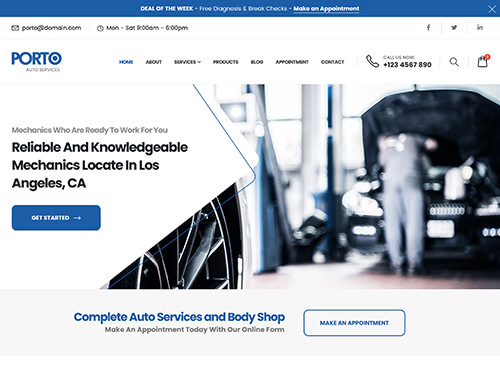
https://sw-themes.com/porto_dummy/wp-content/uploads/demos/auto-services.jpgHello, @kenneal,
That was because of our server was down, and we have fixed it now with the collaboaration of the hosting company, so please go to Porto >> Dashboard and try to reactivate the Theme from there, I am sure you will not finds this issue anymore.
Regards, P-THEMES.
Hi, we cannot activate the license: Sorry, it could not connect to the Porto API server. Please try again later.
Hello, @tunik,
That was because of our server was down, and we have fixed it now with the collaboaration of the hosting company, so please go to Porto >> Dashboard and try to reactivate the Theme from there, I am sure you will not finds this issue anymore.
Regards, P-THEMES.
Hi,
I can not activate the theme with the purchase code, It says: Sorry, it could not connect to the Porto API server. Please try again later.
Hello, @stamboulbazaar,
That was because of our server was down, and we have fixed it now with the collaboaration of the hosting company, so please go to Porto >> Dashboard and try to reactivate the Theme from there, I am sure you will not finds this issue anymore.
Regards, P-THEMES.
The following plugin needs to be updated to its latest version to ensure maximum compatibility with this theme: Porto Functionality.
This message appears constantly, but I can’t update the plugin, there is an error: “failed”. How do I update it?
Hello, @NaumKo,
Please go to Porto >> Dashboard and deactivate the Theme from there and then again activate the Theme with same purchase code and then go to Appearance >> Install Plugins and try to update the plugins from there, one by one, I am sure you will not finds this issue anymore.
Regards, P-THEMES.
Such an error occurs when I enter the purchase code https://prnt.sc/1g237z7
Hello, @NiteshSolanki,
That was because of our server was down, and we have fixed it now with the collaboaration of the hosting company, so please go to Porto >> Dashboard and try to reactivate the Theme from there, I am sure you will not finds this issue anymore.
Regards, P-THEMES.
i’m changing the domain, i cant enter the licence key for new domain, it says ‘Sorry, it could not connect to the Porto API server. Please try again later.’
Hello, @immortal_kid,
That was because of our server was down, and we have fixed it now with the collaboaration of the hosting company, so please go to Porto >> Dashboard and try to reactivate the Theme from there, I am sure you will not finds this issue anymore.
Regards, P-THEMES.
Hello! Sir,
when click on “Porto Studio” then it’s not open the page just came Blank page.. but i can’t understand what’s problem. Ex- https://prnt.sc/1g1mcpj
Best Regards!
Hello, @kashfulecommerce,
Please go to Porto >> Dashboard and deactivate the Theme from there and then again activate the Theme with the same purchase code and then try to use Porto Studio, I am sure it will work for you.
And also could you please purchase a support extension to get further support? Your 6 months of support period is expired from 20/02/2020. According to Envato support policy, renewing support is required for further support.
Thanks for your understand.
Sir, after deactivate the theme then it’s shown Ex- https://prnt.sc/1g2bhc1 please help sir,
Best Regards
Hello, @kashfulecommerce,
That was because of our server was down, and we have fixed it now with the collaboaration of the hosting company, so please go to Porto >> Dashboard and try to reactivate the Theme from there, I am sure you will not finds this issue anymore.
Regards, P-THEMES.
thank you so much now working 100% my best theme forever
Best Wishes
You’re Most Welcome!!
Hi there, I have a question regarding support for multiple subdomains. My client would like to use this beautiful template for his website but it consists out of multiple subdomains. In is possible to use this template with one back-end in the following matter?
e.g. construction.mycompany.com -> color variation #1 with own menu and pages woodworking.mycompany.com -> color variantion #2 with own menu and pages ... furniture.mycompany.com -> color variation x with own menu and pages
Hello, @siteon,
First of all, thanks for showing your interest in Porto WordPress
No, sorry to say that but this is not possible, 1 single license for 1 single site/domain/IP only, this is Envato policy and you may wish to confirm from them as well.
Regards, P-THEMES.
hi, How are updates done for this theme ? Thanks
Hello, @jasonb4u,
First of all, thanks for showing your interest in Porto WordPress
We have an Automatic One-Click update Feature of the Theme as well and also we have an option to manually update the Theme as well, here is the article: https://ptheme.zendesk.com/hc/en-us/articles/360020667197--24-Update-Porto-Theme-Manually-without-Loosing-any-Data-
Regards, P-THEMES.
Thanks
Also, how customizable are the pages and Product and single product templates?? 100%, 75% 50% customizable? Am using Elementor Pro JB
Hello, @jasonb4u,
Our Theme provides the functionality of Custom Product Page Builder as well: https://www.portotheme.com/wordpress/porto/documentation/faq/how-to-create-custom-product-layout-using-porto-template-builder-and-with-wp-bakery-page-builder/
Regards, P-THEMES.
Hows about front front end user posting listing items, or it all backend upload listings?
I also hope you have some seriously better videos for training that have English voice
Hello, @jasonb4u,
If you want users to register on your site and then create their own store on your site and upload products, then this is called MultiVendor Store, for that, you have to go with Dokan multivendor plugin, it is also pre-packaged with the Theme and you can Install it from Appearance >> Install Plugins and you have to follow the Dokan plugin doc for setting it up: https://wedevs.com/docs/dokan
And if you only want to use your site y yourself and not the multivendor site, and wants to insert/upload the products from the frontend, then sorry to say that but this is not possible as by default WooCommerce does not provide this functionality so you have to look for any third-party plugin for this purpose, which better meets your requirements.
And Regarding your suggestion of videos with an English voice, we really appreciate it and we will consider it with our upcoming new support videos. Thanks for your understanding.
Regards, P-THEMES.
Hi, Im having a couple of issues with the theme, however im going to support on themeforest and it has an error message ‘Error establishing a database connection’.
Is there a issue through theme forest? Is there another way I can send my query for you to look at please?
Hello, @bigev,
We are sorry for the inconvenience, our support system was down because of the server down and it has been fixed now, please remove your browser cache and check back, I am sure you will not finds this issue anymore: http://portotheme.com/support
Regards, P-THEMES.
Trying to activate firs time getting “Sorry, it could not connect to the Porto API server. Please try again later.” wt!!
support link broken? starting to feel scammed buddy. get it together
i need a refund this ridiculous. you cant activate the theme and their whole support system and page is down. this is a joke. get it together clowns. dispute being filed.
Hello, @vhind,
We are sorry for the inconviniance, our support system was down because of the server down and it has been fixed now, please remove your browser cache and check back, I am sure you will not finds this issue anymore: http://portotheme.com/support
And Regarding License issue: Please go to Porto >> Theme License and try to activate the Theme again from there, if it will still not work for you then please try the below-listed solutions one by one.
It’s because your local environment can not access to our servers https://portotheme.com & sw-themes.com
Please try to ping our servers and let us know if it works? If the above addresses are blocked by your hosting provider and your site does not ale to request these addresses then you have to ask your hosting provider to remove the restrictions and solve this for you.
OR
Please enable curl extension from the server this will fix your issue. This extension is required for the registration process.
OR
The issue mostly occurs when the server has any kind of restriction and do not allow you to communicate your server with our internal server for activation, so please ask your hosting provider to remove all sorts/kinds of restrictions from your account and deactivate the firewalls for some time until you activate the theme.
I hope that helps.
Regards, P-THEMES.
How can I change my template to another domain?
I want to change my domain, and I want to de-activate licence to activate in another domain.?
Hello, @tessasotto,
I have reset your purchase code, now you can use the same purchase code for registration of your theme.
Regards, P-THEMES.