23244 comments found.
Hello,
I using “SEO 2” demo, How to setting up / css move logo to left https://www.screencast.com/t/tVpU3GHL5cJN
Thanks
Hello, @imambudianto5,
This is because you are using the general layout as Full not Wide: https://postimg.cc/1VSb2vDn so try to set your site body wrapper as Wide and check back, it will work for you as you want, for now, if we set it to left most with the layout Full you are using with Custom CSS, then it might have issues of responsiveness because we will have to destroy the container of that logo with Custom CSS, if still, you want, then please share your Live site URL with me on which that Logo is so that I’ll check and help you out with the Custom CSS.
Regards, P-THEMES.
yes, i just need css custom, can you give me css custom
Hello, @imambudianto5,
Ok, sure, please share your Live site URL on which that Logo is so that I’ll check and provide you the Custom CSS fix for it.
Regards, P-THEMES.

Hello,where this widget located in porto theme files(porto_products_filter_form widget)
Hello, @Deva89,
You will find it under theme file porto\js\woocommerce-theme.js & porto\js\woocommerce-theme.min.js
And in under Porto Functionality plugin files porto-functionality\shortcodes\woo_templates\porto_products_filter.php
And also could you please purchase support extension to get further support? Your 6 months of support period is expired from 14/07/2020. According to Envato support policy, renewing support is required for further support.
Thanks for your understand.
Hello,
I am unable to use my both keys. It says couldn’t connect to API server. I have tried resetting the key at portotheme.com/support/reset but it doesn’t work.
Could you please do this for me.
Thanks in advance!
Hello, @Brandcapitals,
I have only found this purchase code: 2a4590dc-** and reset it as well, please try again now.
Regards, P-THEMES.
Hello,
I have another purchase code: e246c99* you can check my account and please reset that as well.
Thanks!
Hello, @Brandcapitals,
Done: 79c2c183-** I have only found this purchase code: 2a4590dc- and reset it as well, please try again now.
Regards, P-THEMES.
hi my website is 2 year old…and i want to update it to the current porto shope 2.. mine is old n feel like bugs in it,,, xilirproject.com can u guys make it same theme as the latest one with my current pages post products categories not changed??
Hello, @xilir,
Do you want to update the theme on your site? If yes, then please follow the instructions written in this article: https://ptheme.zendesk.com/hc/en-us/articles/360020667197--24-Update-Porto-Theme-Manually-without-Loosing-any-Data-
Regards, P-THEMES.
and below is the design fresh i want with all bugs fixed like javascripts css optimized
https://www.portotheme.com/wordpress/porto/shop2/Hello, @xilir,
Now that is called site development, and it requires some extra Customization as well, and I am sorry but it is not included in the theme support policy.
If you want our paid customization services you can contact our customization team or hire any third party developer.
Regards, P-THEMES.
how to contact them
plz check i m unable see fonts ..how to fixed this
Hello, @xilir,
This is because of your server CORS policy issue, please see this screenshot: https://postimg.cc/Hr4QS4kL you have to contact your hosting provider and ask to solve this issue for you on your site.
And also could you please purchase support extension to get further support? Your 6 months of support period is expired from 12/04/2019. According to Envato support policy, renewing support is required for further support.
Thanks for your understand.
Greetings to Porto Team,
I am using Porto-woo commerce template, and install one of its demo. I am trying to change the logo size and header background color but couldn’t found any back-end options for this. So i need your assistance.
Regards
Greetings,
Further to the above message, i installed architecture 2 demo , but this demo header and sliders are not customizable. From where i can change their properties?
regards
Hello, @zuhairhabib,
1. For Logo Size, Please copy and paste the below-given CSS code to Porto >> Theme Options >> Skin >> Custom CSS and check back your site after removing the browser cache.
#header .header-logo img {
    max-width: 250px !important;
}
2,3 Header: The header on the particular demo has been made using Porto Template Builder >> Header https://postimg.cc/G9LJYhfL , and we have set the background color as row background color: https://postimg.cc/yk5bvZqX
3. You can configure the slider by editing the home page as per your requirements: https://postimg.cc/phs9KjGK
Regards, P-THEMES.
Thanks Porto Team for your kind response. that was really helpful. Kindly refer to the same queries that had been asked,
1. How to stop the animation of the text and images on the page loading when scroll down. 2. How to install the shop21 demo for the product page? As we want simple business website for the main page and the product page will lead to the eCommerce section. which mean there will be two demo on the same website/same end product.
regards
Can i install two demos of your theme and remove the rest of the demos? because this may have impact on the site performance.
After installation of one demo, there is option setup woocommerce opotional, when i click on it , give error that your are not allowed to access this page.
Hello, @zuhairhabib,
1) Actually, the thing is that animations are set on the Elements, columns, and rows settings. Let me explain to you. You can check the animations on the Elements settings while editing the page on the elements widgets settings you will find the animations settings. The same goes for the columns and rows settings you can set/remove the animations as you want.
2) You can set the shop/category page design as you want because our theme has a special feature in which users can create custom layouts of the shop/archive pages and single product pages. for this simply go to the Porto >> Template Builder there you will be able to create the page layouts as you want see this image: i.is.cc/s8CYzks.png from there simply creates the blocks and then add/remove the content as you want then set the block condition to show the block on the page you want and then save settings then check back your site after clear the browser cache. This way you can easily set the page layouts as you want no need to import the two demos on the site because it will cause unexpected issues on the site.
And for your remaining and new issues, please contact us via our support system with your site WP-Admin Login details so that our experts will check it for you, please note that this platform is only used for the small and pre-sale questions, for multiple and lengthy issues we recommended to contact via our support system only, thanks for your understanding.
Regards, P-THEMES.
the theme I picked is not responsive !! it looks unorganized on most devices .. laptops, some desktops and some mobiles I’m using the demo I chose is this: https://www.portotheme.com/wordpress/porto/app-landing/
It is really annoying
Hello, @TwindiTeam,
Can you please share the screenshots of the issue and also the Live site URL as well on which you are facing the issue so that I’ll check and help you out in solving your issue.
Regards, P-THEMES.
Hello, @TwindiTeam,
I have just checked your site now and it is working perfectly fine for me, please see this screenshot: https://postimg.cc/w7RD3fkK it must be the cache issue at your end nothing else.
And also could you please purchase support extension to get further support? Your 6 months of support period is expired from 11/08/2021. According to Envato support policy, renewing support is required for further support.
Thanks for your understand.
please try on other devices and you will see the error.. on my computer it works fine ,, but with my other collogues it doesn’t work fine
Hello, @TwindiTeam,
As you wrote that it also works fine for you, then it means there is no issue on your site, and nor our theme issue, so it must be the cache issue on your colleague’s sites, you have to ask to then clear the cache or check on any other browser.
Regards, P-THEMES.
the issue was because of SSL .. thank you for trying to help
Sound’s Good!! that you have found the cause of the issue…
Hello, i got a presale question.
Is it possible on the products category page, to filter more than 1 categories?
I want for example to filter from all products, shoes and boots together. Something like the attributes, where tou select more that one, but for categories.
Thank you.
Hello, @artwarebranding,
First of all, thanks for showing your interest in Porto WordPress 
Filters are coming from Yith WooCommerce Ajax Product Filter plugin and unfortunately, there is no such option to select multiple categories at the same time for that filter, the only possible options for that widget are showing in this screenshot: https://postimg.cc/1V64NFDR
Regards, P-THEMES.
Dear support, I need to change the language of the links present in the Real State demo, specifically https://www.portotheme.com/wordpress/porto/real-estate/properties/ by https://www.portotheme.com/wordpress/porto/real-estate/propiedades/. My website is in Spanish and I need to maintain consistency for google and the positioning of my permanent links, can you help me?
Hello, @donerisk,
You have to go to pages and finds and edit the properties page and change the link as showing in this screenshot: https://postimg.cc/TK8Y7RDF it will work for you.
Regards, P-THEMES.
Thanks for your answer, but I’m refer to de properties custom post https://postimg.cc/TyFZ5BW6 I need to show the same content like original properties page https://postimg.cc/sBvkX3xm, but when I change to spanich dosent show the content of properties custom post included on demo Real State https://postimg.cc/dkCg2n8T. I do not know if I explained well.
Hello, @donerisk,
Can you please also make sure that you have set the same page again from Porto >> Theme Options >> Portfolio: https://postimg.cc/hJSTxK4W Otherwise, please contact us via our support system with your site WP-Admin Login details so that we will check it for you on your site.
Regards, P-THEMES.
Dear, I had made the change as you indicate it, I was only missing the Skill Slug and Category Slug fields. Make the changes and I can now view the information as I needed it. Thank you very much for the quick answer.
Hello, @donerisk,
Sound’s Good!!! that it helped in solving your issue, Thanks for contacting us.
Have a great day.
Regards, P-THEMES.
Hello! I deactivated my license on the local host and it still won’t let me activate on my new server.
Hello, @carson2202,
I have reset your purchase code, now you can use the same purchase code for registration of your theme.
Regards, P-THEMES.
Thank you so much! You guys and gals are amazing!
You’re Most Welcome!!
I had a few problems with demo content. Sent you a support ticket #9093 Thank you!
Hello, @carson2202,
Now, please be patience, once your support ticket will be resolved you will get the reply to your support ticket.
Regards, P-THEMES.
I buy this themes for almost 1 months ago if i wasn’t wrong, honestly i’m disappointed with the themes, it’s hard to do the editing with what i expected, even until now i can’t using it properly… And i have no idea how its work, i’m trying to google it but i can’t find it how to use it….
Hello, @ADarham,
We are sorry for the inconvenience you faced working with our theme.
Have you tried to read our theme documentation: https://www.portotheme.com/wordpress/porto/documentation/
Have you tried to read our theme support faqs: https://ptheme.zendesk.com/hc/en-us/sections/360005800877-FAQ
Have you tried to watch the support videos: https://www.youtube.com/channel/UCxpC6FotEXtn49agAdMEJhw?view_as=subscriber
If yes, and still have some issue then you can contact us via our support system here: http://portotheme.com/support so that we will help you in solving your issues.
Regards, P-THEMES.
Hello, is there a way to make the links more SEO friendly? Example, instead of it being www.domain.com/product/brown-arm-chair/ , can you make the link: www.domain.com/furniture/brown-arm-chair/ ?
Hello, @piknika,
You can check the permalinks settings under WP-Dashboard >> Settings >> Permalinks and also you can use Yoast SEO plugin as well.
Regards, P-THEMES.
Hello,
Is the theme compliant with wordpress 5.8? Thank you.
Hello, @MrAnderson7,
Yes, our latest theme version 6.1.8 is fully compaitable with wordpress 5.8.
Regards, P-THEMES.
Dear Support,
My Purchase code is not working. Can you please reset.
Hello, @syedkhubaibhikmat,
Please read our very latest announcement here: https://ptheme.zendesk.com/hc/en-us/articles/4404831432337-Announcement-for-Porto-WordPress-purchased-Clients-regarding-License-Reset-
Reset link: https://www.portotheme.com/support/reset-sites/
Regards, P-THEMES.
Hi, the Theme Options > Skin > Typography doesn’t seem to work even after I published it. Is it I should change it with custom CSS?
Hello, @amatechaws,
It must be the cache or file permission issue, please read and follow the instructions written in this article: https://ptheme.zendesk.com/hc/en-us/articles/360020799098--35-Unable-to-change-color-settings-or-Setting-from-Theme-Options-Cache-Problem
Regards, P-THEMES.
i’ll try to ask the hosting provider to do a server level clear cache. Another thing that don’t work is the order of variation products. I reorder the variation product, but however it still sort according to alphabet.
Hello, @amatechaws,
You can use this plugin: https://wordpress.org/plugins/simple-custom-post-order/ on your site and change the order of the attributes from backend and it will automatically change on frontend as well.
Regards, P-THEMES.
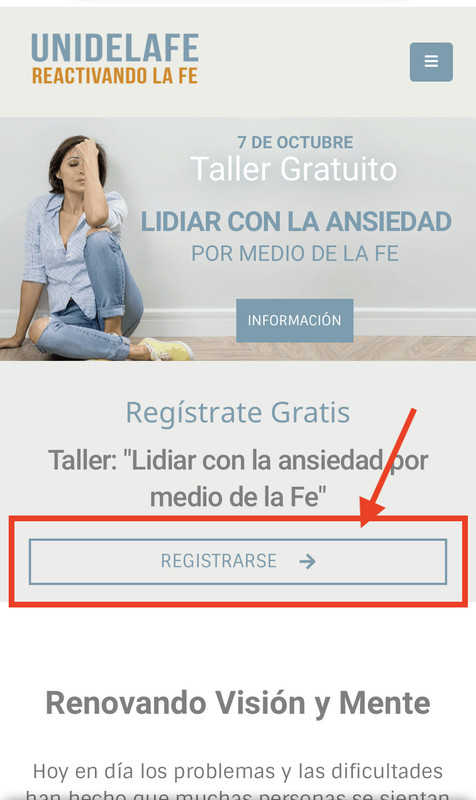
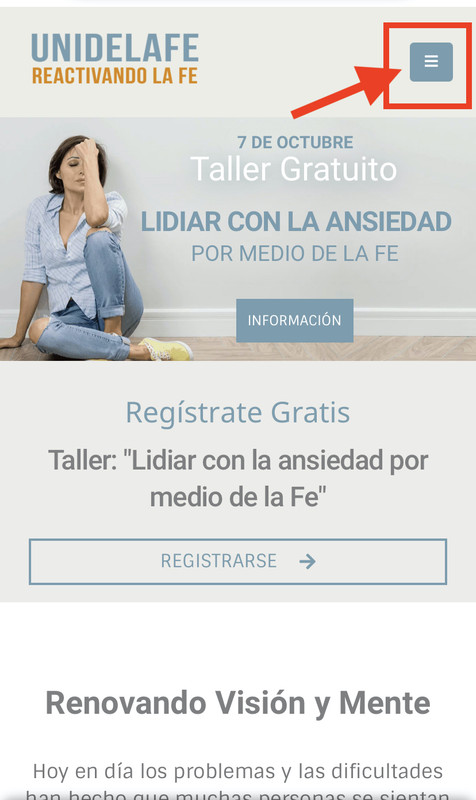
Hello, My page has a problem just for mobile devices. When you try to get in the home page and immediately try touching ANY LINK OR BUTTON to redirect into another page, you have to TAP ON THE SCREEN TWICE in order get redirect, so I want just to tap once on the screen of my phone to get redirected directly.
Page: https://unidelafe.com/
Image #1: https://i.postimg.cc/C5scsqrJ/IMG-9177.jpg
In the image above if you tap on that button once it just change the color to the primary color of my setting colors in porto (so it’s good), but you have to touch twice in oder you get redirected to the page. so I want just to tap once on the screen of my phone to get redirected directly.
Image #2: https://i.postimg.cc/SxfzQG2g/IMG-9177-2.jpg
In the image above if you recharge the page and tap on the menu bar once, nothing happen unless you tap on it twice then it will display the full menu. So I want that it works tapping on it once.
I’m trying it using a Iphone (IOS) Device. In PC and Laptops it’s working perfectly, the problem is only on Mobiles devices.
What do I have to do?
So can you help me please.
Thanks in advance
Hello, @Tradingxtore,
I have just tested it at my end on my personal mobile phone and it is working perfectly fine for me with only one tap, I have captured the video for you as well as proof, you can watch it here: https://streamable.com/bfu5e3 so it must be the cache issue at your end nothing else, please try to clear the cache from your mobile and browser or try to check it on any other mobile as well.
Regards, P-THEMES.
Hi
On the product page can i setup the tab vertical instead of horizontal
https://www.portotheme.com/wordpress/porto/shop1/product/black-grey-headset/ Description Size Guide Additional informationThank You
Hello, @cloud-tech,
With default pre-built layouts of the single product page, you have to select/choose from anyone from the layouts, “Transparent Images, Centered Vertical Zoom, Left Sidebar”
&
With Custom Product Layout Builder, you have to choose “vertical” as style as showing in this screenshot: https://postimg.cc/dZZfJKBd
Regards, P-THEMES.
guys i tried to load a json file with my latest Port Theme settings and this reseted my header to default! i lost everything. why it does that? i had altered the headers. where is this stored? i need to find an older mysql backup i guess?
Hello, @johnnyxp64,
Yes, you have to, because if you are using the very latest version of the theme and have created your header using header builder or Porto template builder then those headers are not in JSON file, you have to separately export and import those headers, hope this makes sense… Thanks for your understanding.
Regards, P-THEMES.
export from where exactly? what table in the db? because I can’t see any method to export the headers from the header builder. thanks
Hello, @johnnyxp64,
Yes, there is no method for it in our theme, you have to copy it from last site to new site one by one, Otherwise, you have to completely export the site via any plugin and Import it on the new site.
Regards, P-THEMES.
Hi, I have update the theme and its not loading CSS while all CSS is there
Hello, @clickurtrip,
I have just checked your site now and it is working perfectly fine at my end, please see this screenshot: https://postimg.cc/Xp4BCH6T it must be the cache issue at your end nothing else.
And also could you please purchase support extension to get further support? Your 6 months of support period is expired from 02/08/2021. According to Envato support policy, renewing support is required for further support.
Thanks for your understand.
Hello, I’m trying to show the search icon in the mobile version menu but strangely it can’t be seen, can you help me? I see it correctly only in the tablet and desktop version… (mobile) https://postimg.cc/3yPMLzRn (tablet) https://postimg.cc/183fPVKb
Hello, @biopaolo,
Can you please share your Live site URL on which you are facing the issue so that I’ll check it for you and help you out in solving your issue.
Regards, P-THEMES.
Where can i write to you in private? I need to give you some access data. Thank You
Hello, @biopaolo,
You can contact us via our support system with your site WP Admin Login details so that our experts will check it for you: http://portotheme.com/support
Regards, P-THEMES.
hello. I’m using Porto Classic template Elementor version I need to add Accordion Is it possible? Thanks
Hello, @andreaaltro,
You can use theme element accordion and set it as per your requirements: https://postimg.cc/zLFFtPzw
Regards, P-THEMES.