8874 comments found.

Hello Stylemix team, Pre purchase question here :
I want to use this template as a listing car aggregator, display listing from others car portals and websites, and i am not sure if it something that is already part of the template functionalities (automanager?) or it is compatible with some wordpress plugins that would do the job.
Thank you!
Hi,
You’ll need to use our integration with WP All Import plugin. If you have listing databases, you can import them to the website. Also, for the automatic/scheduling import, you’ll need to use the Pro version of the WP All Import plugin.
Here you can review how the integration works – https://docs.stylemixthemes.com/motors-theme-documentation/import-listings/import-preparation
Cheers
1. Hello, we were wondering if it was possible to add inventory under a dealer name when we are in the admin panel?
In other words, we created a dealer, and now we would like to enter inventory under their name, but when we add a listing, we can’t see how to add the vehicle listing to that dealership inventory. We can only select the Admin user.
2. Also, in the Classified Listing One screen, how do we get rid of the grey background in the main header image. We have replaced the image but there is still a gray tint over it. We tried changing the background of the row, but that creates a problem with the mobile version and we couldn’t find anything in the style.css file. In any case, please let us know if there is a way to do it in the backend or which .php/.css file to edit.
3. In the permalinks, can we change the /listings/ and /inventory/ names to something else? Where would we do that?
4. Anyway we can add categories to the listings or tags?
Hi,
1. You can assign listings to any user from the Listing Manager section – http://joxi.ru/zAN3YPRi8710Mr
2. There is an overlay color in the title box section. It can be removed via this custom CSS:
body .entry-header:after {
    display: none !important;
}
3. You can change the /inventory/ by editing the Inventory page directly. The /listing/ slug can be changed in the Tools > STM Post Type section. After that, you’ll need to resave the permalink settings in the Settings > Permalinks section.
4. You can add categories from the Listings > Listing Categories section.
Cheers
Hello, i work on your theme for a compagny. I imported the motorcycle demo. When i work on a single listing, i can’t put another pictures under the primary picture. I know it’s because the motorcycle demo don’t show these pictures inside. But could you add an option or something like this please… It’s not hard to select if we want one picture or multiples pictures on a single page. For resume i work with motorcycle demo, and i wan’t to have the single listing like Dealer two. how i can do that ? thank’s and sorry for my english i am french.
Hi,
That kind of option isn’t available in the Motorcycles layout. The Motors layouts contain a unique structure and complex functionality. Therefore, it isn’t possible to use modules from one layout while using the backend functionality of another one.
Cheers
Thanks for the answer, it’s not possible to add a carousel or something like this ? Display pictures is not hard… Please think about it…
Thank you for your suggestion. We will take this into account in our future releases.
Cheers
yes please. When we click on a picture we can’t go to others pictures. We need ton click on the camera first, it’s not easy for users… We need to have a carousel or something like this, and when we click on a picture we need to go to another one when we click on left or right.
Thank’s for the answer, i hope this release can come soon ! Great Job’
On the inventory i’ve got a bug, when i go to another page (page 2 for example) there is a “FALSE” text who appear. I don’t know why… On your demo this doesn’t do that….
Sorry for my english i am french.
Please submit a ticket on our support website regarding the problem with the inventory page.
Cheers
i can’t submit a ticket. The template was bought by another dev and i havn’t got the good numbers to post a ticket.. Please give me a mail or something like this 
I’ve got another problem, i translate in french “Added to compare” and “removed from compare” but the translation doesn’t work. It’s always in english… Please make an update lol
We provide customer support exclusively on our website. You’ll need to have a license to use the theme and to get support.
Cheers
i’ve got a licence, but i havn’t got the envato serial. This theme was bought by another dev. and i havn’t got his envato account… Send me a mail or something like this, and i will give you the serial number…
I’ve got another problem, i translate in french “Added to compare” and “removed from compare” but the translation doesn’t work. It’s always in english… Please make an update lol
All those strings are translatable. You’ll need to correctly set up the translations.
We provide technical support only for personal license holders. Please try to contact the Envato Help Center in case there is a license key transfer possibility.
Cheers
I ask to the latest webmaster the envato purchase code. But if i imported the demo with bikes it’s logic i have a purchase code, and my version is legal… I work for a compagny, and there is turnover sometimes, we can’t purchase the theme at every new webmaster…
I work on the test drive… Why have you developped this like this ? It’s horrible to work on…. we can’t do nothing and the strings where they are ? Impossible to translate “Request test Drive” “Name” “Phone” etc…. when we receive the mail…
It’s important for a compagny to choose who gonna receive the mail. Admin is not the boss of the compagny i work on computers i don’t do test drives… It’s not logic…
I see you need to work on this, but it makes 5 years… Do you think you gonna do something easily usable ? Thank’s
I have the purchase code, but he is already used… How i can do ?
The template is responsive ? Because when i load the website on a iphone the slider is not responsive, and the logo too…
Good day,
Is there a reason why your support takes days to respond?
Also is there a reason why your counter on the Makes on the cars never resets after I delete my import and upload a new import?
The counter on the Makes of the cars does not correspond to the CSV file import.
WP All Import says this is theme issue.
Please can you fix this and respond to my ticket?
Hi,
It isn’t possible to reply to requests immediately after the submission due to differences between timezones. Moreover, the full-resolution time depends on the native of the issue.
According to the history of your requests, you submitted 2 tickets for the mentioned issue. Our support agents are working on your request and they will inform you of any progress ASAP.
Cheers
Hi, is there a way to change what is displayed on the listing inventory (equipment version). Currently has the Stock Number & Hours, was wondering if I can swap these out for other Categories/Taxonomies?
Hi,
That part of the listings card can not be modified by default in the Equipment layout. We will try to improve that part of the layout in our future releases.
Cheers
Hi, I recently updated my motors theme but now I’m experiencing some issues and my website is down. I get some errors like:
PHP Fatal error: Uncaught Error: Call to undefined function mysql_connect() in /home/autotrust/public_html/wp-includes/wp-db.php:1688 Stack trace: #0 /home/autotrust/public_html/wp-includes/wp-db.php(632): wpdb->db_connect() #1 /home/autotrust/public_html/wp-includes/load.php(558): wpdb->__construct(‘autotrust_atrus…’, ‘I)0S9]bpI1’, ‘autotrust_atrus…’, ‘localhost’) #2 /home/autotrust/public_html/wp-settings.php(124): require_wp_db() #3 /home/autotrust/public_html/wp-config.php(76): require_once(’/home/autotrust…’) #4 /home/autotrust/public_html/wp-load.php(50): require_once(’/home/autotrust…’) #5 /home/autotrust/public_html/wp-blog-header.php(13): require_once(’/home/autotrust…’) #6 /home/autotrust/public_html/index.php(17): require(’/home/autotrust…’) #7 {main} thrown in /home/autotrust/public_html/wp-includes/wp-db.php on line 1688
My support already expired but I really need your help with this. Please can you tell me what’s going on? Thankx
Hi,
You should update all the core plugins as well. Please go to the Appearance > Install Plugins section and update all the plugins.
Cheers
Hi Team,
Is there any plan for shift on elementor?
This is the best theme I can have for my project but Visual composer is too much outdated now. All best themes have shifted to elementor already. Only this one left I think…
I want to buy this theme so that I can launch my project. Please let me know if there is any plan for shifting on elementor. Elementor is fast and super easy to use.
Thanks
Hi,
Sure, we are planning to include Elementor support in the theme. However, this isn’t an easy process. It requires more time and resources than we can afford at this moment.
Cheers
Hello, i’ve tried to update from 4.6.5.1 to 5.1.0 motors theme, but after uploaded theme and required plugins i’ve found some listings with different names and i connot change their name… also i’ve to set some options in administration theme option to work (but some minor functionality doesn’t work like language drop down menu with polylang – in 4.6.5.1 it works for example- there’s a correct procedure to follow? Thanks in advanced!
Hi,
The 4.6.5.1 version was released 10 months ago. We released multiple major updates within that period. It is better to create a test website and install the most recent version of Motors. You’ll need to set up all the theme settings and content. After that, you can move your test website to a live domain.
Moreover, the Language Switcher works only with the WPML plugin. The theme doesn’t contain compatibility with the PolyLang.
Cheers
Hello, Is it possible to have a demo from the back office?
Hi,
Admin part of our demo websites isn’t available. Please let me know if you have questions regarding the Motors settings.
Cheers
Hi, Can I enter dates when a car is not available? Does the system manage inventory for rental cars? Can we create car categories? Thanks
It isn’t possible to manage calendar dates in the Rental system. As you can see on our demo website, the rental products are car classes such as Economy, Sport, Premium, etc. Therefore, there is no possibility to add categories by default.
Cheers
Hello, great theme!
I am interesting in buying this theme for Car Rent. In your demo I did not find the possibility that some car is not available at some dates? Or you dont offer the possibility to make available calendar?
Is it maybe possible to integrate Google Calendar to the Car Rental Website?
Hi,
Not available section displays depending on the product quantity. You need to set 1 as quantity so the car can not be booked for the same days.
The Motors theme is not integrated with Google Calendar.
Cheers
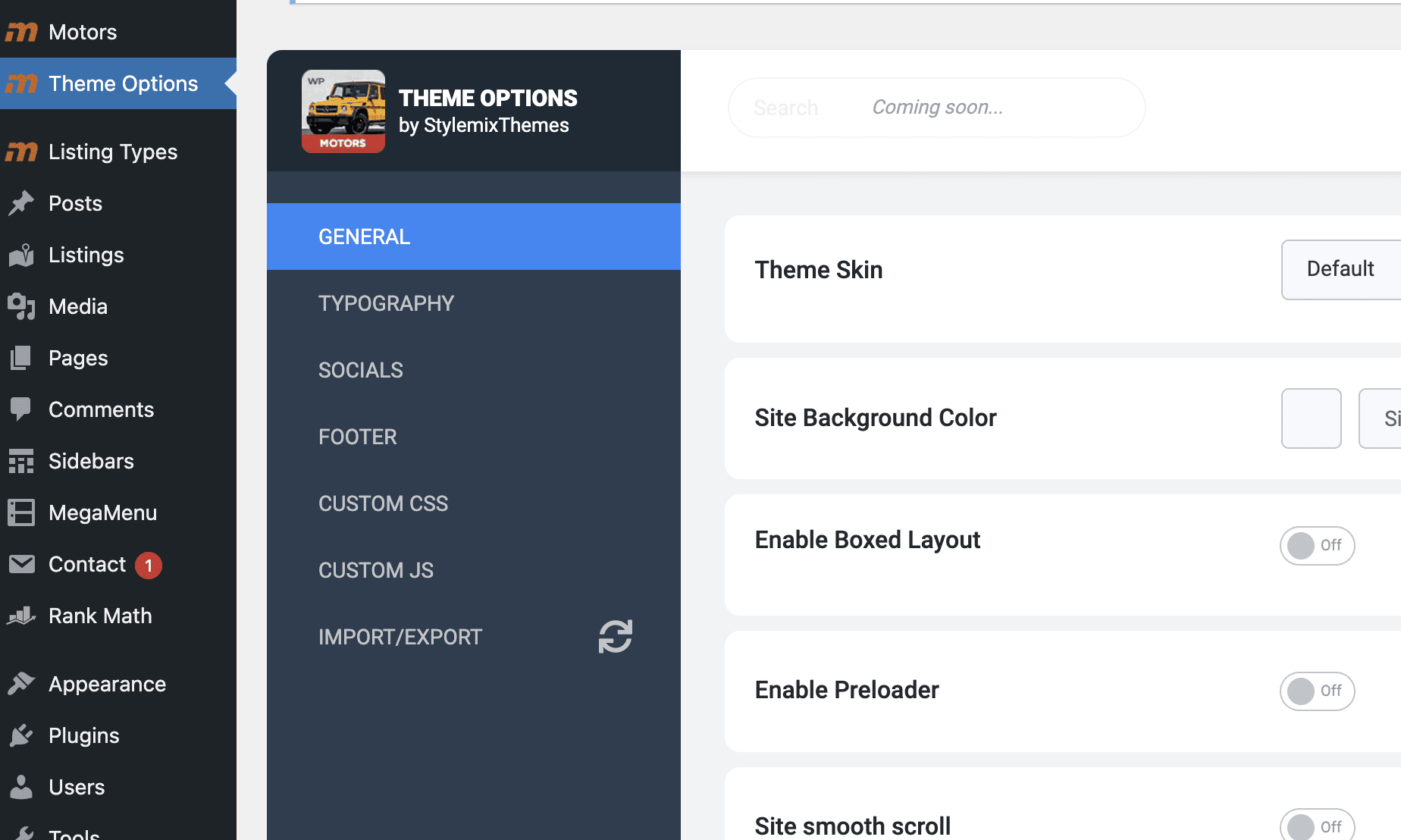
Hey guys after the last update, I am now missing Top Bar and Header areas under Theme Options. Any ideas? Right now I can’t edit the headers…
I looked in the console and I get:
DevTools failed to load source map: Could not load content for https://capitalcollisionmt.com/wp-content/plugins/motors-listing-types/nuxy/metaboxes/assets/js/vue-select.js.map: HTTP error: status code 404, net::ERR_HTTP_RESPONSE_CODE_FAILURE DevTools failed to load source map: Could not load content for https://capitalcollisionmt.com/wp-content/plugins/motors-listing-types/nuxy/metaboxes/assets/js/vuedraggable.umd.min.js.map: HTTP error: status code 404, net::ERR_HTTP_RESPONSE_CODE_FAILURE
I also tried to disable all plugins
Hi,
Did you update the Motors core plugins? If so, please try to re-install the Motors Listing Types plugin.
Cheers
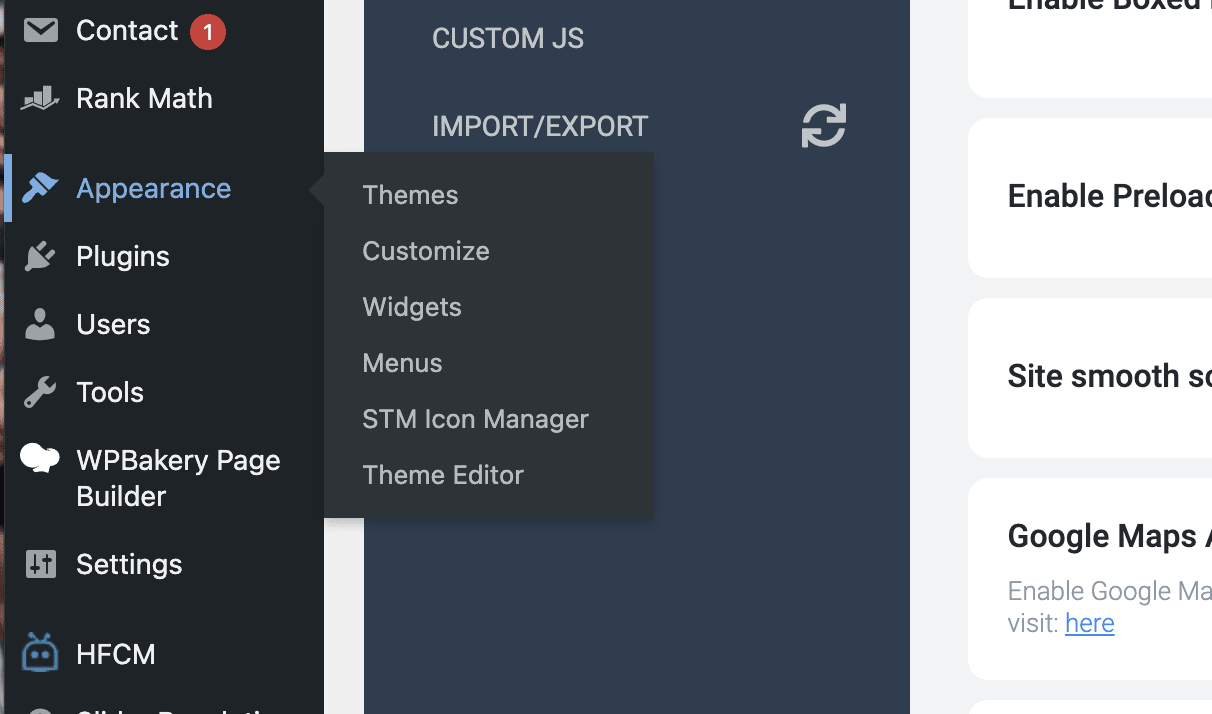
I did just reinstall all the STM plugins and same thing, another thing I noticed is I don’t have the “Install Plugins” under appearance either?
Please try to deactivate all your plugins except Motors Extend and Motors Classified Listings plugins. If the Theme Options section starts to show all the available settings, try to activate plugins one by one until you spot the problematic one.
Cheers
I already did that twice and still not there, I also already tried reinstalling the Theme and nothing.
Please renew your support and submit a ticket. We can’t replicate the issue from our end, therefore, it requires investigating the issue directly on your website.
Cheers
Hi there! Just a quick pre-buy question: Is it possible to complete payments for Car Rental purposes vis Woocommerce and, apart from Paypal, use more payment gateways that will be added in the woocommerce payment options? Thank you.
And something else, does the theme offer seasonal pricing, sync with Google Calendar and the ability to add a booking via the wp dashboard? Thanks.
Hi,
Sure, the Car Rental system was built based on the WooCommerce plugin. So you can use any available payment method in WooCommerce.
The system contains seasonal pricing features for rental products. However, it isn’t possible to add orders from the WP dashboard and Google Calendar synchronization.
Cheers
Hi, where can I change the email of the form of STM Sell a Car, we use the theme Motors and Nautic style. The url its https://fontnautic.com/vender-embarcacion-en-espana/
Hi,
STM Sell a Car uses the admin email address by default. You can review your email address in the Settings > General section.
Cheers
thanks for your help, it works!
You are welcome!
Good morning and sorry for my English,
On the /compare/ page: Before, you could change the moto-350.jpg and moto-400.jpg images for another that were hosted in the directory: /wp-content/themes/motors/assets/images/moto-placeholders/
Now it is impossible to change the motorcycle image because it is an icon. I can’t find a way to change the icon.
Also on the page /compare/, you cannot change the text “Vehicles” for another word.
How can I solve that?. My website is not about motorcycles. I must change the image and the text.
Thank you.
Hi,
You can generate your custom icon and upload it to the theme using this manual – https://docs.stylemixthemes.com/motors-theme-documentation/customization/adding-custom-icons
After, we can provide you with a custom style to change the default icon.
Cheers
I already have my own icons generated and uploaded to “Custom Icons”.
But I don’t know how to change the icon of a motorcycle on the “compare” page for another icon.
In some .css?
You can use the custom CSS below and put it to Theme Options > Custom CSS.
body .stm-car-compare-row .stm-icon-add_car:before {
    content: "";
}

body .stm-car-compare-row .stm-icon-add_car {
    font-family: "" !important;
}
For the 1st CSS, you need to a unicode of your icon inside quotes. In the 2nd, should be a font family of your icon.
To find them, you’ll need to open the Custom Icons Library and inspect the needed icon via DevTools like in these screenshots:
1. http://joxi.ru/DmBYLbohglb1br
2. http://joxi.ru/KAxko8PCvDkQw2
In your case, unicode and font family will be different than in screenshots.
Cheers
Perfect!! The code has worked very well.
How should it be done for the pages where the same occurs ?: “Index” and “Inventory”
And how to change the text “vehicle” for another word in the page “compare”?
Thank you.
The Inventory and Homepage elements use the placeholder image. That image is located in this directory – .../wp-content/themes/motors/assets/images/moto-placeholders/moto-350.jpg
You can change the texts using this manual – https://docs.stylemixthemes.com/f-a-q/how-to-translate-or-change-the-strings-of-the-theme-and-plugins#changing-static-strings
Cheers
Hi, we see that support has expired, but since we’re dealing with massive issue, please lett us know how could we fix this
1.On the bottom of woo reservation page we have large piece of code
http://bluerent.rs/wp-content/uploads/2021/11/Screen-Shot-2021-11-02-at-6.48.17-PM.png/ please lett us know how to remove this
2. Top bar/ when you click on location, spinner is loading forever instead of showing map
http://bluerent.rs/wp-content/uploads/2021/11/Screen-Shot-2021-11-02-at-6.55.08-PM.pngCheers
Hi,
1. Please make sure that all the core plugins of the Motors are active and up to date. Also, you are using the Visual Composer page builder alongside the WPBakery Page Builder plugin. We didn’t include compatibility for the Visual Composer in the theme.
2. You need to use the embed URL of your location to use a map functionality. Here is a related manual – https://docs.stylemixthemes.com/motors-theme-documentation/theme-options/top-bar#address
Cheers
Hi, so in order to remove that large pice of code, we tried everything even updated the theme to latest version, but nothings chached.
All required plugins are active and updated, Visual Composer plugin is inactive and we didnt use it to build website.
We activated debugger on site, when all plugins are off it shows ther’s an error
http://bluerent.rs/wp-content/uploads/2021/11/Screen-Shot-2021-11-03-at-12.46.24-PM.pngAfter we active only Woccommerce, website is live yet again with that large piece of code on reservation page.
Is there any way we could remove this? any other advice for us? It’s really bad experience so far with this, plase have a look
Could please send a screenshot of the Theme Options > Rental Layout Settings section?
Cheers
Hi again, thank for reply
Her’s sc to that destination but yet again, we tried all pages and still nothings changed.
http://bluerent.rs/wp-content/uploads/2021/11/Screen-Shot-2021-11-04-at-12.49.05-PM.pngIts not due to plugins (de/activeted them all) , not due custom css, theme is updated to latest version, we went through all theme settings but no good.
We see this large piece of code starts with – custom_css[motors]”: { “value” ... is this familiar to you? where can this be found on site?
Please lett us know how to remove this so we could go live with website
Thanks in andvance, Cheers
Please ensure that the selected page in your settings isn’t selected as the Shop page in the WooCommerce > Settings section.
The Reservation Date Page and Reservation should be different pages.
Cheers
Hi once again,
Thanks for the tip but this is all good, it’s completely different pages selected..
hers link http://bluerent.rs/wp-content/uploads/2021/11/Screen-Shot-2021-11-08-at-11.15.20-AM.png http://bluerent.rs/wp-content/uploads/2021/11/Screen-Shot-2021-11-08-at-11.15.50-AM.pngIts been few days now, we cant go live with this piece of code on checkout. Yes our support expired, but there’s large piece of code on reservation page that’s caused by theme and it starts with { “custom_css[motors]”: { “value”: “.stm-layout-header-car_dealer_two.no_margin #stm-boats-header #header {\n padding: 0px;\n}\n\n.stm-template-car_rental .header-listing ….
http://bluerent.rs/wp-content/uploads/2021/11/Screen-Shot-2021-11-08-at-11.20.01-AM.pngIs there any other solution to this matter?
It requires debugging your website since we can’t replicate the same issue on our test websites. Moreover, our demo website is properly working as well with the same version of the theme.
Please renew your support and submit a ticket. Our support agents will troubleshoot the issue. If we detect a bug in the Motors core code, we will provide you with a refund.
Cheers
Hi, thanks for reply. By “renew support” you mean 60$ for 6 months to fix one piece of thems code on reservation page?
As I mentioned previously, this is not the Motors theme relates issue. In other words, there is nothing to fix in the theme code.
You need to renew your support to get technical support since the comment section is for pre-purchase questions.
Cheers
Hello, I have a few questions about this theme:
1. I’ve searched comments and there are a few people who asked about switching to kilometres and showing l/100 km. Just to confirm, when we switch to these units, that is what appears in a vehicle description page and on the listings page? In other words, when we switch to kilometres and l/100 km that’s what we see everywhere?
2. Can the VIN Decoder be used by users who are adding their vehicle in the listings? When a client enters their vehicle for sale, can they use the VIN Decoder to add their vehicle or is it just for visitors?
Thanks
Hi,
1. Sure, all the units associated with miles will be changed to the kilometers unless you used a custom category with its own measurement unit.
2. VIN Decoder plugin can be used on the add listing page as well. However, you’ll need to enable a paid service that can provide car details to populate with.
Cheers
hallo im having problem to upload the file motor to wordpress ? try again later!!!!
sorry ihave install the theme but now problem of Theme Registration Error: Forbidden wtf
Hi,
Please follow the instructions in this manual to activate the Motors – https://docs.stylemixthemes.com/motors-theme-documentation/theme-activation
If you are still encountering the same problem, please submit a ticket and our support agents will kindly assist you.
Cheers
I am anticipating to buy this theme, but before I make my decision, do you have plan to incorporate Trade-in and car loan options in the theme? These are are key
Hi,
The Trade-In form is available in the Car Dealership layout – https://motors.stylemixthemes.com/listings/impala-super-sport-series-67-six-cyl/
However, there is no online loan functionality in the theme and we aren’t planning such kind of integration at this moment.
Cheers
Hi..
Im using classified listing number 5. What I need to know : 1. How to show up the location on Single listing? 2. How to setup Listing Details shows up on mobile phone as well as on computer desktop? 2. In “My Account”, I found “Subsciption” which supposed to be “Subcription” next to “Pay Per Listing”
Please let me know how to fix them..
Thank You
Hi,
1. You need to set up the single listing sidebar in the Appearance > Widgets section and use the Car Location widget.
2. Listing Details section generates based on the listing data. Could you please explain your request in a bit more detail?
3. Did you enable the Pricing Plans option in the Theme Options > User/Dealer section?
Cheers
Hi, Thanks for your respons.
No. 1 Where exactly I need to put it on? Because I want the Listing Location shows around the Listing Detail below the Listing Image.
No.2 The listing detail, I have a few details to show such as model, engine, drive, location. While I can see all the listing detail already complete on desktop, but those details are not shown when I turn into mobile view (show only some of them).
No. 3 Its not about the Pricing Plan. When Im in “My Account” page, I have 2 option Inventory. Subcsription & Pay per Listing. But the “Subscription” shows failed as “Subsciption” (lack of letter “R”)
Thank You
1. The widget is available only in the Appearance > Widgets section. You can put that widget to STM Listing Car Sidebar. After, add Widgetised Sidebar element to a single listing page and select STM Listing Car Sidebar – http://joxi.ru/Q2KZYPKcyQ9dYm.
Also, you may need to build a custom listing template to properly apply your changes. Here is a related manual – https://docs.stylemixthemes.com/motors-theme-documentation/content/default-template-for-single-listing
2. Please submit a ticket on our support website and our team will troubleshoot the problem.
3. Oh, I see. Thank you for bringing this issue to our attention. That will be fixed in the coming updates.
For now, you can change the string via the Loco Translate plugin – http://joxi.ru/nAy1xNPTaDX5yA
Here is a related manual – https://docs.stylemixthemes.com/f-a-q/how-to-translate-or-change-the-strings-of-the-theme-and-plugins
Cheers
Hello,
I purchased your theme and have it installed on my server. I have started loaded our own vehicles in to the listing but there is not an option to allow customers to add these listings to shopping a purchase. Listing are separate from products. How can allow customers to add listing to shopping cart and checkout?
Thank you,
Hi,
The listings are custom post types and they can not be defined as products by default. The functionality you requested is available in the Car Dealership Two layout – https://motors.stylemixthemes.com/dealer-two/
Here you can read more about that functionality – https://docs.stylemixthemes.com/motors-theme-documentation/content/dealership-two-demo-sell-cars-online
Cheers