5246 comments found.

Hi, ive got an issue when trying to set english footer on home site – it is not being overrided – settings are same as on every single subpage on which this override works. I amended it from pages/ brooklyn metapanel footer and contact section. In content block I created 2 footers – eng and polish one. All works fine on subpages but on home not. Many thanks.
Theme Support
We consider support as important as our theme development. If you need help, get all of your questions answered quickly with exclusive access to our dedicated support forum. It’s free (you need an active support subscription) and easy to use. If you have any pre-sales questions, please post them here in here and we will answer them promptly.
…………………………………………………………………
Register for the United Themes Community
Support Forum
Renew Premium Support
Register here
Find your Purchase Key
…………………………………………………………………
We’ll see you on the inside,
Thank you very much
UNITED THEMES™ Team
You page says Lifetime Updates, but I am being prompted to pay again for the same license.. for he new Update..Please advise…
Hi,
updates are always free and if you re download the package here at themeforest – it will always contain the latest version. If you register the theme with your license – the update will be also available directly in wordpress. Our support is limited to 6 month and if you need more support after this time period, you have to pay for another 6 month.
Kind Regards UT
Hello For Social bar in portfolio => How do I change the icons in the ”social share bar” displayed in Portfolio pages? In don’t find option. Thanks
Hi,
this bar is static and has no further options.
Best UT
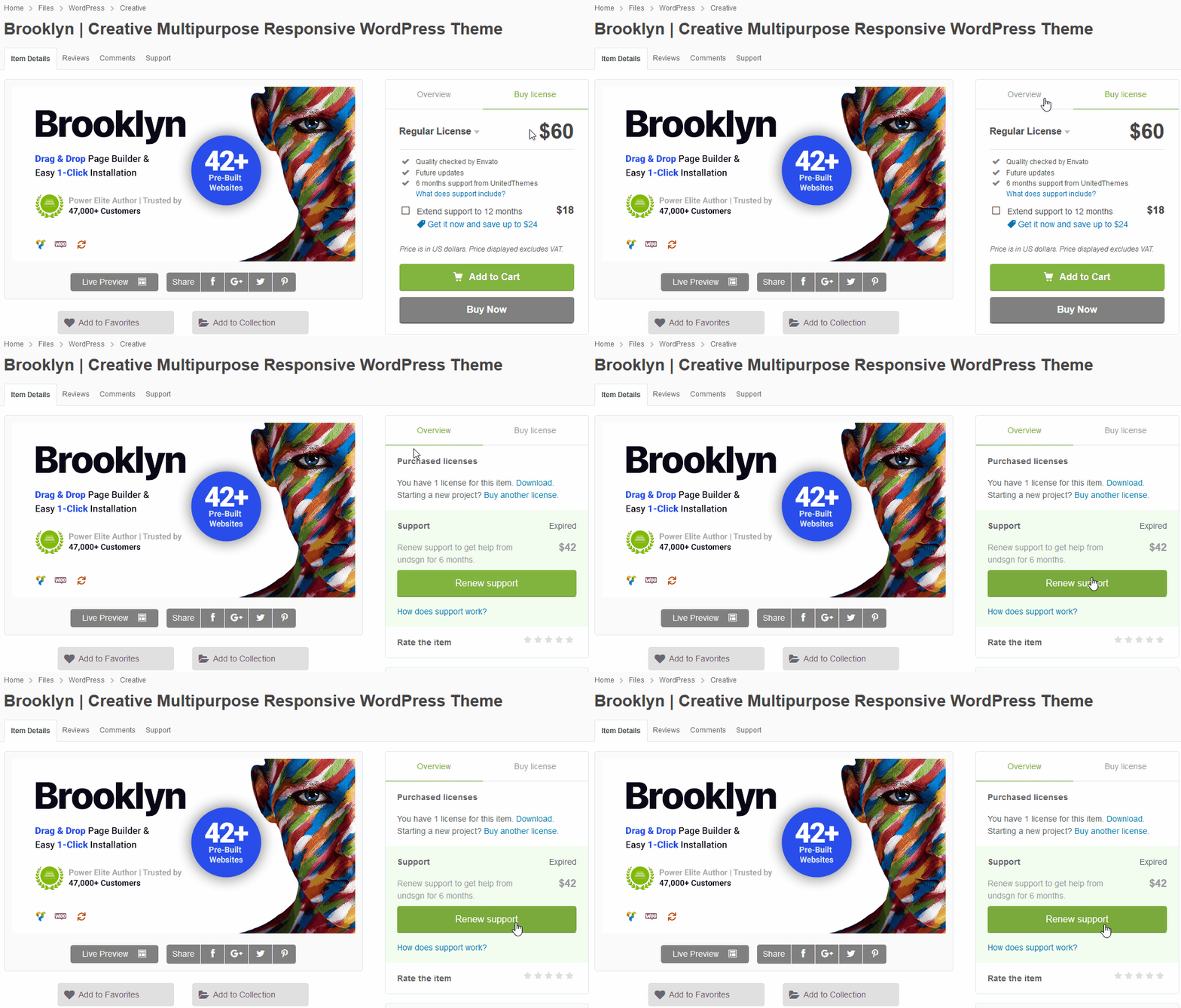
Yesterday I bought a garanty extention, I connect through Envato system but still on your help desk indicate: SUPPORT EXPIRED
Hi,
please check back with the forum. The status should be updated.
Kind Regards UT
Website is incredibly slow loading. It used to be fine before the latest update. Now, it’s legitimately unusable. The website doesn’t even load sometimes, I just get a black screen. This happens across all browsers, every one.
website is perannummedia.com
Hi,
please have a look here: https://knowledgebase.unitedthemes.com/docs/improve-loading-speed/
Kind Regards UT
Thanks!
This is legit one of the best themes I’ve ever used. I appreciate this help
Hi, I would like to ask if the elementor version of this theme has been developed?
Purchased this on 11/25/2020 and now it says that the theme is UNREGISTERED. When I put in my purchase code, it says LICENSE ALREADY REGISTERED WITH DIFFERENT SERVER. WTH?
Hi,
did you switch the hosting in the meantime? This could lead our registration server to the assumption, that a new server is in place.
You can check your license status here: https://my.unitedthemes.com/my-licenses/
You can also release old installations and then register again.
Kind Regards UT
I checked the status and it indeed shows up on multiple servers. How do I know which is correct and fix this? I didn’t change servers, the host must have. It was first on a staging server, then moved to its domain. And there are two different servers that the domain is on. How do I fix this?
Nevermind. I deleted it on your my-license page and then re-registered it and it seems to be fine now. Thanks.
Hi. I have another project and want to use a different demo on a another site I want to launch. How does that work with the license key. Am I able to use it again on another Wordpress installation
Hi,
in this case you have to purchase a new license. A license is only valid for 1 installation / domain.
Kind Regards UT
Is there a smaller fee for an extra license or is that cost Of theme again.
Hi,
there are no further discounts available sorry.
Kind regards UT
Hello, i would like to import some features from demo 52 (crypto) but when i go to templates that option. Page template is not available. how can i add this template?
Also i get this error: Could not save demo xml. Please make sure PHP “XML” and “fileinfo” extension are active. Please contact your hosting provider. If the error persists, please contact theme support. all extensions are active
Theme Support
We consider support as important as our theme development. If you need help, get all of your questions answered quickly with exclusive access to our dedicated support forum. It’s free (you need an active support subscription) and easy to use. If you have any pre-sales questions, please post them here in here and we will answer them promptly.
…………………………………………………………………
Register for the United Themes Community
Support Forum
Renew Premium Support
Register here
Find your Purchase Key
…………………………………………………………………
We’ll see you on the inside,
Thank you very much
UNITED THEMES™ Team
1. We cannot access Tech Issues “Access Denied”
https://helpdesk.unitedthemes.com/index.php/Board/34-Brooklyn-Technical/?s=07340f0adc32944daf11850a3275764f7d76d130 2. We have read that “Our demo importer does not import preview images we used in our demo, except images from authors who allow image bundling. ” We require the xml and or WordPress eXtended RSS (WXR) location or file to import for the demo 44 https://themeforest.unitedthemes.com/wpversions/brooklyn/demo44/If you cannot provide the xml and or WordPress eXtended RSS (WXR) we will be asking for a refund from Themeforest from where we purchased the theme
Your support site https://helpdesk.unitedthemes.com/ is utterly confusing and unsearchable and thence useless to us.
Hi,
please check your inbox, we have left you an email.
Kind Regards UT
We never received your email. Please advise.
Hi.
did you check the SPAM? The email was definitly sent on the 15th of Feb. Going to send it again now.
I am using the #42 Brooklyn theme. I am trying to figure out how to edit the details in the footer: name and phone number. Any assistance?
Hi,
this demo has a content block as contact section. Pleae edit the content block in this case. You can find them in your Dashboard.
For further support please contact us in our forum.
Theme Support
We consider support as important as our theme development. If you need help, get all of your questions answered quickly with exclusive access to our dedicated support forum. It’s free (you need an active support subscription) and easy to use. If you have any pre-sales questions, please post them here in here and we will answer them promptly.
…………………………………………………………………
Register for the United Themes Community
Support Forum
Renew Premium Support
Register here
Find your Purchase Key
…………………………………………………………………
We’ll see you on the inside,
Thank you very much
UNITED THEMES™ Team
Just purchased an hour ago on ThemeForest but your support site won’t let me register for help (error below). Need help with an instill problem. The Server Health panel isn’t detecting changes made to the php settings so I can’t install demo 23. “Forbidden You don’t have permission to access this resource. Error Message Forbidden You don’t have permission to access this resource.
Hi,
please use the envato login button to access the forum. If the issue remains, let us know.
About the server health – if the changes don’t occur on the admin side but you can confirm they work on the front end – try to apply the changes you made to the wp-admin folder as well. Some hosts require a second php.ini for example inside the admin folder as well.
Kind Regards UT
Hello, I purchased this theme a year ago. And in the beginning it was good, but as time has progressed, this theme is significantly slow especially on the backend. Now it seems this issue is with Google Chrome. Considering Chrome is one the of the most used browsers now a days, it has to be a fix for this. I notice when I access it via Safari, it loads, but sometimes my main page header will load and sometimes it will not which is frustrating.
I know my support has expired, but I am stating this because I notice I am not alone with this problem. And please don’t tell me to read your article about speed improvement because as a person who works on numerous Wordpress websites, I have utilized every possible speed booster plugin you can think of and yes I have a cache plugin as well. And improved my max vars input.
So the article, https://knowledgebase.unitedthemes.com/docs/improve-loading-speed/ is not useful for me as I have read it and used those methods. It’s not the hosting company. It’s the theme. And yes I have been to your message forum as well in which there seems to be many people on there complaining about the same problem. Don’t get me wrong the theme is great, but this is a huge problem for many that should be taken care of without having to go through the headache of someone telling us to read an article and it hasn’t improved the situation.
Hi,
we like to investigate the chorme loading issue. Please open a thread on this forum here: https://helpdesk.unitedthemes.com/index.php/Board/37-Not-For-Regular-Support-And-Not-For-Customizations/ – and we will check why your page header loading issues as well the chrome loading issue.
Kind Regards UT
Hi. Kann es sein das die verlinkte Version im User Download Bereich die Version 4.9.7.3 ist? im Backend von WP wird nämlich eine Version 4.9.7.4 angezeigt.
Danke für eine Tipp und ein schönes Wochenende.
Hi,
ja 4.9.7.4 enthält einen hotfix und ist direkt über den auto updater verfügbar. Der download hier auf themeforest folgt noch.
Grüße und schönes Wochenende
Hey,
i got the following error when visiting my site:
Warning: Constant WP_MEMORY_LIMIT already defined in /homepages/8/d4295755546/htdocs/wp-config.php on line 119
Warning: Cannot modify header information – headers already sent by (output started at /homepages/8/d4295755546/htdocs/wp-config.php:119) in /homepages/8/d4295755546/htdocs/wp-includes/pluggable.php on line 1355
Warning: Cannot modify header information – headers already sent by (output started at /homepages/8/d4295755546/htdocs/wp-config.php:119) in /homepages/8/d4295755546/htdocs/wp-includes/pluggable.php on line 1358
what can i do?
Kind Regards Tom
Hi,
check your config.php for the doubles declared WP_MEMORY_LIMIT Constand and remove it.
Kind Regards UT
It Worked!
Thanks
very quick question i hope you can help me with. where do i change the colour of the menu bar when you scroll down on demo 48 – so its white at the moment i want it black with white text but still keep it transparent at the top. just when i scroll down
Hi,
in Theme Options > Header > Header and Navigation > Colors and then scroll down the the Secondary Skin Colors. Note that this part is only visible when you selected a custom skin. For the light and dark skin there are not advanced color options.
Best UT
Thank you. How do I change the hamburger menu icon to white now I have changed the background.
Hi,
in Theme Options > Header > Overlay Navigation if you mean the desktop hamburger or in Theme Options > Header > Mobile Navigation if you mean the mobile hamburger.
Best UT
I have a question. I purchased this a while back, and never installed in favor of another theme I thought might suite my needs. But that theme had a some issues I just couldn’t get around and I am now going to install Brooklyn. I went through all the previews of your demo sites and what I found is that I liked certain features and layouts from several. So my question is it possible to mix match elements from several demos into one site? Does your documentation cover this type of situation? Thanks in advance.
Ray
Hi,
if you need elements from other demo you can use the template loader. It contains a decent amount of markups from different demos.
You can find the template loader at the top of the page builder in upper left part.
Kind Regards UT
Awesome, thank you.
I have one other question, is it also possible to use for example the top bar layout from one demo in another and like wise with say the footer or hero elements? TIA
Ray
Hi,
yes all demo are made with the same theme so at least its a matter of settings. Especially when it comes to header etc. since these elements are not templates. You should check the Theme Options in this case when it coimes to the header and the hero tab inside brooklyn below the backend editor when you want to edit the hero.
Kind Regards UT
Hello Team,
We are using this theme and we are facing one issue in the portfolio. Issue: When we try to upload the demo video on our website which is using on the prebuilt demo (https://themeforest.unitedthemes.com/wpversions/brooklyn/demo43-light/) and we are facing the issue. Below is the screenshot and video link which tried to upload. Please help and let us know how we fix this. Screenshot: https://prnt.sc/26npvqr Demo Video: https://themeforest.unitedthemes.com/wpversions/brooklyn/demo43-light/wp-content/uploads/2019/10/deutsch-promo-final.mp4
Looking forward.
Theme Support
We consider support as important as our theme development. If you need help, get all of your questions answered quickly with exclusive access to our dedicated support forum. It’s free (you need an active support subscription) and easy to use. If you have any pre-sales questions, please post them here in here and we will answer them promptly.
…………………………………………………………………
Register for the United Themes Community
Support Forum
Renew Premium Support
Register here
Find your Purchase Key
…………………………………………………………………
We’ll see you on the inside,
Thank you very much
UNITED THEMES™ Team
Hello, I’m wondering if it’s possible to change the Brooklyn load text before the webpage loads? I plan on using the theme as a portfolio and would like for the loading bar to say my name.
p.s It is possible, forgot the search the comments here. 
Hi,
yes you can adjust the text to your own
Kind Regards UT
Font awesome icons do not show in Chrome or Brave, but do show in Safari. Does the latest theme download fix this issue?
Hi,
this sounds like a CORS issue. We need a website URL to debug this further.
Kind Regards UT
Thanks for responding!
http://afoteyannum.comOther than this issue, this theme is the bees’ knees! I love it to pieces!
Hi,
yes that a CORS Issue here. See: https://enable-cors.org/server_apache.html – apply the first part to the htaccess in your wordpress root.
Best UT
That worked!
Thank you for this!
OK, the icons work, but now no videos play when I click on said icons.
This is constant across all browsers.
I’ve applied the CORS fix, and it seems to have broken that playback functionality across the site now….
Please advise
OK never mind. I just changed it to appear in a lightbox and that works. Probably better UX anyway, as it forces focus on the particular video a visitor clicks on.
on showcase, when portfolio is loaded, margin between rows are huge. As soon as I click inspect it gets back to normal. Soft cropping is disabled, tried many ways, but still, when it loads, margins are huge. it makes big gaps, when I am starting Inspect element it solves I disabled Soft Cropping but it doesn’t working. here is screenshot. https://imgur.com/a/PLDxhqD
Theme Support
We need a website URL here. The screenshot does not help.
We consider support as important as our theme development. If you need help, get all of your questions answered quickly with exclusive access to our dedicated support forum. It’s free (you need an active support subscription) and easy to use. If you have any pre-sales questions, please post them here in here and we will answer them promptly.
…………………………………………………………………
Register for the United Themes Community
Support Forum
Renew Premium Support
Register here
Find your Purchase Key
…………………………………………………………………
We’ll see you on the inside,
Thank you very much
UNITED THEMES™ Team