38354 comments found.

Hello, is it possible to list a 3rd button/icon at the top right hand side of the screen on our website https://www.lyfemd.ca/ next to the “Contact” and “Search” icons? We’d like to add a “Login” button/icon to the left of the “Contact” icon. Is this possible to be done? Thanks!
Hey pani0202,
You can add additional content to that area by using the “nectar_hook_pull_right_menu_items” hook from your child theme. Here’s an example snippet you could add to your child functions.php:
https://pastebin.com/ZY3wH5S0Cheers
Thanks for the reply. Almost there, but this doesn’t look quite right 
Hey pani0202,
In order to keep the menu item persistent in the condensed navigation after scrolling you would need to make use of a different action hook, “nectar_before_header_button_list_items”.
Here’s a revised example utilizing that along with a font awesome icon: https://pastebin.com/rNzHB8jk
Works great on desktop: https://ibb.co/fNvs5Py
Doesn’t work well when a user starts scrolling down the page: https://ibb.co/qRHXxb6
Works great on tablet: https://ibb.co/1G27yQC (logo doesn’t seem to be quite centered in this case, but can’t complain)
Doesn’t work on mobile – new login icon seems to disappear on mobile: https://ibb.co/x5HtM0p
Hey pani0202,
You can hook the previous function to the mobile specific hook (nectar_hook_mobile_header_menu_items) to add items to your mobile navigation.
The full snippet would now be: https://pastebin.com/MEnNgf9V
In regards to your the spacing being incorrect after scrolling, CSS will probably be needed to adjust The sizing/padding of your items to accommodate the new icon. Please open a ticket on the support forum in regards
Thanks in advance
Thank you so much. Your support is always impeccable.
I found what appears to be a bug and not sure how to fix it. When I add Parallax Background Image Scroll to a main row’s background image, it appears to zoom/distorts the image but from what I can tell only on an iPad device. The image looks fine everywhere else including an iPhone. I have no clue why.
Hey ORNL-APPS,
Can you please share the URL where this is occurring so that I can take a look?
Thanks in advance
Great work!
Thanks a lot, maan_theme
Hola, Super Mr. Nectar!
How I can put .Webp images with EWWW Image Optimizer plugin in Salient?
Thank you
Hey nocomments!
That plugin should automatically replace images with .webp versions. Are you running into any specific issue?
No Issue!
My doubt is when I right-click to inspect the code and I don’t see the .webp image URL so I thought it was weird and asked!
But that’s okay, if you confirm me that it’s okay!
Have a good weekend
Thank you
Thanks nocomments!
I would take a look through their docs to ensure that your settings are correct for that feature just to be sure: https://docs.ewww.io/article/16-ewww-io-and-webp-images
Hi guys! Still the best Wordpress theme after all these years using it. Question, is there a glitch with the Milestone number? Suddenly, its repating the milestone number. I cleared my server cache, and still see it double. Every where I have the Milestone module is showing the main number twice. Example, 25 becomes 2525. any ideas?
Hey mousemediainteractive,
Since that’s not a known issue, Please open a ticket on the support forum or reach out via the contact form on my author page in regards so that we can take a closer look into your setup.
Cheers
Hi guys, we have set the portfolio redirect url to redirect to specific pages but its not working. When you click on a portfolio item it jut takes you to the inner portfolio instead of redirecting you to the page. We are on a staging environment on Siteground if that helps
Hey dbassett1,
Have you specified the redirect via the “External Project URL” field within your project settings? If so, please Share your page URL in regards so that I can take a look.
Thanks in advance
Yes we have specified urls. Here is a sample page https://www.staging4.orangeworks.ie/portfolio/fun-free-icebreakers/
Hey dbassett1,
The portfolio items on https://www.staging4.orangeworks.ie/experience/ don’t appear to be using one of the Salient elements For the query i.e. the “Portfolio” or “Post grid” page builder elements. You would need to use of the Salient elements For querying the projects in order for the external URL logic to be utilized.
Kind regards
Yes we are using content views to display them, however even the single portfolio items are not redirecting https://www.staging4.orangeworks.ie/portfolio/haunted-house/ should these not redirect to whatever url is set? If not is there any way to force them to redirect?
Hey dbassett1,
There is no redirect added by default – setting a custom link for your project only changes the anchor tag location within the Post Grid/Portfolio elements. However if you’d like to handle it on the single template, you could use a snippet such as this in your child theme functions.php: https://pastebin.com/b587DvuM
Cheers
Excellent thanks that worked
Glad I could help, dbassett1
Hello Team,
Can you please help me with how to change the color of this icon?
Carousel Settings Controls > Touch Indicator and Total Visualized, Touch Indicator Icon Coloring > Dark, Control Coloring > “Accent Color” (which is the required color in this case)
Hey princebhalani143,
Add the following snippet into the custom CSS box located in the Salient options panel > General Settings > CSS/Script related tab:
.nectar-drag-indicator.color-dark:before,
.nectar-drag-indicator.color-dark i {
  border-color: red;
  color: red;
}
Kind regards,
Awesome, Thanks
You’re welcome, princebhalani143
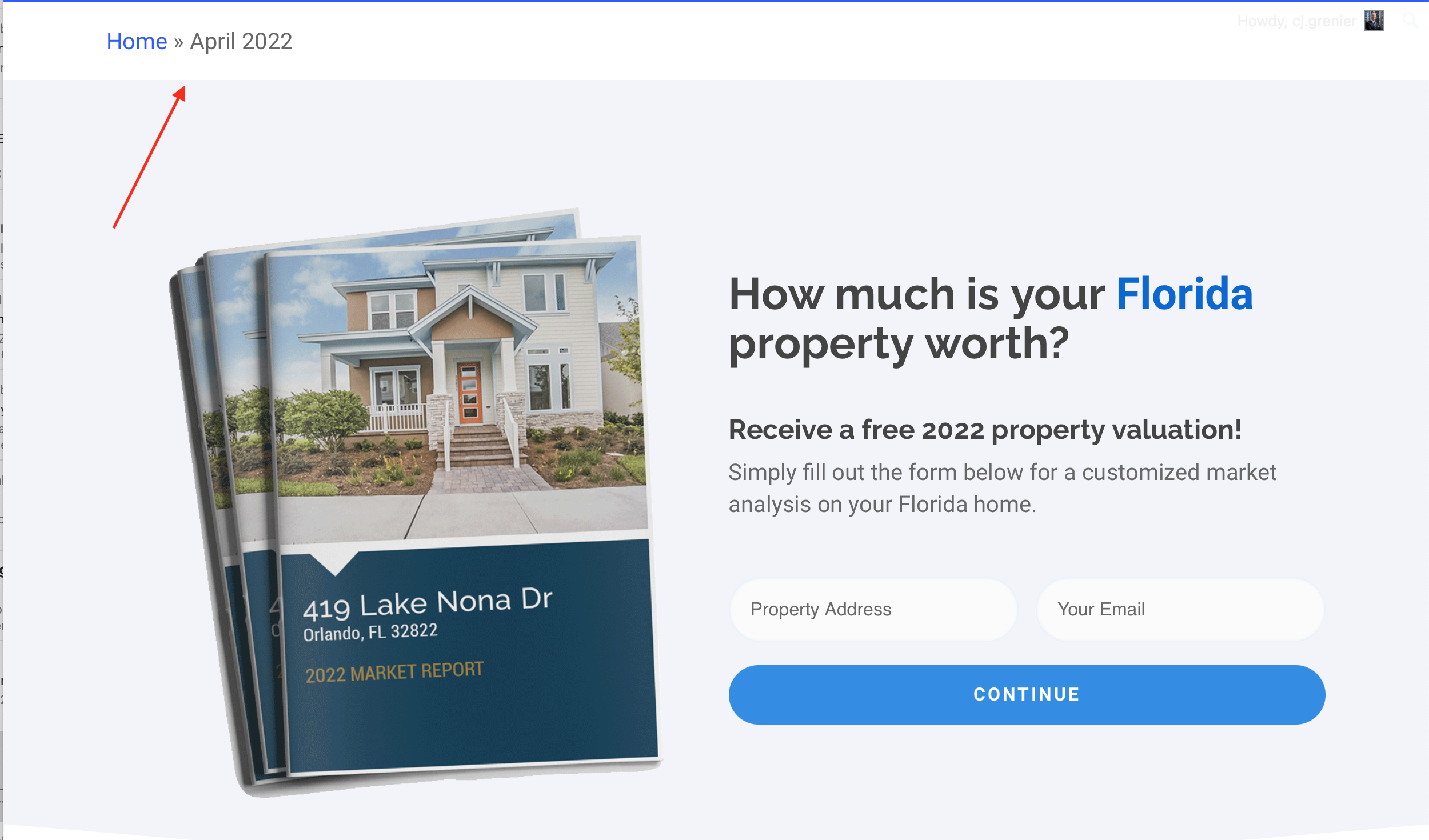
All of a sudden I have the page header on top showing the Sitemap / Page directory? How do can I remove this header? Thanks! https://orlandopropertyprice.com/wp-content/uploads/2022/05/Screen-Shot-2022-05-04-at-2.45.51-PM.png
Hey svtmuscle, If you’re using Yoast you can disable those breadcrumbs by going to Yoast > Search Appearance > Breadcrumbs
See this screenshot: https://prnt.sc/sl0zqo
Kind regards,
Wonderful, thank you so much!
You’re welcome, svtmuscle
Do you support bigcommerce plugin?
Hey EMSWT,
All of the eCommerce functionality/features built into Salient are focused on WooCommerce. You could use BigCommerce instead, but you wouldn’t be able to take advantage of any of those features.
Hi
What widget do you use in the sidebar under “Product categories” in your demo: https://themenectar.com/salient/ecommerce-robust/shop/?
I’ve used the “Product category list” widget, but it doesn’t have the same styling as in the demo. The filter widget looks fine, but the categories does not (eg. with the number to the right of the text, with the circle mouseover).
I can’t seem to get the “Product category list” widget to have the same styling as in your demo: https://themenectar.com/salient/ecommerce-robust/shop/
Can you help?
Hey Woye,
That is still the Product Category List widget, but with the “Show hierarchy” option enabled in the widget settings: https://ibb.co/WPWgXYh
Kind regards,
I’ve already enabled Hirachy in the options – it doesn’t effect the styling. Still looks wrong
Hey Woye, if you can confirm you’re also using the same “Material” skin as the demo, please share your URL in regards so that I can take a look at what you mean.
The theme skin is specified in the Salient options panel > general settings tab at the top.
Thanks in advance,
Hi .Yes – I use Material skin.
It is in the sidebar on this page: https://bogstavzoo.dk/shop/
Thanks!
Thanks Woye,
You’ll need to switch to the classic widgets UI in order to access the “Category List” widget which Salient provides those styles for: https://wordpress.org/plugins/classic-widgets/
I’ve noted to add a workaround in the next release for the newer block based WooCommerce category list element.
Kind regards,
Ahh! Thanks – that worked! Thanks for your help!
You’re welcome, Woye
Hey fabiotroyli!
You can specify image sizing for your products in the WordPress customizer > WooCommerce > Product images tab
Kind regards,
Is it possible to change the colour of the underline on the header search dropdown please? Thanks.
Hey velocity_uk,
That line will be the same color as what you choose for “Header Font – Hover State” in the Salient options panel > Color scheme. If you need it to be a separate color than that you can use the following CSS snippet:
body.material #header-outer #search-outer #search input[type="text"] {
  border-color: #000;
}
Kind regards,
Hi there, do you know anything about Salient in combination with the plugin Lightspeed POS Integration? Does it work well with your theme?
Hey Mikel2020,
I have not personally tested that plugin, but if you encounter any issues I’d be glad to take a look
Hi, there seems to be a small issue with the Call to Action Button. When the link type is “Open in New Tab” the browser opens two tabs with the same link. I’ve noticed the issue on firefox and safari. It works fine on chrome and mobile sarafi though. Also when you click where the padding of the button is, it only opens one tab. But when you click on the Text, it opens two tabs. I’ve also checked it out on your site, and the issue can be found for example on the “Purchase Salient” button. Thank you for fixing the issue.
Hey sSimoneenomiSs,
Thanks for mentioning that, I’ve noted to correct it in the upcoming release
Thank you very much!
You’re welcome, sSimoneenomiSs!
Do you know for which release this is planned for? Thank you very much.
Hey sSimoneenomiSs, the fix for this will be in 14.1, which was the intended next minor release the last time we spoke.
14.0.7 was only released due to a more urgent compatibility issue which effected all Flickity based carousels.
We’ve been distributing the 14.1 beta for any who’d like access. If you’d like a copy feel free to reach out via the contact form on my author page in regards.
Cheers
Perfect! Thank you very much!
Hi. Please see here: https://www.bravura.net/new/ – on my Salient slider the left and right navigation arrows has different left and right padding. Even if I try to correct it with css then the responsive view doesn’t work. Why is it not correct ‘out-of-the-box’ so to speak. I shouldn’t be using css to correct it. Also, when viewed at about 960 pixels the arrows display correctly (padding) and when going smaller at about 690 pixels it disappears (which it shouldn’t do). CAn you please assist?
Hey gustav939,
Edit the parent row which is holding the Nectar Slider element and change the row type to “Full width background”. After doing that, Edit the Nectar Slider element and enable the option labeled “Display Full Width”. That should correct the alignment change when using the Passepartout effect.
Kind regards,
Ahh! Thank You, I didn’t realize its the Passepartout that broke it. Is it possible to keep the arrows on the mobile view?
Hey gustav939!
You can with the following CSS snippet:
@media only screen and (max-width: 690px) {
body .swiper-container .slider-next, body .swiper-container .slider-prev {
    display: block;
}
}
Hi. Is there a way to close the padding between footer columns 3 and 4 on mobile only?
Hey wints77,
Can you please share your URL so that I can take a look at your setup closer to assist?
Thanks in advance
Hello, We are using your theme and having some issue on the respondive. Is there a way to have a slide on mobile but that not show on desktop ? We did not like de scroll ( doesnt scroll on desktop but scroll on mobile ) and wanted to cut the content on both slide to make it smoother.
We tried the obvious #idoftheslide {display:none} with queries but it does not work ( it work on the content of the slide but not the slide itself )
Any idea will be welcome. Thx
Hey Insaniam!
If you’re using the “Fullscreen Rows” option, there’s no way to remove entire rows with CSS as they will still be picked up via JavaScript and have sections created. Instead, you’ll need to disable the inner rows or columns to alter which set of content displays.
Kind regards,
Hi there,
I am really interested in your theme, however I have three simple questions that I can’t find answers in the available description or comments:- Does theme include or do you plan to implement the functionality of wishlist? If not, do you have any suggestions on the solution that is really compatible with Salien? Like i.e. YITH Wishlist?
- 2. Is there any plan of implementation of product comparison features? So that user can compare one product with the other?
- 2. To display product filters in the form of i.e. color icons or to display color icons instead of select box on the product page do I need to have the separate licence for YITH or is it somehow included in the theme?
I look forward for your reply
Best Marcin
Hey Marcin,
1 & 2: These two items are not scheduled at this time for development and would require the use of a plugin to accomplish the functionality.
3. Image/Color based product filters is an item high on the wishlist for eCommerce items and will be developed during the next round of eCommerce related features.
Kind regards,
hi https://gastromallorca.net/agua/categoria-producto/islands/mallorca/ how to disable the black opacity infront the image? and how to do the image a little bit more higher? thanks
Hey dimage,
Add the following snippet into the custom CSS box located in the Salient options panel > General Settings > CSS/Script related tab:
body.archive .page-header-bg-image:after {
  opacity: 0;
}
Cheers
thanks and to do the image higher?
Hey dimage,
You can adjust the sizing of that heading by increasing or decreasing the padding with:
.woocommerce.archive #page-header-bg {
    padding: 12% 0;
}
Hi, I just extended support, still I can’t open an ticket. It says “Sorry, support for this Envato Market purchase code has expired. You will need to extend support or purchase a new license.”. So what do I do now? Thanks.
Hey AdZurro,
Ticksy can take an hour to sync with new Envato licenses – you should be able to access the forum normally now. Kindly let me know if you’re still having issues.