38353 comments found.

Is it viable to use Salient WooCommerce elements to create a shop and not use the default “shop” page? Are there any potential problems with this? Thanks for any pointers.
Hey velocity_uk,
You can use the page builder elements to create a main shop page. WooCommerce will automatically generate your shop pages for the archives I.e. product categories/tags etc.
Kind regards,
Hi the website is pretty slow with the new theme i see that google recomend to remove/hide some JS code. for example this one: …1_E1Jb45w…/recaptcha__en.js(www.gstatic.com) How can i do it?
Hey gloazzo, The script that you’ve pasted is not a part of Salient, but rather coming from a plugin that you have active which is using the recapchta functionality.
If you’d like to share the URL I’d be glad to let you know which plugin is requesting that.
Hi there, here the URL, it looks like to be google font. how can i fix that? https://pagespeed.web.dev/report?utm_source=psi&utm_medium=redirect&url=https%3A%2F%2Fdorg.it%2Fdieta-chetogenica-dei-21-giorni-menu-da-seguire%2F&hl=en
Hey gloazzo,
The Google fonts are only one of the few on the third party list: https://ibb.co/TLD7WVz
All fonts will be render blocking by default, but you can delay their loading to remove that warning by using the autoptimize plugin:
https://wordpress.org/plugins/autoptimize/The offer a setting to handle that: https://ibb.co/MMzmtNF
Kind regards,
Hi, seeking some guidance lol,
Ok, so I’ve opted to use a vertical logo which has made the menu move downwards. Is there a way to have the logo flow downwards without carrying the entire menu bar?
Also, after I switched from wide to tall logo, the logo stopped displaying on the other pages? I trust you’ll know how to help me out.. Thanks
https://bit.ly/5rjV5TV9Hey kelvinski254 
1. If you’d prefer to have the logo centered between the menu items to keep them on the same horizontal level, you can switch to the “centered logo menu” header layout in the Salient options > header navigation > layout & content related tab: https://ibb.co/jhtqMM0
2. The pages “News” and “Our Teas” do not have the transparent header effect active, and thus won’t be using that logo. You’ll need to upload a dark version of the logo to the regular logo upload field here: https://ibb.co/Dp8B2rM
Kind regards,
You’re a star thanks
Glad I could help, kelvinski254
Hello! There’s something I’m trying to figure out… In my website below, something is making the BG scale up and pixlelate, how do i fix please?
https://redrice.ca/kamengonew/Hey neilgalang,
Are you referring to your Nectar Slider here: https://ibb.co/XJByZq0 ? If so, it doesn’t look too much out of scale with the original source image from my end: https://redrice.ca/kamengonew/wp-content/uploads/2022/04/2.jpg
Can you provide a screenshot of what you’re seeing on your end?
Thanks in advance
sorry what i meant was the slanted blue ng on the homepage body- if you look closely it pixelated…is it sizing? is there a script that will not zoom the bg image? thanks!!!
Thanks for clarifying neilgalang,
The row BG will stretch to fill the row it’s added to, and your row is much taller than the image itself which is causing the stretching. You can remove your BG image and instead make use of the row shape divider settings to accomplish that design: https://ibb.co/NWSdtdg
Kind regards,
Hi Yes I have tried this route and it does not work with Boxed site layout. Can you give me proper measurements for the BG or CSS to not scale it?
#ajax-content-wrap .nectar-shape-divider-wrap {
    margin-left: 0;
    width: 100%;
    left: 0;
}
I would not recommending using an image for this as it’s worse for performance and the image would need to be quote large to fill your row.
Hey, does the anchor tag not work (#row name) if you have full screen rows activated? Thanks Jen
Hey Jen,
You can still use anchor links, but you’ll need to enable the “Add Row Anchors to URL” option within the Fullscreen rows settings: https://ibb.co/8dPQnX8
Kind regards,
Thank you. Yes I have that turned on. But when I use it… when it goes to that page and to that anchor, it positions the row to where it’s half way between rows and it messes everything up. I have also found in the past that with this theme, using anchors in general… it doesn’t take you to the top of that row, it’s goes further down the page. The way I have worked around that in the past is to add an empty row above the row and put the anchor there. That has worked for me. But obviously I can’t do that with the full screen rows. I really wish the settings for however the anchor is programmed in the theme to be changed. If I use an anchor I want the top of that row to be showing up at the top of the page right under the header. Let me know if you don’t know what I’m saying here and I can give you a screenshot. Thanks
OK it must have been a glitch because it’s working now. Thanks
Hello,
I just noticed that the icons added in the secondary navigation (and also on footer) are not showing after updating the theme.
As an example, I have this on the widgets https://i.imgur.com/TeeNNUZ.png but only the text is displaying on the front end, not the marker icon.
Any help?
Thank you
I also have this on custom CSS: https://i.imgur.com/2sNpGAx.png
Hey josephhh, You’ll need to update your class names to using the following format:
fa fa-map-marker
It’s worth noting that Salient now provides a suite of menu options which will allow you to add icons next to menu items without any coding as well: https://themenectar.com/docs/salient/salient-menu-options/
Kind regards,
Hey piranhacreative, In the Salient options panel > blog tab, you can set the “Blog Header Sizing” sizing to “responsive” to allow the height to expand taller.
Kind regards,
Hi, I am checking the Salient Welness demo, but why the YT video bg in the header is not playing on mobile? And how can I activate this?
Hey Mikel2020, YouTube does not allow for autoplaying videos on mobile devices – you’ll need to switch to using a self hosted source (mp4/webm) if you need mobile playback.
Kind regards,
ai, good to know and thx
You’re welcome, Mikel2020
Hello,
the blog post is limited in width – how can I make it full screen?
shorturl.at/tzALZ
Thank you in advance
Hey vik_, that URL doesn’t seem to be working – can you try sharing it again so that I can take a look at your current settings?
Thanks in advance
shorturl.at/ilrwM
Screenshot: https://ibb.co/LtM29fr
Hey vik_,
Can you verify that you have the option enabled for “Hide Sidebar on Single Post” in the Salient options > Blog tab?
If you already do, can you please reach out privately with your live site URL as the shorter is not not leading to the site.
Kind regards.
FEEDBACK 
- Column ID – not working
- Single Image Default CSS Animation to none
- Footer column margins are not the same to Page Builder
- Button option to add rel=”noopener” for external links
- Custom column size `.vc_col-md-6` (2 columns when on iPad/Tablet) has no CSS code
- “Begin Installing the Required Plugins” must be opened in the same tab. Pretty much annoying when doing this to many websites
- Text Block should be first in the list under the “Content” tab
- Auto-P or Auto Paragraph not working on: Icon List (element) -> List Item -> Content Type: Text + HTML -> Text Content (HTML Enabled)
Hey djmalibiran, Thanks for your feedback/requests. I’ve noted these items for the upcoming major release, due out next month.
A couple of points:
Column ID – not working: There is no field for adding an ID to a column within the page builder currently. You can only specify a custom class name – are you trying to manually add an id attribute to the column via the classic editor view?
Custom column size `.vc_col-md-6` (2 columns when on iPad/Tablet) has no CSS code: BY default, all columns will collapse to full width on mobile, but you can set a custom size via the responsive options tab within the column settings. You can’t specify the column width for the tablet viewport directly, but you can set it to inherit from your desktop size by using the following option: https://ibb.co/Kwdgsqw
Kind regards,
Column ID – I thought I’ve seen it like in ~v12 or something. Anyway, it will be good to have it. When viewing the site on mobile, it’s very useful for anchor link in 2nd column.
Please see the following:
Thanks!
Thanks for clarifying djmalibiran
In the meantime you can also use a nested row within a column to add the ID if needed.
Kind regards,
WPBakery Page Builder 6.7 broke after updating to Wordpress 6.0. Not able to use it in post or page editing.
Hey Fixedman,
We’ll be releasing an update tomorrow to include the fix for this – In the meantime, you can correct the conflict by adding the following snippet to your child theme functions.php file:
https://pastebin.com/SLG01niLKind regards,
Hello, it’s not helping.
Please reach out via the contact form on my author page in regards so that I can take a closer look at what’s occurring in your setup.
Thanks in advance
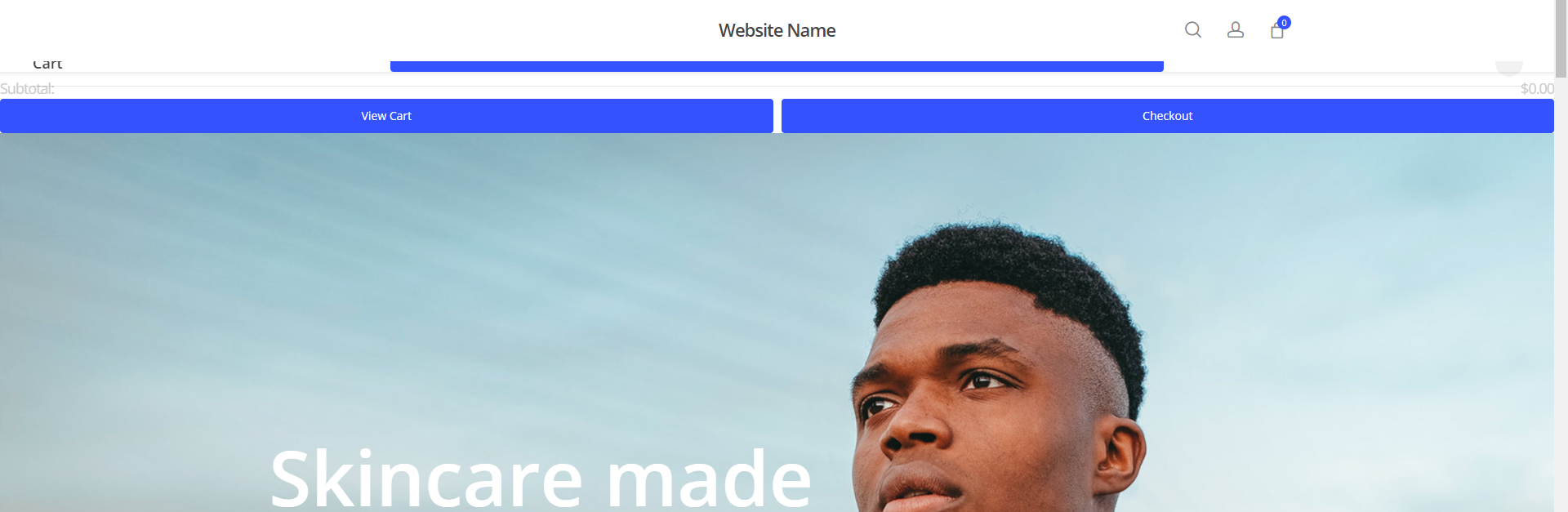
Hi there, I can’t seem to get past this critical error. Installing WooCommerce always breaks the theme’s styling, the checkout/cart spills into the header nav. I’ve tried changing to several versions of PHP, no plugins installed besides the required ones for the theme (and woocommerce), everything is up to date. Tried this across 2 seperate servers and same issue on both. Any ideas? https://u.cubeupload.com/imgoodthanks/websitename.png
Hey nothanksimgood,
That doesn’t look like a plugin conflict or PHP problem. It appears that you’re missing some CSS that should be loaded by default – Have you tried to resave the theme options after installing WooCommerce in order to regenerate the dynamic styles associated with the plugin? If so, please reach out via the contact form on my author page in regards so that I can take a closer look at the actual URL to assist.
Thanks in advance
Yeah I’ve tried that too, I’m kinda stuck on the issue :\ Thank you I will reach out
Enabling the theme option “Force Dynamic CSS to Inline In Head” seems to have fixed the issue. Would this impact site performance much, having it enabled?
Hey,
If that option corrected the issue, it sounds like your dynamic stylesheet is unable to be written to by your server. I would verify that wp-content/themes/salient/css/salient-dynamic-styles.css is writeable.
You can also keep that option enabled for the meantime. The dynamic CSS simply won’t be able to get cached, but it’s a moderately small amount of CSS.
Kind regards
Thank you, you’re right! it was the folder permissions. I hadn’t thought to check that, genius. Also you’re right, performance difference is not perceptible (running on openlitespeed on a VPS.) After enabling this option, not only has the menu been fixed but now I also have quick view on products, and my buttons are the correct colour, a few minor layout issues now also disappeared and everything is working as expected. By the way thank you for the insanely fast response
I’m glad that I could help
Cheers
hi just wondering how easy is it to update the theme?
Hey e3templates,
You can update the theme by using any of the methods described in the documentation here: https://themenectar.com/docs/salient/updating-salient/
Kind regards,
Hello!
I hope that you all are ok!
I was wondering, and this for the sake of speeding up the installation of Salient (especially plugins), if it was possible to activate as soon as the plugins are installed? For the moment, we must install them and then activate them. However, if they are installed, it is to possibly activate them. This would allow us to skip this step (the activation).
Do you think that’s a good idea?
Hey barreoblique!
Hope you’ve been good as well
Only two plugins are “required” for most functionality (Salient Core and Salient WPbakery), but some people still opt to not use them in certain instances so we can’t force them to utilized all the time – Are you trying to figure out the fastest way to install multiple instances of the theme for various sites?
Hello and sorry for my late reply!
And sorry again, I think I didn’t express myself well. What I mean is that when one decides to install a plugin, it would also be activated in the same movement. For now, if you decide to install a plugin, you have to do it in two steps: installation then activation. Which wastes a bit of time unnecessarily I think. Because if you install a plugin, you will certainly use it… and to use it, you have to activate it. If we could skip the last step with auto-activation upon installation, I would be very happy!
That said, yes, I’m still more or less looking for a quick way to install multiple instances of Salient. For now, I make myself a copy with a migration plugin, of the installed theme and plugins and of the other plugins not included with Salient, like Wordfence, backup, etc. On the other hand, a copy/paste would be perfect 
Cheer & thanks for ur time!
No worries, barreoblique
wp plugin install --activate
Kind regards,
Yep, already know wp cli. Tested some times. But not my coffee cup.
Figured it was worth mentioning, as it’s a valuable tool to get comfortable with if you manage many clients.
Kind regards
Yes, that’s a nice suggestion. And there are others like ManageWP, CMS Commander, etc. All tried. But today, with automated updates, this is no longer a necessity.
On the other hand, and to conclude, I believe that my suggestion to skip a step during the installation of the plugins (thus to activate the plugin as soon as it is installed) would certainly be a very appreciated feature, and not just from me but from all of your customers.
We can continue this conversation by email if you wish.
Thanks for ur time! Btw, can’t wait for the big next update More demo to comes?
Cheer!
No problem barreoblique, yes – the next update will be bringing many new features and a demo
Kind regards,
I am pleased to work with you and your theme. Your team is fantastic, your theme is exactly what I need. And you have a vision of the web that is very similar to mine. Simple designs (but not simplistic!) of formidable efficiency, where the messages are transmitted in a clear and limpid way.
Maybe we don’t tell you this often enough, but knowing that the product we buy has a long shelf life and is backed by top-notch technical support is very reassuring for a company like mine. . Thanks!
I think you nailed that description, barreoblique – definitely like-minded!
Thanks so much for the kind words! <3
Are you aware of a conflict issue with Woo Commerce since the last update and a secondary issue with webp images, I have had to shut off Woo Commerce and half the plugins to get images and menus back after the last update.
Hey webhosting4biz,
The last two minor releases only contained small changes unrelated to WooCommerce or image loading. I’d be glad to take a look at your site and assist if you can provide the URL where the issue can be seen. If you’d like to reach out privately, please open a ticket on the support forum in regards.
Hi,
I have a question about lazy loading, as a global settings I activated lazy loading on my site in the Theme settings. However, when i build a portfolio grid, i dont see an option to skip the lazy loading for this page ONLY. I see default, and Lazy loading. Screenshot here -> https://imgur.com/a/ARy6Ubn
The problem is since i activated lazy loading in the global theme settings, the default is also lazy loading. I have not options of skipping lazy loading for this page. How can i do that?
thanks
Hey toolbox101,
I’ve noted to add an option to skip lazy loading on the post grid in the next release. If you’d like early access, please reach out via the contact form on my author page in regards.
Cheers
Hi!
I’ve noticed that WPBakery is not working anymore. Anyone having this problem? What can I do to make it work? I can’t edit pages anymore using the WPBakery plugin integrate in the theme.
Thank you!
Hey creativebureauro!
If you can confirm that you’re on the latest version of the Salient WPBakery page builder (6.7x), have you also tried to disable your third party plugins to verify that none of them are causing the conflict? If so, kindly reach out via the contact form on my author page in regards.
Thanks in advance
Hi,
Yes, I can confirm that I have the latest version of the Salient WPBakery (6.7.1), including the latest Salient Theme (14.0.7) and WordPress (5.9.3). I update the theme via Envato Market Plugin. Also, I’ve disabled all third-party plugins and nothing helps. I’ll reach out to you via the contact form.
Thank you!
Thanks creativebureauro, I’ve followed up via email
Cheers
Hi, i bought your theme second time. Good theme. But i need some components. May be you add this options next update? Thanks for good job.
- Check this link: https://demo.agnidesigns.com/cartify/home-2/ - I need this like slidable second menu on header and this menu hide or add default menu under in to mobile version.
Thanks!
Hey sinayes, I’m glad to hear that you’re enjoying Salient!
I’ve noted your idea on the wishlist. However, you can already accomplish something similar by assigning a global section which contains a carousel to the “After Header Navigation” field in the Salient options panel > global section tab.
See the docs on Global Sections here: https://themenectar.com/docs/salient/page-builder-global-sections/
Kind regards
Hi, I need to find a way to change image proportion for woocommerce product gallery and widgets. Example: https://lovebenedetta.com/product/bijou-tie-up-set Basically I want images to be taller, how can I change the height of those images?
Thanks
Hey WeboCreativo,
You can use the “Single Product Image Dimensions” in the Salient options panel > WooCoomerce > Single product tab to specify a custom image size for the gallery. Alternatively, if you already have a size specified in there, you can remove that to allow the uncropped version to display.
As for the product archives/related products sizing – you can specify that in the WordPress customizer > WooCommerce > Product images tab.
Kind regards,
Hey guys, any ideas why my site is not responsive on the main page hero section? I tried everything from aligning to mobile settings to full height rows, to column changes etc…nothing works 
nevermind silly me, i had two images there, only noticed in the backend though…one must have been left over and was blank.
No worries Wobblefin, glad that you’ve sorted it