2996 comments found.

Can you please add to “Notifications – Template Fields – Pre-defined fields” more fields to add to emails? I really miss the application ID, the claim ID… not just the listing ID. For example, if I want to check a claim, I’d like to have a direct link to the user submission claim to make everything easier and faster. Thanks!
Hi,
We will discuss with our development team about notification fields. We’ve marked your suggestion for the future updates.
Thank you.
Have a great day!
Utillz
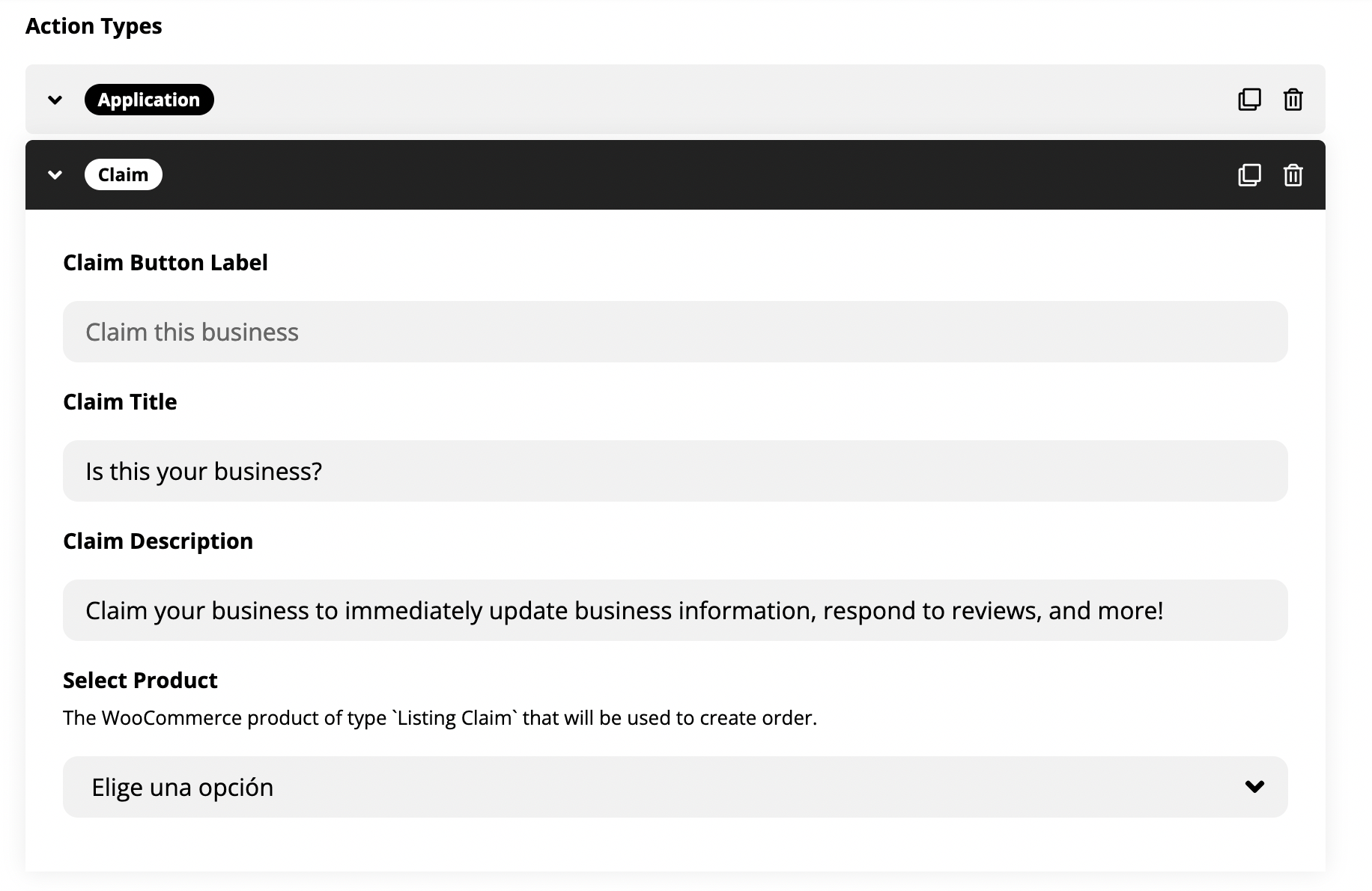
I appreciate it, that would be really useful. Also, can you make the “Claim” form customizable? Like the “Application” form. Because I need to ask the Business proof of identity and they would need to upload some information (images, files): https://i.gyazo.com/2fd0e6bd180d4fdae5cc46c91a179b20.png
Thanks!
I need to add Year on seasonal prices I do not have that option, only DD/MM.
example: I have a vacation rental property, renting in summer 2022 for the high season 500€ per night because it is the first year listing, but I want this vacation rental for the next summer to be booked for 700€ per night in the high season. This option is not possible with your theme if someone like to make a reservation now for the next summer.
I know people have asked before the same question but your answer make no sense when you say to user cjohndoe>
Hi, You don’t need the year, it will apply to every year at that time range, this is why it is called `seasonal pricing’.
You should check with the OTA’s like Airbnb, Vrbo and all the rest, as all of them allow seasonal prices by year, I think this must not be so hard to be implement in your script.
Hi,
We will discuss with our development team about seasonal price for next year. We’ve marked your suggestion for the future updates.
Thank you.
Have a great day!
Utillz
TICKET #2987493 - date: February 22, 2022 at 12:31pm
(my support is expired on 24/6 waiting your solution)
tablet/mobile view issue.
your reply was:
Utillz replied February 23, 2022 at 7:50am Hi,
Please use the Elementor mobile options to add some margin on the top of the page only on the mobile view. This should be a temporary fix for the issue. We will have a look on how to improve this with the upcoming update.
Thanks for reporting the issue.
Now on your demo page https://utillz.com/themes/brikk/booking/listing-types/ you fixed this issue, it run well…. but it run on old version style.css…. style.css?ver=1.6.0.6
now on new version style.css?ver=1.6.0.9 ….. the view issue is ever present like from old version.
Please update the solution for this issue.
Thanks.
Hi,
Please generate the ticket and share your admin details. We will find out the solution for your issues.
Thank you.
Have a great day!
Utillz
Hi,
Thanks for the reply, but I’m actually working on your theme offline, and for the moment I don’t want to pay the renewal just for this (old) issue ….. So, if you can give me some information on how to fix this problem, I will be very grateful!
Thank you.
Helloo, is this support WCFM Marketplace?
Hi,
The theme will support woocommerce plugins. It will support WCFM plugin also.
Thank you,
Have a good day!
Team Utillz
I tried to open a ticket, but got the following message: There is already an open ticket with the provided purchase code!
Does that mean that we can only submit 1 bug / question these days?
Hi,
First you have close the opened ticket. After that you can open the new ticket or you can ask the questions on same ticket as well.
Thank you,
Have a good day!
Team Utillz
Hello, in one of the comments you say that YITH Stripe Connect is now compatible. What do you have planned for integration? You should potentially communicate around the fact that Brikk is compatible with WooCommerce Subscriptions (since your addition with Heilz).
Could you send me the landing page of your theme? Thanks a lot.
Hi,
Brikk is compatible with WooCommerce Subscriptions. But if you want stripe connect in it you can use “YITH Stripe Connect” plugin in this. Here is live brikk theme link:https://utillz.com/themes/brikk/booking/
Thank you,
Have a good day!
Team Utillz
Hello, could you send me the landing page of the theme? Thanks a lot.
Hi, I don’t see how can I edit the top right user menu (when you click in the user avatar). I checked the default Wordpress menu and I don’t see any option. Where can I edit it?
Also, I would like to display the header/logo in the explore page (mobile version). How can I do that? Thanks!
Hi, can you tell me something about the header/logo in mobile explore page?
Hi, I want to purchase the theme But before that there is a little thing which is bugging me. When we click to book the hotel, there is a booking panel on right side of the page in the desktop mode. But when we switch to mobile mode, it vanishes. I want that box to stay on the page because 75% of our visitors are on mobile.
I have exactly the same issue as user 66georgs. The pricing should be taken from the seasonal pricing. It should not matter when booked. if the seasonal price is €1000 in July, then the customer should be able to make a late booking in July at the season price, not at the cheaper base price! Your set up does not work
Hi, looking forward to purchase but have some questions:
1. is it possible to let listings expire? (ex: Silver – 10 days, Gold – 30 days)
2. Is it possible to show many thumbnails at once in the preview of a listing? (ex: https://www.immobilienscout24.de/Suche/de/nordrhein-westfalen/koeln/immobilien)
3. Custom field?
On my website are people listed and every listing has a selfmade WhatsApp button attached in the info box, which is also responsive in the preview. (I added the WA logo and linked it to https://wa.me/<number>. Is it somehow possible to add that button as custom field? So when users add a listing, the button will be kept in the listings template and properly updated?
Thanks
Hi,
1.You can set the listing expiry limit. 2.You can use slider for thumbnails in listing box view. 3.No for now we don’t have WhatsApp button option in theme. User can add listing from the frontend.
Thank you,
Have a good day!
Team Utillz
Hi, Is there any way to get/import some places (like restaurants) from Google or Tripadvisor? And import the google reviews? Thanks!
Hi,
In theme there is no option to import restaurants from google or google reviews.
Thank you,
Have a good day!
Team Utillz
Hello, I’m using the nulled theme to test your product out right now, and I am about to purchase it, but I have one key issue that I am encountering that I don’t know how to fix.
I am using WP all import to import listings from CSV. I am using the correct format, because I first exported the listings to see the proper format. I even managed to correctly set up the rz_gallery field which was a huge challenge.
Anyway, listings are now imported with all data correctly, and the location shows correctly on the Single Listings pages. However, the explore page doesn’t show any markers at all, and it’s also properly set up.
Have you encountered such an issue before? Is it fixable?
Hi,
You can check the explore page settings and set the listings per page in listing type settings. In setting you can check the map marker, In this you can add marker for listings. Listingtpype->settings->explore. listing type->particular listings->single page
Thank you,
Have a good day!
Team Utillz
Would be great to finally have a fully searchable field for forms. Like every other theme, have been waiting patiently for this. The “Autocomplete” field currently only allows single taxonomy. There should be a field type that when you start typing searches through everything and admin can set whether blog posts, what listing types could be included…
Hi,
You can add listing titles in search forms. In search forms it will allow to search single taxonomy at time. You cannot use listing types in search forms.
Thank you,
Have a good day!
Team Utillz
I know this, however, I dont want to search single taxonomy, I want the search bar to search the whole site (autocomplete) while the customer is typing. And in the drop down (like autocompelte) to show everything that contains those keywords typed. Just like any other directory theme on here.
Looking forward to more features! Thanks.
Hi, Is It possibile to add a print button also for booking details and add also a link to view the order payment when booking payment became completed, in next update?? Thanks.
Hi,
Yes, for sure in next updates we will add print button on order payment when booking and reservation payment became completed. For now print button is already on woocommerce products orders. When orders completed it gives option for print.
Thank you,
Have a good day!
Team Utillz
Pre Sale questions 1. did it support Arabic and RTL , 2. is there a header and footer builder or any documentation on how to modify. 3. can i use the theme for the meeting room reservation where customer select time period. thanks
Hi,
1.It support loco translate plugin for language translator and also support RTL plugin. 2.In admin appearances->menu you can change the header menu, For footer menu section you have to create widgets and for lower footer section you can easily change from the listing type->settings. 3.Here is documentation for bookings hourly or for reservations. https://utillz.com/docs/brikk/listing/reservation/ https://utillz.com/docs/brikk/listing/action/action-type-open-hours/ Thank you,Have a good day!
Team Utillz
thank you for the response what do you mean by RTL plugin.
Hello, is it possible to implement Stripe Connect so that the payment goes directly to the seller and I only get a commission? Are there ready cases of this?
From the website:
The global routing and payment engine lets you pay your partners quickly and reduce your operational overhead. Funds can be shared between multiple users, payments can be made across borders, and your own revenue can be accurately determined for each transaction.
https://stripe.com/de/connectHi,
For the stripe connect you can use the woocommerce stripe connect plugin. Here is link:https://yithemes.com/themes/plugins/yith-woocommerce-stripe-connect/ The theme will support woocommerce stripe connect plugins.
Thank you,
Have a good day!
Team Utillz
Hi there guys, any idea if your theme/template will be in german language? Is Elementor inclusive this item if i would buy it and to start immediately?
Hi,
You can convert the language of theme and templates with LOCO transfer plugin. LOCO transfer plugin gives you option to change the website language in multi languages.
Thank you,
Have a good day!
Team Utillz
Hi guys on one of your demos – when you click the listing tick/check icon on a listing you get the following message:
Are you sure do you want to pending the status?
can I suggest you change this to the following:
Are you sure you want to change the status to pending?
As an Englishman I want to help you guys. Well done
Hi,
Yes, Sure we can change this message “Are you sure you want to change the status to pending?” through file. Here is path for the file:wp-content\plugins\routiz\templates\account\listings\row.php
Thank you,
Have a good day!
Team Utillz
Hi
1. I see the theme does’t have a invoice system, do you recommend a plugin?
Is there an easy way to extract ( display ) the custom fields that are created with the theme builder in a PDF invoice or an PDF contract?
2. An essential thing regarding reservations >> the date of a reservation is not shown in the print option ( checkin <<==>> checkout dates )
3. I think there is a bug in reservation system … there should be a time delay ( in hours ) for reservations on the same day
Best regards
Hi,
Here is list of plugins for invoice https://woocommerce.com/products/pdf-invoices/ https://wordpress.org/plugins/woocommerce-pdf-invoices-packing-slips/ https://wordpress.org/plugins/woocommerce-pdf-invoices/We will review the reservation system in next updates.
Thank you,
Have a good day!
Team Utillz
Hi Utilz, I wanted to inform about 2 bug: 1 – In elementor, when you go to insert the Tag Cloud element and then choose the taxonomy to be displayed as a list, only the default ones of wordpress appear, that is TAG and CATEGORY. Taxonomies created from Settings> Lists> Taxonomies are NOT displayed. They are seen in the drop-down list but not loaded on the page.
2 – if icons are loaded in the icon set and they link to the various taxonomies, if you can that set is updated with the addition of new icons, all the links of the old icons are lost and you have to reload them all from scratch. This does not happen with the default theme icons. Greetings and thanks.
Do you think it will be fixed with the next update? If so, when? Thanks a lot Simo.
Hi,
Please raise a ticket and share your admin details for better solution of your issues.
Thank you,
Have a good day!
Team Utillz
Why should i open a ticket? No I don’t open it at all !! Answer the questions above that the whole community can read, no in personal tickets, you have already removed them so as not to help others, with the excuse that the platform no longer allows it, I purchased at least 80 themes on envato and you are the only ones who they do not let others in the community read the tickets except only those who open it, who knows why. Answer the 2 questions here, it’s not difficult they are your BUG.