137 comments found.
We have not received a response for 5 days, we have placed another ticket and they have not responded either, it is a critical error because the template could not be installed.
Sorry for the inconvenience. Our team already replied for your ticket and also they asked you to send FTP details in the ticket so please send us those details in the ticket reply so our team will help you on this asap.
hello, we have sent several messages by email in response to the ticket, we have not received a response.
Please send us your support ticket number so i will check on this asap.
Ticket number: 436304
Hello,
Yes, We received your support ticket and our team already replied for your support ticket and asked you for FTP and admin details so please check it and reply in support ticket so our team will help you on this asap.
Thanks, Mark
Since April 11th, we provided a response with the administrator credentials through the ticket platform for ticket #436304 without receiving a solution that resolves the reported issue.
Sorry for the inconvenience. But we need FTP details to debug. We need to modify some files so please send us FTP details in support ticket so we will help you on this asap.
I am very sorry to report my disappointment at the lack of attention and solution to my support request. Here is a detailed timeline of the process:
- On 04/04/23 a ticket was created by support and we were asked for FTP access.
- On 04/11/23, we responded that it was not possible to provide those credentials at that time, but we provided them with access as a Wordpress administrator. However, they were unable to use it and we asked for the cause of the error, but received no response.
- On 04/12/23, they informed us that they could not make use of the credentials we provided them.
- On 04/28/23, we informed you that we already had FTP access to share it. After 28 days of posting the ticket, we still have not received any response or solution to the problem that is being presented.
The last response we received from support was on 04/12/23 and we have not received any further response since.
We sincerely hope that this situation can be resolved soon and that we can count on your help to deal with the problem effectively. The lack of response and resolution from support is unacceptable to us and affects our ability to use your template effectively.
Hello,
Sorry for the inconvenience and delayed. Our support team replied for your support ticket so please check it.
Thanks, Mark

Hello,
Pre-sale question. I would like to use the demo “Infostack Header” and also I would like to use the “Our Latest Projects” section as Services. Can I use it or it is only for projects?
Example https://ibb.co/QvHGPZVHello,
Thanks for taking interest in our theme. Our theme opens a portfolio details page https://imgbb.com/QvHGPZV when you click on the title but if you want to set a custom link then we will help you to do this via child theme. You need to contact us via our support site at https://support.preyantechnosys.com/ after purchasing our theme. Our team will help you on this.
Thanks, Mark
Hello, does yout theme comes with user login and appointment booking? I.e if there is a membership attached to the service and once they have their service active then they can proceed to book an appointment
Hello,
Thanks for taking interest in our theme. Sorry we didn’t provide any plugin for login and appointment booking with our theme. You need to use any plugins for this. But our theme supports all plugins so you can use any plugin for this. Please contact us via the support site at https://support.preyantechnosys.com so our team will guide you on this.
Thanks, Mark
My Theme images didnt upload into my uploads folder. Are the images hosted externally?
Hello,
No, Upload media files is WordPress core feature and it needs to go to the upload folder. We need to check it on your site so please contact us via our official support system at https://support.preyantechnosys.com
Thanks, Mark
Sidebar for normal page is not working anymore after update to newest version from older. I set sidebar to the left but it appears on the bottom of the page, not on the left.
Before update the theme -> https://prnt.sc/mkr8k-Qh0_uu After update -> https://prnt.sc/NgRWCGi2QMxI
Settings are the same -> https://prnt.sc/aODwEGpx9JWr
Hello,
Sorry for the inconvenience. Can you please contact us via our official support system at https://support.preyantechnosys.com and send us your site url with login details in support ticket so our team will help you on this asap.
Thanks, Mark
Thank you however I can’t, my support expired. Just want to tell you there is a bug.
Hello,
No, We tested it and we didn’t get any issue like this. We need to check it on your site so contact us via our support site.
Thanks, Mark
Pre-sale question … is WPBakery customized or left as “normal” in your theme?
Hello,
Thank you for interesting our theme!
Our theme is done in WPBakery and elementor. Also we ready to help you if you get any issue.
Thank you,
Hi, thank you … but you misunderstood my questions … what I mean is: Did your development change anything about WPBakery to make it a customized version of WPBakery … or did your team only add in custom elements?
Hello,
Now, Our theme has some custom WPBakery elements. We didn’t modify the core plugin. Our theme support latest version of WPBakery page builder plugin. You can see our theme custom elements Here
Thanks, Mark
Thank you very much, Mark! Just wanted to make sure core wasn’t changed … I believe it was the Porto theme which changed core and caused problems for me / client.
Thank you again, Mark … will purchase soon
Glad to hear it helps 
Fix your WPBakery demos … error connecting to database
Hello,
Sorry for the inconvenience. Yes, due to some server technical issue our demo stopped working but we solved that issue. Now all demos are working perfectly.
Thanks, Mark
Awesome!
Glad to hear it helps
Colleagues, how to change the color of this link only? I’ve been on this for an hour and nothing.
https://zapodaj.net/860a3137a8cf2.jpg.htmlI am using elementor version
Hello,
This button is part of elementor element. We are ready to help on this so please contact us via our official support system at https://support.themetechmount.com/ and send us your website url in support ticket.
Thanks, Mark
Hi I just bought the theme and I have a problem installing the plugin “ThemetechMount Extras for Boldman Theme” Error: cURL error 60: SSL certificate problem: certificate has expired
I’ve open un tiket here : https://support.preyantechnosys.com/
Thank you for your help. Best regards
Hello,
Yes, We received your support ticket and our team already replied for your support ticket so please check it and reply in support ticket if any query.
Thanks, Mark
Its good. Thank you for your quick reply. Best regards
Glad to hear it helps
Why the Boldman Options is broken? maybe not connceted with css. I cleared cache etc but issue still there?
Hello,
Just go to Admin > Settings > General Settings and then set https as described in screenshot so this solves your issue. If still issue then please contact us via our official support system at https://support.preyantechnosys.com/ so our team will help you on this asap.
Thanks, Mark
hi, how i update my theme on my domain ??
Hello,
Theme update is manage using Envato market plugin so just set this plugin as described Here on your site and you can easily update theme on your site from there.
Thanks, Mark
hi how to remove link on portfolio overlay
Hello,
Please contact us via our official support site so our team will help you on this.
Thanks, Mark
i did …waiting for reply
Hello,
Yes, We received your support ticket and our team already replied for your support ticket so please check it and reply in support ticket if any query.
Thanks, Mark
hi whats my ticket number ?
Hello,
This is your support ticket number 125076. Also you received an email on your registered email id.
Thanks,Mark
Hi,
Just a presale question Can we put our own icons everywhere. Thanks. Isabelle
Hello,
Yes, You can use own icons. Also we ready to help you to add your custom icons.
Thanks, Mark
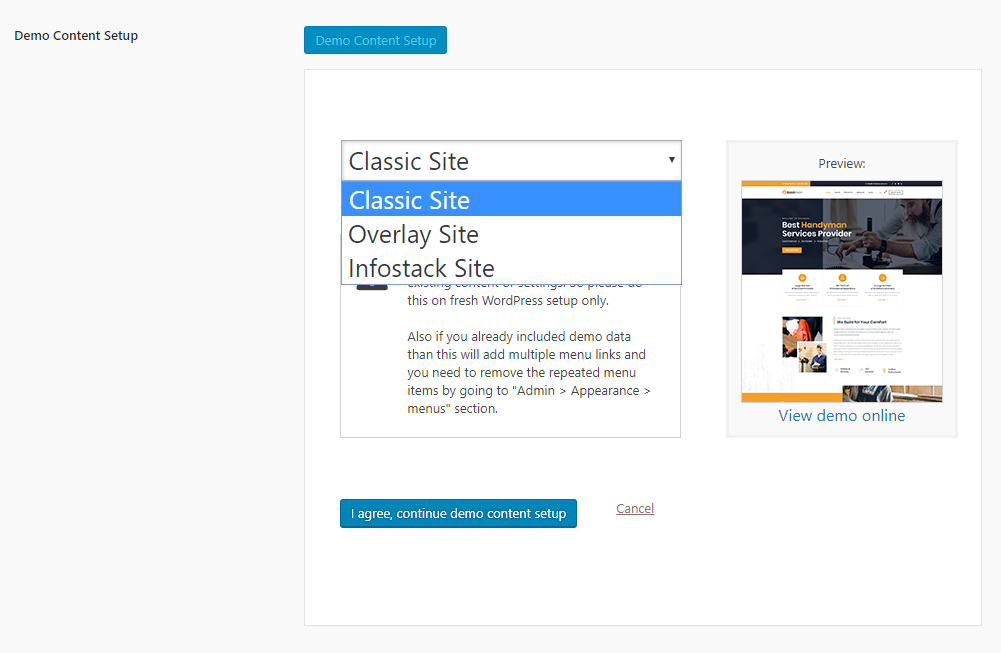
Hi, great theme however im having trouble installing onbe of the plugins it shows this error: Downloading installation package from https://themetechmount.com/wordpress/boldman/themetechmount-boldman-demo-content-setup.zip…
Download failed. cURL error 60: SSL certificate problem: certificate has expired
Hello,
Sorry for the inconvenience so please contact us via our official support system at https://support.preyantechnosys.com and send us your site url and wp-admin credentials in support ticket so our team will help you on this asap.
Thanks, Mark
hello, Does it support rtl ?
thank you for your answer, does it support polylang plugin ?
Hello,
Yes, Our theme support Polylang plugin. Also we are ready to help you if you get any issue on your site. You just need to contact us via our official support system at https://support.preyantechnosys.com/
Thanks, Mark
Is there a way to make the service boxes unlinkable? Just a list of services without the subpages? in the same slider style?
Also would like portfolio items to not be linkable either just present the grid portfolio
Hello,
Yes, It is possible to do this via a child theme. So please contact us via our official support system at https://support.preyantechnosys.com and send us your site url and wp-admin credentials in support ticket so our team will help you on this.
Thanks, Mark
I submitted a ticket, but now can’t find the ticket I submitted
Hello,
Yes, We received your support ticket number 291259 and our team replied for it and asked you for some details so please send it in the ticket so our team can help you on this asap. Otherwise send us your site url with wp-admin credential on our support@themetechmount.com email id.
Thanks, Mark
Is there a demo install for the one page demo?
Hello,
one page demo is available in WP Bakery page builder only. So install demo data from From this header . After install demo data just go to Admin > Pages list and you can see Onepage name page in pages list. http://boldman.themetechmount.com/documentation/one-page-site.htmlIf you get any issue on your site so please contact us via our official support system at https://support.themetechmount.com/
Thanks, Mark
Thanks!
Glad to hear it helps
where can I add more services to the Left Side Menu when viewing a service?
Hello,
Please contact us via our official support system at https://support.themetechmount.com/ so our team will help you on this asap.
Thanks, Mark
How do I add more than six services to the Services menu dropdown?
Hello,
You can easily add services to menu items. First edit your main menu and then click on Screen Options at top right corner. Then check the Service Item there. Close screens options and now you can see services all post on the left side column in your menu page so now you can add it from that list. https://imgur.com/a/RiW2vXh
Thanks, Mark
Got it. Thank you.
Glad to hear it helps
Hi. I just bought a template but don’t like it. Can I get a refund?
Hello,
Sorry for the inconvenience. You can check our refund policy here. https://themeforest.net/item/boldman-handyman-renovation-services-wordpress-theme/23342358#item-description__refund-policyWe are ready to help you if you get any issue on your site so please contact us via our official support system at https://support.themetechmount.com/
Thanks, Mark