23243 comments found.
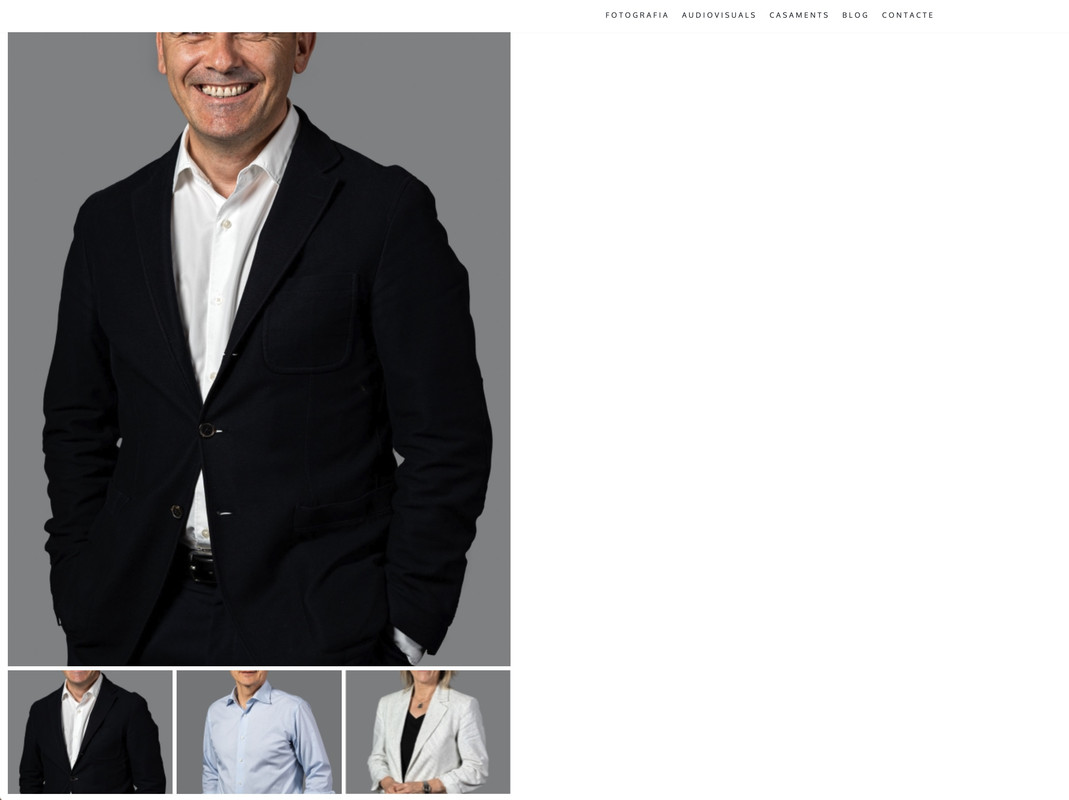
Hy, there’s any way to automatic resize between vertical and horitzontal photos? now the vertical ones made my scroll down. Also the thumbnails don’t appear cut in vertical photos.
Hello, @alextremps,
Which photos are you talking about? Can you please share the screenshot and the live URL of the page as well as having the issue so that I’ll check and help you out if possible?
Regards, P-THEMES.
sure, where can i send the screenshots?
you can enter in alextremps.com and watch live.
Hello, @alextremps,
You can contact us via our support system here: http://portotheme.com/support and generate the support ticket.
Regards, P-THEMES.
i can`t
Hello, @alextremps,
Ok then please share the screenshot here via this URL: https://postimages.org/
Regards, P-THEMES.
Hello, @alextremps,
If you use WooCommerce 3.3.x then use WordPress Customizer (it’s a feature in the WordPress admin) to change the catalog and single product Image settings.
Go to Appearance > Customize > WooCommerce > Product Images.
More information about product image settings you can find in WooCommerce Documentation: https://woocommerce.com/document/fixing-blurry-product-images/
And also could you please purchase support extension to get further support? Your 6 months of support period is expired from 16/06/2021. According to Envato support policy, renewing support is required for further support.
Thanks for your understand.
Regards, P-THEMES.
i’m not using woocommerce, i only use the portfolio
i think that’s an issue of the theme, auto resize in hor-vert photos in gallery, and thumbnails hor-vert or squared
Hello, @alextremps,
Oh, I see, I am sorry for getting you wrong, I thought you were trying to ask for the products, my bad.
Actually, the portfolio, took the image based on the layout you choose for it under Porto >> Theme Options >> Portfolio >> Single Portfolio: https://postimg.cc/WFGMw0Ns
And there is no other specific option to change the image crop, it purely depends on the layout and is cropped automatically, so you have to upload the new image with high resolution or low based on your layout requirements.
And also could you please purchase support extension to get further support? Your 6 months of support period is expired from 16/06/2021. According to Envato support policy, renewing support is required for further support.
Thanks for your understanding.
Regards, P-THEMES.
Hello! take respect.
Sir how to reduce “Categories” tittle text size ?? ex- https://postimg.cc/YLGYqLCK
Regards!
Hello, @kashfulecommerce,
Please copy and paste the below given CSS code to Porto >> Theme Options >> Skin >> Custom CSS and change the value in the given code as per your requirements.
ul.products li.product-category .thumb-info h3 {
    font-size: 13px !important;
}
And also could you please purchase support extension to get further support? Your 6 months of support period is expired from 20/02/2020. According to Envato support policy, renewing support is required for further support.
Thanks for your understand.
Regards, P-THEMES.
Thank you so so much sir!
Sir, i faced a problem which is in my product category i have 19 category. And i add 19 category in to the Porto Product Category but front page is showing only 12 category i can’t found any option to the Porto Product Category. I want to show unlimited of category in front of Front Page.
Her is showing 12 ex- https://postimg.cc/q6n6Jpb1 but i want to showing unlimited of category. please advise how to show all product category in your Porto Product Category?
Regards!
Hello, @kashfulecommerce,
Are you using the Porto Product Category element or the Porto Product Categories element? And which page builder are you using on your site?
Regards, P-THEMES.
sir, i’m using wpbakery page builder and using Porto Product Categories ex- https://postimg.cc/21Df1Ljd i add 19th Categories but showing only 12 Categories.There is no option in Porto Product Categories to solving problem i tried much more.
Hello, @kashfulecommerce,
You have to edit the product categories element and set the number to show the categories as per your requirements: https://postimg.cc/f3NsYkcs
Regards, P-THEMES.
oh! god thank you so much sir!
sir, how to reduce this https://postimg.cc/vgQCwwBg i want to reduce the red mark footer body! try to understand by red mark symbol.
Regards!
Hello, @kashfulecommerce,
Please copy and paste the below-given CSS code to Porto >> Theme Options >> Skin >> Custom CSS and check back to your site after removing the browser cache.
footer#footer .porto-block .vc_column_container.col-md-12 .vc_row.wpb_row.vc_inner {
    padding-top: 40px !important;
    padding-bottom: 10px !important;
}
And also could you please purchase support extension to get further support? Your 6 months of support period is expired from 20/02/2020. According to Envato support policy, renewing support is required for further support.
Thanks for your understand.
Regards, P-THEMES.
Sir, thank you so so much for your help!
Sir, i want to hide Single Product Page. I want to sell the product Add to cart from “Quick View” when customer click to the product name it’ll open Quick View always and buy from quick view. is it possible to our theme??
> Click to the “Quick View” open product Quick View Page. >Click to the product name also open “Quick View” not go to the single product page.
we’re looking forward to your help!
Regards!
Hello, @kashfulecommerce,
Please purchase the support extesnsion first and then contact us via our support system with your site WP Admin Login details for the further issues.
Regards, P-THEMES.
Thank you so much for advising us sir!
Sir, please help something is created problem. Mobile and Desktop view is absolutely ok but Tab View is problem
1. Tab – https://postimg.cc/SXFbhk6b
Kindly help us sir!
Regards!
Hello, @kashfulecommerce,
Please copy and paste the below given CSS code to Porto >> Theme Options >> Skin >> Custom CSS and change the value in the given code as per your requirements.
@media(min-width: 768px) AND (max-width: 991px){
    #header .header-main{
        display: none !Important;
    }
}
And also could you please purchase support extension to get further support? Your 6 months of support period is expired from 20/02/2020. According to Envato support policy, renewing support is required for further support.
Thanks for your understanding.
Regards, P-THEMES.
Sir, Thank you so so much for your help!
Regards!
You’re Most Welcome!! 

hello we are struggling to locate the right css that changes the color of the woocommerce countdown timer on products that are on sale. Can you provide this?
Hello, @parisalex,
Please copy and paste the below-given CSS code to Porto >> Theme Options >> Skin >> Custom CSS and change the color in the given code as per your requirements.
.products .sale-product-daily-deal:before {
    background: red !important;
}
.products .sale-product-daily-deal {
    background-color: red !important;
}
.single-product .porto_countdown-section{
    background-color: red !important;
}
Regards, P-THEMES.
Hi
I have logged a ticket 6 days ago ref (5205) with no respond please assist this is critical
Hello, @Dhes,
You have not choosed the product in Form and also you did not completely filles the required fields while generating the support ticket, lilke purchase code, Envato name etc and that is why your ticket was sent to SPAM: https://postimg.cc/mcKrCn0r
So please always filled all the required fields while generating the support ticket.
Regards, P-THEMES.
Hello , can you help me reduce banner height : https://prnt.sc/a5PI5uDX9VGX
Hello, @anuj01,
You can reduce the banner height by editing the page with Elementor and from there in the “Inner content” tab of banner you will be able to adjust the height of the banner as per your need. Please refer to the image for a grapical explanation: https://postimg.cc/LqvpYHTN
Regards, P-THEMES.
I reduce it from 843 to 600 px , but still its same. Pls check
Hello, @anuj01,
Ok then please contact us via our support system with your site WP Admin Login details so that our experts will check it for you on your site and help you out.
Regards, P-THEMES.
Hi, i using template 35 for woocommerce, and on default product view layout thumbnails comming under the bigimage..
in your magento 2 porto theme there is an opyion to change thumb. positions I cant find any in woocommerce. I just want to show products thumbnails on left side of the big product image.
Thanks in advance.
Hello, @naciberk,
You have to go to Porto >> Theme Options >> WooCommerce >> Single Product and choose the Product Layout as “Full Width” as showing in this screenshot: https://postimg.cc/YjDNzVpX
And also could you please purchase support extension to get further support? Your 6 months of support period is expired from 06/04/2022. According to Envato support policy, renewing support is required for further support.
Thanks for your understand.
Regards, P-THEMES.
Hello ,
how to replace the category name in the archive products list with the sku number and make the sku number linkable
Hello, @iislb,
You can hide the Product Categories on Shop page from Porto >> Theme Options >> WooCommerce >> Product Archives as per your requirements: https://postimg.cc/xq27KwFK
And unfortunately, there is no option in the theme to show the SKU on Shop page, so you have to try it with the Custom Code Snippets like:
 function skyverge_shop_display_skus() {

    global $product;

    if ( $product->get_sku() ) {
        echo '<div class="product-meta">SKU: ' . $product->get_sku() . '</div>';
    }
}
add_action( 'woocommerce_after_shop_loop_item', 'skyverge_shop_display_skus', 9 );
You have to use the Child Theme and add that code in Child Theme functions.php file and it will show the SKU on shop page but please note that it will not make that SKU clickable/linkable, this requires extra Customization. The code is for only showing the SKU.
And also could you please purchase support extension to get further support? Your 6 months of support period is expired from 01/12/2018. According to Envato support policy, renewing support is required for further support.
Thanks for your understand.
Regards, P-THEMES.
hello ,
we need to show the sku before the category ,below the image category direct.
Hello, @iislb,
Unfortunately, this is not possible as there is no such option in our theme for this so this requires extra Customization.
Regards, P-THEMES.
Why is it ever time you have a theme update the site crashes??? Even though I am using a CHILD THEME.
Hello, @zaxstar,
There is no such issue with our latest theme update, There must be any third party plugin conflict OR your own Customization, which creates the issue on your site, So please take the complete backup of your site and then contact us via our support system with your site WP Admin Login details so that our experts will check it for you on your site and help you out.
Regards, P-THEMES.
Hi, I´m trying to update theme automatically from 6.01 to 6.4.1 and appear this Unable to unzip package. PCLZIP_ERR_BAD_FORMAT (-10) : Unable to find End of Central Dir Record signature, PHP, WP and Woocommerce has latest versions. how can i update this, thanks.
Hello, @clientesonline,
Please go to Porto >> Dashboard and deactivate the theme from there and then again activate the theme with same purchase code, after that please go to Appearance >> Themes and try to update the theme from there, hope it will work for you, Otherwise you can try with the manual update as well: https://www.portotheme.com/wordpress/porto/documentation/update-theme/
And also could you please purchase support extension to get further support? Your 6 months of support period is expired from 31/07/2021. According to Envato support policy, renewing support is required for further support.
Thanks for your understand.
Regards, P-THEMES.
shop 37 not working with woocommerce, returns blank page
Replied to your duplicate comment here: https://themeforest.net/comments/28633801 please check.
theme options not working with shop 37
Replied to your duplicate comment here: https://themeforest.net/comments/28633801 please check.
themes.php?page=porto_settings not working, blank page. Could you help?
Hello, @b8engl,
It turns out the issue is that trying to save changes in the Porto Theme Settings is triggering ModSec rule 300015 for some reason, which is an SQL injection protection rule, so you have to disable this rule server-wide until you are in the development process, as the ModSec rule that was getting triggered is one of the standard WHM/cPanel rules as of one of the newer versions, so more and more servers are going to have this rule enabled by default. So please try to contact your hosting provider on this,
And also could you please purchase support extension to get further support? Your 6 months of support period is expired from 06/06/2020. According to Envato support policy, renewing support is required for further support.
Thanks for your understand.
Regards, P-THEMES.
I can’t even access to theme settings. What’s the point to have the pannel if trigers modsecurity action. I don’t get it…
Why triger now? I have use this theme in production and local server and never get this.
what’s the location <LocationMatch …>?
Hello, @b8engl,
That has been from the server, if you are using it on Local then it could be the wrong setup or restriction on it, you have to try on a fresh server and if possible please try it on the live server.
Regards, P-THEMES.
can we change the add to cart icon https://postimg.cc/dhV1PWBz
Hello, @banprestofrance,
Please copy and paste the below given CSS code to Porto >> Theme Options >> Skin >> Custom CSS and check back to your site after removing the browser cache.
.product-summary-wrap .single_add_to_cart_button:before {
    font-family: 'Font Awesome 5 Free' !important;
    font-weight: 900 !important;
    content: "\f07a" !important;
}
Regards, P-THEMES.
ok and next ? i would like to make this icon https://fontawesome.com/search?q=amazon&s=solid%2Cbrands
.product-summary-wrap .single_add_to_cart_button:before { font-family: ‘Font Awesome 5 Free’ !important; font-weight: 900 !important; content: ”\f270” !important; }
don’t work
Hello, @banprestofrance,
That is because the icon you are trying to use is not the FontAwesome 5 Free version, I have changed the code a bit and it worked.
.product-summary-wrap .single_add_to_cart_button:before {
    font-family: 'FontAwesome' !important;
    content: "\f270" !important;
}
Regards, P-THEMES.
hi, i would like to update the theme but when i read some comments, some issue came out when they updating the theme. may i get your help to update my website theme so you can rectify and do a necessary if the updating process having an issue? thank you
Hello, @blank81,
For sure, Please take the complete backup of your site first, and then contact us via our support system with your site WP Admin and FTP or Cpanel Login details so that our experts will update the theme for you on your site.
And also could you please purchase support extension to get further support? Your 6 months of support period is expired from 18/09/2019. According to Envato support policy, renewing support is required for further support.
Thanks for your understand.
Hello! Sir take respect! I’ve two major question.
1.Add to cart: sometimes click to add to cart it takes little bit time but why i don’t know. Other times it’s absolutely ok. but my question why it’s take little bit time to add to the products?
2. Mini Cart: as same as problem to the mini cart it takes little bit time to canceling product from the mini cart cart.
Actually we want to running our business perfectly through wordpress with your them but sometimes it make us upset.
Hello, @kashfulecommerce,
1,2. Actually, on Shop/Category pages, Add to Cart works on Ajax and Ajax speed and process depend on the server performance, so sometimes the server might be processing the Ajax a little late, in that case, you have to properly speed up your site and manage the server performance as well.
Regards, P-THEMES.
Hello , I have updated all fonts in Porto Theme options , but still not updated on live site ?
Also how to edit the TOP Header Having “Phone Number” and “Extra 15% OFF” Line ?
Hello, @anuj01,
Your site is on Maintainance Mode and I am not able to check that which Top Header you are talking about and also the Fonts are working fine for us on our test site, it must be the cache issue at your end, so please try to clear the cache and check back, Otherwise please contact us via our support system with your site WP Admin Login details so that we will check it for you on your site and help you out.
Regards, P-THEMES.
Hlo , Many features are good , but i did not find any Pre built contact us and about us page.
Hello, @anuj01,
You have to use the Porto Studio and Import any of the pages as per your requirements: https://postimg.cc/7J7xz1yr
Please read our theme documentation here: https://www.portotheme.com/wordpress/porto/documentation/porto-studio/
Regards, P-THEMES.
Hello, Please reset our key.
regards
Hello, @scriptfeedsdev,
I have reset your purchase code, now you can use the same purchase code for activation of your theme.
Regards, P-THEMES.
theme is great but suddenly, image thumbnail ratios broken with new update. new listings looks like this: https://prnt.sc/NuTZG48Sgego
Hello, @gribilge,
Please make sure that you are using the very latest version of the Theme and Plugins, OR Please try to disable all the third-party plugins (including cache plugins), that does not come bundled with Porto WordPress , clear the cache of the browser, and check then. Maybe one of the additional plugins is a reason for the problem.
And if the issue will still persists then please remain all the third-party plugins deactivated on your site and contact us via our support system with your site WP Admin Login details and also please provide us the permission to debug your site which includes deactivating all the third-party plugins and on-site Customization as well so that we will check and assist you accordingly.
Note: Please take the complete backup of your site first.
Regards, P-THEMES.
HI, Can you please point me to the Porto theme demo (& Help documentation) that shows Instagram Feed or Social Media feed display (Instagram/Facebook)...
Hello, @theblockstory,
First of all, thanks for showing your interest in Porto WordPress
You can check the Instagram Feeds on our demos listed below at the very bottom.
https://www.portotheme.com/wordpress/porto/beauty/
https://www.portotheme.com/wordpress/porto/shop8/
Regards, P-THEMES.
Hello, @rolazika,
You can change the color from Porto >> Theme Options >> Skin >> Main Menu.
Have you purchased the Porto WordPress theme? If yes, then please contact us through your theme purchase account to get the free support for Porto WordPress theme.
Regards, P-THEMES.