23242 comments found.

Hello – I updated to the latest version and it crashed the website. I’ve rolled it back, but now the sidebar links to different product categories are super off on different pages. I’m mostly interested in knowing how to turn these sidebar links off either all together, or on certain pages.
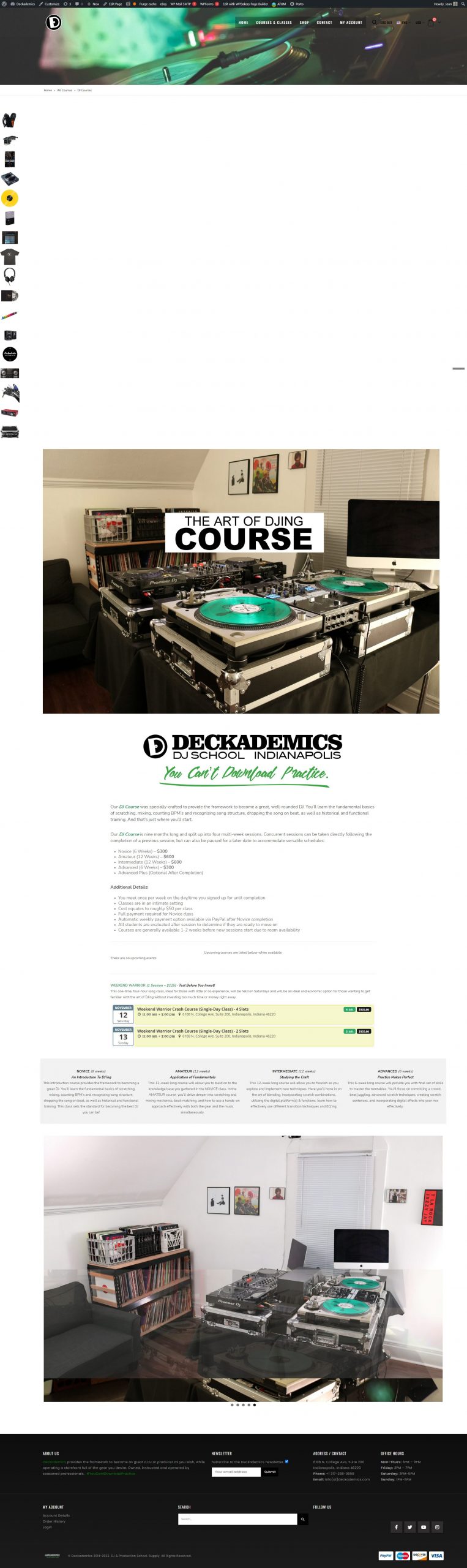
What’s happening: https://deckademics.com/wp-content/uploads/2022/10/SS-169-DJ-Courses-Deckademics-scaled.jpg
The element: https://deckademics.com/wp-content/uploads/2022/10/ss.jpg
Hopefully the images helped you understand what I’m referencing, as I don’t know the correct terminology.
Thanks
Hello, @deckademics,
Alright, Thanks for the screenshots it helps me to understand your issue.
Now, First of all, please disable all the cache plugins if you are using them after that navigate to the Dashboard >> Porto >> Tools and then click on the buttons I marked with the arrow: https://postimg.cc/kRcVSJCj then check back to your issue after clearing the browser cache. I hope it will be resolved. But if it’s not then please contact us via our support forum by creating a ticket and describing your issue by sharing the access to your site so that our customer team member will help you.
Regards, P-THEMES.
Thanks for the reply, but no that didn’t work.
Is there a way to just remove the panel completely from the affected pages? I have never liked how they looked on mobile anyways but haven’t been able to find the solution to remove them with your literature.
And my saved password/login for the support forum is not working nor is it sending out recovering emails (yet it’s literally saved meaning that I have used it before).
Hello, @deckademics,
Alright, Can you please contact us via our support forum by creating a ticket and describe your issue in the detail so that our customer support team member will be able to help you in order to solve your issue.
Regards, P-THEMES.
Hello, I have problems with my theme -I can’t update the theme, the website crashes. I can’t access my support account either. Any hints?
Hello, @sk_skg,
Could you please share your stie WP Admin URL and Credentials and also the Cpanel Login details and URL as well via our email newsmartwave@gmail.com so that we will check it for you on your site and help you out.
Regards, P-THEMES.
Hi Can help me about : https://ibb.co/pZjnMg2 this is in header webiste. How can I delete this option ?
Best Regards Mat
Hello, @mimikss,
You can modify/remove it from Porto >> Theme Options >> General >> HTML Block as per your requirements.
And also could you please purchase support extension to get further support? Your 6 months of support period is expired from 16/06/2022. According to Envato support policy, renewing support is required for further support.
Thanks for your understand.
Regards, P-THEMES.
Quero saber porque quando contruo algo com o Elementor ele fica bagunçado. Acho que o tema está quebrando algo no elementor.
Hello, @contatomovelinteligente,
Could you please share the URL on which you created the content using Elementor page builder and it looks messy? And also if possible please share the screenshot as well, so that I will check and help you out accordingly.
Regards, P-THEMES.
Pre-sales Enquiry: Does this theme comes with Android/IOS versions? If yes, how do I get it?
Hello, @klymates,
First of all, thanks for showing your interest in Porto WordPress 
Our theme is fully responsive and can work fine on any device but unfortunately, we do not have any App for this for now.
Regards, P-THEMES.
I recently update my WordPress and your theme but that happened after update. ( I made clear cache after that but nothing)
https://zimasolution.com/Hello, @arzansaray,
I have just checked your site now and it is working perfectly fine for me and here is the screenshot: https://postimg.cc/21q9BrL7 so it must be the cache issue at your end only nothing else.
Regards, P-THEMES.
Im using porto theme , recently i updated to the latest version 6.5.1 of theme and shoping cart and megamenu that i have hiding behind main view , that happened after update( i made clear cache after that but nothing), also i put some z-index but nothing, what happened with the latest version???
https://prnt.sc/zlGC_GXBfipnHello, @baspax1989,
Could you please try with the below given CSS code, Please copy and paste it to Porto >> Theme Options >> Skin >> Custom CSS and check back to your site after removing the browser cache.
#main {
    z-index: -999 !important;
}
Regards, P-THEMES.
Hi, thanks, it works but with that way everything that buttons or all of products that is inside #main isnt clicable (buttons,links,etc)
Hello, @baspax1989,
I see, then please remove that Cutom CSS and contact us via our support system with your site WP Admin Login details so that we will check it for you on your site and help you out.
Regards, P-THEMES.
Hi support Porto, I have some questions as follows:
1. Is this theme include installed plugin Elementor pro or WP Bakery And the validity of their tools is available without paying more than 59$ ?
2. Is this theme compatible with Order Tracking for WooCommerce (https://woocommerce.com/products/order-tracking-for-woocommerce/?gclid=Cj0KCQjwy5maBhDdARIsAMxrkw3MlE6y_55SP7ilXKGwSGFqXJZYHk0DYIAEkuHRVIuBD9v1xmKDn_MaApwTEALw_wcB)
3. IS there available use multi pin google map or other map at this theme?
thanks
Hello, @aelwakeel,
1. Both plugins are included in the theme package but not the pro versions as those plugins are already purchased by the PThemes and modified as well with our theme, so If you want to use the Pro version of the plugin you have to purchase it separately as this is with all the themes on ThemeForest, this is Envato policy, and you may wish to confirm from them as well.
2. We have not tested that particular plugin with our theme officially till now, so we are unable to suggest you on it, but yeah most of our customers are using this plugin with our theme and they never report any issues about it.
3. Yes Google Map element is available in our theme. You can check the styles here: https://www.portotheme.com/wordpress/porto/shortcodes/maps/
Regards, P-THEMES.
thank you reply me quick, As for point 1, Do you mean all the feature, widgets, and elements in this theme are available?
I don’t understand why so much appears in the document “Full Support for Elementor and WP backey”?
thanks
Hello, @aelwakeel,
1. Yes all the elements of the theme are available with those page builders.
2. It means, you can easily modify any part of the theme/demo with those page builders as per your requirements.
Regards, P-THEMES.
Hi, when I try to import from porto studio, there is an error message, “Security issue found! please try again later.
Hello, @EricMG2015,
Please go to Porto >> Dashboard and deactivate the theme from there and then again activate the theme with same purchase code, and then try to use the Porto Studio.
Regards, P-THEMES.
That worked thanks. Also, I am not able to see product prices unless am logged in as admin. How do I change that setting?
Hello, @EricMG2015,
Could you please make sure that you have turned OFF roles to see product price under Porto >> Theme Options >> WooCommerce >> Catalog Mode?
Regards, P-THEMES.
That also worked thanks, I had to clean cache also. How does one put the filter on shop pages?
I managed. thanks
Sound’s Good!!
hello ,
1- how we can add sidebar filter in single page
2- we have problem when the single page empty the footer are not fixed in the bottom
3- can add the quick view icon in image in the list view products option?
Hello, @iislb,
1. Filters only work on the Shop/Category archive pages, If you want to add the filters in the sidebar on the single product page then you have to try this plugin: https://wordpress.org/plugins/woocommerce-products-filter/
2. You have to try the Custom CSS for it: https://www.w3schools.com/howto/howto_css_fixed_footer.asp
3. You can choose the layout of the product for the Shop/Category pages from Porto >> Theme Options >> WooCommerce >> Product Archives as per your requirements: https://postimg.cc/CZdDWLkK
And also could you please purchase support extension to get further support? Your 6 months of support period is expired from 01/12/2018. According to Envato support policy, renewing support is required for further support.
Thanks for your understand.
Hi, Team
Can I update to woocommerce 7.0.0 please?
Hello, @crazy_cube,
Yes our latest version of the theme is fully compaitable with the WooCommerce version 7.0.0, so you can go with it, here is the changelog: https://themeforest.net/item/porto-responsive-wordpress-ecommerce-theme/9207399#item-description__change_logs
Regards, P-THEMES.
apple pay issues … try this in css
” .StripeElement { margin:; 0px !important; padding: 0px 0px 25px !important; border: none !important; display: block !important; background-color: transparent !important; position: relative !important; opacity: 1 !important; width: 156px !important; } “
Hello, @markrday,
Does that CSS solved your issue?
Regards, P-THEMES.
worked for me ….
Sounds Good!!
And thanks for sharing it here, it might help some other peoples as well having the same issue.
Hi there. Do you know of a simple element in Porto where the text can appear, and then disappear and replaced with another line of text?
I ask as we are working on a website and they want it to say “Learning Together”... then that disappears and over the top it reveals “Loving Together”.
It may need custom code, but is there an Element that can do this with ease?
Hello, @79design,
You can use the Porto Fancy Text element for this: https://www.portotheme.com/wordpress/porto/shortcodes/word-rotator/
This is the only possible element for now.
Regards, P-THEMES.
Could you please remove existing license in my site and refresh I will be installing in new website.
Hello, @ebsol,
I have reset your purchase code, now you can use the same purchase code for activation of your theme.
Regards, P-THEMES.
Hi! It’s pretty cool you guys answer questions in the comments so quickly. Meanwhile my ticket from two days ago hasn’t been updated in 15 hours. And the only update so far was to ask for FTP login details which I’d provided in the initial support request. (8266)
Update: Issue almost resolved, many thanks!
Hello, @paulvoth,
Yes we solved and replied to your support ticket with a proper solution, Actually the delay issue you faced because of the time difference as the time you replied was the late night for us and we were not on the desk at that time, when we are back on the desk we solved your issue.
Regards, P-THEMES.
I want to install a store in Arabic language only using your theme. Is it possible? If yes, how can I do it?
Hello, @husseinyshahin,
First of all, thanks for showing your interest in Porto WordPress
You can easily translate our theme in Arabic language using theme language files OR using Loco translate plugin as per your requirements.
Regards, P-THEMES.
Are there any videos on how to use Loco plugin to translate the theme to Arabic? Or, where can I find the language files to convert it into Arabic?
Hello, @husseinyshahin,
You can watch this video: https://www.youtube.com/watch?v=bQI50tUXN6c
Regards, P-THEMES.
The last question please,
Can I use the theme I have purchased for more than one website/domain? Or it can be used only for one domain?
Hello, @husseinyshahin,
1 single license is used for 1 single live URL only, this is Envato policy and you may wish to confirm from them as well, this is with all the themes on ThemeForest.
Regards, P-THEMES.
Hi Porto,
Please, can you tell me why in the main products panel when I click add to card, appears the common (continue shopping or check out): https://candleart.es/001.JPG But when I enter in the product sheet and click add to card this panel does not appear ? Any way to make appear it? For the is better this panel appears in both cases for people more easy to buy products.
- Second query: the button add to card is possible to place it at botton of the product sheet? below the image for movile visualization.
thanks, Joaquín
Hello, @Joaquim_,
1. That is because that Ajax add to cart functionality is only for the Shop/Category archive pages not for the single product pages.
2. You can achieve it using a trick, you have to use the Custom product page layout and create your own layout as per your requirements, you can show and hide the rows based on different screens as per your requirements: https://www.portotheme.com/wordpress/porto/documentation/faq/how-to-create-custom-product-layout-using-porto-template-builder-and-with-wp-bakery-page-builder/
Regards, P-THEMES.
Invalid key. please help me reset my account. xe73.vn website
Hello, @alohasmartphonedn,
I have reset your purchase code, now you can use the same purchase code for activation of your theme.
Regards, P-THEMES.
tks you!
You’re Most Welcome!!
After updating the theme, the website reported an error. ” Warning: include_once(/home/xe73vne8/public_html/wp-content/plugins/porto-functionality/builders/elements/single/elementor/post-format.php): failed to open stream: No such file or directory in /home/xe73vne8/public_html/wp-content/plugins/porto-functionality/builders/elements/single/init.php on line 2509
Warning: include_once(): Failed opening ’/home/xe73vne8/public_html/wp-content/plugins/porto-functionality/builders/elements/single/elementor/post-format.php’ for inclusion (include_path=’.:/opt/alt/php74/usr/share/pear’) in /home/xe73vne8/public_html/wp-content/plugins/porto-functionality/builders/elements/single/init.php on line 2509”
Mai me: mitsubishi.pvanh@gmail.com
Hello, @alohasmartphonedn,
Could you please purchase the support extension and then contact us via our support system with your site WP Admin and Cpanel Login details so that we will check it for you on your site and help you out.
Your 6 months of support period is expired from 15/03/2016. According to Envato support policy, renewing support is required for further support.
Thanks for your understand.
help me!
Hello, @alohasmartphonedn,
I am sorry but without debug it on your site, I am unable to suggest you anything on this.
Regards, P-THEMES.
Hi
having issue with “Merge javascripts and stylesheets” when i enable this item in “Speed Optimize Wizard -> Advanced Optimize” it causes issue and stop displaying credit card input field on my checkout page.
I am using Woocommerce Payment plugin as payment gateway on my site. I have confirmed this by changing the theme to default twenty twenty two theme.
it’s confirmed that the issue only assure when I enable “Merge javascripts and stylesheets”, right after i disable this field and refresh the page it start showing input fields of Credit card number , expiry date and cvc
Hello, @mfali728,
Thanks for your explanation and we really appreciate your debugging to find the main cause of the issue.
Actually, the issue is because that “Merge javascripts and stylesheets” option is conflicting with the plugin options or code, so in that case, we recommended not to use that theme option and try to use any third-party plugin which provides the functionality for “Merge javascripts and stylesheets” and will not conflict with that option.
Regards, P-THEMES.
thanks for your response.
cant we restrict it to not merge woocommerce payment plugin js ?
Hello, @mfali728,
Unfortunately there is no such option in our theme for this.
Regards, P-THEMES.
A new option appeared within the porto app, which was a new way to customize much better than current with many more options, but that way just disappeared???? how can I get it back?
Hello, @fabiodropbusiness,
Really sorry for the inconviniance but I am unable to understand your issue, Could you please explain it more clearly, if possible with some screenshots for my better understanding?
Regards, P-THEMES.