

226 comments found.

how do i fix this error
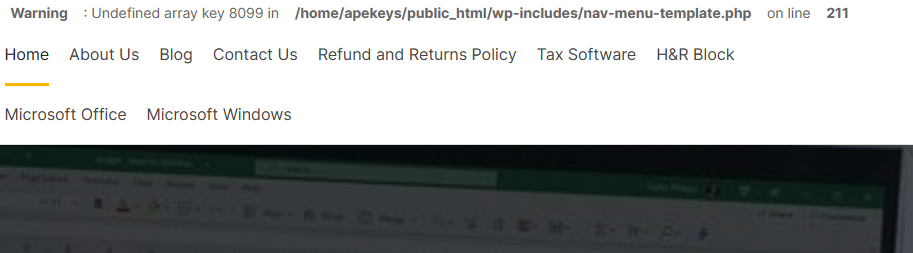
Warning : Undefined array key 8099 in /home/apekeys/public_html/wp-includes/nav-menu-template.php
i have done that no reply yet
Hi,
Because we are on the Lunar New Year holiday, the ticket will be delayed.
Your ticket has been answered. Please check back
Hi, I am trying to place my product variation directly below the gallery on the Mobile version. The current state is the Title of the product, social share, price and customer review comes before the product swatches. How do i achieve this ?
Hi,
There is currently no option to do that. We will have to override the PHP file in the child theme.
Please send the ticket here: https://tickets.thembay.com/ Our Support Team will help you.
Can the product page be edited with Elementor?
Hi,
Editable only with Elementor Pro version.
Hello, but is it possible to edit everything and customize according to my needs?
After purchase, do you send a tutorial on how to do it?
Of course, I will guide you in detail. Do not worry
waiting for support theme importing issue . all pages are not imported please help me out. my ticket id: 1NM-D7P-U7JY From yesterday i am waiting for reply.please help me out..!
its urgent my work is getting effected by this please help me out.
Hi,
I have already replied to your ticket. please check.
query not properly solved. very late & poor responce
Sorry, We need time to solve your problem.
i raised ticket no response from morning
Your ticket has been answered. Please check back.
i created ticket yesterday Ticket number: 14699 no response
Your ticket has been answered. Please check back.
I need help fixing this
Hello,
Due to the recent WooCommerce update, it will take time for us to release a compatible update. Please wait.
the mobile footer isnt working on all pages
Hi,
You need to enable this option: https://nimb.ws/fo41pu
Hi Team,
Great theme it was working fine but recently Add to cart and Woocommerce pages are not working. Could you please help with the issue and check my website link? https://avcollab.com/product page add to cart is missing – https://avcollab.com/product/polk-audio-tl1600-5-1-channel-home-theater-speaker-system-black-stone/
Hi,
Please configure it here: https://docs.thembay.com/aora/#woo-setting-19
Thanks for the support!
Demo site bug: From any individual product page, scroll down to Related products and click the eye icon for quick view. The title loads in the pop-up and then disappears within a second. When you scroll back up to the top of the page, the quick viewed product name has been stacked with the other page title and meta data.
Hi, We will check the issue soon. Thank you.
Compatible with wordpress 6.0.1?
Yes, the theme is compatible with the latest WordPress
this is a nightmare to install and import. everytime i import it all i get is a blank screen
Your Product is Awesome. Kindly help me with a small issue. When i upload any product image & if the resolution of the image is less than 750×750, then it get cropped vertically on product single page. It looks properly on archive / shop page. Thank you.
Hi, the Q&A Plugin is not available anymore: https://wordpress.org/plugins/yith-woocommerce-questions-and-answers/ – How i can find it or install it? Thanks
Hi,
You can download in here https://downloads.wordpress.org/plugin/yith-woocommerce-questions-and-answers.1.5.0.zipHow can I solve that? Thanks Damian
Hi,
Please follow our video: https://www.youtube.com/watch?v=AKApbp5Xgio
Hello, The shop filter button is not working on Phone, that happened with the last update. Thanks.
I wanted to know which Dokan, WCFM & WC Marketplace plugin packages did you use for each demo.
The look awesome!
Hi,
All the plugins we use in the demo are free versions
hello i have updated your theme “Aora Version: 1.1.4”. some customizations I’ve made have broken down. I had to fix it again. i want to update to the new version. I’m not sure whether I’m doing right. I don’t want my settings to be disrupted. what kind of path do I have to take? respects.
Hi Support team, Could you please check why continuously sending Ajax request on mobile device. https://prnt.sc/NbVoSiK2ZbTK
Hello,
Thank you for your comment.
We will look to fix it in the next update.
Hello, I’ve chosen WCFM (WooCommerce Frontend Manager) to use the marketplace, but at the beginning it was ok but now it doesn’t work, I can’t see new registers about vendors… Need to know if I have to contact with you or plugin creator? Thanks.
I don’t have support anymore and before to pay for renew support, need to know if who can help me…
All issues related to theme errors are supported for free, even after the end of support. Except for your own customization requirements
Hello, I would like to create a multivendor site, garden articles, orchards, flowers and plants…etc. Purchase and sale between users, or between users and stores. Is it easy with this theme?
I would like to ask you some questions before the purchase:
Do you have Spanish translation?
Do you have template for mobile mode?
Does the theme accept PayPal payments?
Can it work properly without the paid plugins, Elementor and WCFM.
All the best.
Hello,
Thank you for your interest in our theme.
1. We do not provide translations. You need to translate them via WPML, Loco Translate or Weglot Translate. You can read more here:https://docs.thembay.com/aora/#translations
2. About mobile design: Please test responsive or test with real mobile device
3. PayPal payments: Support available
4. You can completely use those plugins with the Free version.
Hello folks! The mini cart (sidebar) doesn’t seem to work well with the new Elementor update.
Hello,
Because we are on the Lunar New Year holiday, support may be delayed.
We will check that soon. In the meantime, please take the time to revert to the old version of Elementor
Hello there, just checking too see if you were able to replicate the issue with the side cart. I should have clarified, the update I was referring to was for Elementor Pro.
Thanks. Found the solution here: https://developers.elementor.com/elementor-pro-2-7-new-approach-to-woocommerce-mini-cart/
If there’s another problem, let me know right away. Have a nice day 


