1466 comments found.
Hey, presale question, I really like HomeV4 (https://konte.uix.store/elementor/home-v4/?header_version=v6&header_search_style=icon&footer_container=konte-container-fluid&footer_main_left%5B0%5D%5Bitem%5D=copyright&footer_main_right%5B0%5D%5Bitem%5D=menu) but I want to add some content/sections below the 4 sliders. Right now the page isn’t scrollable. Can we add some text below it so that the HomeV4 functions as the slider on the top but is scrollable?
Hello,
Thank you for your questions. Yes, it is possible. All homepages are editable, so you can add more sections to them. With the home v4, you can edit it with a page builder like Elementor or WPBakery Page Builder and add more sections bellow the slider.

Hello, We also facing the same problem as @juanjomunozlorencio. The cart panel will not open after a new item is added so we’re forced to redirect the user to the cart after a product was added.
Hello,
Thank you for your feedback. We found it is a problem of the theme. We will release a new update to fix it soon.
Hi, I think I’m experiencing a bug related to the text color in the menu bar.
I configured the header background as Dark to get the Light logo, menus and icons. This is a screenshot of the configuration: https://snipboard.io/qPlOa2.jpg
It works on most sections, I get the light logo, menus and icons as intended: https://snipboard.io/TcLNXi.jpg
But in the single product screens the logo menus and icons change to Dark: https://snipboard.io/wi7aju.jpg
I tried configuring a custom background for the Shop and that didn’t work. I also tried configuring a custom background for the whole site so I could select explicitly the Light text color but that didn’t work either. No matter what I do inside the single product the logo, menus and icons are always changed to Dark.
Is this a known issue? Is there a way to fix it?
Thanks in advance for your help. Best.
Hello,
Thank you for your feedback. Actually, it is a default style of the theme. Depends on what product layout you are using, the theme may fixed the header style. In this case, the header text color is fixed as “Dark”. You can use a custom code to change it. Please share your website address, so our developer can test it and provide the code to help you.
Hello I have a minor question and very appriciate it if you can answer it.
On homepage I want to add a featured image, but I want it to be hidden on page. (I need it for my google search results) Is there a way to make it hidden? For example by a CSS code or something else?
Hello,
You can use the CSS class “hidden” to hide that image.
Thank you
if you can you write the exact css code, I would be grateful.
If you are using Elementor, you can use the Responsive settings, like in this screenshot:
https://prnt.sc/QRjLK6c-NK8bIf you are using the WPBakery Page Builder, you can add the class “hidden” to the row that contains the image.
https://prnt.sc/zjFl7I88jYD6Thank you
Hi! Open the shopping cart panel after successful addition isn’t working. I see in public tickets in support same isuue. My support is finisehd. Any idea?
Thank you 
Hello,
It could be a conflict issue of plugins. Please try to deactivate plugins to test the problem again.
Thank you
Hello! Thank you. It’s not a conflict issue plugins. I see in public tickets in support it is JS theme problem. Waiting you fix this.
Thank you
Thank you for your feedback. We have tested and found it a problem in JS of the theme. We’re going to release a new update to fix it soon.
Thank you. In case it helps, it also happens that from the product catalog you can only add a single product to the cart and that they cannot be removed from the cart modal panel.
Thank you so much
We will test it too. Thank you very much for your feedback.
I am trying to use just the slider revolution plugin on my homepage but it leaves a little white space and I don’t want that to show. I want the image on the slider to show. Can you assist me in fixing that white space showing? Please find the link to the image below. I want to take out the white space that I have used pencil to indicate
https://drive.google.com/file/d/1xFwOe9iLizNDS_Fx5hWl0eYpc5ad3Z3E/view?usp=share_linkHello,
You can check the layout settings for the slider again and correct it to fix this issue.
1. Ensure the slider layout is “Full screen”, as in this screenshot: https://prnt.sc/hvwhu8wdFMWN2. Ensure the option for decreasing the module’s height is empty: https://prnt.sc/oc87gnq5tZKS
Thank you
I have done all you have asked yet the layout is still the same. Can you still assist. You can check my website out on kingsshot.com
It’s the the bottom spacing of pages. You can edit your homepage and remove the bottom padding in the Display Settings box. There is an option “Content Bottom Spacing”. You can select it as “No spacing” to remove the bottom padding.
Please check this document for more details:
https://docs.uix.store/konte/#/page/display-settings?id=layoutThank you
Voila…Thanks very much. Problem fixed. Helpful
Hello, I need some help regarding changing my footer. I want to use widget to elaborate my footer from one line footer to two lines footer but I kept received this error “The “text” block was affected by errors and may not function properly. Check the developer tools for more details.” whenever I try to edit the block of widget. My support has been expired so how can I get any assist on this? Thank you
Hello,
Thank you for your feedback. Please share your website address, so we can test it and assist you better.
Can I email it to you? Since our website is under maintenance for a revamp. Let me know, thank you so much.
Yes, you can use the contact form on this page:
https://themeforest.net/user/uixthemes#contactYou should also try the classic widget to fix errors with the new widget editor.
https://wordpress.org/plugins/classic-widgets/Thank you
Hi, I’m looking to purchase this theme but in the demo I don’t see product images on the checkout page, is there any way to include that in a setting?
Hello,
By default, WooCommerce doesn’t display product images on the checkout page. But this theme has an option for it. You can enable this option in the Customizer to display product images on the checkout page.
Hi, I’m having a weird issue, hope you can point me in the right direction.
I was using your Sober theme and now I switched to Konte. I tried to import some demo content but when I went to Appearance/Import Demo Data I got the Sober demo content instead of the demos for Konte.
I deleted the Soo Demo Importer plugin, deleted the Sober theme and went digging in the database for any rows related to the Soo Demo Importer plugin and deleted those.
After that I reinstalled the plugin, went to Appearance/Import Demo Data and I still get the Sober demos instead of the Konte ones.
How can I fix this?
Hello,
It seems you keep the Sober Addons plugin activated. Please deactivate it to disable demo data importer of the Sober theme.
Thank you
It worked, thanks a lot.
Hi there,
do you plan to develop this theme further, or has it reached the end of its product cycle?
I still see possible improvements like:
- a better wishlist support - fixing the wishlist counter due to cache - extending elementor widgets. For example: the Konte Product Grid allows you to mix the settings between type, category and tag. So, you can include or exclude certain product criteria. But the Konte Product Tabs don’t have those same settings. It’s showing products only based on type or only category or only tags. So it’s less powerful in regard to adjustments. - fixing the bug with team carousal. You can set up the social channels for first team member. From second member the urls of social channels are broken in the frontend.
Hello,
Thank you for your suggestions. Our developers are still working on new features for this theme. We will keep our theme up-to-date with regular updates.
hi can u please let me know how can i remove a domain that i registered with this theme?
Hello,
At this time, this theme doesn’t register your domain to activate. Therefore you don’t need to remove anything. You can use the purchase code on another domain.
hi can u please let me know how can i remove a domain that i registered with this theme?
Hello,
At this time, this theme doesn’t register your domain to activate. Therefore you don’t need to remove anything. You can use the purchase code on another domain.
Hello, How can I make a blog archive page which will show all blog posts?
Hello,
You just need to create an empty page and set it as the blog page. WordPress will display all blog posts on this page automatically. Please check this document for more details:
https://docs.uix.store/konte/#/page/homepages?id=setup-the-homepageThank you
How do I achieve Blog V2 as shown in your demo store (https://konte.uix.store/blog/?blog_featured_display=carousel&blog_featured_posts=0&blog_featured_slider_height=570&blog_layout=grid&layout_default=no-sidebar&blog_nav_type=loadmore)
How do I hide the widgets on the right side? Thanks in advance!
Hi,
You can config the blog layout in Appearance > Customize > Blog. And you can disable the sidebar of the blog in Appearance > Customize > Site Layout.
Please check this document for more information.
https://docs.uix.store/konte/#/theme-options/layout https://docs.uix.store/konte/#/theme-options/blogThank you
The thumbnails on the blog is of the worst quality, almost everything is blurry, how do I solve this? Thank you!
Perhaps your images are not large enough, therefore they are not cropped properly. If you can share your website address, we can test it more and assist you better.
Thank you
The images are pretty large actually, here is the link: anglarsports(dot)(com)/blog
Images on your website are already in WEBP format. They are optimized for page speed and are displayed very well. But to ensure they are ready for retina display, you can try this plugin.
https://wordpress.org/plugins/wp-retina-2x/Thank you
Hi may i ask question does language switcher is available as a shortcode?
Hello,
This theme supports WPML and Polylang plugins. So you can use the shortcode of these plugins to display the language switcher.
Thank you
Hello,
Is it possible to add the product toolbar to the product grid that’s not on the shop page. E.g displayed on the homepage instead
Thank you
Hello,
Unfortunately, it is not possible. WooCommerce doesn’t support this toolbar outside the shop page.
Hello, I have this message after updating Woocommerce plugin “Your theme (Konte Theme) contains outdated copies of some WooCommerce template files. These files may need updating to ensure they are compatible with the current version of WooCommerce. any update soon?
Hello,
Thank you for your feedback. WooCommerce has just released the version 7.2.0. We will release a new version for the theme soon to update included template files.
Hello, I want to remove my account icon. Thanks
Hello,
You can use the header builder to build your header layout and decide what icons will appear on the header.
https://docs.uix.store/konte/#/header/builderThank you
Hi,
You can use custom CSS to set the min-height for the slideshow. You can try to remove the “selector” in your CSS to make it work.
Topbar – display the topbar on mobile. By default, Konte hide the topbar on mobile. If you want to keep it on mobile, please enable this option.
Where is the option ? I am using version 2.2.0
Hello,
You can find this option in Appearance > Customize > Mobile > Header.
You can check this documentation for more information.
https://docs.uix.store/konte/#/theme-options/mobile?id=headerThank you
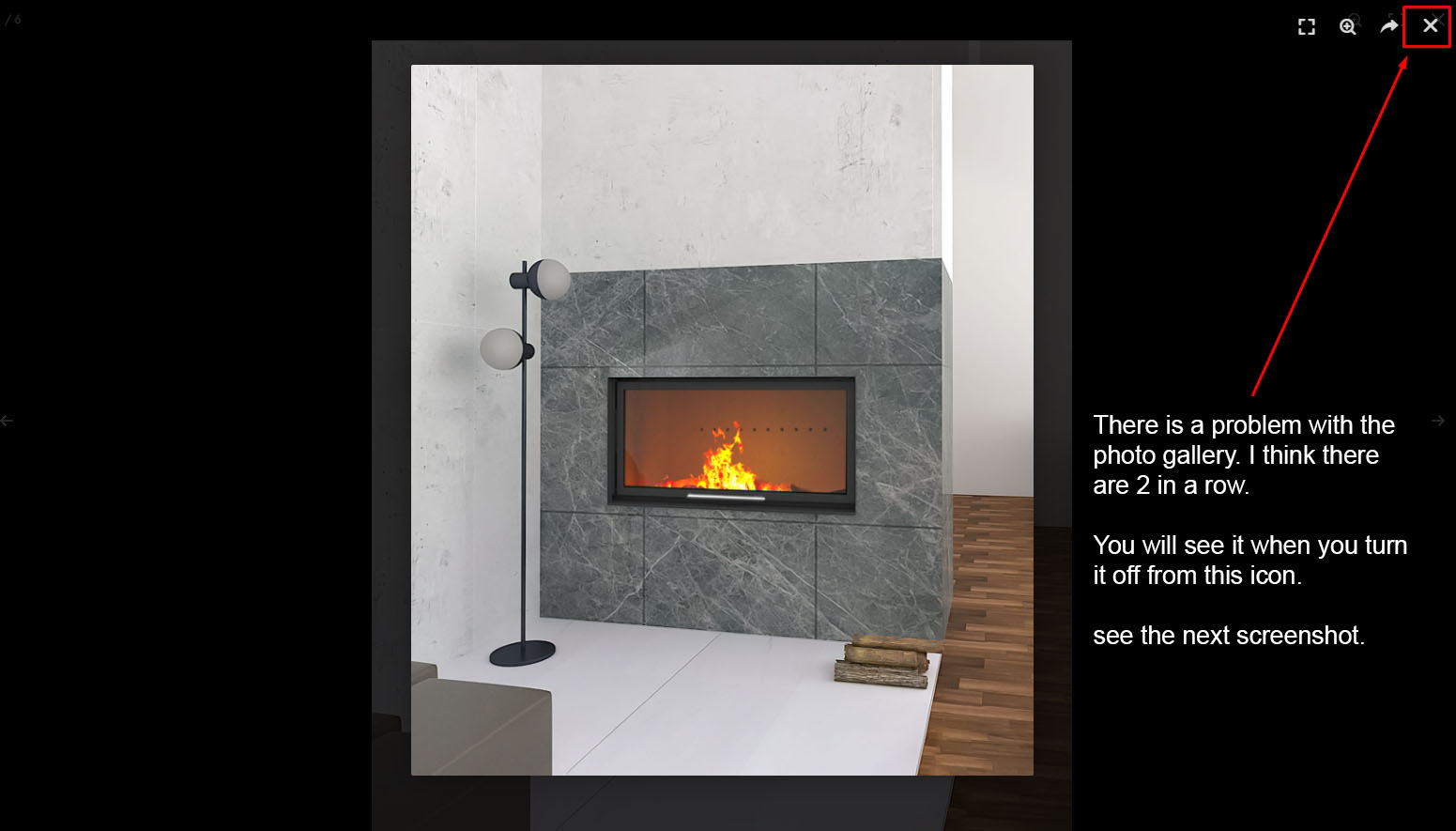
There is a problem with the photo gallery. I think there are 2 in a row. You will see it when you turn it off from this icon.
See the screenshot: https://ticksy_attachments.s3.amazonaws.com/01_544.jpg - https://roe-deer.co.uk/product/moonlight/hereford/ I asked this 2 days ago.Hello,
Thank you for your feedback. This is a problem with the image light-box of Elementor. It should not be enabled by default. You can follow this document to disable it.
https://elementor.com/help/lightbox/Our supporters will check and answer your tickets soon.
yeap : )

This item was featured on ThemeForest

Power Elite Author
Contact the Envato Market Help Team