59228 comments found.

how to align this in centre? https://ibb.co/MNq0PNd
Please, update your support for customization help. Without actual support you can expect help only with possible issues
You can read about Envato’s support policy here
https://themeforest.net/page/item_support_policyThank you for understanding that our time has price.
Good morning, in the home products block, I was able to configure the product sheets to my liking: https://ibb.co/C9FpYps But on the pages where they appear automatically, such as the store or the categories, how can I edit them? https://ibb.co/LYVMwV6
Thanks!
Hi! I have seen the vídeo. I need the code from here: https://ibb.co/JF4XnQJ to delete this number and green circle: https://ibb.co/5TNRrLv Thanks
Why do you add reviews to products if you don’t need them?
I need them, but in the automatic blocks of related products I don’t know how to change the size of the note number because the template doesn’t look correctly on mobile devices as it is: https://ibb.co/C0TByLh
If you can give me a code to decrease this size in the same block of code above, I’ll put it. If it is not possible, I prefer to remove this part of the note.
HI,
How to design home page like in demo : https://redeal.lookmetrics.co/greenshift-homelist/You need to use deal list and taxonomy archive blocks. Or you can import Redeal demo on site
Hi, ReHub Team
I recently bought your theme, but the license keys are not working. Also, you made a discount on this theme but I cannot get the discount. Kindly fix this problem asap.
Please use own proper username which you can see in your comments
Hi, I am using marketplace archive layout for product archive. It works on shop and other archive pages. but it does not work for related products in single product page. why?
please give me a reply
sorry for delay, we answer on questions from supported buyers first, unfortunately you have no support. Anyway, you got reply in other topic
Hi there,
I’m writing to you in regards to my website (https://www.turkishcoffeepot.net)
I’ve spent a few hours now trying to figure why my mobile version isn’t loading properly on my phone… It seems like it might be the animation on the front page… I tried playing around with it and just can’t seem to figure it out… I can’t seem to even disable it… I disabled a few plugins that I thought may be affect the site.. but nothing is working. The site loads fine on desktop, but on mobile.. only the header loads.. and as soon as your scroll down the content appears.. I dont’ know what is going on…
Can you please help?
Thank you! Pawel
I don’t see any problem on site and it’s mobile friendly in google
https://search.google.com/test/mobile-friendly/result?id=DtWZtE_vegQ_bOobbqq1kwHi Sizam,
Where can I find a function description of all Elementor Rehub features?
I am not sure which description you mean but you can find all blocks for Elementor in Elementor library of blocks. All of them have relevant names which describe purpose of block
Also you can find many videos https://youtube.com/playlist?list=PLIEKo1RENmYzOqy8uRdOcYGiZ7Ao50io-
Ok, thanks.
Hi there, my client just bought the theme and send it to me, and when I tried to enter the username and purchase code it says “Envato purchase code is invalid, please contact support!”
please help me Thanks
Sorry, but support can be provided only by account. You can ask your client to register account on https://sizamtheme.support-hub.io/
Hi There,
I’m using RH Frontend Publishing Pro with Rehub theme for frontend product submission. I checked External Products in Product Options, but it is still showing me Add to Cart option not redirecting to affiliate link. Can you please help me.
I haven’t received any reply… can you please help?
Please, send screenshot from your settings for form. Also, disable all plugins before testing
Hi Sizam,
Here are the screenshots and website link where you can check the error I’m getting when I try to add products via frontend submission.
I added one product via RH frontend publishing (USA Pancake Tray)
ScreenShot Form Setting (Product Options): https://ibb.co/HVKM8LS Screenshot Submitted Product in Backend https://ibb.co/8Mykc6T Submitted product is only showing Simple Product instead of External / Affiliate Link even though I selected External Product in RH Frontend From. Screenshot of Live Link on Website https://ibb.co/LZFLCWT Showing Add to Cart instead of Buy now via Affiliate LinkPlease check and update what other details your required from my end.
Thanks.
which version of RH frontend?
Theme Version (18.7), RH Frontend Publishing Pro (4.3)
I also want to use external images with url, but this one is also not working.
I tried:
1) Parser in thumbnail. 2) Used Post Image URL 3) Created custom field with rehub_offer_product_url
but it is showing blank image.
I can’t reproduce issue with affiliate products,
1. Disable all other woocommerce addons and test 2. If will not help, then, send me admin access
https://sizamtheme.support-hub.io/ok, let me try.
Hi,where do I change the text on the button? https://ibb.co/k30KvBX
This plugin hasn’t been tested with the latest 3 major releases of WordPress. It may no longer be maintained or supported and may have compatibility issues when used with more recent versions of WordPress.
This plugin doesn’t require updates because it’s too simple
In the settings of the theme or plugin “content egg” no opportunity to change the text button?
If your block is Content Egg block and not product block, then, you can change it in theme options – localization
Thank you
Hello there i am troubling to align my text center in rehub comparison table
Please, update your support for customization help. Without actual support you can expect help only with possible issues
You can read about Envato’s support policy here
https://themeforest.net/page/item_support_policyThank you for understanding that our time has price.
Hi Sizam, is there a way to customize the search results of the ajax search bar? E.g. I only want to show the price and the title of the results without the part of the Discription.
Greetings
Please send link on page with your search
.re-search-result-excerpt{display:none !important}
you can place this in theme options – general options – custom css
Thanks a lot:)
is it possible to enable Affiliate Store for separate Blog Post type. as I want to use primary post as Blog and separate coupon and deals into different post type.
There is no such option but you can use custom plugins for creating custom taxonomy
ok Thanks. I like the design and functionality of DealStore pages. is it possible to get all of the functions of dealstore in custom taxonomy.
Possible with customization. Unfortunately you have no active support so we can’t provide help in this
Dear Rehub Team,
do you know any Theme with Functions and Design like hotukdeals.com
There is no such theme, because it’s not Wordpress site. Rehub has many blocks similar to this site and many our buyers make similar sites
Hi, I can’t active rehub theme. Could you help me, please! When I active I saw as : Envato purchase code is invalid, please contact support!
Use your own username while activation
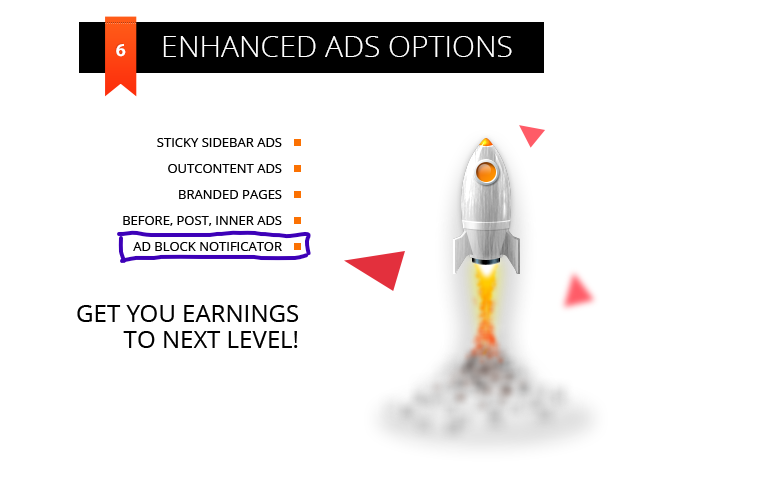
Hi Sizam, any additional documentation or tutorial about Ad block notificator ?https://i.postimg.cc/JhpdpgFY/AD-BLOCK-NOTIFICATOR.png I searched through docs to try find more details about it but couldn’t find any information. Thanks in advance
We had it early and removed because we got many feedback that it’s affecting SEO positions
Thanks. Was it in a form of addon or code? Any chance i can try it?
You can use plugins
https://www.google.com/search?q=ad+blocking+detection+wordpress+pluginPrice slider as all other product filters can work only on shop pages. Brand pages are not shop pages
Hi Sizam price slider actually works in brand sidebar ,when i change css to show placeholders for data input and press filter ,filter returns products between specified values . Problem si that i don’t know how to change that in custom css/ what to add ,to enable those fields become visible all the time in brand sidebar? Can you please help me with that? https://postimg.cc/gallery/hmFpDwH
as I wrote early, this is not supported in woocommerce. You can create attribute and call it Brand + enable archive for attribute. Then, such attribute page will support shop filters
How do you disable the extra breadcrumbs generated by woocomerce? I have two breadcrumbs lines generated above my product in the product page. Please see this image: https://imgur.com/a/prZyO3x
Send me the code or solution to fix the problem thanks.
Best regards, John
Theme has only one breadcrumbs. Second is generated by one of your third party plugins
Hello, could you please detect which plugin is causing this? Is it caused by Woocommmerce perhaps? Link:https://priceadvisor.se/produkt/modern-house-pizzastal-40×35cm/
The problem is generated from your theme its available on all your price comparison demos you have active. Check this image: https://imgur.com/a/uuhFth9 and your own site here: https://preview.themeforest.net/item/rehub-directory-multi-vendor-shop-coupon-affiliate-theme/full_screen_preview/7646339?_ga=2.1067060.482229993.1672101114-452146159.1596823681
A double breadcrumb is generated and creates a double link to the category the product belongs too.
Sorry, but your image doesn’t show two breadcrumbs
It shows one breadcrumb and one category link
I might misstaken myself then, how do you remove the category links placed by the theme? Í want to remove the extra links generated for the product pages. Is there a option for it in RehubTheme?
there is no option for this because it’s part of layout. You can customize layouts in inc/product_layout folder. Sorry, I can’t help with this because you have no active support so customization help is not available for your account
Hi, some questions: 1. I have also the Greenshift AIO Pack, can I install some Package from the Greenshif AIO, or nearly every function is already included in this theme? 2. I have 3 licenses now and filled the form for the extension packs, may I later for example in April buy 2 licenses more and request more bonus (next tier: 5->20). 3. do you have plan to add a feature calls “auto load next post”: if the visitor scrolls the page to the foot, then it will auto load the next post and also change the URL in browser?
SEO and woocommerce addon are not needed. Query addon can be very helpful to extend functionality
2. If you sent, then wait, bonus are sent once per week
3. It’s already available for posts loop, but for inner posts we don’t have such plans because it’s conflicting with many plugins
Hi, the video cover is not displaying in the Product Layout (Side Block Light). I uploaded a 10 seconds short video. Please fix. https://ibb.co/xJCWfT0
thanks
Unfortunately I am not able to test videos or images, if you need fix for site, please send link to site