23263 comments found.

Hello,
Seems the twitter feed widget doesn’t work anymore with the new Twitter API v2. I need to fill the Bearer Token and Access Token and secret. How can I do that?
thank you very much!
Hello, @ChevalierJef,
Could you please contact us via our support system with your site WP Admin URL and Credentials so that we will check it for you on your site and help you out.
Regards, P-THEMES.
Please join our Discord Lesson
Good morning, we can no longer access the basket, it’s looping, is it due to an update? How to solve this problem?
Hello, @audreytheme,
I can see that you are using the old version of the Theme which is 6.5.3 and the very latest version of the Theme is 6.9.6, you can check the changelog of the theme here: https://themeforest.net/item/porto-responsive-wordpress-ecommerce-theme/9207399#item-description__change_logs so please update your theme and porto functionality plugin to the very latest version and it should solve your issue.
Regards, P-THEMES.
Please join our Discord Lesson
how update please?
problem resolved! thank you
Hello, @audreytheme,
Please read and follow the instructions written in our theme documentation here, how to update the theme: https://www.portotheme.com/wordpress/porto/documentation/update-theme/
Regards, P-THEMES.
Please join our Discord Lesson
la mise à jour a résolu le soucis de panier
Sound’s Good!!
but… I lost translations, with the update, how to avoid translation losses after an update?
Hello, @audreytheme,
You should set the language files as custom directory. The Loco’s protected folder under “wp-content/languages/loco/” which is safe from automatic updates and provides priority over the above locations.
https://localise.biz/wordpress/plugin/manual/msginit?utm_medium=plugin&utm_campaign=wp&utm_source=admin&utm_content=plugin-msginit#orderIf this folder doesn’t exist you may need to create it and ensure it has the correct permissions.
https://localise.biz/wordpress/plugin/manual/filesystemRegards, P-THEMES.
Please join our Discord Lesson
My breadcrumbs have this form for product tags : HOME>SHOP>PRODUCT TAG – FASHION I would like to remove “PRODUCT TAG -” because this phrase also appears in H1. How can I do this?
Hello, @Wodymineralne,
We regret to inform you that it is not possible to achieve your desired outcome with the current version of the theme. Item support does not include services to modify or extend the item beyond the original features, style, and functionality described on the item page.
If you would like to pursue paid customization services, we recommend submitting a customization request to the team by submitting the form here: https://www.portotheme.com/customization/
Alternatively, you can post your request on our Feature Request topic at https://www.portotheme.com/forums/topic/feature-request/ so that our development team will consider adding it to one of the upcoming updates.
Regards, P-THEMES.
Please join our Discord Lesson
Hi, I have purchased two licenses of your theme, one for my live website and the other for occasional testing of design changes. While I understand that my support period has expired, I kindly request your help in identifying the root cause of the problem. Due to legal requirements in the EU, I need to use locally installed fonts instead of “Google Fonts” on my website. To achieve this, I have prepared a font package (.woff and .woff2) for the “Oswald” font with weights 200, 300, 500, 600, 700, and regular. I can successfully import the fonts under the “Font Control” tab. However, when I navigate to “Skin/Typography” and select the custom-imported font, I only have access to the normal (400), bold (700), normal 400 italic, and bold 700 italic styles. Unfortunately, the font weights 200, 300, 500, and 600 are missing, and I am unable to achieve the desired result. I have made multiple attempts using various font formats and tried this on different pages, but the issue persists. I am unable to identify where the problem lies, and I would greatly appreciate your guidance in finding a solution. If the issue is related to my configuration or settings, I am more than willing to pay for support in order to resolve the matter promptly. Thank you for your attention to this matter. I look forward to your assistance and expertise in resolving the font weight issue. Best regards, Igor
Hello, @igorjup,
Could you please share the complete screenshot of the Font Control section under the Theme Options with me here, so that I will check and assist you accordingly.
You may use this site https://postimages.org/ to upload the screenshot and share the URL here.
Regards, P-THEMES.
Please join our Discord Lesson
Hi! screenshots: https://postimg.cc/gallery/bySKppZ
Hello, @igorjup,
Could you please contact us via our support system with your site WP Admin URL and Credentials so that we will check it for you on your site and help you out.
Regards, P-THEMES.
Please join our Discord Lesson
Hi, how do I know which plugins are required for each demo?
Hello, @ruisamudio,
The required plugins to use the Theme are Porto Functionality, Page Builder (WP Bakery or Elementor)
WooCommerce plugin is required if you wish to import any Store Demo
Other plugins are recommended plugin, like Contact Form 7, Dynamic Featured image, Yith WooCommerce Ajax Search, Yith WooCommerce Ajax Wishlist, Yith WooCommerce Ajax Filter, and so on…
Now if you do not Install and Activate the recommended plugins before importing the demo, then those functionalities will not import with the Demo import. So its always recommended to Install all the theme packaged plugins before importing the Demo, and then after import you can simply disable the plugins which you do not wish to use on your site.
Hope this is clear now.
Regards, P-THEMES.
Please join our Discord Lesson
Hello, sorry for so many questions, I hope you can help me. I bought the template and I find it very good. Unfortunately I have a visual problem and I hope solve it. From one moment to the next, in the Main Menu, in the interior sections of the site, it appears with the icon next to the button text. It didn’t happen before, please help me because the site is for a client and I can’t find the solution. Thank you very much in advance. In the link you can see the screen, have a good evening!
https://drive.google.com/file/d/1bkg9hQ5-ZI_NU8pP0oZTVwpyCG7RwzhO/view?usp=drive_linkAnother visual problem that I have is in the My Account, Wishlist and Mini Cart icons, on the “custom header”. This icons looks with another colours, please help me, this is the site https://www.aircon.cl Thanks!
Sabes, que ahora volvió todo a la normalidad, no sé a qué puede deberse, gracias de todas maneras.
Hello, @fvergara88,
I’m glad to hear that everything is back to normal for you. Even if we’re not sure what caused the issue, I’m happy to have been of assistance. If you have any other questions or concerns in the future, feel free to reach out.
But that might be the cache issue nothing else, so please always try to clear the cache of your site and browser.
Have a great day!
Regards, P-THEMES.
Please join our Discord Lesson
Hi again!  unfortunately the error has returned, please help me, I clear the cache of my site and browser but it has not been solved, I feel frustrated, have a good day!
Ok, thanks!
You’re Most Welcome!!
Hi, When try to edit page with elementor page builder, when I try to add a section with background color, its not working, I tried to change all css and all but its not working. Also when I try to edit page with elementor page builder its not showing like on page…. It has issue with CSS or cache issue. Its urgent, I have demo with client tomorrow. Please review and let know the issue.
Hello, @growsmart,
Let me try to explain it to you when you save any changes from theme options, it rewrites those changes to the porto-styles folder files which are responsible for the site CSS to work. So sometimes because of file permission issues, sometimes server cache issues, sometimes site cache plugins issues, sometimes because of any server restriction issues, sometimes third party plugin confliction issue, that could be any reason from the above ones, the files under porto-styles folder does not update with the new changes from theme options, so that is why in that case, we recommended to delete that folder of porto-styles and then click on save changes button again from the theme options, so that it will create the same new folder with same files again at the same place but with new changes from the theme options.
Hope this makes sense now and is clear enough.
Regards, P-THEMES.
Please join our Discord Lesson
Hi Porto, I opened a ticket to support. But I forgot to put the WP credentials. Can I add to the message in “add to conversation” or I should open a new ticket. I understand is private.
thanks,
Hello, @Joaquim_,
Yes, ok no problem, please put it into the conversation, do not worry, the ticket is private area, where you and our team will have the access only.
Regards, P-THEMES.
Please join our Discord Lesson
How to create a anchor Link to footer bottom? I want to create a menu item which will link to bottom footer. please advise
I want to create a menu item “Contact” which will anchor link to footer section.
Hello, @web0405,
In order to create an anchor link in the bottom footer simply navigate to the Dashboard >> PORTO >> Template Builder >.
Find the Footer block and edit it.
Once the editor loads in the bottom row, you can simply set the link like this: https://postimg.cc/7bHrQQMC
After that you can simply set the ID link to the menu item you want like this: https://postimg.cc/SXYKTQ8f
Then check back to your site by clearing the browser cache.
The link will appear like this: https://postimg.cc/Sj2wn24r
Regards, P-THEMES.
Please join our Discord Lesson
Thanks. can we do this without displaying any text?
Hello, @web0405,
No, Sorry to say, that to set the link/ID on an anchor it must need a word in it. You can set the ID on an existing text in the footer or you can add a new word as I told you.
Regards, P-THEMES.
Please join our Discord Lesson
Hi Porto,
It is possible to place a shortcode of Porto in my home page, so what I want is a calling to the categories and a list of the involved products. As you can see is existing in my home page but I made it manually. Some way to do it more simple and automatically ?
https://candleartesoteric.com/thanks, Joaquín
should do a reference to the name of products, vinculated to each category
Hello, @Joaquim_,
No need to use any shortcode but you can simply use the Porto Posts Grid element and choose the category to show the products on your page, by following this you just need to assign the new products to that category, and it will automatically show on your page as well where you used the element.
Please refer to this screenshot: https://postimg.cc/mcw60CTy
Regards, P-THEMES.
Please join our Discord Lesson
Hi Porto,
I need to insert it here: https://candleart.es/grid.JPG In the home page, inside a text block. Is posible? Seems you have inserted throw appearance ?
thanks, Joaquín
Hello, @Joaquim_,
Well, you can insert the shortcode of the element in it as well listed below and change the post_terms as with your product ID.
Please watch this complete and detailed video I have captured for you of the process: https://www.veed.io/view/703653c5-006f-4652-93e6-5bb979687c5e?sharingWidget=true&panel=share
[porto_tb_posts post_type="product" post_terms="48"]
Regards, P-THEMES.
Please join our Discord Lesson
Hi Porto,
Thanks for the video. The products should be like that (not in thumnail, should be in a list). https://www.candleart.es/99999.JPGCan you tell me please if is possible? If is with a video better.
thanks, Candle Art
Hello, @Joaquim_,
Please navigate to Porto >> Template Builder >> Post Type and create the new Post Type and only set the title into it as per your requirements, Please refer to this screenshot: https://postimg.cc/zHyync4k, save changes and then again go back to the page where you used “Porto Posts Grid” element, edit the element and choose Post Layout the one created in Post Type: https://postimg.cc/LYzCmxxN
The rest of the settings will be the same as described previously.
Regards, P-THEMES.
Please join our Discord Lesson
How well does it deal with audio. I am building a website for selling soundtracks. What features does it offer for music sales?
Hello, @LoopKit,
We hope this message finds you well. We would like to take this opportunity to inform you about our theme, which is built on the robust WooCommerce platform. Our theme boasts a comprehensive array of essential features, tailored to meet the diverse needs of any online store.
However, we understand that your particular requirement for soundtracks necessitates more specialized functionalities. At present, our theme does not encompass these specific features. Nevertheless, we are pleased to offer a solution to accommodate your unique needs.
We recommend exploring third-party plugins that align more precisely with your soundtrack-related demands. These plugins are designed to seamlessly integrate with WooCommerce, ensuring a smooth and enhanced experience for your customers.
Please feel free to explore the vast selection of third-party options available, and we trust you will find the perfect plugin that best aligns with your requirements.
Should you require any assistance or have any further questions, our dedicated support team is always ready to provide guidance and support throughout the process.
Regards, P-THEMES.
Please join our Discord Lesson
Hi, i am working on portro theme for my client . i need to modify login pupop . where i will get the file of pupop ?
Hello, @alhajislam5,
Please contact us via our support system with your client theme purchase code so that we will check/verify and provide you the possible help with the theme issues.
Regards, P-THEMES.
Please join our Discord Lesson
Thank you so much for your great support. I am so happy to built my site with your theme. I am facing a big problem. Please help me to solve this problem.
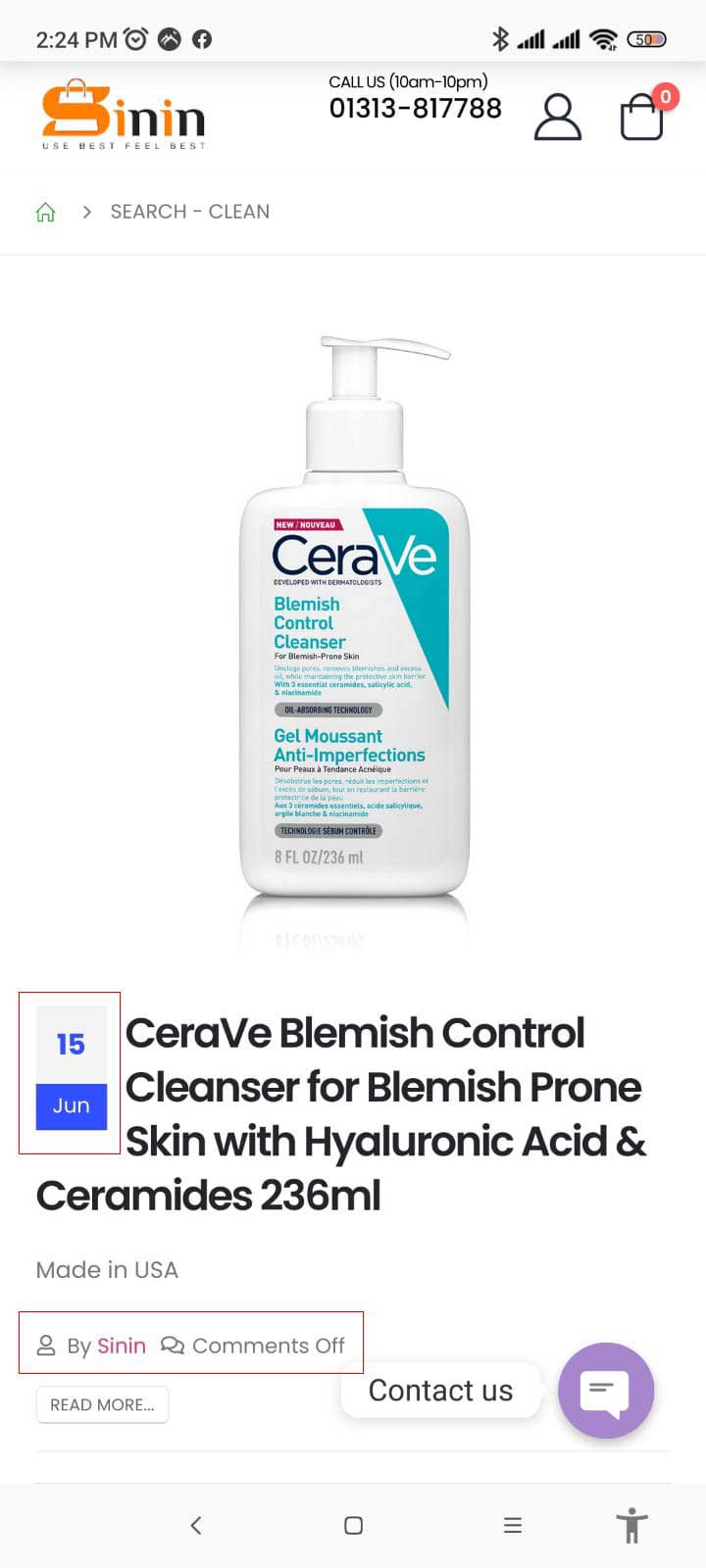
When I search a product from mobile and tab, showing date and author name in search result. Please tell me how to remove date and author name from search result. My website www.sinin.com.bd. Please see the image. https://sinin.com.bd/wp-content/uploads/2023/07/Sinin-Mobile-Search.jpgHello, @sinin,
Please copy and paste the below given CSS code to Porto >> Theme Options >> Skin >> Custom CSS and check back to your site after clearing the browser cache.
.search-results .post-date {
    display: none !important;
}
.search-results span.meta-author {
    display: none !important;
}
Regards, P-THEMES.
Please join our Discord Lesson
Hello! With all due respect to the author, but this is just a mockery, in relation to the owner of the store – every month to update the theme of the site! On the part of the user, this is a big time investment, including fixing various errors and problems associated with the next update. I need to deal with sales, not spend time every month on your next updates … I understand that this is partly due to WordPress and Woocommerce updates – but somehow solve this problem not monthly: there is a reasonable approach to everything.
Hello, @puppeteer3D,
We hope this message finds you well. We sincerely appreciate your valuable feedback and concerns regarding the frequent theme updates and their impact on your website’s performance. We fully understand the importance of optimizing your time for business growth rather than dealing with recurrent updates, and we apologize for any inconvenience this may have caused.
Allow us to address your concerns and shed light on the rationale behind the theme updates. Our commitment to delivering a secure, efficient, and up-to-date website stems from our dedication to providing you with the best possible user experience and ensuring seamless compatibility with the latest WordPress and WooCommerce versions.
As you rightly pointed out, the latest WooCommerce update has rendered certain templates outdated, which may lead to unexpected issues and hinder the smooth functioning of your online store. To address this concern proactively, our team has diligently worked on updating the theme to align with the latest WordPress and plugin requirements.
We fully understand that implementing monthly updates can be time-consuming and potentially disruptive for your business operations. Therefore, we recommend adopting a prudent approach to ensure seamless compatibility while minimizing any disruptions to your website. By utilizing a Child Theme, you can safeguard your customizations, ensuring they remain intact even after updating the main theme.
The Child Theme approach allows you to preserve your unique website customizations while still benefiting from the latest theme enhancements and bug fixes. This way, you can maintain a competitive edge in the online marketplace without investing significant time in post-update error resolutions.
We genuinely value your business and aim to provide you with an outstanding experience that aligns with your business goals. Please do not hesitate to reach out to us with any further inquiries or if you require any assistance with the theme update or Child Theme setup.
Thank you for your understanding and trust in our services. We are committed to serving you with utmost professionalism and dedication.
Regards, P-THEMES.
Please join our Discord Lesson
Hello. How are you? I noticed that the product title in the widgets and the store page has a limit to just one line and at the end you have the ”...”. Is there a way to change that and make that the title shows 2 lines and then the three dots with CSS? Maybe counting the numbers of charaters or something?
I know that this is the CSS responsible for that:
ul.products .woocommerce-loop-product__title { white-space: nowrap; overflow: hidden; text-overflow: ellipsis; }
Thanks in advance! Best regards.
Hello, @leonardopid,
You can make the title to show full length using the Custom CSS listed below, please copy and paste the below given CSS code to Porto >> Theme Options >> Skin >> Custom CSS.
ul.products li.product-col .woocommerce-loop-product__title {
    white-space: normal !important;
}
ul.product_list_widget li .product-details a, .widget ul.product_list_widget li .product-details a{
    white-space: normal !important;
}
But its not possible to set it for 2 lines and then …, this requires extra Customization.
Regards, P-THEMES.
Please join our Discord Lesson
Hi Porto,
By some reason when I click to the button of languajes in the banner main Porto theme is making larger and after a while returns to the standard position. Please try to do it.
https://candleartesoteric.com/thanks, Joaquín
Hello, @Joaquim_,
I hope this message finds you well. We have recently identified a language setting issue on your website, particularly affecting certain languages where the banner does not appear to be set to full width. We understand the importance of maintaining a seamless user experience across all languages, and we are committed to assisting you in resolving this matter promptly.
To address this matter, we kindly request that you consider the following two options:
You may attempt to rectify the language setting and banner width matter by editing the respective page or banner settings for the affected languages. We recommend reviewing the settings thoroughly to ensure the proper display of the banner as full width.
If you prefer to seek our direct assistance, our support team is readily available to provide you with expert guidance. To initiate this process, please share your WordPress Admin URL and login credentials with us. Rest assured that all information shared with us will be treated with utmost confidentiality.
Upon receiving your WP Admin URL and Credentials, our team will thoroughly inspect your site and perform the necessary adjustments to ensure that the banner displays correctly across all languages. We are dedicated to assisting you throughout this process and resolving any issues that may arise.
Please feel free to reach out to us via our support system to communicate your preference or to provide the requested information. Our team will promptly attend to your concerns and provide timely solutions to ensure the optimal performance of your website.
Thank you for your cooperation in resolving this matter. We look forward to providing the necessary support and ensuring your website functions seamlessly in all languages.
Regards, P-THEMES.
Please join our Discord Lesson
thanks,
Hello, @Joaquim_,
Please copy and paste the below given CSS code to Porto >> Theme Options >> Skin >> Custom CSS and check back to your site after clearing the browser cache.
#main-menu {
    width: 100% !important;
    display: contents !important;
}
The result should look like this: https://postimg.cc/WhcwgP98
Regards, P-THEMES.
Please join our Discord Lesson
Hi Porto,
You mean I have to copy the code provided between row 82 and 83?
https://candleart.es/query777.JPGthanks
Hello, @Joaquim_,
You can paste the code on a very new line, On line no 84, then save changes and check back to your site after clearing the browser cache.
Regards, P-THEMES.
Please join our Discord Lesson
Hi Porto, You mean ”/* rtl */” should not go at the end of all ?
I added the code. In the home page when I scroll the banner is laced horizontally at all. But If I enter to we without scrolling is still visualization narrow.
thanks,
Is done. Now is showing all the horizontal banner. But when I scroll in PC the banner in black is taking more space vertically than the necessary. Can you see ?
thanks,
Hello, @Joaquim_,
No I am not able to see that behaviour on your site, please refer to this screenshot: https://postimg.cc/75ZxVzXS and if still you will face the issue, then please make a small video clip of the issue and share with us via our support system with your site WP Admin URL and Credentials so that we will directly look into it for you on your site and help you out.
Regards, P-THEMES.
Please join our Discord Lesson
hello Porto. The banner as snap attached is more high than the usual and visually is not looking good. This happened after adding the code provided.
https://www.candleart.es/Captura7.JPGthanks,
happens when you do an scroll in any page
please is urgent the banner is not looking good
Hello, @Joaquim_,
Well, I would like to request you that please remove the provided Custom CSS code and share your site WP Admin URL and Credentials with us via our support system, so that our experts can directly look into your site and help you out in resolving your issue.
Regards, P-THEMES.
Please join our Discord Lesson
I tried to eliminate Porto Logo in banner. But a message appears “I don’t have the permissions”.
Hello, @Joaquim_,
I am sorry but without looking and debugging it on your site, I am unable to provide you the exact and proper solution for this, that is the reason I request you to please reach out to us via our support system with your site WP Admin URL and Credentials so that we will look into it for you on your site and help you out.
Regards, P-THEMES.
Please join our Discord Lesson
-
Hi PT-Support2, changes on theme not take updates on time. Infact, it doesn’t reflect on some browsers at all. Pls help with how to fix this issues.
For example, if I change the header color, it’s doesn’t reflect at all.
Hello, @staymedia,
Let me try to explain it to you when you save any changes from theme options, it rewrites those changes to the porto-styles folder files which are responsible for the site CSS to work. So sometimes because of file permission issues, sometimes server cache issues, sometimes site cache plugins issues, sometimes because of any server restriction issues, sometimes third party plugin confliction issue, that could be any reason from the above ones, the files under porto-styles folder does not update with the new changes from theme options, so that is why in that case, we recommended to delete that folder of porto-styles and then click on save changes button again from the theme options, so that it will create the same new folder with same files again at the same place but with new changes from the theme options.
Hope this makes sense now and is clear enough.
Regards, P-THEMES.
Please join our Discord Lesson
Hello, @Joaquim_,
Please copy and paste the below given CSS code to Porto >> Theme Options >> Skin >> Custom CSS and check back to your site after clearing the browser cache.
#header .main-menu {
    display: flex;
    justify-content: center;
}
Regards, P-THEMES.
Please join our Discord Lesson
I would like long product titles to be displayed in two lines and not cut off. How to do it?
Hello, @Krzysztof_T,
Please copy and paste the below given CSS code to Appearance >> Theme Options >> Skin >> Custom CSS and check your site after removing the browser cache.
ul.products li.product-col .woocommerce-loop-product__title {
    white-space: normal !important;
}
ul.product_list_widget li .product-details a, .widget ul.product_list_widget li .product-details a{
    white-space: normal !important;
}
Regards, P-THEMES.
Please join our Discord Lesson
I added this code to the indicated place at the end. Unfortunately, there is no difference. I meant wrapping the title of long products displayed on the category page and on the home page
Hello, @Krzysztof_T,
Ok then please contact us via our support system with your site WP Admin URL and Credentials so that we will check it for you on your site and help you out.
Regards, P-THEMES.
Please join our Discord Lesson
Is it possible to change from one of your pre made sites/templates to another
you know the shop demos
Hello, @rog12,
If you want to change the demo, you can, there could be two situations:
1. Override the old content and duplicate some parts: You simply have to go to Porto >> Setup Wizard >> Demo Content and import the demo.
2. Remove Content first and then reimport the another demo: You need to go to Porto >> Setup Wizard >> Demo Content and click on remove content button, after completion of the removal, you can reimport the demo again.
OR you can simply use the Porto Studio functionality as well, please refer to our theme documentation here: https://www.portotheme.com/wordpress/porto/documentation/porto-studio/
Regards, P-THEMES.
Please join our Discord Lesson
whats the difference for removing content first than just overriding and duplicating I still only have the demo content on there and a couple of changed images so in your opinion which would you reccomend
Hello, @rog12,
In both cases the new content and images of the demo will be imported on your site.
And we recommended the second option as it will not cause any unexpected issue on your site.
Regards, P-THEMES.
Please join our Discord Lesson