23244 comments found.
Hello,
I install this theme for client, all almost good. But I have one question that confusing.
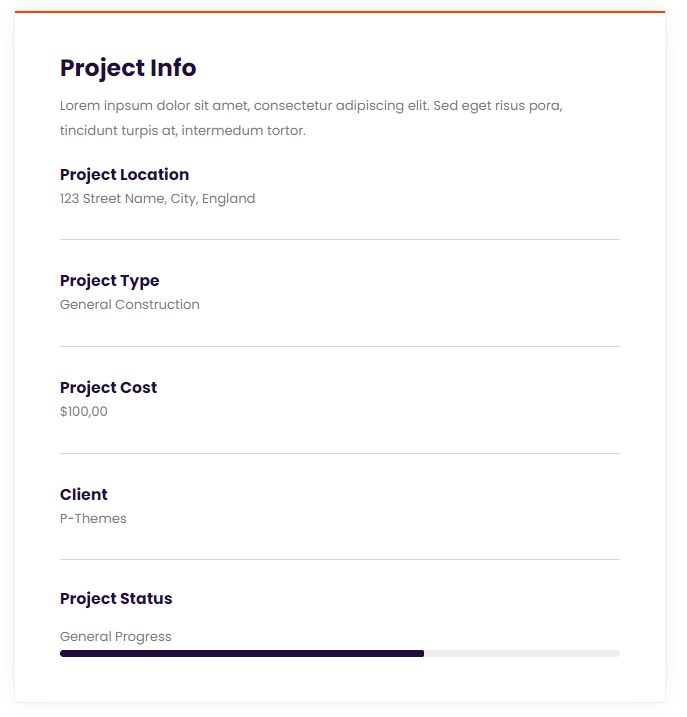
How do I edit the existing portfolio content from the dummy import? I try edit it on Portfolio menu in Admin Dashboard, but the result stay the same like this: https://i.postimg.cc/76TXFqqf/portfolio.jpg
No matter I edit the content, it still show like that (demo content). Appreciate for your help.
Thank you.
Hello, @deska,
That should be edited by editing the Single Portfolio from WP-Dashboard >> Portfolio.
We would like to request you that please contact us via our support system with your site WP Admin URL and Credentials so that we will check it for you on your site and help you out.
Regards, P-THEMES.
Please join our Discord Lesson
Hello,
Yes I already try in that menu to edit the existing portfolios from demo import but still displayed old contents.
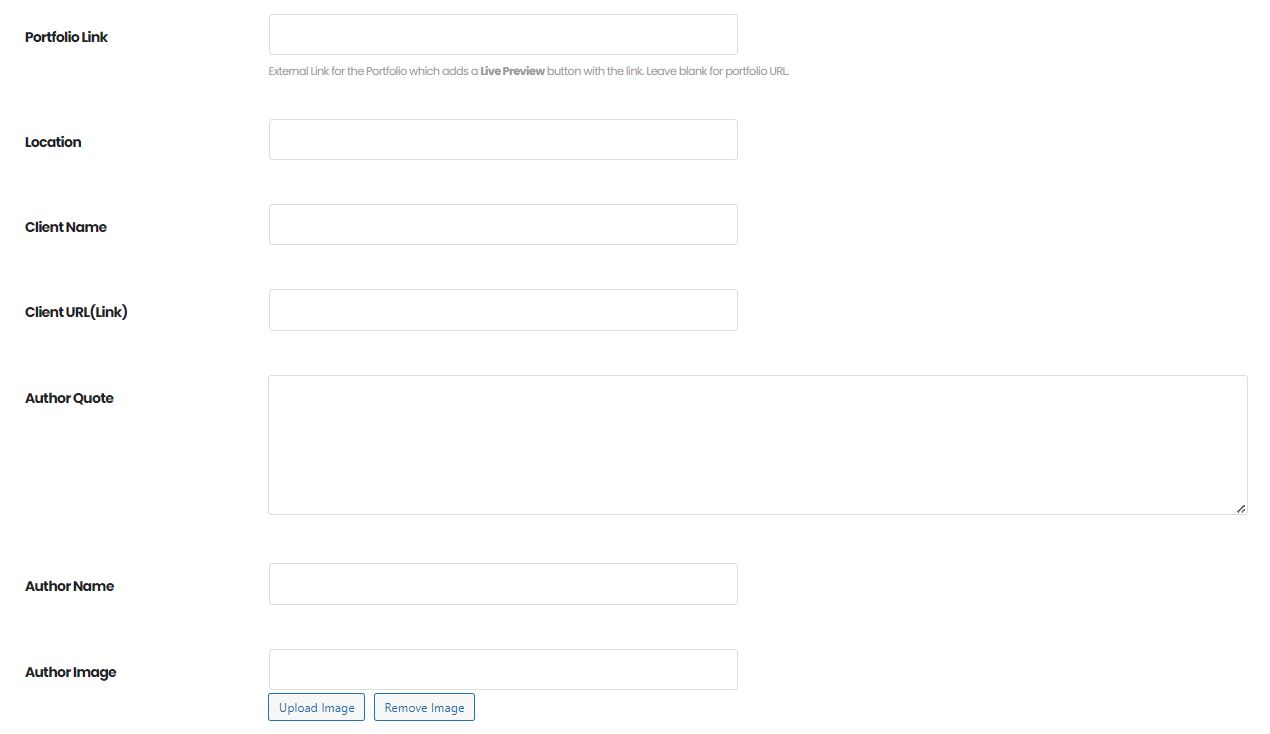
I also not seeing any changed when I fill up these forms. https://i.postimg.cc/hGSV8xyD/portfolio-fields.jpg Although I fill up all of fields, nothing displayed in the front end.Or maybe there is any plugins that I have to install?
I will ask my client to contact you also, meanwhile is there any quick way to resolved this problem? Thank you.
Hello, @deska,
Well, then please try to navigate to Porto >> Template Builder >> Single Builder and check if there is a Portfolio Custom page, if yes then edit it and try to change the content from there as per your requirements.
https://www.portotheme.com/wordpress/porto/documentation/single-builder-elements/
Regards, P-THEMES.
Please join our Discord Lesson

In Porto / Template Builder / Product Archieve i have only 1 Template for Shop in Porto Studio. Where i can find more templates for Shop page in order to test / activate. Additionally, in the WPBakery editor, no changes/edits can be saved. The Save button is practically inactive. Thanks
Hello, @ursacescu,
1. Please navigate to Porto >> Theme License and un-register the theme from there and then re-register the theme with the same purchase code.
After that please navigate to Porto >> Tools and clear the Studio Transits from there.
And try to use the Studio again and I am sure it will solve your issue.
2. For inactive save button, Are you using the very latest version of the Theme and plugins?
Please try to disable all the third-party plugins on your site except Theme Required/Recommended plugins, and check back your site after clearing the browser cache, might be any additional/extra third party plugins conflicting on your site and creating that issue. If this will resolve your issue then again you have to activate all the third party plugins one by one and check which one is creating the issue on your site, and try to reach out to the Plugin Author for further help on this.
And if the issue will still persists then please remain all the third party plugins deactivated on your site and provide us the permission to debug your site which includes deactivating all the third party plugins and on site Customization as well. We also request you to please share the site WP Admin URL and Credentials with us as well for further investigating the issue on your site via our support system.
Note: Please take the complete backup of your site before following the above steps as that might affect your site.
Regards, P-THEMES.
Please join our Discord Lesson
Hello, I set the Shop page “Product Archive – Default” in Porto – Templates Builder – Product Archive from Porto Studio. Afterwards, the images for the products in the shop no longer appear. I have attached a link to my store: https://avenio.com/shop/ What can I do? Thank you!
Hello, @ursacescu,
I have checked your provided URL and it is working perfectly fine for me, please refer to this screenshot: https://postimg.cc/zVJCCkMN it must be the cache issue at your end nothing else, please clear the cache of your browser and check back again.
Regards, P-THEMES.
Please join our Discord Lesson
Hello, thank you for your latest updates. I tried to make a new product type but it said please register your theme, I deactivated the theme then tried to reactivate it but now it gives me connection timeout 10001, is there something wrong with the registration system? when is it going to be solved?
Hello, @hazemdesignsse,
We are sorry for the inconvenience but could you please retry again to register the theme with the same purchase code, it should have to work for you.
Regards, P-THEMES.
Please join our Discord Lesson
thank you very much , it worked
You’re Most Welcome!!
Hello @P-THEMES.
Thank you for new version 6.10.0.
I see lots of product types and single product layouts. It looks very good and great. Maybe it saves the time and adds more beautiful to site.
Thanks Okay,, Recommended!
Hello, @supoleksandr85,
You’re welcome! We’re thrilled to hear that you’re enjoying the new version 6.10.0. It’s wonderful to know that the expanded product types and single-product layouts are making a positive impact. Our goal was to enhance both the functionality and aesthetics of the site and your feedback confirms that we’re heading in the right direction. If you have any further thoughts or suggestions, please don’t hesitate to share. Your support and recommendation mean a lot to us!
Regards, P-THEMES.
Please join our Discord Lesson
Hello, i just installed your theme one week ago.
“Helle,
Here is an error returned by Google Maps library: textpop-up You have included the Google Maps JavaScript API multiple times on this page. This may cause unexpected errors. Collapse Code
This error means that one of the installed plugin or your theme uses a Google Maps as well. In this case I suggest: 1) Please disable Google Maps library in the plugin and/or theme. 2) If you don’t know how to do this (or which plugin is responsible for that): 2.1) Please disable all plugins, then – step by step – activate each one to check which tool returns this error. 2.2) If none of the plugin is responsible for that, I suggest to ask theme author how to disable Google Maps in theme.”
How can i disable Google Maps in your theme?
Thank you!
Hello, @VHFP,
Well, we have the option for Google Maps in our theme to put the API key under Porto >> Theme Options >> General >> Google Map API.
We have the option to turn OFF the scripts and styling of the Google MAP element under Porto >> Speed Optimization Wizard >> WP Bakery and Shortcodes: https://postimg.cc/w1RvBDrh
And also if you are using the Google Maps element on your site page then please remove it as well and check back again.
Regards, P-THEMES.
Please join our Discord Lesson
Hello, the conflict is from this plugin (Porto Theme – Functionality) i disable and the issue disappeared but i think theme will not work fine without this
Hello, @VHFP,
The theme will not work fine with the Porto Functionality plugin, because it is the required plugin, so its better to contact us via our support system with your site WP Admin URL and Credentials so that our experts will look into for you on your site and help you out.
Regards, P-THEMES.
Please join our Discord Lesson
@ PT-Support2
How I can keep visible Wishlist icon? Instead on mouse over.
https://prnt.sc/vE7_Vlzezjv5Hello, @harbor2019,
Have you purchased the Porto WordPress theme? If yes, then please contact us through your theme purchase account to get the free support for the Porto WordPress theme.
Regards, P-THEMES.
Please join our Discord Lesson
Hi! I love the Porto theme. I have a really quick question though. On my Portfolio Singles page, I have a space at the top of the text with “Portfolio Description” in white (so invisible). Where do I fix this. Pulling my hair out! https://spotsolutions.com/portfolio/enhance-energy-inc-interactive-reporting-dashboard/
Hello, @sue8642,
If you would like to remove that Portfolio Description Title having white color from the single portfolio page then please copy and paste the below given CSS code to Porto >> Theme Options >> Skin >> Custom CSS and check back to your site after clearing the browser cache.
h5.inline-block.portfolio-desc {
    display: none !important;
}
Regards, P-THEMES.
Please join our Discord Lesson
Thank you so much!
You’re Most Welcome!!
I’m glad to hear that you’re thrilled with the new features of version 6.10.0!
It’s fantastic to know that the Header Builder has been improved to enhance the user experience and is now more user-friendly than ever before. With this update, customizing the header has never been easier. Additionally, the new Alpus Flexbox Nested Slider plugin is an amazing addition that provides even more functionality and flexibility.
I highly recommend giving it a try!
Hello, @bogdantrajkovic511,
Thank you so much for your positive feedback! We’re thrilled that you’re enjoying the new features in version 6.10.0. The enhanced Header Builder and the Alpus Flexbox Nested Slider plugin were designed to make customization a breeze while adding more versatility to your projects. Your recommendation means a lot, and we can’t wait to see the creative ways you use these additions. If you have any questions or need further assistance, feel free to reach out. Happy exploring!
Regards, P-THEMES.
Please join our Discord Lesson
Why WPbakery updates fails?
Hello, @Firouzeh2013,
We have already uploaded the very latest version of the WP Bakery 7.0 to our internal server engine, so if you are using the very latest version of the Theme, then please navigate to Porto >> Theme License and un-register the theme from there and then re-register the theme with the same purchase code and then try to update the plugin from Appearance >> Install Plugins. I am sure it will work for you and if not then please contact us via our support system so that we will provide you with the very latest version of the plugin zip file and you can manually update it on your site.
Regards, P-THEMES.
Please join our Discord Lesson
Your instruction that you emailed me broke the website
Hello, @Firouzeh2013,
Could you please contact us via our support system with your site WP Admin URL and Credentials so that we will check it for you on your site and help you out?
Regards, P-THEMES.
Please join our Discord Lesson
Hello Porto,
Please, when I place the filter (filter products WBW Product Filter) throw widget or shortcode, is overlapped of the words to filter down. In the part of widgets Porto. Maybe is a problem of space?
thanks https://candleart.es/overlapping.JPG https://candleartesoteric.com/esoteric-candlesHello, @Joaquim_,
Please copy and paste the below given CSS code to Porto >> Theme Options >> Skin >> Custom CSS and check back to your site after clearing the browser cache.
span.wpfDisplay {
    display: inline-block !important;
}
span.wpfCheckbox {
    display: inline-block !important;
}
Regards, P-THEMES.
Please join our Discord Lesson
Hello Porto,
Please can you tell me exactly where to paste this or if you can make me a video? I’m not a pro with the code and I don’t want to fail on this.
https://candleart.es/CODIGOFILTRO.JPGthanks.
Hello, @Joaquim_,
You can paste it on a new line like on line # 74 as in your screenshot.
Regards, P-THEMES.
Please join our Discord Lesson
Hi Porto, I did it and cleaned the cache. Continues with the overlapping and the text is not perfect.
https://www.candleart.es/Option2.JPG (shortcode at the top) https://www.candleart.es/option1.JPG (shortcode at the bottom)please any suggetion? thanks,
Hello, @Joaquim_,
I have tested the code on your provided URL from the front by inspecting it and it is working fine for me, here is the result: https://postimg.cc/xNNZpPs0
aside#text-2 {
    margin-top: 3rem !important;
}
span.wpfDisplay {
    display: inline-block !important;
}
span.wpfCheckbox {
    display: inline-block !important;
}
Please remove the previous code and add this one again and check back after clearing the browser cache, I am sure it will solve your issue and if not then please contact us via our support system with your site WP Admin URL and Credentials so that we will check it for you on your site and help you out.
Regards, P-THEMES.
Please join our Discord Lesson
Hi, I’m interested in using the Porto ”Education” demo site for a new website build. Can you tell me what plugin(s) are used for the courses, payment, forum etc? Do they come as required plugins? It is exactly what my client is looking for but I need to make sure that the functionality of payment and user login into the website. If you could send me more information about how these functions are working that would be great. For example, once they pay for the course do they automatically get a login for the website, which then gives them access to that course? I have checked the demo content but I could not find these functionality. can I get more information about this? Thanks.
Hello, @vinodbilagi440,
First of all, thanks for showing your interest in Porto WordPress 
Basically, Courses have been made using the Portfolio Custom Post Type of our theme, which you can easily Customize using our Theme Options and pre-packaged plugins on your site.
And for the purchase functionality, the WooCommerce plugin is bundled with our theme which you can use to sell the courses, like digital/downloadable products on your site, please refer to this screenshot: https://woocommerce.com/document/digital-downloadable-product-handling/
Regards, P-THEMES.
Please join our Discord Lesson
Hello! Please advise: why after your endless updates of the Porto theme the popup stopped working properly when hovering the mouse over the cart icon – no content display? Screenshot here: https://drive.google.com/file/d/1IhGXZATB7oV4jcRKBAD_IuLMxaWj9syk/view?usp=sharing Thanks in advance for your reply.
Hello, @puppeteer3D,
Please try to disable all the third-party plugins on your site except Theme Required/Recommended plugins, and check back your site after clearing the browser cache, might be any additional/extra third-party plugins conflicting on your site and creating that issue. If this will resolve your issue then again you have to activate all the third-party plugins one by one and check which one is creating the issue on your site, and try to reach out to the Plugin Author for further help on this.
And if the issue will still persists then please remain all the third-party plugins deactivated on your site and provide us the permission to debug your site which includes deactivating all the third-party plugins and on-site Customization as well. We also request you to please share the site WP Admin URL and Credentials with us as well for further investigating the issue on your site via our support system.
Note: Please take the complete backup of your site before following the above steps as that might affect your site.
Regards, P-THEMES.
Please join our Discord Lesson
Hi, I tired to use porto studio, but when I click the import button, it not work,what should i do next make it work
Hello, @cmtendency,
Please navigate to Porto >> Theme License and unregister the theme from there and then re-register the theme with the same purchase code, after that please navigate to Porto >> Tools and clear the studio transits from there, save changes and try again to use the Porto Studio, I hope it will work for you.
Regards, P-THEMES.
Please join our Discord Lesson
Hi Porto,
Why at the top of all “all categories” Porto searcher. The accordion of all categories is not displayed when I click ? thanks https://candleartesoteric.com/Hello, @Joaquim_,
Please try to disable all the third-party plugins on your site except Theme Required/Recommended plugins, and check back your site after clearing the browser cache, might be any additional/extra third party plugins conflicting on your site and creating that issue. If this will resolve your issue then again you have to activate all the third party plugins one by one and check which one is creating the issue on your site, and try to reach out to the Plugin Author for further help on this.
And if the issue will still persists then please remain all the third party plugins deactivated on your site and provide us the permission to debug your site which includes deactivating all the third party plugins and on site Customization as well. We also request you to please share the site WP Admin URL and Credentials with us as well for further investigating the issue on your site via our support system.
Note: Please take the complete backup of your site before following the above steps as that might affect your site.
Regards, P-THEMES.
Please join our Discord Lesson
Hi Porto Team, a few days ago you helped me to hide the “Go Top” arrow that appear when you go down with this code: div#topcontrol { display: none !important; } At the time it worked and the arrow no longer appeared. But now it has reappeared. It seems to me that it is due to the update that occurred.
Could you help me please? Thanks in advance and have a good day!
Hello, @fvergara88,
I have just tested your site now and it is working perfectly fine for me, please refer to this screenshot: https://postimg.cc/VS6fsqyj there is no such Go to Top arrow there, it seems to be the cache issue at your end, please clear your site and browser cache and check back again, I am sure you will not face this issue anymore.
Regards, P-THEMES.
Please join our Discord Lesson
Thank you very much!
You’re Most Welcome!!
How to include template builder templates in particular pages or how to include blocks in particular pages without page layout options? How to remove blocks from page or template builder.
Hello, @growsmart,
Simply navigate to Porto >> Template Builder and copy the shortcode of the block from there, please refer to this screenshot: https://postimg.cc/MMyhqNFv and after that please navigate to pages and edit the page from there, use the Custom HTML element on the page and paste the shortcode in it, please refer to this screenshot: https://postimg.cc/RqxRjXxJ
Regards, P-THEMES.
Please join our Discord Lesson
Hello, @growsmart,
The issue you are facing is because you have set the post title as Blog, please refer to this screenshot: https://postimg.cc/PPN8cjcf please edit the particular Post with Elementor page builder and change the Title of the post and check back again, it should solve your issue and if the issue still persist, then please contact us via our support system with your site WP Admin URL and Credentials so that we will check it for you on your site and help you out.
Regards, P-THEMES.
Please join our Discord Lesson
Hi, Thank you for the update, but its updated like you said, when we see preview its working fine, when we see as article url its showing as blog page and without article title. It has issue from theme. Elementor post title update: https://postimg.cc/WtFwBjrb check it once, preview screen: https://postimg.cc/crYy4pqd and when we check it from url its showing like blog instead of article name. https://postimg.cc/Z9WLJhgc. https://dev.cellphonefix.net/how-to-point-out-a-scam-email-or-phishing-email/ I also submitted submit ticket for it.
Hello, @growsmart,
We have replied to your support ticket, please check back to our reply there and then reply back to it accordingly.
Regards, P-THEMES.
Please join our Discord Lesson
Last update doesn´t update wpbakery and deactivate it (even if roll back previous Porto version)!!
Hello, @navi4all,
We have already uploaded the very latest version of the WP Bakery 7.0 to our internal server engine, so if you are using the very latest version of the Theme, then please navigate to Porto >> Theme License and un-register the theme from there and then re-register the theme with the same purchase code and then try to update the plugin from Appearance >> Install Plugins. I am sure it will work for you and if not then please contact us via our support system so that we will provide you with the very latest version of the plugin zip file and you can manually update it on your site.
Regards, P-THEMES.
Please join our Discord Lesson
Hello Porto, Is it possible with Porto to create a filter of my products? I have set a tag for each product tag. Now I would like a kind of widget appears and the client be able to filter any tag available and all the products of the web be shown. And not only filtering by categories, I need above the entire web.
Thanks.
Hello, @Joaquim_,
Porto WordPress has a sidebar filter named “Product Tag Cloud”, you can use it in sidebar of the Shop Sidebar and it should show all the product tags in the sidebar of the shop page for filtration of the product, please refer to these screenshots: https://postimg.cc/dLLJQKqg & https://postimg.cc/mcc97nNn
Regards, P-THEMES.
Please join our Discord Lesson
Hi Porto,
currently the tag cloud only is displaying “articles” and “chat” but nothing about products. And I have set every product with a product tag. https://candleartesoteric.com/esoteric-candlesAlso is posible to distribute the tags vertically? I think is more easy for the client.
thanks
where should I fill the property for the tag cloud in a product? thanks,
Hello, @Joaquim_,
You have to create the Tags from WP-Dashboard >> Products >> Tags: https://postimg.cc/JGVjynzy
And then edit the product and choose/set the particular tags for that product: https://postimg.cc/2LzbwqbT
And then it will be available for the filtration of the product based on those tags.
And for distributing the tags vertically, please copy and paste the below given CSS code to Porto >> Theme Options >> Skin >> Custom CSS and it will solve your issue.
.tagcloud a.tag-cloud-link {
    display: block !important;
}
Regards, P-THEMES.
Please join our Discord Lesson