38274 comments found.

Neither the theme page or the change log mention WordPress 6.3.x—is it supported?
Hey perpetual_nomao,
Yes, Salient supports WP 6.3—Envato does not currently have the option to select that as a supported version.
Kind regards
Hello! Is it possible to add a custom field in the checkout page of WooCommerce? If so, how?
Hey midojouay!
That would need to be handled through WooCommerce filters in your child theme.
Kind regards
Thanks!
You’re welcome, midojouay 
Hello, how. can I reduce the size of the title of my post on this page https://pleine-confiance.fr/ressources/ without reduce all the H2 size ? Thank you
Hey Jrm57,
You can make that change by adding the following snippet into the custom CSS box located in the Salient options panel > General Settings > CSS/Script related tab:
.auto_meta_overlaid_spaced .masonry-blog-item .post-header h3 {
     font-size: 25px;
    line-height: 1.2;
}
Kind regards
Thank you so much
You’re welcome, Jrm57
Hello, in the saas demo u use a lottie animation in the orange pricing plans. I build exactly the same but in my column the lottie animation is inside and going outside the box off course and not what i want. I spend days on checking the settings and they are exactly the same, but why mine is going outside the column and urs staying inside the column? Position absolute… z-index etc. all same.
Hey Mikel2020, there must be something different in your own setup if you’re not getting the same position. Please open a ticket on the support forum in regards and we’d be glad to take a look to assist.
Thanks in advance
hello, where is the yellow/blue bg coming from in the saas demo. Its in the top right and looks like radial gradient. But what i do in the row or column, nothing changes….
Hey Mikel2020,
The blue gradient is set on the top inner column in the color overlay tab, and the yellow circle is coming from the “Animated Shape” element:
https://ibb.co/ZfJK4RTKind regards
Hello,
Your Salient theme looks great,excellent features based on the demo Elements.
However your prebuilt sites are terrible
It would be nice if you provided a much better selection for businesses like mine that would like to use Salient but cannot create a whole site from scratch.
Cheers
Hey Krammig,
We appreciate your positive comments about the Salient feature set
While we understand that our prebuilt sites might not meet your specific business needs, I am unsure about the category of your business since it wasn’t mentioned.
Kind regards
Thank you for the response.
In our case we are in the Biometrics solutions arena and Cybersecurity, which might be considered as Corporate / Business / Consulting.
In fact I have seen a number of consulting style themes that come close, however they lack a broader range of Elements and certain other features, which I have seen in Salient.
Salient has a great set of “tools” however to more or less build a theme from scratch is just not attractive. Using a couple of existing themes to create an objective is a much better option as I am sure you would agree. And there in lies the issue, simply not a selection of theme demos to utilize in Salient. As you know other themes offer 20 or 50 or even some claim to offer 80+
So in summary, while you have accrued a huge number of sales which is impressive, for a business such as ourselves, while I would love to use Salient, it is just too much of a drain on resources unfortunately to build something from scratch. Perhaps you could consider provising a broader larger number of demos.
Cheers
Thank you for providing additional information, Krammig.
I would like to point out that Salient currently offers 34 pre-built websites in response to your statement, ‘As you know, other themes offer 20 or 50, and some even claim to offer 80+.’
We have always prioritized quality over quantity, and as a result, we likely spend more time on each demo that we create compared to our competitors. However, I’ve taken note of your business sector for a possible future demo
Our shop page is set to display 35 products per page but is only displaying 24
https://www.foodieflavours.com/shop/Hey MarcGarner,
If you’ve specified Salient theme option “Products Per Page” in the Salient > WooCommerce tab, then something else must be overriding that within your setup. Please open a ticket on the support forum in regards so that we can take a look into the setup.
Kind regards
If this problem has been solved please point me to the comment that has the solution. I have a logo in the header of the website. I have my menu pages in the off canvas menu. Yet when I navigate to a new page, in the header it shows: Home >> (page name). How do I remove this from the header? I just want the logo in the header.
Hey digitallivingspace, that sounds like you have the breadcrumb option active within a plugin such as Yoast SEO. If you’re using that plugin, you can remove the breadcrumbs in the Yoast options.
Kind regards
That worked! Thank you so much!
Glad I could help, digitallivingspace
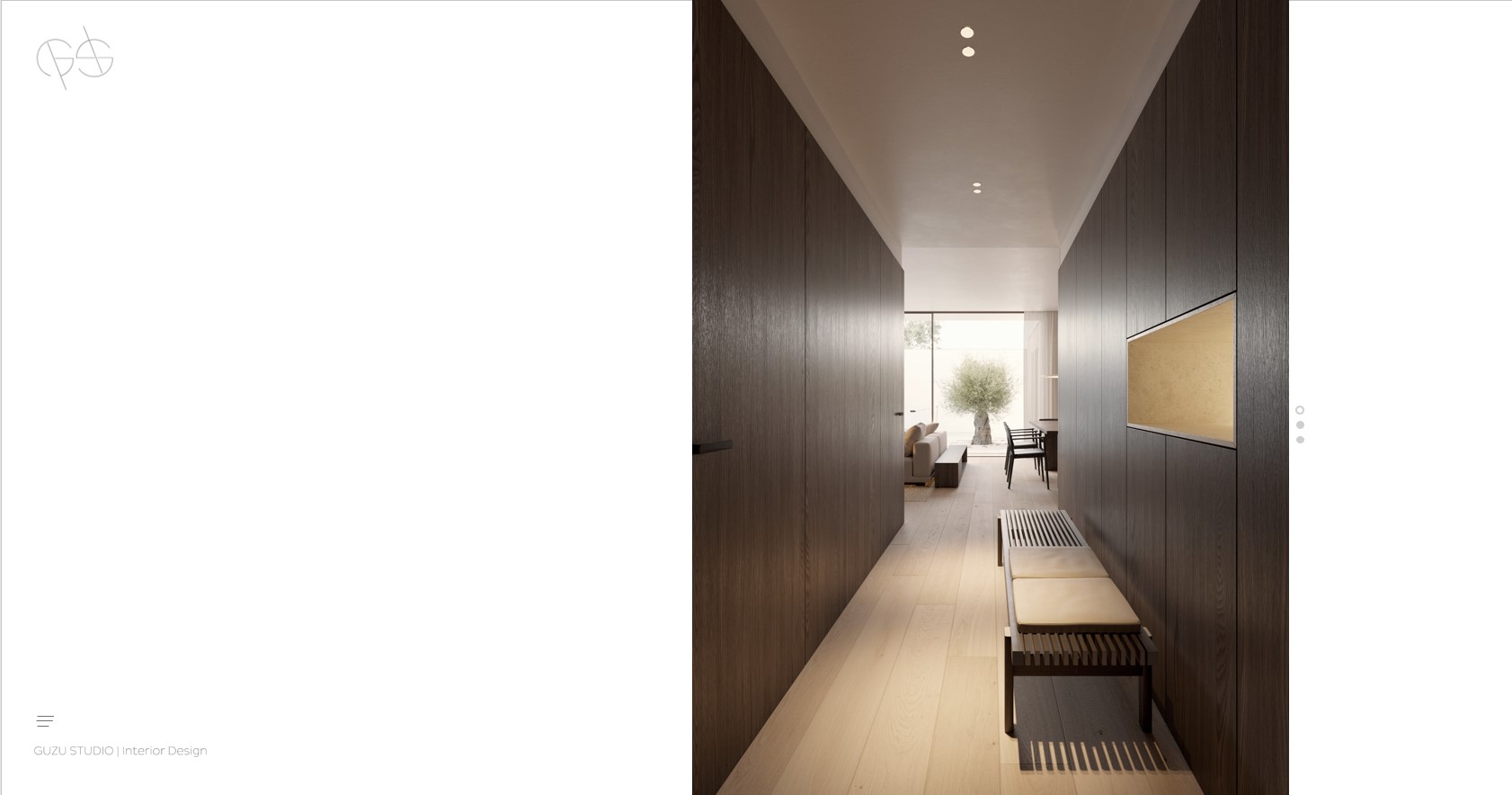
hi, https://guzustudio.com/ any way to put the nectar slider and menu in the left-bottom corner like in this example? https://guzustudio.com/wp-content/uploads/2023/09/00_PORTADA-1.jpg thanks again
forget the menu thing, i only need to know the image thing, right now i added images with a white background, thanks
Hey dimage,
If you’re looking to fill the full height of the screen while keeping the slider inside of a column, some custom CSS would be needed. Kindly open a ticket on the support forum in regards so we can follow up with that.
thanks will do
Can you make the Portfolio look like the Flip Boxes?
Hey maurinoloureiro, that would require custom modifications through your child theme at this time.
Kind regards
Noticed a potential bug, not sure if its local to my site. but when using the frontend editor the first change you make seems to effect the row width, it makes it smaller in width. Then i have to go and edit the settings for the row and change the type to “in container” and then back to “full width background”. has anyone else seen this?
Hey superwild,
Since that’s not a known issue, I would need to take a look at your setup in order to assist. Kindly open a ticket on the support forum in regards and we would be happy to follow up.
Thanks in advance
sweet, thanks. ticket submitted: #3452974
There is an option to use the hubspot chat in the beginning. I think is there a way to add that later and where is it?
Hey ravi000,
HubSpot is available to install/activate as a part of the SaaS demo. However, you can simply just install the plugin yourself at any point if you wish to utilize it: https://wordpress.org/plugins/leadin/
Is there any way to have a different display name for product titles on the shop and category pages?
We need the full title for the product page and search results but the product titles are too long on the shop pages.
Hey MarcGarner,
Salient does not provide any built-in functionality to assist with that. You would need to handle that through custom WooCommerce modifications in a child theme, or possibly a plugin (I’m not sure of one that offers that functionality to recommend off the top of my head)/
Kind regards
I tried some of these snippets but they don’t seem to be compatible, I get a blank product title – https://thembay.com/solved-how-to-shorten-woocommerce-product-titles-limit-woocommerce-product-title/
Hey MarcGarner,
I just tested the #2 option in that link and verified that it works as expected. There might be something else in your setup which is preventing it from working correctly.
Hi Sorry me again,
Is there any way via css, to disable the zoom in and crop animation that occurs when hovering over the image, on the ‘meta below, bio modal’ team member option?
I want to use an image as a masked png and it ruins the effect of the mask when it zooms in and gets cropped.
Thanks Elliot
Hey Elliot,
You can make that change by adding the following snippet into the custom CSS box located in the Salient options panel > General Settings > CSS/Script related tab:
body .team-member[data-style=bio_fullscreen_alt]:hover .team-member-image,
body .team-member[data-style=bio_fullscreen_alt]:hover .team-member-image-inner {
  transform: none;
}
Cheers
Hi Salient Team. Hope you’re fine.
Just a quick message to report you an issue on the Salient Editor. I experiment some troubles with the Salient Editor when I’m using it on Opera.
I can access to the pages on the BO. But I can’t access to the bloc settings of the page. On chrome everything is OK.
I’m working on Mac. I’m using the last Opera browser version.
Have a good day. Best regards. Alex
Hey Alex,
I just tried to test that on Opera with a Mac but didn’t see the same issue occurring. Could you kindly open a ticket on the support forum in regards?
Thanks in advance
Hello are the images used in the demos cleared? Is there a list? Thank you
Hey ravi000, All images which get imported via the demo importer or through the Salient studio template library are from Unsplash.
Kind regards
Hey ThemeNectar,
I’ve noticed a strange behaviour of variations select button after updating to Woocommerce 8.0.3. It is not possible to select “Größe” anymore. The variations are available. When I switch to a standard them like 2023, the variations are displayed.
https://www.thehandlebar.biz/en/produkt/pearl-legacy-sram-force-axs/Is this a known issue? Do you have an idea?
Thanks for your help!
Regards, Thomas
Hey Thomas,
There isn’t a known issue like that. Can you kindly open a ticket on the support forum in regards so that we can follow up?
Thanks in advance
Hi ThemeNectar, on my website https://www.jeensma.com I use the ‘standard blog no sidebar’. It shows thumbnails of featured images but for the thumbnail it always uses the center part of the image. How do I control the part of the image that is shown? Is it possible to use an image that I create myself to use as this thumbnail?
Hey htusco,
Adding the following snippet into the custom CSS box located in the Salient options panel > General Settings > CSS/Script related tab will allow you to change that globally:
.post-area.featured_img_left .post-featured-img-wrap a span img {
    object-position: left bottom;
}
If you want to alter specific posts separately, you can select them with their post ID e.g
.post-area.featured_img_left .post-3607 .post-featured-img-wrap a span img {
    object-position: left bottom;
}
Kind regards
Hi there,
Something odd is going on.
I see in my rss validator that a tag is not closing. Upon inspection. in the code of the the article manually and via tools: the article’s html is correct.
Could you please take a look and see what is going on here?
When I start a clear and fresh new project in WordPress this does not happen. The moment I activate Salient, this occurs.
https://validator.w3.org/feed/check.cgi?url=https%3A%2F%2Fwww.fininfo.be%2FfeedHey H0kus41,
I have not been able to replicate that same warning regarding a stray P tag locally or on the demos. Can you please open a ticket on the support forum in regards with your site information so that we can take a closer look at your setup?
Thanks in advance
Hi there!
Two short questions.
1: On my CPT I made nectar_metabox_post_types_page_header settings visible, I found this one in your docs: https://themenectar.com/docs/salient/metabox-cpt/ Afterwards I configured the header settings but nothing changed front end side? How can I make page_header_settings visible on CPT single page? Which code is necessary to display them on my single CPT page? Can you give me a advice, in which file I have to look into?
2: Is there a chance to active post-format settings on CPT like on the standard WP posts? That I can use “standard” “gallery” “link” options too.
Thanks!
Best regards, Alexander
Hey Alexander!
1. You’ll need to call the “nectar_page_header” function within your template to utilize those settings. You can take a look at the core salient/single.php template file for an example.
2. That would require some custom modifications as of now, however I’ve noted your +1 for the idea on the wishlist
Kind regards
Hi ThemeNectar!
Thanks fory your response!
1: Okay, this one //$blog_header_type = ( ! empty( $nectar_options[‘blog_header_type’] ) ) ? $nectar_options[‘blog_header_type’] : ‘default’; has override the post header settings. Works!
2. Awesome sounds great, thanks!