1465 comments found.

Hi,
Does the theme support Elementor’s full-width layout with containers? Thanks
Hello,
Thanks for your question. Yes, it does support the full-width layout of Elementor.
Support full-widht but not containers. Thanks
Yes, this theme supports both the full-width layout and the container layout. You can chose the layout for the site-wide, or for certain pages.
When we download the template we still get the v2.3.16 and not the v2.3.17
Hello,
Thank you for your feedback. Please download the theme again. We’ve uploaded the new theme package again.
I have only one question; in this theme i have option to NOT show shop&basket icons on hompage, but only at shop subdomain/page?
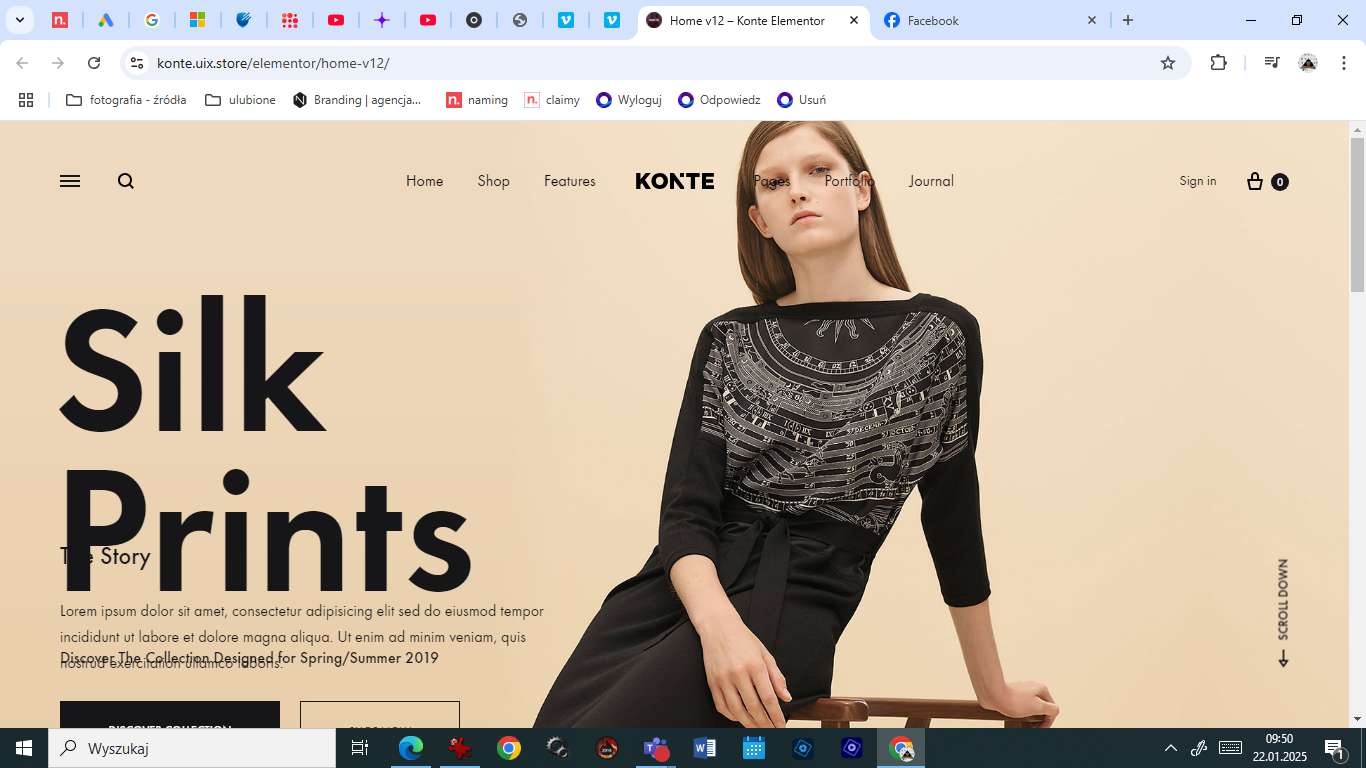
And one more question. What is the minimum resolution to which the website is responsive and is it really compatible with tablets? Please, take a look:
https://nazywamy.com/wp-content/uploads/2025/01/Konte.jpgHello,
Thank you for your questions:
- Unfortunately, the theme has no built-in option to remove the basket icon on the homepage. However, you can use custom CSS to hide it.
- With the parallax homepages, the ideal screen resolution is 1920×1080. However, you can customize these sections to make them display well on smaller screens.
It’s a pity, the issue of simply hiding the icons on the home page and displaying them only on the store subpage is crucial for me, so I have to give up the purchase I was convinced of  Thanks!
Thanks for sharing your concern! Our support team can help you implement the CSS solution to hide the basket icon on the homepage if needed.
Please Feel free to reach out if you have any questions.
This is a one-time solution that would have to be repeated every time I update or upload new theme files, so it’s not a real solution. But thanks!
The CSS customization is actually a one-time solution. You have two straightforward options:
- Child Theme: Create a WordPress child theme where the CSS modification will persist through updates.
- WordPress Customizer: Add the CSS in the WordPress Customizer, which remains consistent across theme updates.
This means you won’t need to repeat the modification every time.
BTW, thanks for considering our theme!
Hello,
I purchased the Konte theme, which states that it includes the Premium version of the Revolution Slider. However, I am unable to access the Premium version, and the slider does not allow me to import manually. Additionally, I have not received any updates for the theme, and I am still on an older version, while the latest version is 6.7.25.
Could you please assist me in resolving these issues, especially regarding the slider and theme updates? I understand that my support might be expired, but I would appreciate any help you can provide.
Thank you.
Hello,
Thank you for your feedback. The Revolution Slider plugin is bundled in the theme, with an extended license. It offers all features, including the ability to import sliders manually.
You can refer to this article for more information about bundled plugins:
https://help.market.envato.com/hc/en-us/articles/213762463-Bundled-Plugins https://docs.uix.store/konte/#/getting-started/plugins-licenseThe latest version of the Revolution Slider plugin is included along with the theme. You can follow this document to update it.
https://docs.uix.store/konte/#/update/update-pluginsOr you can delete the plugin, then go to Appearance > Install Plugins to get the latest version.
Thank you
Hello,
thank you for your quick response.
I have updated the plugin, but I am still getting the same error when trying to import a template from Slider Revolution: “Please register your Slider Revolution plugin to import premium templates.” Could you please assist me with this issue?
Thank you
You may continue to see this registration message, but you can safely ignore it – this is normal behavior and won’t affect functionality.
The plugin is already installed with all features enabled and fully functional.
You can refer to this document for more information:
https://docs.uix.store/konte/#/getting-started/plugins-license https://www.sliderrevolution.com/faq/how-to-replace-bundled-version-with-premium-version/Thank you
Hello,
However, the issue persists. The error appears, and after that, the only available option is to exit, which prevents the template from being imported. Additionally, in the activation tab, it shows that the plugin is unregistered. Could you please assist me further?
Hello,
We understand that you want to import a slider template from the library of Revolution Slider. Unfortunately, with the extended license, you can’t access and import from the library.
To do it, you will need a personal license. Please check this document for more details:
https://account.sliderrevolution.com/portal/premium-slider-revolution//Thank you
Hello,
How to reduce grid-gap between products (photos) on product gallery page? So less space/white between the products.
Thank you in advance.
Hello,
Thanks for your question. Unfortunately, the theme has no options to adjust the gap in the product grid yet. You may need to use custom CSS to modify this gap.
We’ve tried multiple CSS codes but they don’t work concerning this specific matter. Could anyone, possibly, enlighten us in this case?
Would be highly appreciated.
Please open a ticket on the support site. Our developer will check your website and provide the CSS code to help you customize the product grid.
https://uix.ticksy.com/Thank you
Hello, I just bought the theme and installed it. Everything is OK, but I noticed one required plugin, the Kirki Framework, hasn’t been updated for several months. I’m a little worried that it might not be supported in the near future.
Also is it possible to remove “Konte Addons” plugin if I use Elementor? I don’t use WPBakery. Can I also remove Metabox plugin if I don’t use “Flex Posts” and “Portfolio Projects”?
Thanks
Hello,
Thank you for reaching out and for your questions about the Konte theme.
Regarding the Kirki Framework – we completely understand your concern about the update timeline. We want to assure you that we actively test the current version of Kirki with both our theme and the latest WordPress versions to ensure full compatibility and functionality.
As for the plugins, the “Konte Addons” plugin is actually essential even when using Elementor, as it provides custom widgets and features specifically designed for our theme that enhance your Elementor experience.
Similarly, the Meta Box plugin is a core requirement that supports various theme functionalities beyond just Flex Posts and Portfolio Projects.
If you have any additional questions or need further clarification, please don’t hesitate to open a support ticket. We’re here to help ensure you get the most out of the Konte theme.
https://uix.ticksy.com/Hi,
I have a pre-sale question.
Is the theme fully compatible with “WooCommerce Product Bundles” plugin (https://woocommerce.com/products/product-bundles/) and “Quick View Pro” plugin (https://barn2.com/wordpress-plugins/woocommerce-quick-view-pro/)?
Thanks
Hello,
Thanks for your questions. Yes, this theme is tested and fully compatible with the WooCommerce Product Bundle plugin.
We haven’t tested the theme with the “Quick View Pro” plugin; therefore, we can’t guarantee compatibility. However, the theme has a built-in Quick View feature. You can test it on the demo site.
Hello, I’m experiencing an issue with your theme with the mini cart in the header on multiple websites where I use it, and it’s already very frustrating because I’m facing the same problem on all of them, and clients are constantly calling me about it.
The issue is related to updating WordPress to a new version every time, and I need to downgrade to WordPress version 7.7.2 to work.
Here’s the problem: When a product is added to the cart, the mini cart does not refresh or update automatically—it remains empty. The products appear only when I go to the cart page, where everything works normally.
This problem has been ongoing for years. When do you think you’ll fix it so that it works properly and we don’t encounter this issue again? My current solution has been to downgrade WordPress, but this is not ideal.
You need to resolve this problem as soon as possible because it’s very inconvenient. I’ve also noticed some similar reports about this issue in other threads. Although my support period has ended, I would appreciate any guidance or suggestions regarding the possible cause or a solution.
Thank you for your help!
Hello,
Thank you very much for your feedback.
Can you please share your website address with us so we can check it and provide better assistance?
What relevance does this have? I have the same issue on 4 websites, and I’m definitely not going to add them here. I’ve already explained the problem above. How can I resolve this issue?
I have submitted a ticket, but I downgraded WordPress, and it works now. However, this is not a proper solution. Because it does not function properly this way, and orders cannot be placed on it… How can I fix this?
Hello,
Perhaps you’re using an old version of the Konte theme. It may have conflicts with recent updates of WooCommerce and WordPress. WooCommerce has recently made some updates on how it handles mini-cart fragments.
To solve this problem, please update the theme to the latest version.
Thank you
Pre-sale question: Can I change the typeface easily for any headings and body font?
Hello,
Yes, Konte offers full typography customization for headings and body text through built-in typography settings. You can also use Elementor for element-specific font adjustments.
Hello, is it possible to alter the Banner Carousel? I’ve been working on the homepage and using the banner carousel instead of the revolution slider as i like the way it looks, only id like to add a video to the first slider, can this be done ?
Hi, sorry, i’ve figured it out, i can now choose between images, and internal / external videos, i’ve edited banner-carousel.php
Hello,
Thanks for your feedback. Please open a ticket on the support site if you need further assistance.
Hello, just purchased, uploaded including added demo with homepage 14 video, menus there and all pages, but the video isn’t there its just a white screen, looked in revslider and home 14 is there but no video
Hello,
Thank you for your feedback. The video is not included in the demo content. However, you can setup your video as the background of the top section. Or you can use the Revolution Slider to build a video section for your homepage.
If you need further assistance, please open a ticket on the support site. Our team will help you.
https://uix.ticksy.com/Thank you
Hi it’s ok I figured it out, in elementor I couldn’t click on the element to edit as the menu kept dropping down over it, had to delete the menu in Google developer inspect elements then I could edit the container
It sounds like a problem with plugins. Please open a ticket on the support site and share with us the admin account. Our developer will help you check this issue.
Thank you
Hola! cómo están?
Nuestro cliente eligió las fuentes de Google: saira y nunito sans para su sitio web y así lo hemos configurado, pero en todo el blog, esa configuración se pierde y aparece una fuente no les gusta. No hemos logrado solucionar el problema ¿podrían orientarnos para lograr corregir este inconveniente? El sitio es diestroweb.com
Muchas gracias!!
Hello,
Thank you for your feedback. Unfortunately, we can’t review your website because it requires a username and password.
To test this problem, you can review typography settings in Appearance > Customize > Typography.
Sometimes, the imported Website Kit from Elementor can change the default typography of the theme. You can check these documents for more details about using/removing it.
https://elementor.com/help/selecting-an-elementor-site-kit/ https://elementor.com/help/how-do-i-remove-a-website-kit/Hi there since the last update of Wordpress i cannot access the Customizer anymore , just see “widgets”, but nothing else.
I get these 2 errors in the console. Any idea what that is?
react-dom.min.js?ver=18.3.1:10 Uncaught TypeError: Cannot read properties of undefined (reading ‘unstable_scheduleCallback’) at n (react-dom.min.js?ver=18.3.1:10:105894) at react-dom.min.js?ver=18.3.1:10:129073 at react-dom.min.js?ver=18.3.1:10:129108
load-scripts.php?c=0&load%5Bchunk_0%5D=jquery-core,jquery-migrate,wp-hooks,underscore,customize-base,wp-dom-ready&ver=6.7.1:2 Uncaught TypeError: ReactDOM.render is not a function at Object.renderContent (KirkiSelectControl.js:90:14) at customize-controls.min.js?ver=6.7.1:2:41026 at c (load-scripts.php?c=0&load%5Bchunk_0%5D=jquery-core,jquery-migrate,wp-hooks,underscore,customize-base,wp-dom-ready&ver=6.7.1:2:25304) at Object.add [as done] (load-scripts.php?c=0&load%5Bchunk_0%5D=jquery-core,jquery-migrate,wp-hooks,underscore,customize-base,wp-dom-ready&ver=6.7.1:2:25583) at Function.<anonymous> (customize-controls.min.js?ver=6.7.1:2:40873) at c (load-scripts.php?c=0&load%5Bchunk_0%5D=jquery-core,jquery-migrate,wp-hooks,underscore,customize-base,wp-dom-ready&ver=6.7.1:2:25304) at Object.fireWith [as resolveWith] (load-scripts.php?c=0&load%5Bchunk_0%5D=jquery-core,jquery-migrate,wp-hooks,underscore,customize-base,wp-dom-ready&ver=6.7.1:2:26053) at load-scripts.php?c=0&load%5Bchunk_0%5D=jquery-core,jquery-migrate,wp-hooks,underscore,customize-base,wp-dom-ready&ver=6.7.1:12:3980 at c (load-scripts.php?c=0&load%5Bchunk_0%5D=jquery-core,jquery-migrate,wp-hooks,underscore,customize-base,wp-dom-ready&ver=6.7.1:2:25304) at Object.add [as done] (load-scripts.php?c=0&load%5Bchunk_0%5D=jquery-core,jquery-migrate,wp-hooks,underscore,customize-base,wp-dom-ready&ver=6.7.1:2:25583)
Thanks and best, Caspar
is there eventually in incompatibility with react 18?
Hello,
Thank you for your feedback. According to feedback from other WordPress users, it could be a cache-related problem. You can try clearing the browser’s cache and testing it again.
The WordPress team is looking at this problem too. They will fix it completely in WordPress 6.7.2. You can refer to this ticket for more details:
https://core.trac.wordpress.org/ticket/62422thanks for the quick feedback, looking forward to the 6.7.2!
Hello, The documentation is not very clear about the header background: Is it possible to have it be solid white color regardless of the hover? I’ve tried all the combinations and it is only changing to white on hover. Not sure if this is an issue, or if this is the expected behavior and static solid white is not an option. Could you please help me confirm if it’s possible and what’s the setting? Thank you.
Hello,
Thank you for your feedback. By default, you can configure the default header background to a solid white color in Appearance > Customize > Header > Header Background.
This theme also provides options to change the header background for pages. You can edit certain pages and set a different header background. You can check these documents for more information:
https://docs.uix.store/konte/#/header/layout?id=header-background https://docs.uix.store/konte/#/page/display-settingsIn your case, perhaps the header background is set to a different color on your page.
Please open a ticket on the support site and share with us your website address. Our team will help you check this issue and solve it for you.
https://uix.ticksy.com/Thank you
Hello, I have problem with Appearance > Editor, custom controls is not working, in console I see error “ReferenceError: Can’t find variable: kirkiTooltips controls.js:5”, maybe it is because of Kirki plugin, but it haven’t been tested with 3 major releases and no updates for a long time.
Hello,
Thank you for your feedback. This error might be a conflict with another plugin on your website. To test this issue, you can temporarily deactivate all other plugins. Then reactivate them one by one to identify the conflict plugin.
Yes, you are right DPD Baltic Shipping plugin is conflicting https://wordpress.org/plugins/woo-shipping-dpd-baltic/
It’s great to know you found the problem. If you have any questions, please feel free to contact us.
Thank you
When configuring image sizes for the Product Images, you recommend Thumbnail Cropping Custom: and then you put 680×920, however, in the customizer you’re only able to enter a ratio. Which ratio should we put in?
Hello,
You can enter the ratio as 680:920 in the “Thumbnail cropping” setting. Please check this document for more details:
https://docs.uix.store/konte/#/installation/config-pluginsIf you have any problem with this setting, please open a ticket on the support site. Our team will help you solve it.
https://uix.ticksy.com/Thank you
The latest update of the Konte theme prompts an update to 2.2.7 of “Konte Addons,” however this plugin update continuously fails. Without it, the WordPress site is inoperable. The attempt returns this error:
“The remote plugin package consists of more than one file, but the files are not packaged in a folder. Please contact the plugin provider and ask them to package their plugin according to the WordPress guidelines.”
This plugin needs to be fixed for everyone.
Hello,
Thank you for your feedback. We’ve re-uploaded the plugin package to the server. Please delete this plugin on your website, then go to Appearance > Install Plugins to install it again.
There is a glitch on sidebar at single post pages. The sticky feature doesn’t work quite right especially on mobile version. https://konte.uix.store/elementor/blog/2018/08/23/fashion-month-ready-in-konte-studio-fw2017/?layout_post=sidebar-right I’m looking at it on Mac Safari
Hello,
Thank you for your feedback. The theme uses JavaScript to create a sticky sidebar effect, which functions differently than the traditional CSS `position: sticky`.
While CSS can handle basic sticky positioning, the JavaScript approach allows for more control and can enhance compatibility across different browsers and devices.
However, the sticky effect is disabled on mobile devices. This decision ensures a better user experience on smaller screens.
Hi how do i change or remove the domain from my licensed theme, thank you
Hello,
When you activate the license on the new domain, the old domain will automatically be removed from the license.
Thank you
, , etc.) have too much space between them. How can I adjust the margin or padding to reduce this space? I want to keep the line-height as it is.
https://imgur.com/a/2QQFtAi
Hello,
Thank you for contacting us. Can you please share your website address? This way we can test and provide the CSS code to adjust the spacing and line-height.

This item was featured on ThemeForest

Power Elite Author
Contact the Envato Market Help Team