9447 comments found.

Hi RealThemes team, I am writing here because your general contact form blocks messages containing code and I cannot open a ticket due to expired support. Since this is a legitimate theme bug that affects the product’s quality, I am sharing it publicly so your development team can patch it in the next update. When uploading Custom Icons via the Customizer, the theme renders them as standard img tags. However, the “RH: Properties V15 (Grid)” widget has a hover effect that scales ALL images inside the grid item by 1.2. Because of this, on hover, the custom meta icons (beds, baths, etc.) scale up to 100% width and completely break the grid layout. The fix is simple: your hover scale rule should only target the main property image link (.rhea-property-link img) instead of a generic img selector, preventing custom icons from distorting. Please pass this to your developers. Bug reports from users should always be accessible, as they help improve your product for everyone. Thanks!
Hi,
Thank you for taking the time to provide the detailed report.
We have reviewed the behavior you described and, at this time, we have not been able to reproduce the issue in our testing environments. Because of this, we would like to investigate your specific setup further before drawing any conclusions.
Could you please contact us through our feedback form and provide the relevant details, including screenshots, a screen recording, and the exact steps required to reproduce the problem?
Feedback Form: https://inspirythemes.com/feedback/
We genuinely appreciate bug reports and product feedback, and if we can reproduce the issue, our development team will be happy to review it and work on a solution.
We look forward to hearing from you.
Best regards,
InspiryThemes Team
Hi InspiryThemes Team, Thank you for your reply.
However, your support system is making it impossible to assist you, and it has already wasted an hour of my time for nothing.
1. Your Feedback Form is Broken/Blocked: As requested, I prepared a detailed report with a screen recording, screenshots, and step-by-step instructions. However, when trying to submit your form, your firewall (Wordfence) completely blocked my request with a 403 error, likely because it detected the CSS code snippets I included to help your developers. Furthermore, your form does not even have an option to upload files. You can see the proof of the Wordfence block here: https://ibb.co/DHFjcPnQ
2. Unfair Review Deletion: I also noticed that my 1-star review was deleted without any notification or explanation. This is highly unfair and unprofessional. In that review, I explicitly stated that I would gladly change it to a 5-star rating as soon as the bug was fixed. Deleting honest feedback from a customer who is trying to help you improve your product is unacceptable. Please note that I will continue to repost the review to warn other users if it keeps getting removed.
If you genuinely want to fix this layout bug, please provide a proper, working communication channel that does not block technical data or require a paid subscription just to report a developer’s oversight.
Best regards
Hi,
Thank you for your reply.
We want to clarify that we are not preventing users from contacting us or submitting feedback.
In addition to our website feedback form, RealHomes includes a dedicated Feedback section directly within the WordPress dashboard, which can be accessed by navigating to Dashboard → RealHomes → Feedback
Reference: https://snipit.app/2by
If your request was blocked by a firewall rule, proxy, or VPN-related restriction, you can still contact us through the built-in Feedback section within RealHomes. Alternatively, you may reach us through our ThemeForest profile contact form:
Profile Form: https://themeforest.net/user/inspirythemes
We are more than willing to review your report and investigate any site-specific issues you may be experiencing. At the moment, we have been unable to reproduce the behavior you described, so additional details about your setup would be helpful.
We look forward to assisting you.
Best regards, InspiryThemes Team
Hi, I’m having the same problem. After updating to WordPress 7 and the latest theme version, maps don’t load on the property edit page, and the address bar doesn’t work. RealHomes v.4.5.3 – WordPress version 7.0 – PHP 8.4.16 – Cache plugin disabled Thanks
Hi,
Thanks for reaching out to us.
I’m sorry that you had to face this problem. Please make sure you’ve updated the RealHomes component plugins correctly. Go to Dashboard → Appearance → Install Plugins and verify if any plugins are outdated.
If everything is up to date, please contact our support team, and we will investigate this site-specific issue carefully.
Best regards,
InspiryThemes Team
Hello, after upgrading to WP 7 and the latest theme version, the maps are either not loading on property edit page, but address bar does not work – console tool returns the following:
Google Maps JavaScript API has been loaded directly without loading=async. This can result in suboptimal performance. For best-practice loading patterns please see https://goo.gle/js-api-loading
can’t access property “AutocompleteService”, google.maps.places is undefined
/includes/mb/main/js/map.js?ver=5.7.5:12 /includes/mb/main/js/map.js?ver=5.7.5:280
Would be grateful for some help. Cheers.
Hi,
Thanks for reaching out to us.
I assume you are using an outdated version of RealHomes. Please update it to RealHomes v4.5.3, which is compatible with WordPress 7.0 and PHP 8.x.
If you have already updated to the latest version, then the issue may be specific to your site. The first step to resolving this is to clear your cache settings if you have a cache plugin installed. Alternatively, you can disable the cache plugin entirely.
If the problem persists, kindly get in touch with our support team, and we will debug and resolve this site-specific problem.
Best regards,
InspiryThemes Team
Hi Support Team,
I’m experiencing a layout issue with the property meta section on my website.
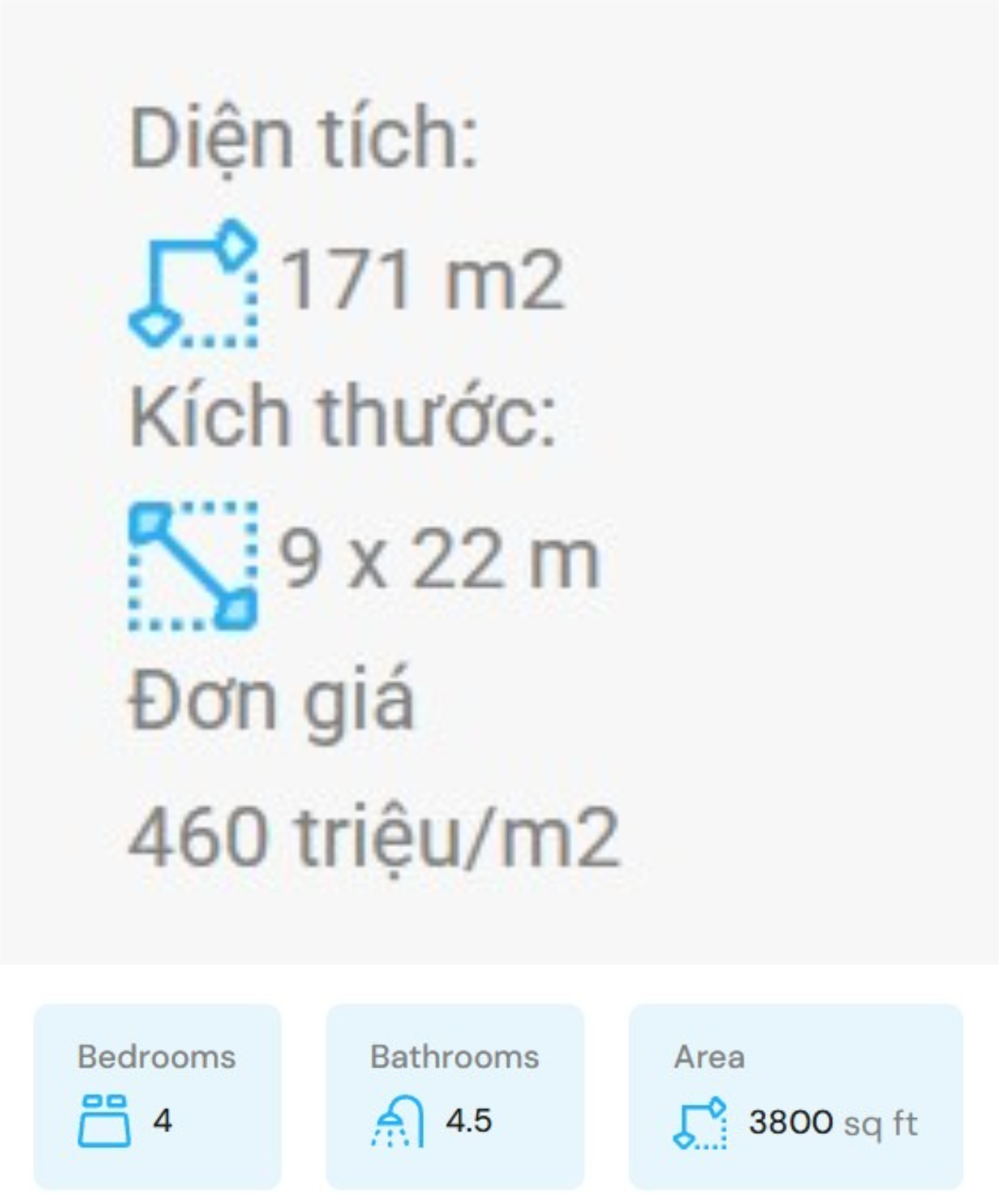
In the current display, the property details (Area, Dimensions, Price per m², etc.) are breaking into multiple lines and are no longer displayed inside the styled background boxes like in the original demo layout.
In the demo version, all property meta items are aligned properly in a single row with colored background boxes. However, on my website, the layout appears broken:
the items wrap incorrectly, the background boxes are missing, and the spacing/alignment does not match the demo.
https://cdn.phototourl.com/free/2026-05-24-0a3bfe96-b967-4e79-a32a-7be61e679703.jpgI have attached a screenshot for comparison:
Top image = current broken layout on my website Bottom image = correct layout from the demo
Could you please help check what is causing this issue and how to restore the original demo styling/layout?
Thank you.
Hi,
Thanks for contacting us.
We have to look into this site-specific problem thoroughly. Please sign up at our support website and ask your question over there, and we will assist you properly.
Thanks & Regards,
The InspiryThemes Team
I am having an issue installing the “Piller Core” plugin required by the theme.
During installation, the theme tries to download the plugin from:
https://wordpress.themeholy.com/piller/demo/piller-core.zipHowever, the download fails with the following error:
cURL error 60: SSL: no alternative certificate subject name matches target hostname ‘wordpress.themeholy.com’
Additionally, the domain appears to be unavailable and returns:
DNS_PROBE_FINISHED_NXDOMAIN
Because of this, the required plugin cannot be installed automatically through TGMPA.
Could you please:
provide an updated download URL send the latest Piller Core plugin ZIP file or release an updated theme package with corrected plugin sources?
Hi,
Thank you for reaching out.
The plugin and domain you mentioned (Piller Core / themeholy.com) are not related to RealHomes or InspiryThemes in any way. RealHomes does not require or attempt to install any plugin from that source.
This strongly suggests that your current WordPress installation may have been modified, compromised, or may contain files from another theme/plugin package.
We would strongly recommend the following:
- Download a fresh copy of RealHomes directly from your ThemeForest/Envato account
- Reinstall WordPress core files from a clean source
- Remove any unknown themes/plugins that are not part of RealHomes
- Scan your website/server for malware or unauthorized modifications
All official RealHomes plugins are installed locally through: Dashboard → RealHomes → Plugins
They are included within the official package and are not downloaded from third-party domains like the one you mentioned.
If you continue to experience issues after reinstalling the official package, please contact our support team with your website details, and we’ll be happy to investigate further.
Best regards,
The InspiryThemes Team
Our property listing search function is not filtering results correctly—when users perform a search, all listings are returned instead of only the matched properties. We have already investigated potential causes such as AJAX handling and caching issues, and even after disabling them, the problem persists. To isolate the issue, we set up a fresh installation using the theme’s demo content, but the search functionality still fails to return filtered results. What could be causing this, and how can we resolve it?”
Our test site: https://azure-ant-324412.hostingersite.com/properties-grid-layout/?Hi,
Thank you for reaching out to us.
Please edit the page using Elementor, then click the pencil icon for the Properties v17 widget to open its settings. Then make sure the option “Enable Properties Search Filtering” is enabled, as shown here: https://snipit.app/cvj
Once enabled, the filtering functionality should work properly.
If you have any questions or need further assistance, kindly let us know.
Best regards,
InspiryThemes Team
When I go to edit an already registered property, the images I inserted don’t appear in the gallery for editing. But they are registered to the property.
Hi,
Thanks for reaching out to us.
Please ensure that you are using the latest version of the RealHomes theme and its component plugins. We have resolved this problem in a recent RealHomes update.
You can consult this guide to perform the update process safely.
If you have any further questions or run into issues, please feel free to get in touch with our support team through our support platform.
Best regards,
InspiryThemes Team
Hi, I was looking at the Vacation Rentals theme. Can the location gallery be changed to a property slider?
Hi,
Thanks for your interest in RealHomes.
Currently, this specific feature isn’t available out of the box. However, it is a genuinely great idea that would add a lot of value for other users, so I am logging it directly with our development team to consider for a future update.
While we don’t currently offer custom development services to build this out individually, you can keep an eye on our changelog. We frequently add user-requested features in our major release cycles.
Let me know if you have any other questions about what the theme can do!
Best regards,
InspiryThemes Team
I understand. I can make a list with suggestions if you’d like; I have another one.
When you enter your password to log in, it’s a good idea to hide and show it, so you don’t hesitate when typing it.
Hi,
Please share your suggestions freely; we will review them for future updates.
I am forwarding your suggestion about password visibility to our development team.
Best regards,
InspiryThemes Team
Hi I cant find on the documentation how to hide advanced search from header on property details page (I want it on the widget). I want to keep showing on the homepage header though
Hi,
Thanks for reaching out to us.
I understand that it is important for you to disable the advanced search form on the single property page. You can disable it using RealHomes Misc Settings, which are located at the Property Edit screen (backend) as shown here [ https://snipit.app/ZDndPF ].
If you like to disable the search form on all property details pages, then kindly use the following CSS code in the Additional CSS box (Dashboard → Appearance → Customize → Additional CSS):
.single-property .rh_prop_search_init {
    display: none !important;
}
If you have any further questions or run into issues, please feel free to get in touch with our support team through our support platform.
Best regards,
InspiryThemes Team
I created an agency to represent a group of two agents that have split off from the main brokerage. I’ve selected them as being part of that agency, but can’t get it to show like your demo agency page (https://modern.realhomes.io/agency/james-estate-agents/). What am I doing wrong in putting this together?
Hi,
Thanks for reaching out to us.
If you have added an agency and a group of two agents, please ensure that you have associated the agents to the relevant agency as explained here.
Once the agents are associated with the agency, the agency’s details page will display the agents nicely, just like our demo. If you have already been assigned, kindly share the URL of your website so I can analyse it and assist you accordingly.
Please let us know if you still have any further questions.
Best regards,
InspiryThemes Team
I appear to have done everything correct in the setup for the new agency based on the link you provided, but the agents on this page: https://valequityrealestate.com/our-team/ (Amber at the top and Jen at the bottom) don’t show on this page: https://valequityrealestate.com/agency/abner-valentine-group/ even after selecting the group from the dropdown on the agent page for “Select Agency If Any”.
Hi,
The difference in layout is due to the page layout settings. Please edit the “Our Team” page and scroll down to find “RealHomes Misc Settings”, and click on Page Layout, ensure that any option in page layout is set to “Default” as shown here: https://snipit.app/mvT
Regarding the missing agents on the single agency page, please add the following CSS code to the Additional CSS box (Dashboard → Appearance → Customize → Additional CSS):
.single-agency .rh_page__section {
    display: block !important;
}
If you have any further questions or run into issues, please feel free to get in touch with our support team through our support platform.
Thank you,
InspiryThemes Team
Beautiful. That did the trick – thanks so much for the help!
Happy to help, feel free to reach out to us if any further assistance is needed.
Thanks
Hi, RealHomes → Settings display error. The icons are enlarged to full screen, and I can’t interact with anything. What should I do?
Hi,
Thank you for reaching out to us.
Please start by disabling any caching or optimisation plugins and then check the issue again. Also, ensure you are using the latest version of RealHomes (v4.5.2) and its updated component plugins: Easy Real Estate and RealHomes Elementor Addon.
If the issue continues, kindly test it in an Incognito/Private window to rule out browser cache or extension conflicts.
If the problem persists, please feel free to contact our support team via our support platform.
Best regards,
InspiryThemes Team
Hi.. I’m using this theme since 2021. This version 4.5.1 , when i updated.. it shrinked my whole website. Now i updated to 4.5.2 and still same issue. on updating to 4.5.2 version its shrinking the whole website. I dont know what is the problem. the new code changes or what. i have sent the screenshots, Can you check it please.? For now i have reverted to 4.5.0 Version.
Hi,
Thank you for contacting us.
Our support team has already resolved this concern for you. Please discuss any other concerns with them going forward.
Best Regards,
The InspiryThemes Team
Hi. The RealHomes CRM cannot update after clicking update. It reverts to the old version. Please help
Hi,
Thanks for your message, and sorry for the inconvenience this problem may have caused.
Please sign up at our support website and ask your question over there and we will assist you properly.
Thanks & Regards,
The InspiryThemes Team
Hi, we are using elementor property search element on a page and have hide empty locations ticked, one property type is selected for default – however when we have sub locations for properties, all the parent and sub locations are showing for every property type (not just the one selected for default). Any advice please? Thanks
Hi,
Thanks for reaching out to us.
Please share the exact name of the search widget so we can check it on our end and assist you accordingly.
Best regards,
InspiryThemes Team
Thanks: RH Search Form 2
Hi,
We couldn’t replicate the problem. Could you please get in touch with us through the contact form available at our profile page here: https://themeforest.net/user/inspirythemes
We have to look into it thoroughly in order to debug and resolve the problem.
Thank you,
InspiryThemes Team
Hi Inspiry Themes Support Team,
I hope you’re doing well.
I’m currently using your theme on my WordPress site, and I’ve run into an issue regarding media management. When we delete a published property, the associated images are not removed from the media library. As a result, these images remain stored on the server and continue to occupy storage space unnecessarily.
Is there a built-in option, recommended setting, or best practice within your theme to ensure that when a property is deleted, all its associated media files are also removed automatically?
If this is not supported by default, I would really appreciate any guidance, workaround, or recommended plugin that could help achieve this behavior.
Thank you in advance for your support.
Best regards,
Hi,
Thank you for reaching out.
Media added to properties cannot be automatically deleted when a property is removed, because that media might be linked to other items like brochures or banners.
If you really want to delete images when a property is removed, you can use a third-party plugin. Here are some options:
https://wordpress.org/plugins/delete-post-with-attachments/
https://wordpress.org/plugins/media-cleaner/
Please note that these are third-party plugins, and media management can be delicate. Use them at your own risk.
Best regards,
InspiryThemes Team
Hi, I am interested to buy this theme. Please let me know can we change the theme background colors to match up with our logo colors. Please clarify the demos on the Home page are just place holders or it can be redirected to another website? Please reply at the earliest. Thank you.
Hi,
Thank you for your interest in RealHomes.
Yes, you can fully customize the theme’s color scheme to match your brand and logo. RealHomes offers flexible color options through its settings, letting you easily adjust primary colors, accents, and overall styling without coding.
Regarding the demos: the content shown on the homepage demos is for demonstration purposes. However, you have full control over all links and sections. You can:- Replace demo content with your own
- Link sections to internal pages
- Or redirect any button/section to an external website if needed
So, the demos are fully customizable and not limited to placeholder behavior.
Please feel free to let us know if you have any other questions.
Best regards,
InspiryThemes Team
Hello,
RealHomes → Settings panel stays in infinite loading.
I tested the following:
Fresh WordPress installation LocalWP installation Only required plugins active Different PHP versions No JavaScript errors in console
The issue persists even in a clean local installation, so it seems related to the theme admin panel.
Could you please advise how to fix the RealHomes Settings page not loading?
Thank you.
My support subscription hasn’t been renewed.
But it’s a shame that I bought the theme and it doesn’t work
Hi,
Thank you for reaching out.
Please start by ensuring your LocalWP meets the required configuration:
- PHP version: 8.3 or higher
- PHP setting:
max_input_vars = 3000
In many cases, this resolves the issue immediately.
If the problem still persists, please apply the following fix:
- Download and extract this ZIP file: https://dropover.cloud/e35c9a
- You will find two files: ere-settings.js and class-ere-settings-saver.php
- Upload and replace these files in the following locations:
wp-content → plugins → easy-real-estate → includes → settings → classes → class-ere-settings-saver.php
wp-content → plugins → easy-real-estate → js → ere-settings.js
After replacing the files, the infinite loading issue should be resolved.
If you are unsure about any step or the issue continues, please get in touch with our support team with your website details, and we will take care of it for you:
https://support.inspirythemes.com/ask-question/
Best regards,
InspiryThemes Support
No,...
He followed all the steps. But it doesn’t work.

Hi,
Could you please provide more details about the specific issue you’re experiencing, as local staging sites can cause various types of problems?
Creating a video demonstration would be very helpful, as it allows us to assist you more effectively.
Thank you,
InspiryThemes Team
This is the video: https://comprarcasaenalicante.com/descarga/problem.mp4
Hi,
It seems this may be an issue related to your local environment. We recommend setting up a staging website on a reliable hosting platform. With the Regular License, you may create a staging setup on the same domain.
If you have any further questions or concerns, please feel free to reach out.
Best regards,
InspiryThemes Team
I’ve tested the same theme on a different hosting provider and on another website with a different domain. It’s unlikely to be due to the local environment.
This is my configuration:
Server Environment
Operating System: Linux Software: LiteSpeed MySQL version: MariaDB Server v10.11.16-MariaDB-cll-lve PHP Version: 8.4.18 PHP Memory Limit: 2048MB PHP Max Input Vars: 3000 PHP Max Post Size: 256MB GD Installed: Yes ZIP Installed: Yes Write Permissions: All right
WordPress Environment
Version: 6.9.4 Site URL: https://comprarcasaenalicante.com WP Multisite: No Max Upload Size: 256MB Memory limit: 40MB Max Memory limit: 2048MB Permalink Structure: / postname / Language: es_ES
Hi,
I’m sorry that you are still facing this. Please get in touch with us, as we will have to debug it thoroughly because we are unable to replicate this problem. You can use the contact form on our profile page to get in touch.
Best regards,
InspiryThemes Team
Hello,
I purchased RealHomes and the RealHomes → Settings panel stays in infinite loading.
I tested the following:
Fresh WordPress installation LocalWP installation Only required plugins active Different PHP versions No JavaScript errors in console
The issue persists even in a clean local installation, so it seems related to the theme admin panel.
Could you please advise how to fix the RealHomes Settings page not loading?
Thank you.
Hi,
Thank you for reaching out to us.
Sorry for the inconvenience this problem may have caused. Please sign up at our support website and ask your question over there and we will assist you properly.
Thank you,
InspiryThemes Team
Thanks!
Welcome
After the update of the home page i have breadcrumbs and a page title on the home page. Is there a way to remove this from the home page?
Check screenshot https://postimg.cc/9RvY9ZfY or visit the home page: https://nekretninenadlanu.com/
Hi,
Thank you for reaching out to us.
The cause of the problem is unknown, as several factors could be responsible.
However, to resolve this, please edit the home page and assign the “Elementor Full Width” page template from the Template settings available on the right-hand side, as shown here: https://snipit.app/yPRe
Let us know if you require any further assistance.
Best regards,
InspiryThemes Team
Hello, I have registered agents, they have properties listed but they don’t appear in the listing.
https://prnt.sc/VXGMfRkDkRv- https://prnt.sc/7I_pZOfMUAGaHi,
Please sign up at our support website and ask your question over there and we will assist you properly.
Thanks & Regards,
The InspiryThemes Team

This item was featured on ThemeForest

Power Elite Author
Contact the Envato Market Help Team