1276 comments found.
very nice theme !
I have the problem, in Main File(s) in my profile, don´t have the file TUTORIAL, DEMO.XML
In Main File(s) and Installable Wordpress file its same, all download theme incomplete.
Thank you!
Zip package downloaded from ThemeForest is installable, so you can install theme using it. You can find inside it xml files with dummy content, please check this video to see how to import: http://www.screenr.com/Scj7 Fell free to send me your WP admin area login data via contact form, I can install theme for you.
In ThemeForest is not the zip package, only the theme is downloaded only, but not the folder that contains the tutorial, psd´s, dummy. Where else can I download these files Please review the links on ThemeForest
Yes, this is theme (zip format). So you can install it but you can as well unpack this file and find inside it the documentation directory and xml files as well. If you need PSD files, please contact me via contact form.
ok, I think I am not being very clear, I will try again, hopefully it works this time, on the downloads side (http://themeforest.net/downloads) the first theme (Medicenter, the blue icon) when I click on the brown download button, when I click on the “main files” or the “installable Wordpress file” button it downloads the same thing, it doesn`t make a difference both buttons download the theme only, It won´t download the whole package, the zip. Does that make sense? Is there a way you can send me those files or how can I download it? Thank you
What’s the format of the file which you’ve downloaded? Is it zip file? If yes, please unzip it and you will find inside the documentation direcory and xml files with dummy content. This zip file is as well the installable WordPress theme. In fact it’s the same file: “main”=”installable Wordpress file” in this case. You can use this zip to install and you can also unpack it to search for documentation.
do not download any file zip, you pass my passwords if you like so you can check it, only download the theme, but not the zip that downloads all the files
Please send me the file which you’ve downloaded to my email: quanticalabs@gmail.com I’ll check it.
Porfavor revisen su correo ya envie lo solicitado, mi correo es hramirez@turbomkt.mx
I’ve already replied to your email.
thanks !
You’re welcome!

Can I only use 3 slides or can I use more?... Yea you can use the rev slider in anything if you know what you are doing!
You can use any number of slides.
very nice, I have a pre-sale question, can i remove this slider and replace it by revolution slifer
Yes, this is possible. If you’ve Revolution Slider installed in your WordPress it will be also available as Visual Composer component. So you can use it in any page content easily. If you would like to replace home slider maybe you’ll need to modify code a bit. Let me know if you’ll have any problems with that, I’ll help.
awesome theme – is there a dark version? could i integrate background pictures for the boxed layout?
Thank you! You can configure all colors in Theme Options. There’re 6 predefined color schemes (please check live preview, dark scheme isn’t predefined) and also over 200 icons in different color variants (over 4000 variants – some dark variants as: black, gray are included as well).
You can set background images as well but if you would like to do that only for footer, then you need to make change in css file. If you’ll need help with that, please contact me.
Hello, I have a pre-sale question, is this WordPress theme multilanguages ? I need it in French Thanks
Hello,
Yes, .po and .mo language files are included, so you can easily translate theme using them or some plugin like WPML.
Hello there!, very nice theme… Would you consider doing Appointment Forms / Online booking? Thanks…
Hello,
Yes, I’m planning to add this functionality. It will be available in one of the next updates.
Sounds great… Then you’ll have one more customer when that is available. Look forward. Thanks.
Yo i dont wanna have to dispute my transaction with my credit card so make this easy help me to fix what i need to fix or please refund my money i register in your forum but is not allowing me to make any post so….????
I can see your topic on the forum and will answer as soon as possible.
Hello! I Would like to purchase this theme, but I need it RTL (right to left for Hebrew). Can you do the translation an how much will it cost? Thanks
Hello,
You need to set direction property in style.css, that will make all text on the site RTL.
Hi my friend,
1. Will it be possible to move the blue boxes on slider off the homepage?
2. Is it possible to put images with menu functionality under the slider like this? http://www.laubdermatology.com/ User puts mouse over image’s menu, menu pops down, and they can navigate to the service.Thank you
Hi,
1. Yes, it’s possible.
2. You can put any content under slider. So it’s possible if you’re able to create menu like that on your own or with some plugin.
Last questions! If I can do this! This would be perfect! 
1. Is it possible to add a 4 column gallery preview underneath the slider?
2. If it is possible, is it possible to link those gallery images to their own gallery page?
Thank you my friend
1. Yes, you can use 4 columns gallery layout as here: http://quanticalabs.com/wptest/medicenter/gallery-4-columns/ (you can disable categories if you would like to and display just 4 items).
2. Yes, for each gallery item you can set custom url, so you can create 4 gallery pages and for each gallery item on home page you can set appropriate custom url.
Hi, got the slider to work, but want to know how to get the front page looking like it does in the “brochure”. Thanks.
Hi,
Support for all our items is conducted through our Support Forum.
Please register an account and search the forum or create a new topic, we’ll answer as soon as possible. Please also post your site url on the forum. Thank you!
Hey, I’m trying to get the site to start off looking like the example, however, the slider won’t work – is this something to do with what the homepage is set to be?
Thanks.
Hi,
Please check my reply to your other comment.
Sir I have setup already the Dr form so I have everything done, im sure the support have to be done by Themeforest what is the platform what im ussing so, please if is there a way to exchange the word ALL The doctors will be great
Acoording to support tab we’re providing support via forum. Forum is searchable and other users can find the answers to the same questions easier and quicker. So please create new topic there, we’ll answer as soon as possible. Thank you!
Hello
A small feature request – It would be nice of you to add a kind of custom css box and box for google analytics in theme options panel. I think the custom css option is very useful and convenient way to add small css changes (like font-height, letter spacing, font size and shadows, custom backgrounds etc) without digging in WP theme editor, especially for those users who do not like child themes and using Google font subsets other then Latin.
For example, I’ve discovered today that in theme fonts panel you have a choice of 2 options: font for Headers and for Subheaders (BTW I do not figured out to what elements of the theme this subheaders font is applied). But in functions.php you have the option for choosing font for “Sentence” element. (it is Volkhov 400 italic by default which have no support of Russian glyphs). So in order to choose the font that will match the overall design of the theme, I must do changes in functions.php than in css rules and only after it see the result. It is not very convenient. More convinient is to copy paste this changes from firebug directly to theme options
It would be ideal of course, to add the option of choosing font subsets with a kind of check boxes in panel and to add more options to set the font for more elements: Headers, Main Content, Nav.Menu.
I think adding this options can improve your sales.
If it can be helpful you can give me your email, and I can email you some files which I guess can point you in a right direction.
Good luck and have a Great day
Hello,
Thank you for your thoughts! I’ve added them to my todo list and will improve theme with next update. Have a great day too!
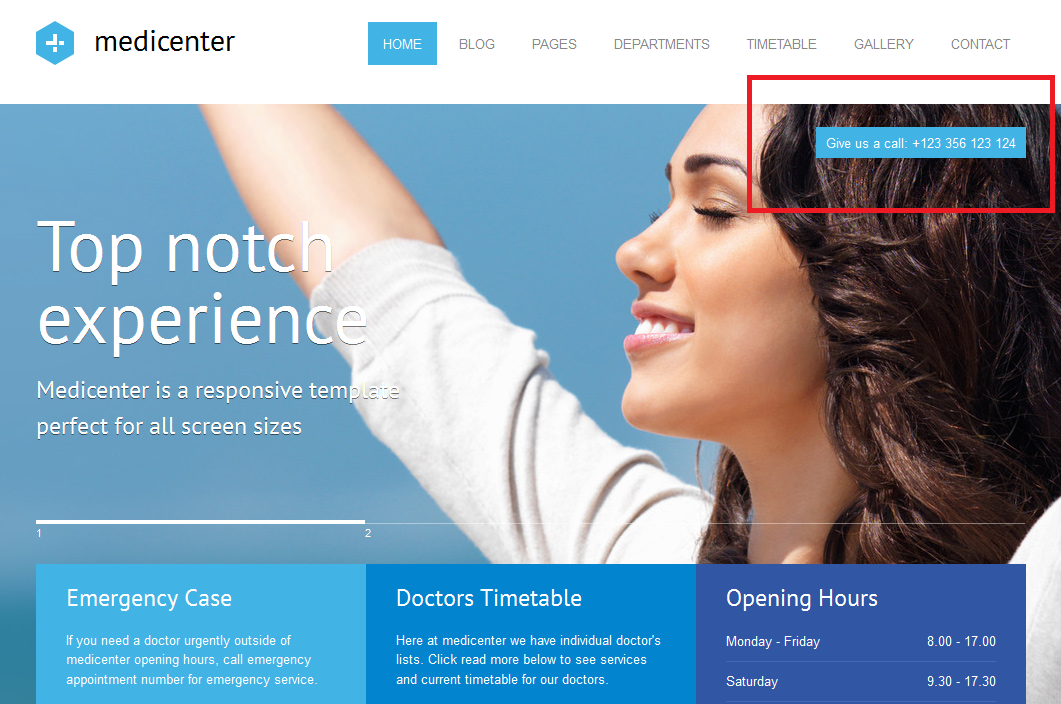
very nice, I have a pre-sale question, is it possible to have a med-large phone number in the header area
It’s possible with custom code modification. I can help you with that after purchase, if you’ll be interested.
Without code modification it’s also possible and will look like on this screen: http://support.quanticalabs.com/wp-content/uploads/2013/02/medicenter_contact_info.png You can set this in Theme Options.
Congratulations with 5 stars average rating of the theme. Keep on going the same way. We are waiting for features updates, and other pleasant surprises 
Thank you a lot! I’ll add some new features for sure soon.
Hi there! Love your theme. Looks awesome! Just one question. How do I get these coloured boxes in the slider on the homepage? Can’t seem to figure out which element I need to add…
Thx in advance. Philippe
Hi,
Thank you a lot! I’ve just answered to your question here: http://support.quanticalabs.com/forum/topic/2807/three-colored-boxed-in-slider/
Ok how about if i want change the part of the doctors.
and instead to says all the doctors, i want to put all our customers?
Use gallery for that. Add your customers under ‘Gallery’ in admin area, then use ‘Gallery items list’ component to display them. The look will be the same as doctors list. In case of more questions please use our Support Forum: http://support.quanticalabs.com
Parse error: syntax error, unexpected T_FUNCTION in /home/vipsuppo/public_html/wp-content/plugins/widget-settings-importexport/widget-data.php on line 49
Please try with older version of import plugin. You can download it from here.
Well the theme looks amazing but when i try to install the pluggin are requiere to upload the widget setting and everything is just impossible any help?
Please try with older version of import plugin. You can download it from here.
I’ve installed the theme and activate it. Installed wordpress importer plugin. Pressing import in WP dashboard causes the white screen. To check the issue I’ve installed Udesign theme. With Udesign and Twenty Twelve everything is works fine. All necessary credentials were sent to you from you profile page on Themeforest. Thanks in advance. Can you check it? It’s rather urgent for me.
And one more request for the future updates. Can you divide the download package in several different folders: the installation package itself and doccumentation, dummy content in separate folders.
Ok, I’ll take a look at this and help you to solve this issue as soon as possible.
Thank you very much
Here is the error message:
Fatal error: Allowed memory size of 41943040 bytes exhausted (tried to allocate 122880 bytes) in /var/www/vhosts/webart21.ru/esluh.ru/wp-admin/includes/menu.php on line 126
Sorry for bothering you on Sunday.
Hi,
Thank you! I’ve just replied on the forum.
Thank you very much for your help. Everything is working perfect now and I was so stupid (because of the hot spring here). Due to your support the theme is rated 5 stars.
I’ve noticed that the theme was updated on 19.05 Is it 1.1 version or a new one?
Thank you! And don’t hesitate to ask if you’ll have any other issue. Yes – the current version is v1.1, there isn’t any newer.