686 comments found.

Hi there, I am so loving this design, it’s a work of art!
Will purchase very soon 
It sounds great, Tom! Thanks about your interest!
I have a few questions before I purchase:
1. Is there any overview of any shortcodes?
2. What column combinations are there? Is 2/3 – 1/3 possible?
3. Will you be expanding the blog possibilities? I would really appreciate a blog in grid format, for example. It would also be suiting the themes style.
4. Can tweets be displayed in the sidebar?
Thanks in advance! Tom
Hi Tom,
Flamingo includes a complete page builder with a lot of widgets available. In this sense, it is a “super” shortcode generator. But in any case and the best way to understand all the power of the theme, I encourage you to take a look to the online documentation in order to know more details about the theme.
About the blog. This part offers 4 different layouts for featured images and right/left/none sidebar options. But by now we are not planning to create a grid format for this section, this is not in our plans and this is not a current theme´s option.
Hope it will help!
Thanks, purchased!
Never mind the previous text about the XML. I had set the child theme when installing. That doesn’t allow the XML to be installed. Switched to main theme and all went well.
Looking forward to exploring all of it! Tom
Love it
I have one question: is it possible to have the menu displayed like with the minimal theme over the header images, instead of the image text?
Hope you know what I mean
Thank, Tom
Hi Tom,
to be honest I must to say that I´m not sure about you mean… besides the minimal layout the only way to have an always viewed menu in angled/straight layouts is using the menu-layout 4 (opened) or menu layout opened in sticky mode. But the theme can´t mix behaviors and options among layout modes and menus, this is complex to create/mix.
Cheers!
Hi, thanks for responding!
First of all, I love working with the theme!
I understand. I thought it might be possible to have an open state for the menu, so that it overlays without too many problems.
There are a few small things that I ran into:
When I use menu layout 1 with the Angles Layout, I have the overlay menu as in the minimal theme. However, when I select Sticky, the menu suddenly becomes another menu, the very large menu items. Can you check that out?
Also, on blog pages, the bottom social icons overlap. Not on other pages, but only there.
And last, when I create text columns, there’s no spacing at the bottom of the left column on iPhones. The column sticks to the right column that moves underneath. I have tried many things to correct that, but when I apply something, it somehow affects the right column, resulting in moving down or up on other devices. For example, when I would add an extra line at the bottom of the left column, somehow the right column moves down on desktops.
I am aware this might sound complicated or fuzzy, but I have no way of telling it in another way
Thanks in advance, Tom
Okay, about the text columns, I figured out a way
Looking forward to the fix for the social icons at the bottom blog pages that overlap. And also if the above mentioned menu change is meant, or a mixup?
Thanks, Tom
Hi Tom,
I have noticed these two new threads right now. Please, would you be so nice to open a support ticket with them (you can copy paste) and we will follow them there.
Here all the queries appear mixed and sometimes like now I loose some of them.
Thanks!
Impresionante!!
Estoy dudando de cojermelo dependiendo de si se puede poner algun plugyn de tienda shop.
Lo puede aceptar? Sabes de alguna?
Muchas gracias!
Hola!
pues de momento solo hemos visto a un usuario que implementó Cart66 y el theme respondió bastante bien. Aunque he de decir que Flamingo no ofrece soporte “de serie” ni para WooCommerce ni otras plataformas de e-commerce. De modo que no podemos garantizar que funcione de la mejor manera.
En cualquier caso, muchas gracias por tu interés en Flamingo!
Love the theme..
Have you experience any conflict with known plugins? I am having trouble adding a slider to the pages – it keeps disappearing when I update the page.
also I am having this in the bottom of all my pages? https://www.dropbox.com/s/c9qv6x2upjw6qf3/Screenshot%202013-12-04%2015.36.13.pngany idea of how to fix it?
Hi KLNGNBRG,
we have not noticed any plugin conflict with the theme and the slider issue sounds weird. In this sense I recommend you opening a support ticket and provide us a url, admin user & pass and we will take a look closer to this issue.
Within the next coming hours we are updating Flamingo fixing the issue you show us in the screenshot. While, you can use a quick fix if you prefer it, just adding this single rule to your custom styles:
.block-content { padding: 3px; }
My apologizes about this drawback. As I say, it will be fixed as soon as possible.
Best, Van.
The last update is fixing this issue and it is now available for download. Hope it will help!
thanks!! the update fixed both things.. however in this version I’m missing the overlay when using “related projects” ?
https://www.dropbox.com/s/9ytnyo0uipkjj39/Screenshot%202013-12-05%2010.10.03.pngHi KLN,
which menu layout are you using? In my end the related projects background is working correctly. Notice that if you are using some of the sticky options this behavior was different since when they were created due to technical reasons. Can you confirm me if you are using some of the sticky options, please?
aaah I was using the sticky menu option with layout 1 -
So that means there is no way to have that big beautiful layout 1 menu (that fill out the entire screen in the sticky version) while also having a working “related projects” feature?
I will dive deeper into this in order to try to create a similar experience. Notice that currently there are very different menu layouts with very different behaviors among them and this makes a little bit hard to create equal features mixing options from all of them. But I´m going to do all the best with it. I will let you know tomorrow about it, ok?
you guys are seriously awesome!!
did you get a chance to look at the menu thing ?
Hi KLN,
this issue is fixed now and it will be included within the next coming update planed for today. It will be available in the next coming hours. Tomorrow for being more sure about it
fantastic!!
it’s on all pages..
Hi, i want to buy this theme but when i try to preview the demo on my iphone, it crashes Safari… is this fixed usually ? Best
Hi somexing,
please, make sure you are checking the demo removing the Themeforest frame (click the top left cross button to close it). This element creates some weird behaviors over the themes when viewed on mobile devices.
Thanks!
ok, it works fine, super nice theme, i m buying it!
Hi,
the theme is great. One of the best here on themeforest. Say are you planing to release a html version of this theme?
Hi Kaje,
I´m sorry to say that won´t be available a plain HTML version of Flamingo. Anyway, thank you very much about your interest!
Hi, The Linkedin link in the menu in our site is not working. We’re using menu-layout 3, with the angled layout. Could you please look into this? I will appreciate it.
Of course, just open a private support ticket & provide us the url to your site and an admin user and password. We will take a look closer to this issue as soon as possible.
Cheers!
I am having trouble finding all the necessary plugins, they did not install automatically and they are not packaged in the theme folder.. I am missing the below, and I cannot find them in WP plugin searches.
Advanced Custom Fields: Location Field, Advanced Custom Fields: Repeater Field and Visual Composer.
Envato WordPress Toolkit.
I am sorry it worked, but only when I de-activated child theme and activated the main theme. Beautiful design, love it. Maybe you should add that in documentation so its not confusing.
Of course, we will include this detail in the documentation. Thank you very much for let us know about it, msayenko.
The theme ask for installing all the recommended/required plugins on start, it is for this reason this was a weird issue.
Thanks!
Hi there,
First of all this is a fantastic theme! I’d like to know if there’s any possibility to add “comment” option also in a portfolio layout? Cuz I’d like to use that as my regular post instead of the blog layout. Let me know! Thank you!
Hi!
I´m sorry to say that the theme is not ready to work in this way.
Thank you very much about your interest with Flamingo!
Hi Van, I just purchased this theme yesterday, and so far I love it, you did a really great job.
I am having an issue though- at the bottom of the theme on pages (on templates ‘Default’ and ‘Contact’) they seem to be broken, as there is a triangle that hangs off the bottom.
See: http://2ndtruth.com/ http://2ndtruth.com/?page_id=18Any recommendations on fixing this?
Besides this, it is an excellent them well worth the price! Thank you!
Hi jrcneuman,
We have received a couple of comments about this issue, first we thought it was a content issue, but it looks like a little bug. Tomorrow we will update the theme fixing this detail, while you can fix it with a single css rule you can add to your custom css:
.block-content { padding: 3px; }
Hope it will help and my apologizes about this drawback. This detail will be fixed and available within the next update within the next coming hours.
Hope you will enjoy working with the theme!
So close to having my site finished thanks to the great theme! my only last questions is…
is it possible to change the shape of the arrow buttons that appear on the header graphics/slides? currently it is a square turned 45degrees, the same shape is also used to highlight the social media links under the “we are social” footer bit.
Just want to try and make them a circle
Many thanks
Hi!
if you would like to modify the rhombus shapes with a circle one, you may use some css rule like this:
.actions-related,
.action-fullscreen,
.action-scroll {
   -webkit-border-radius: 50%;
       -moz-border-radius: 50%;
              border-radius: 50%;
}
In case of social options, something like this could work too:
.inner-subfooter .social-icon li a {
 -webkit-border-radius: 50%;
       -moz-border-radius: 50%;
              border-radius: 50%;
}
Try with these rules and let me know if it worked well for you. Hope it will help!
Hola, lo primero, felicitarte por el tema, muy limpio y original.
Lo acabo de instalar y tengo un problema que no sé solucionar: en la página de inicio, teniendo el layout con la máscara diagonal selecionado, al pie de la página no solo se muestra esa máscara diagonal, sino también una franja horizontal justo encima, que también deja ver la imagen de fondo… Alguna idea?
Muchas gracias de antemano!
Hola,
no sabría decirte porque no entiendo bien qué es lo que sucede. Te sugiero que abras un ticket de soporte y nos dejes un acceso a tu sitio web. Echaremos un vistazo de cerca para ver de qué se trata y entender mejor este asunto.
Un saludo y muchas gracias por usar Flamingo en tu proyecto!
Hello,
Thank you very much for the theme. I am having some difficulty, however, because every time I upload an image (jpeg, png, or otherwise), the thumbnail of the image is broken. So, I can’t see any of my content so far. I just began, so forgive me if I am overlooking an important aspect of using Wordpress. Please let me know if there is any other info I can provide for you on my end. Thank you so much.
Hi sablack,
don´t worry, if these are your first steps with Wordpress it is completely understandable. In this sense I would recommend you taking a look before to the online documentation.
If after that, you are still in problems managing your contents, open a private support ticket and provide us with an admin/pass in order to check in deep how you are creating your contents. But I think that the documentation is enough detailed to follow step to step each process. Remember that we provide a XML and content snipets within the documentation in order to help you to create your base/starting point if needed.
Hope it will help!
I figured out how to get rid of the Hexagon. So that is fixed.
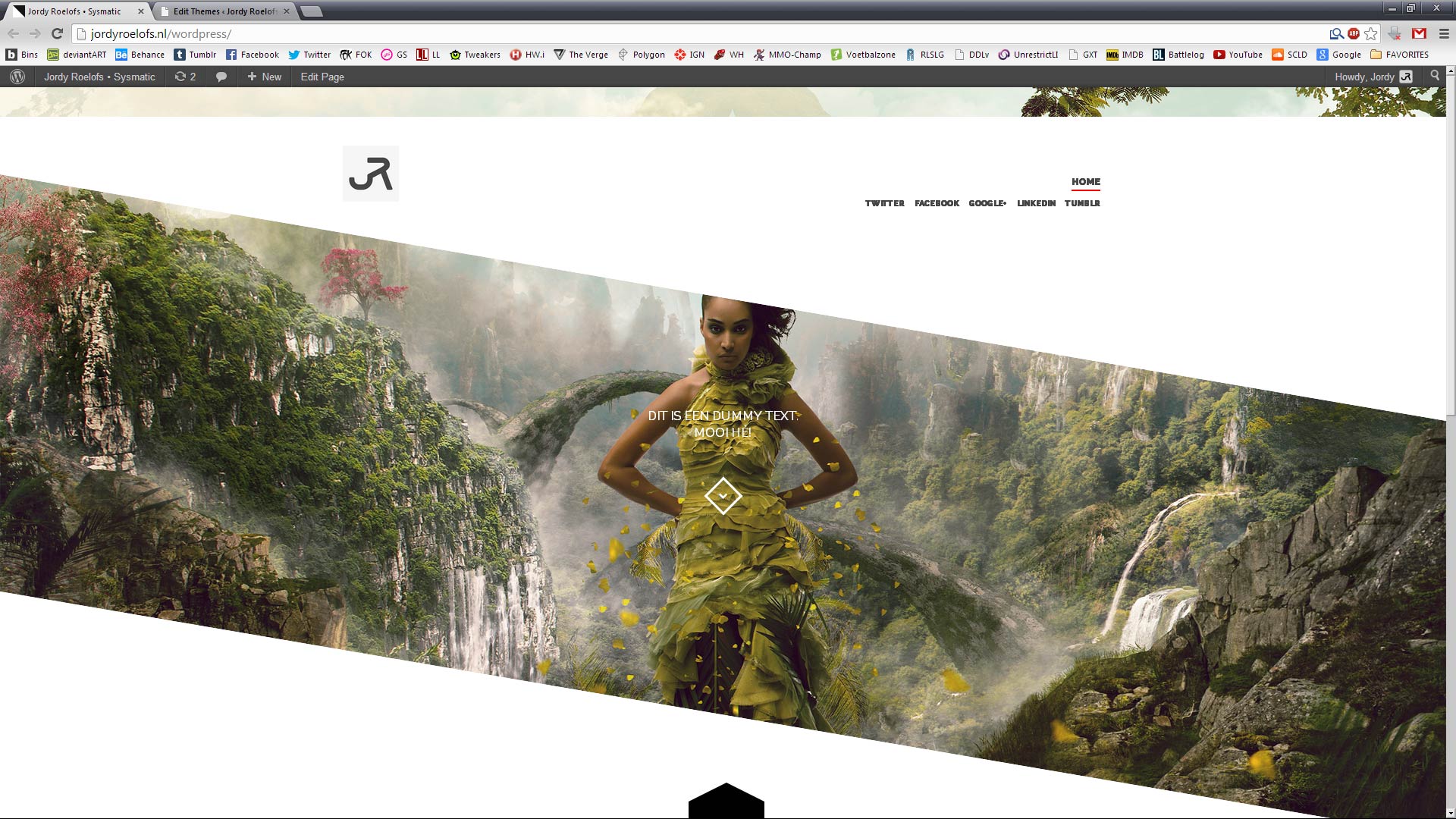
I seem to have a new issue with some blank space above my menu. I made a screenshot so you can see what I mean. http://www.jordyroelofs.nl/spacemenu.jpgIt happens when I scroll down and then back up to the top of the page.
Best regards,
Jordy
Hi,
please, open a private support ticket and provide us with an admin user/pass to your site. We will check closer this issue in order to understand why is happening this. In my end with the always opened menu I can´t reproduce this weird behavior.
Cheers!
Hello, how can i show my featured images completely and not cropped? i have some vertical images and like to show them in full size.
Hi Mac,
where would you like to show your non-cropped feat. images? I mean, I´m not sure to which elements are you refering to.
Blog Article – Fatured Image.
Mac,
I understand what you mean. In this sense I don´t recommend you to modify the cropping. Normally would be the user who would need to add images with a particular size in order to achieve a perfect fit for this area. Here the theme only controls that the image does not exceed some sizes, it is for this reason some images could appear cropped, specially the portrait.
Well, if you want to modify this, just open single.php, and around the line 12 you will find this:
the_post_thumbnail('large-slideshow’)
Just modify it with this:
the_post_thumbnail(‘full')
With it you will remove the size restriction for this element.
I hope it will help as you are searching for.
Cheers!
thanks, but no effect. :-/
.single-post .post-image{
    position: relative;
    max-width: 1024px;
    height: auto;
    max-height: 100%;
    min-height: 85px;
    margin: 0 auto;
    margin-top: 115px;
    padding: 0 10px;
    top: 75px;
    z-index: 10;
    -webkit-box-sizing:border-box;
       -moz-box-sizing:border-box;
        -ms-box-sizing:border-box;
         -o-box-sizing:border-box;
            box-sizing:border-box;
}
i adjust the max height to 100%
OK, I see. It is just that I´m not sure about how your needs are in detail. But if it works better, perfect! Let us know if you could have some other doubt, ok?
Cheers!
hola me encanta el theme pero tengo problemas para verlo en ipad, es normal?? puedes comentarlo para decidirme en comprarlo. gracias sol
Hi There! Is there a way of removing the text next to the navigation that says “currently watching X page”??
Please, do not duplicate your queries. Every question will be answered as soon as possible. I just would like to remember you that we don´t provide support on weekends as you can see in our support policy. In this sense we try to answer all your questions within the next 24-48h, usually we do this in few hours, sometimes in minutes.
Thanks.
Sorry! I didn’t see that my first question had posted correctly.. Thanks so much for the quick reply!
Hello, great theme! I was wondering if it is possible to turn off the text “you are now watching X page” next to the top navigation?
Hi Rue,
you have an option available under the menu selector that displays “Disable Menu Displays” You will find it within Flamingo > General area. Just check it and this feature will be disabled.
Hope it will help and thanks for using Flamingo!
Hi,
How come I get these errors when importin dummy-content?
Media “f5“ finns redan. Media “machine1“ finns redan. Media “machine2“ finns redan. Media “machine3“ finns redan. Media “machine4“ finns redan. Media “machine5“ finns redan. Media “machine6“ finns redan. Media “f1“ finns redan. Media “machine1“ finns redan. Media “machine2“ finns redan. Media “f2“ finns redan. Media “machine1“ finns redan. Media “machine2“ finns redan. Media “machine3“ finns redan. Media “f3“ finns redan. Media “machine1“ finns redan. Media “machine2“ finns redan. Media “machine3“ finns redan. Media “machine4“ finns redan. Media “f4“ finns redan. Media “machine1“ finns redan. Media “machine2“ finns redan. Media “machine3“ finns redan. Media “machine4“ finns redan. Media “machine5“ finns redan. Media “f6“ finns redan. Media “f7“ finns redan. Media “f8“ finns redan. Media “f9“ finns redan. Media “f10“ finns redan. Media “f11“ finns redan. Media “f12“ finns redan. Media “f13“ finns redan. Media “f14“ finns redan. Media “project-01“ finns redan. Media “project-02“ finns redan. Media “detail“ finns redan. Media “bg-about“ finns redan. Media “iphone“ finns redan. Media “dorlot-01“ finns redan. Media “about-bg“ finns redan. Media “about-iphone“ finns redan. Media “responsive-portfolio-design“ finns redan. Media “page-builder-composer-bike“ finns redan. Media “portfolio-freelance-media“ finns redan. Media “responsive-design“ finns redan. Media “retina-wordpress-theme-code“ finns redan. Media “wordpress-theme-seo-friendly“ finns redan. Media
(Finns redan = already exists)
Tried adding a new page and pasting the code instead like it says in doc but it didn’t look like the demo-site at all.
Regards
Hi damberglund,
the importer uses to return this kind of errors depending on your server response when importing data. Anyway, don´t be worry about this. Placeholder images will be placed in all this cases too because these references are not available to display in your site, you only will notice the same image as placeholder.
If you have any other doubt, do not hesitate to open a support ticket and we will try to help with.
Thanks for using Flamingo for your project.