1365 comments found.

Morning Pirenko,
I’ve checked through all your brilliant support comments but can’t see the answer to this:
1. Can I link to a grid portfolio page with an ajax filter (not the default) activated? (eg. to this page with ‘Documentary’ filtered: ) If so how can it be done?
I know I could achieve this result by just creating a new portfolio page for each category, but to link to one grid portfolio page with the filtered result and options to check other filters would be better for me.
BTW like everyone else I’m thrilled with this theme; without doubt the best I’ve bought on themeforest.
cheers!
Hi,
Thank you for your kind comments! I’m sorry, but I could not understand what you want to. Can you try to explain differently?
Cheers 
Ok let me try again:
I would like to link to the portfolio page from another part of the site. But I would like the link to open the page with a certain skill filter already chosen.
So I could link directly to the page here, but when it loaded instead of it displaying ‘All’, it would be displaying only ones marked with the ‘Documentary’ skill.
(As if the user had arrived on the portfolio page and then pressed ‘Documentary’ in the skills filter at the top).
Is that clearer?
I understand what you want to do, but it is not possible with the theme in his default state. You need to edit the main.js file for this, but I would say that it requires medium jQuery knowledge. Probably you’ll have to tweak also the portfolio php file.
Cheers!
Ok thanks for the quick replies, I’ll take a look!
Hi Pirenko
Is there any way on the contact page – the map be moved down to the bottom and the contact form to the top?
Thanks
Hi,
You need to edit the page-contact.php file for this. As an alternative, you can install the free Contact Form 7 plugin and build your own contact page using the Visual Composer page builder.
Cheers!
Hi Pirenko,
I want to go to another domain. Can I delete my installation and transfer anything to the new domain without licence infraction?
Hi,
I think that as far as you are only using it for one website you are good to go. If you have need further info please contact Envato support. Thanks!
I don´t want to use it twice.. just deleting the old one for a new domain name. thanks for replying
Ok, cheers!
Hi, Is it possible to install addons fo Visual Composer http://vc.wpbakery.com/addons/ in your theme? Thanks.
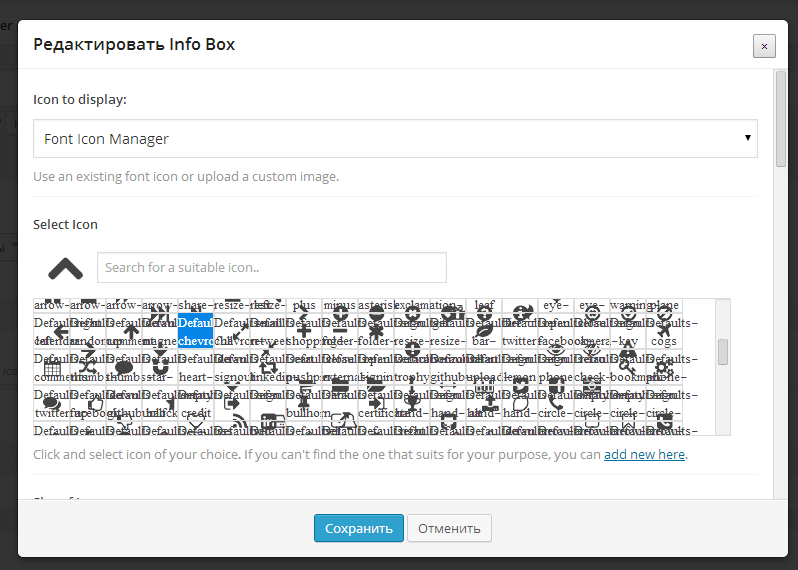
After installing this addon http://codecanyon.net/item/ultimate-addons-for-visual-composer/6892199 it is working but rather badly: no icon in composer modules: http://c2n.me/6UGDfz.png and problem with selection window http://c2n.me/6UGzcu.png
Please inform me: is it addon problem or theme problem?
Hi,
I have changed the composer general styles so probably they are not entirely compatible. If you want send me a private message with your WP login details and I’ll see if this can be fixed.
Cheers!
Ok. Done.
Turkish font does not support
Hi, yes it does. Just make sure that you select a font that supports those characters. The theme allows you to add more fonts too. Cheers!
How do I install fonts?
You can add extra fonts using the method shown here: http://www.pirenko.com/blog/2013/08/27/extra-fonts-plugin-by-pirenko/ . Cheers!
Hi Pirenko,
I have sent this message about this before… but it is still not working for me… and not too sure if this is something I am the only one that is experiencing this or if others are also…. when i use the contact page of Samba theme using a gmail associated account to send email to contact, it does not get sent however with any other email accounts such as hotmail, yahoo, private domain email etc… works just fine and I can get all the contacted emails. This is somewhat limiting the contacts i can get as these days in age, so many people use gmail accounts and i am missing out on potential clients.
any idea as to why it could be happening?
please let me know
Hi,
If you go to the theme preview and send a message I will receive it on my gmail account. I just tested it… This means the problem is not related with the theme, but with your web server or your gmail account settings.
If you want you can send me your gmail account so that we test it on the theme preview. This way you will now if the problem is with your gmail settings or on your web server.
Cheers!
i see… but i have tried with several different gmail accounts… and it all did not work… what would be the issue with the server setting then? so that at least I can have a look at it… although i am not good with it all but can at least try….
I can’t tell really. Probably your server is somehow blacklisted by gmail. Thanks!
it is not possible as i use google apps for my email accounts and it is all up and running…. is it possible that i give you a link to my website and you can try it out yourself to see? and if you were to send me an email using the contact form page within my website with your gmail address to see if it works…? it would be greatly appreciated www.yscarchitects.com
I just sent you an email from my gmail account. Thanks!
nothing has been received….. and i tried with at least 3 different and separate gmail accounts just before as well…. i have also sent you an email using one of the live preview page of yours using the contact form with my gmail address… to see if that can be received by you… it is really annoying how it is not working…..
Hi,
I have received the email you sent using the theme on your server on my gmail account. And I have replied to the gmail account you placed on the message. So, once again, the problem is not coming from the theme. Cheers!
cheers
Hi Pirenko!
I think I have got it sorted…. it was that plug-in…. because for some reason, the Google Apps associated gmail accounts and WP themes with contact forms have some known glitch… and thus you need to request the WP themes to direct emails using SMTP servers of gmail…. (or something like that!) so by having that plug-in installed and set it as it is required, it seems to be working fine. This may help your other clients or future ones should they be having same issues!!!
http://www.onedesigns.com/tutorials/how-to-use-google-apps-as-an-external-email-service-for-your-wordpress-websiteThat explained it all for me…. and worked… but may I ask you to try sending me an email from your gmail account from my contact page of the website so that I know it works beyond my different sets of gmail accounts I have please? its www.yscarchitects.com
Many thanks for that!!
Hi,
That link does not show Samba theme. Cheers!
Hi there, yes I understand and appreciate that it does not show specifically your Samba theme; but what is shows and demonstrates for some of your clients (including myself) if they were to be using Google Apps accounts linked with their respective servers and operate a website using any of WP themes (such as your wonderful theme like Samba); then they can have all of the contact emails from the potential viewers/clients who visits their website can receive all of the inquiry emails. Thought I would be helpful by sharing what I have found out in order to have the minor glitches I have been having with Google Apps together with a WP themes websites (including the use of your designs – Samba).
Ok, cheers!
Hi pirenko. Thanks for your previous answer ! I have yet another problem since on my portfolio pages http://aikidorosheim.com/actu-videos/ & http://aikidorosheim.com/liens/ the website in sot able to find previous and next portfolios; this is curious because it happens only when portfolios are loaded on the same page. What can i do ?
Hi,
Please update the theme to the latest version. If you already have it please send me a private message with your WP login details. Thanks!
I just send you a message. Thanks !
Hi Pirenko,
could you tell me how to “tun off” the mouse over zoom function on portfolio items and also on post items?
and maybe for a future update would it be an idea to make the third level menu items have an indent with respect to the second level menu items. Just like the second layer items have an indent with respect to the first menu items?
Thanks!
greets,
Aal
Hi,
For the scaling try adding this under Samba Options>Custom Scripts>Custom CSS:.grid_image {-webkit-transform: scale(1) !important;
-moz-transform: scale(1) !important;
-ms-transform: scale(1) !important;
-o-transform: scale(1) !important;
transform: scale(1) !important;
}
As for the menu thing I’ll analyze it on the next update. Cheers!
Thanks a lot!
Hi pirenko. Hi have a page “links” on my site : http://aikidorosheim.com/liens/ And to be faster, i need to set a link to the portfolios, but is it possible to add a “blank_page” attribute ? Because at the moment, all links open in the same page. Thanks !
Hi,
Send me a private message and I’ll send you a tweaked php file. Cheers!
OK but you haven’t answered me yet
Hi,
I have replied 3 days ago. Please check your spam folder. Thanks!
Sorry but i haven”t found it. Can you please send me the message again ?
Sorry but i haven’t found it. Can you please send it again ?
Hi,
I just forwarded it. Cheers!
When i choose a vertical menu in WPML + show language in menu, Samba overrides this, and shows the current language, with the other languages as submenu items.How can i make all languages (2) main menu items and not submenu ?
Also, when clicking on a menu item, only the content is refreshed. This causes issues like a french page with a dutch menu. Is it possible to override this, so the whole page is refreshed ?
Hi,
If those buttons appear as a submenu it is because WPML structures them like a submenu (probably an extra ul). Also, if you want the whole page to reload when those buttons are clicked please follow the method shown here: http://www.youtube.com/watch?v=t94kI6HuSMA&list=PLWiviR4wWrsEwB95voMUNiVIqJma9xNmV&index=12
Side-note: people usually add this as a widget and because you have a sidebar under the menu maybe you can also try it using a widget.
Cheers!
hi, i would recommend users to change css id #body_hider ( in custom.ss) height and width value from 3000px to 100% so that it will dramatically improve dom page repainting time (big performance boost) when using chrome dev tools i managed to identify why the whole page was getting repainted which was causing major performance issue on mobile. enjoy =)
body_hider{
position: fixed; height: 100%; width: 100%; display: none; cursor: pointer; background-color: #1f282d; z-index: 9909; }
Hi,
Thank you for your suggestion. I’ll include it on the next update. Cheers!
@andypeck Hello there. I am not a coder, but widget line 141 searches for tweets by a specific username.. Maybe, the part “emily-rose.co.uk” isn´t right. You tried the username instead of the url?
Hi,
Thank you for helping out. I think there are no tweets to display and the theme version is not the latest.
Cheers!
Hey Pirenko, its been a while. Im setting up Samba Twitter in the right column for my daughter’s website and we are getting the following error come up in its place….
Warning: Invalid argument supplied for foreach() in/var/sites/e/emily-rose.co.uk/public_html/wp-content/plugins/samba_framework/inc/theme_widgets/pirenko-twitter/widget.php on line 141
Ive put all the correct Twitter codes but its still showing up as an error. I think this has happened before and you added some CSS but wondering if you could just give me the code to fix it so i dont have to bother you again on this issue.
Can you send response to my apple and gmail account. Cheers Andy
Hi,
That message should appear only if you are using an old version of the theme. Anyway, it was only being displayed when there were no tweets to display so, or that account does not have tweets, or you are placing the wrong information.
Cheers!
Hello Pirenko,
that theme is absolutely beautiful. Can you describe, how I can add a custom google webfont for choosing it in the backend? I want to have a clear handwriting style. So I hope you can help
I found out: You already helped me;) found http://www.pirenko.com/blog/2013/08/27/extra-fonts-plugin-by-pirenko/ Thx 
Ok, thanks
But this theme is made for feedback… but first a question:
I don´t want to read all comments here, so… are there any other plugins for the theme, I can quickly add to the installation?
And now.. some feedback:
I have tested the theme options and I am very familiar with many themes from themeforest. I think, your theme is the most complete of about 50 themes I bought through the past couple of years. I could not test everything, but at the momemt: I don´t miss anything.
The only thing, that would be a perfect addition for me is the ability to sort the recent post widget (or add another post widget) by tag/slug/titel via date/name/id.
I really love this theme and believe me: before I will buy another theme from anyone, I will have a look at your portfolio first!
Hi,
It’s really good to know that you are enjoying the theme
About plugins… The theme comes with two specially tailored: Samba Framework and the Visual Composer page builder.
Apart from these I suggest that, if their purpose serves your website, you install Mailchimp and W3 Total Cache.
As for the recent post thing… It already allows you to sort by categories, right? So, on a future update, I can add an author filter and a tag filter too. Let me know if this is good enough for you.
Cheers!
Hi Pirenki,
I already know Visual Composer, bought it long ago. It´s a great addition for Wordpress and I love to see you integrated it.
W3 Total Cache is a good idea, but MailChimp does not fit me needs. Actually, I am looking for a (not out-ofdate) plugin to generate round images instrad of squared… but codecanyon does not offer something similar and the free repo has just two outdated ones.
For The Post plugin, this is a little special. What I want to do is to let users write stories with chaptors. I want to do is create a category with the stories title and a sorted list of posts by name, so that people can read the stories one chapter after another.
I will use this for Guest Posts (http://codecanyon.net/item/wp-frontend-form-multipurpose-posting-form/5103469).
Another problem is, that I can do some css changes I know, But I have no idea how to style the plugins output exactly like you did with contact form 7 forms. That will be an epic quest for me
I really love that you reply in such a short time. Outstanding theme.. outstanding support.. I hope your products will find an outstanding amount of customers
Hello again,About your post plugin: probably using the Sitemap element that you can add with Visual Composer will be near to what you need. Send me a private message with a link when you have some information online.
As for styling some plugin elements, once again, send me link(s) to the pages where you have them and I’ll try to help you.
Cheers!
thank you. Will write back as soon as possible. I am a little proud of being your customer;)
Ok, cheers
Yeah! I really really really have a question… Where can I translate the SambaWidgets?
Another (very very little) thing. Can I globally resize the used font? let´s say just “+1 px”
Hi,
You should be able to translate the widgets using the .mo/.po files. You can also use WPML plugin for this. There may be some string missing so let me know if you find it, but, even so, it should be ready to be translated with the language files.
About increasing the font: try adding this CSS under Samba Options>Custom Scripts>Custom CSS:body{font-size:14px;}
Thanks!
Something more: I installed the free plugin nav menu roles to hide menu items from users that are not registred. But it don´t work for Samba, because I think you have redesigned the appearence >> menu section.
Is there a chance to get it working?
Hi,
I haven’t done any special trick to the menu. What do you mean with redesigned?
Cheers!
Well… normaly my wordpress installation is german. It is. But since I activated the theme, it is english. I installed nav menu roles on many we 8.1 sites with many custom themes. The plug in shows rules for different user roles in every sub menu item. In this theme it shows absolutely nothing. So I think there is some special code in the menu section. I am nearly sure because colors for menu items, like your theme supports them, are not standard too.
But my wp is only English in sections that are influenced by the theme. Most of my wp is german
For the translation: where are the po files for the samba framework plugin? Did not find them and no lang folder thx for helping
On line 83 of the header.php you’ll see that menu is outputted with wp_nav_menu so I don’t see anything special. The colors are “injected” using jQuery so they don’t interfere with the menu itself. Thanks!
Ok. I understand. So… is it possible that this injection disables the injection of the navigation menu roles settings? Maybe you can try in your demo? It’s free in wp repo and made for wp 8.1. There are screens of how it should look like
Hi,
The problem is because the theme adds the extra color field to the menu items and this overrides the plugin function that adds another fields to the menu.
If you want I can send you a customized functions.php file that works with that plugin, but you will loose the color option for menu items. If you want this file please send me a private message.
Cheers!
Well… Maybe I have an alternative way to implement this. If you need it please send me a private message. Cheers!
Without losing the color option? Sounds interesting.but first I must sleep it’s 4 in the night here please give me the path of the frameworks po. Good night and thanks so much
The language files are located on the lang folder. Once again, if you find any missing translation feel free to add it to the language file and the theme should output the translated string properly. Cheers!
The language files in /theme/samba/lang don´t have any widget phrases inside. In /plugins/samba-framwork/ is no lang folder
I don´t know how I can add phrases So, I don´t want to brake the theme
Hi,
Ok, I’ll add them. Please make a list and send it by email. Thanks!
I will asap. Just have to add some posts to test all the beautiful widgets
How can I style the visual editors textarea only on the front end with background color and front color? This is the only thing I can not change on my own.
Hi,
You need to edit the whole row style for this. You can do it using the Page Builder… Here’s a tutorial: http://www.youtube.com/watch?v=8hBecwTKOrs&list=PLWiviR4wWrsEwB95voMUNiVIqJma9xNmV
If you have trouble please send me a private message with a link.
Cheers!
Hello Pirenko
In regards to the collapsed menu (as seen on smartphones and smaller resolution screens) when someone clicks on the menu link is it possible to expand the second level (child menu links) instead of sending the user directly to the parent page?
This is in order to show the user the navigation possibilities instead of sending him directly to the page and perphaps him or her missing out on the other options. As of now the user is sent to the parent link and only after clicking menu again will he know there is child links.
I attach an image to further explain myself.
Thank you!
Hi,
You need to make your parent link be a Custom Link and not a page (or a link to a page). Make sure that you set the Custom Link URL to #
All of this is done under Appearance>Menus.
Cheers 
I would really like to make the minimum width of the right sidebar 300px to accommodate the ad modules that are on my site (www.dblback.com).
Please let me know what I would have to do in order to make this happen. Thank you.
Hi,
You need to add some custom CSS code under Samba Options>Custom Scripts tab and also change the main.js file.
Cheers!
Could you help me with some help on this CSS code? Would it be possible for you to provide some guidance on the changes we’d have to make?
To clarify, I’m talking about the right sidebar that we place widgets in on the classic blog page.
It’s pretty easy to see the issue I have when you visit www.dblback.com. For some reason, I cannot just make those ads responsive to fit the theme as is.
I don’t know if this will help, but here is the typical code I’m using in ‘text’ widgets for my ad modules:
<script type=”text/javascript” src=”http://www.lijit.com/delivery/fp?u=dblback&z=239959”></script>Thanks!
Hi,
Try adding this under Samba Options>Custom Scripts>Custom CSS:#sidebar .textwidget>div{width: auto !important;
height: auto !important;}
Cheers!
Hello!
Thank you. This solution is working for my passback ad tags, but is not working for the ads that load from my ad network.
If you take a look at the site (www.dblback.com) you’ll see that my passback ads (groupon ads that you see) will be auto resized based on your custom script, but the other ads that are placed there still remain to be 300PX wide and they do not fit on the page. They also do not auto-resize.
Do you have any tips? Or can you suggest any type of code that might autoresize according to your custom script?
Thanks!
FYI the script that I’m currently using for my ad network look like this:
<script type=”text/javascript” src=”http://www.lijit.com/delivery/fp?u=dblback&z=239959”></script>I don’t know if that will help, but I thought it might.
Hi,
I visited that page and could not see anything wrong. I assume that you fixed the ads size. Cheers!
Here is a link to a screenshot to show you what I am speaking of…
http://dblback.com/wp-content/uploads/2014/02/Capture.pngThe screenshot shows coastal.com ads populating from my ad network (using this script: <script type=”text/javascript” src=”http://www.lijit.com/delivery/fp?u=dblback&z=239959”></script>) and they are being cut off on the right side.
The ads will always populate at 300px and will not responsively resize like my passback groupon tags would. I don’t think that it will be possible to make these ads responsively resize as they don’t respond to the custom CSS that you provided me with previously.
So, is there any way to ensure that the minimum width of the right sidebar is 300px? Or do you know of a way to force those ad modules to responsively resize?
Thanks, Dave
Hi,
I visited your page again and could not see that ad. I can’t help you like this. Anyway, the big problem here is that you are placing something with fixed size on a responsive theme. The problem does not lie on the theme honestly.
Anyway, like I told you before, if you want to change the theme sidebar size you need to add some custom CSS code under Samba Options>Custom Scripts tab and also change the main.js file.
Cheers!
Feature Request for future version:
How about making this theme fully SEO optimized by default and an option in the Admin Panel to enter Keywords for optimization and let the theme do the optimization using those keywords.
Hi,
I think this is really not needed, because you have the best product on the market and it is free: Yoast SEO plugin. I don’t like to install plugins for everything, but believe me that there is nothing better that this one.
Cheers!
Yes That works.
Hi I’m having trouble with the right sidebar. It does only show onone of the pages, even if i did turn on the setttings to show on everyone. Is it a bug?
Hi,
If it is a bug, it is something that I am aware of. Please check that if on those specific pages settings you don’t have the “Use sidebar” option set to off. If you still have trouble please send me a private message with your WP login details. Thanks!
Have 1 question before purchase. 1) How did u manage to make the grid blog without sidebar and then in the single post the sidebar appears ? In my old theme i cannot do this. Do you have a setting or something ?
Hi,, yes it is a setting. You can decide if you want to show the sidebar or not on pages. Cheers!
Hi Pirenko,
How can I configure the theme so internal pages links (A HREF) colors be the same than its specific menu item color?
For example in this page: http://www.gambiologia.net/blog/apresentacao
I’d like to have the links green as the titles and menu item.
Thanks!
Hi,
Try adding class=”not_zero_color” to those HTML a tags.
Cheers!
ok Thanks! but is it possible to have it automatically in the whole site so I don’t need to set it up in every single link? (maybe edit the A tag css…?)
This will affect all links and it is not a good idea. Let me just remind you that these links are getting the theme active color option so you can also try to change it under Samba Options>General tab.
Cheers!
So I leave this as a suggestion :^) Because the way it is now, it seems we can’t define custom underline and mouseover color for links…
Hi,
I actually think that it makes sense like it is now and I see that you were able to change your links color, so it is not a big deal I think.
Cheers!