38438 comments found.
Hello and thanks in advance for this. I purchased the Ultimate VC addon and some features will now work. How can I fix this? Do you have a licensed update of Visual Composer or do I have to buy the latest? if I need the latest then can I safely install with out screwing up the theme?
Cheers,
Brendan
Hey, the current release of the theme includes a VC which should support it – are you on v5.5+?
Cheers
I just did the update and my site looks a little weird. which VC plugin do I use? There seem to be a few and the one that I downloaded (Showcase – Visual Composer) does’‘t work. There is VC code all over instead of the images.
Hey – there’s only one VC plugin that’s included with the theme now, you can find it within the plugins folder directly inside of the Salient theme directory
Phectar I have no idea how to make this work. In the plugins folder I see a JS_composer_salient file that I’ve unzipped but am not sure how to locate it in my plugins directory as it is currently absent from this list to activate.
OK so I’m a big dumb dumb…. Got it all squared away.
Thanks Phectar!
Glad to hear 

Is there a way to add an image (like a logo) in the header? (not as background) Also how do you make the titles of the menus in the footer bigger? Here’s my page http://freshstart.church The blue titles I’d like to make bigger. Thanks.
Hey,
1. You’d need to add the img tag into the header.php file in a custom list item within the sf-menu UL
2. You can use the typography options tab in your Salient options panel
Cheers
As so many others have said – this theme is INCREDIBLE. Love it so much.
We’re using FacetWP on our site. http://webedgedesign.com/beeaudio
When we use it on our main blog page (Narrators) it works pretty well. However, we really want the sidebar on the left. So, we created a test page with Sidebar Left setting, and then loaded the blog via the page builder. However, when we do that, we get this output:
http://webedgedesign.com/beeaudio/narrator-test/Any suggestions/ideas what might be going on here? Many thanks in advance!!
Thanks brianmac2021!
Try using the default page layout and just using Visual Composer to create the sidebar from a column – you can use the widgetized sidebar element to place your sidebar widgets
Cheers
Two minor bugs to report. The “Enable WooCommerce Cart In Nav” only works if theme skin is set to “ascend”, it won’t work when that is set to “original”.
When using latest raw VC plugin instead of yours, the social links symbols don’t show up. The counts are there, but there’s no way to determine what those numbers even mean.
Hey pbeckley,
1. The original skin only shows the cart when a product is added, the ascend shows it all the time
2. Could you kindly share a URL in regards so I can take a look?
Cheers
Hey – thanks for sharing the URL, it appears the raw plugin is overriding the font awesome Salient normally loads. I’ve noted to sort this
Hi there, Firstly – thanks for the excellent theme!! Nice interface and easy to get round, really like it. But I have an issue with blog posts! I am using the display-posts shortcode to display my blog posts in my custom front page. It is working fine, except that when I use the include_excerpt=”true” code, it displays the excerpt without any line breaks in it and it is not the full width of the column (currently set at ¾). The short-code I am using in full is:
[display-posts posts_per_page=”5” include_excerpt=”true” wrapper=”div”]
Any clues on how to A) show the excerpts with line breaks in, and  how to display the posts at the full width of the of column with the text justified without numbering (wrapper=”ol”) or without bullet points (no wrapper).
Kind regards
MFOnline
how to display the posts at the full width of the of column with the text justified without numbering (wrapper=”ol”) or without bullet points (no wrapper).
Kind regards
MFOnline
Hey MFOnline,
Could you kindly share your URL in regards?
Cheers
Definitely! michael-fassbender-online.net/ Thank you for your quick response.
Hey again!
1. Since it’s using the actual excerpt function which strips HTML you’d need to add a filter for that in the functions.php file. Something like this might do the trick http://wordpress.stackexchange.com/questions/67498/how-to-include-line-breaks-in-the-excerpt
2. Add this into the custom css box in the Salient options panel:
div.listing-item {
   max-width: none!important;
}
Thank you – we tried this, unfortunately it did not resolve the issue.
Meanwhile in an attempt to find a fix we now have a bigger problem. Please see: http://michael-fassbender-online.net/ – html coding is now appearing on the website, there is a problem with the columns and is making a video placed in our sidebar huge and taking over the home page.
We contacted our web host to see if we could get a website data restore back 24 plus hours. The web host tech stated that it looks like the issue is a plug-in needs to be enabled so the short code will work. We advised the web host that all of our plug-ins are already activated and so there is nothing that we can see to enable.
We again requested a site restoral but they now said that the latest data backup took place this afternoon – March 10th. It seems that is the furthest they can go back – per that tech’s message.
We would greatly appreciate your assistance on getting this issue resolved. If it is easier you may contact us at m.fassbender.online@gmail.com
Best regards
Hey make sure you have the Salient VC installed:
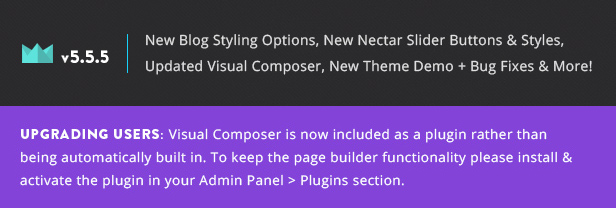
Salient v5.5 separated Visual Composer into a plugin and it is no longer automatically built in – this means when you activate the theme you’ll have to still install the Visual Composer plugin via the admin panel. It is included still with the theme and no purchase is necessary, just head to the plugins section of your admin panel to install & activate.
Hey again, sorry to keep bugging you about this – but… we cannot find the Visual Composer in the Plugins section… either installed or to add…
Typing in “Visual Composer” “Salient Visual Composer” and “Salient VC” brings up nothing of relevance… any ideas?
Thanks again.
Hey – you can also find the plugin located inside of the plugin folder directly inside of the theme
Cheers
Hi,
Once again great theme you have here. Its just that i run into some weird problem.
Did clean wp install to clean database and activated Salient. All the settings of Salient at the admin menu look like this (http://file.jaatiedostosi.com/30TDDuvT/Nayttokuva_2015-03-08_kello_23.10.55.png). It is just one large list of settings.
And it doesn’t save any changes i do make when i click the save button.
Hey,
Could you kindly open a ticket in regards with your admin credentials so I can take a look?
Cheers
Hello
First of all I really like the latest update. Great work! Is there anyway to have the capabilities of recent project element on recent blog post element?
Thank you
Hey ekapkin,
Not yet – but the it’s an item on the wishlist
Cheers
Conratulations great theme,
Only one question about updating to latest version. I cannot update directly through folders. I need to delete the old version and install the new one. The question is… What happens with child theme? will I lose modifications?
Thanks
Hey loopscloud,
If you have files in your child theme to override the parent theme you’ll need to ensure they match up to the new parent files
Cheers
Hi Nectar,
I did it. Update Version 5.0 to 5.5.3! All works fine – only a little part of tabbed content (Gallery below a text row) lost his margin, but a small divider fixed this imediately.
But an important message for all who take advantage of the Plugin W3 Toatal Cache (speeds up your site extremly). It is recomended to deactivate and after setting up the new version to reactivate – it causes strange behavors – some sites didn’t load anymore and the admin section of Wordpress (t edit your sites) was displayed on devices which never were used as WordPress editors and so on. Very strange …
BTW I’ve read on another post here, that the options of Galleries have been changed, so that you are able to display titles and descriptions in a lightbox now, but I can’t find them. Have I missed something? This is a must have feature … during the last versions I have taken advantage of Justified Image Grid Plugin in combination of FooBox Lightbox to satisfy my customers demand. On my opinion the new Visual Composer rocks and the possibility to hide rows on mobile is a killer feature! Also the speed of the backend editor increases dramarically.
Thanks for your hard work and your support!
Cheers -
Markus
Hey Markus,
Thanks for your kind words! The description will display based on the description you have for the actual image: http://i.imgur.com/CYSul20.jpg
Cheers
Hey, any chance we can get the “read more” button back for the updated salient-ascend/blog-masonry-sidebar/ version?
Hey – the ascend skin hides the read more button, add this into the custom css box in the Salient options panel:
.ascend .masonry-blog-item .more-link {
  display: block!important;
}
Cheers
Thanks for this and all your help in the past. I can imagine answering all these questions can get tedious at times, but know that your help is immensely appreciated. You have the best theme and I would give it six stars if I could. But since I can’t, all I can do is recommend it to others. Keep up the great work!
Thanks so much!
Hi, Im experiencing a really weird effect now since the update.
1) When loading a parallax strip row with or without a full width background image. The page begins to move around with the mouse cursor so I am able to scroll left and right of the page. This wasnt happening in the old theme. What is it?
2) Adding any background image within a row or page builder element causes the same issue.
3) It is also causing this issue within the wordpress CMS itself – where i am able to scroll around the main page into the dashboard sidebar.
4) The reason for updating from the old version was due to the text styling not appearing in the text box element.
Please advise.
Hey TheFaceBC,
1/2/3. Could you kindly share the URL so I can take a look?
Cheers
Hey TN,
Just sent you a message with the URL & Login details. Look forward to hearing from you.
Thanks guys!
Hey – could you kindly also get a ticket open in regards so it can remain organized http://themenectar.ticksy.com/
Thanks!
Hey TN. Just did Ticket: #390356 Thanks.
Thanks!
Hi Nectar,
Is it possible to create three portfolio’s in the same style a shown on this page: http://www.creativebase.nl/?page_id=727
I want: - one portfolio for graphic design, which has filters for advertising, brochures, posters, ect - one portfolio for 3D-modeling, which has filters for products, character, environment, ect - one portfolio for photography, which has filters for color photography, black and white photography, macro photography, ect
Is this possible?
Hey,
Yes – in the current version of the theme you can multiple portfolios on the same page with filters
Cheers
That’s nice. But how can I do this. Can you explain it to me?
You need to use the visual composer portfolio element instead of the portfolio page template
Cheers
Help
I haven’t heard from tech support in a few days and I really need my site to start working. I currently have Salient 5.5.3 installed on my site, have repaired and optimized my databases but the visual composer does not show up (yes I have the plugin installed and activated and made available for every type of post) the nectar shortcodes button does not load anything. When clicked the following is added to the end of my page URL #nectar-sc-generator but no shortcode window opens anymore. The page header image button on each page does nothing and I really need to make some changes to my site before I do a big ad push. I’ve gotten by for two weeks just writing the shortcodes out but now I need to add a new video element and I don’t have the shortcode to use available.
If it helps the only other place where I am having an issue is with my WooCommerce bookings plugin the add resources button does not work and changing the availability doesn’t work. All other buttons on the backend work just fine and there are no issues with the frontend of the site at all.
I have also disabled every plugin in my site to see if that helps and the problem persists.
Please help if you can I do not want to loose vital customer data but doing a totally fresh install of WordPress.
Hey jakemichaelmorris,
could you please let me know the ticket ID so I can check on this for you?
Cheers
377769 but I think you already are on it. At least someone with the name I am theme nectar is helping me now.
Ok, just let me know once you’ve checked the plugins I’ve mentioned
The theme loads very slow. Is there a way to speed the site up?
Hey airessm, could you share your URL so I can see your current setup?
Cheers
the page builder is missing from my downloads it’s not in the plugin section
Hey huhhso, it’s located in the plugins folder inside of the theme itself if you would like to grab it manually to install
Hi!
How to increase the maximum width of the nectar slider caption field please?
I’m using
tags already but I want the sentence to be longer without being cut in two halts…?
Best regards and a great day!
Hey nadiavonscotti,
The content area for caption content should extend to the same width as the site main container unless you’re using the right aligned option – anyway you could share your URL so I could take a peek?
Cheers
Hey, thx for the quick response! I indeed use right aligned but maybe there is a way to broaden the caption area?
Check www.we-are-utopia.com
Hey again,
Add this into the custom css box in the Salient options panel:
.swiper-slide[data-x-pos="right"] .content {
  width: 70%!important;
}
Cheers
Just updated to 5.3.3 from 5.0 and everything pretty much broke. I only have Nectar Shortcodes now, no more visual editor and my pages are all messed up:
http://sacredritestattoo.com/Help!
Hey Knux0r,
Salient v5.5 has separated Visual Composer into a plugin and is no longer automatically built in – this means when you activate the theme you’ll have to still install the Visual Composer plugin via the admin panel. It is included still with the theme and no purchase is necessary, just head to the plugins section of your admin panel to install & activate. Cheers!
Literally just figured that out haha. Might want to update your documentation, it doesn’t say anywhere that you need to do that.
Glad you found it As of now there’s a notification on the main theme description page: http://themenectar.com/img/update-banners/salient-5-5.jpg and there should have been a notice in your admin panel towards the top saying that Salient Visual Composer was a required plugin – I’ve noted to add a note in the user guide as well
Cheers!
If you just wipe the FTP out and upload the new one, there is no notification. Which is where I was stuck. But you’re right about a fresh theme install, it was notified there, which is how I figured it out.
Thanks again!
Glad it’s sorted and thanks for the note
Hi, I love this theme Can you tell me how I can make the spaces between the rows transparent? There’s probably another way to describe what I’m saying but this is an example of what I mean:- http://wallapop.com/
Hey – you can set a row in Visual Composer to full width background and upload a BG image. You’d just need to then set some top/bottom padding for the row to give it height since you’ll have no content in it
Cheers
Excellent, understand, thank you
You’re welcome
Hi,
I have just updated the theme and a lot of things just broke. I was not updating the theme about a year time. Many styles from the update just overwrite my rules from child theme and i end up with a lot of work. Not only my child theme but for example styles from prettyPhoto lightbox from Justified Image Grid plugin, navigation is all over the place. This is not great when you updating parent theme and you have to do a lot of styling work to bring original look of the website.
Cheers, Patrick
Hey Patrick,
If you can share your URL i’d be glad to see why the lightbox in your plugin is distorted
Cheers



.)